Unwanted characters in Documentation pages

Hello, I am just starting to use the Documentation pages in RDM and I'm experiencing some strange behavior when trying to use HTML templates.
I have created several templates and the 'editor' page looks like this:
<h1>Company Information</strong></h1>
<p><strong>Enter link to ConnectWise PSA company page here</p>
<p> </p>
<h3><strong>Company Name: </strong> </h3>
<p> </p>
<h3><strong>Address:</strong></h3>
<p> </p>
<p> </p>
However, then I try to use the templates, I get all these unwanted /n characters in the page. they literally say "\n" (see below). those characters are no where in my HTML code. Not sure where they're coming from and I don't want them there, obviously.
Here's what it looks like in the Template window, notice no weird \n characters.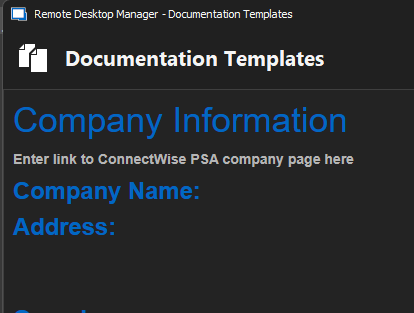
EDIT 1: I was choosing HTML as the "Documentation Type" when I went to create a new page. That's when I saw the \n characters.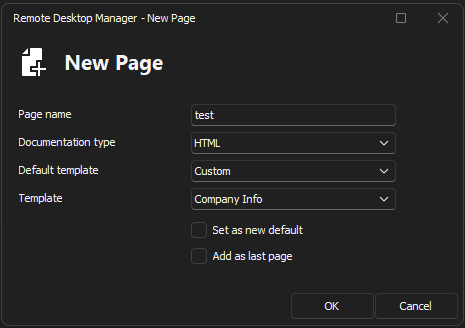
However, I found that If I select Markdown as the Documentation Type, it didn't put the \n characters in there.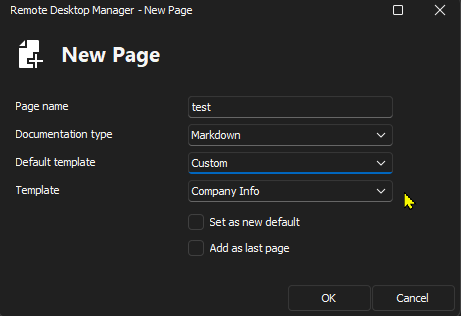
That said - I don't want to use Markdown, I want to use HTML. That's why I put the HTML code in the template...But, when I create the template, there's no choice to let RDM know that this is the type of document I'm creating.
If someone can please assist, that would be great.
ec485594-fbe9-4b22-876a-607e287da56b.png
5223a7af-ee34-4b1f-9d36-087e6f45f1a9.png
8f96391c-66df-4e3b-8e12-df5ad1c92ae1.png
Snap61.jpg
All Comments (7)
Hello,
Thank you for reaching out to us regarding this,
Could you confirm which version of RDM you are using? I would also like to confirm what type of data source you're using?
Let me know,
Best regards,
Samuel Dery
Hi Samuel,
I'm using SQL as the datasource and I'm currently running 2023.2.27.0 64-bit
Hello,
Thank you for your reply,
I've been able to reproduce the issue, I'm unsure what would be the expected behavior in this case, I will reach out to our development team regarding this and keep you updated with any news I receive.
Best regards,
Samuel Dery
Has there been any progress on this issue?
Hello,
Thank you for your patience,
Unfortunately, I do not have additional news regarding this at this time,
We've created a case regarding this with our development team, which we've linked to this thread and we will keep you updated with any news we receive,
Best regards,
Samuel Dery
Hello sbemister1.
We use different components for handling the tab documentation. While in the HTML editor, there is Tools section at the top. In it, you can find the Source Code button. If you insert your html directly there, it should come out as expected.
Please tell us if this fixes the issue for you.
Regards,
Jafran Majeau
Hi Jafran,
Please keep in mind this is occurring when I try to use a template.