RDM Freezes for some minutes everytime i click on it to start a search or use it.
RDM Freezes for some minutes everytime i click on it to start a search or use it.

Hi, i'm facing a issue on remote desktop manager after updating to 2023 version.
I´m using windows 11 with all the update a core i5 11a generation 8gb ram, only standart applications running, chrome, office and some other personal application.
After i open RDM, when it's minimized, i click on it to start a search for a connection. At that time like 2 to 3 seconds after it's on screen, it freezes (i can't type, navigate or close, minimize) i have to wait for like 1 minute then it work again, i can do my search and use the connections.
This happens everytime the program get focus (even if it's maximized on screen, if i click on another program, and later i return to RDM after 2 to 3 seconds, it freezes for about 1 minute, then i can type and use again).
Did someone face that behaviour, know the possible causes and solutions for this problem?
All Comments (3)
Hello,
Thank you for reaching out to us. to better assist you, could you please provide us with the following information:
· A screenshot of your RDM dashboard
· The number of entries you have
· The data source you are using.
· Any other information you think could be coherent.
Once we receive this information, we will be better equipped to diagnose and resolve the issue.
Would it also be possible for you to create a portable installation of RDM and see if this issue still occurs? To do so, you will need to do the following:
1. Download the .zip file below: https://remotedesktopmanager.com/home/thankyou/rdmbin
2. Create a new folder on your Desktop.
3. Extract the content of the .zip file into the folder created at #2
4. Go to this folder once the .zip file has been extracted and run remotedesktopmanager64.exe
5. Connect to your data source.
This will tell us if the issue is tied to the local installation of RDM.
Thank you in advance for your help, and please don't hesitate to reach out if
you have any questions or concerns.
Best regards,
Carl Marien
HI, sorry for the late reply, i was with some issues here.
Did the process, unninstalling and removing all folder from the application that i could find from windows folders, programs and appdata, then i downloaded the last version and extracted to a folder and connected to the data source from there.
The behavior continued, i believe it's related to some incompatibility to another software, because on the weekeds, when i wont open many applications together, it'l work much better with almost no freeze.
Right now my data source has 1016 entries, it's a hub personal datasource, i already updated RDM to last version and last hub personal version, but since i'm on the weekend il'l try to open many apps one by one to try to identify wich one may be causing this (i believe it's more than one, because i already this some tests and when it's freezing, even closing all applications, behaviour continues, probably because something is kept in memory).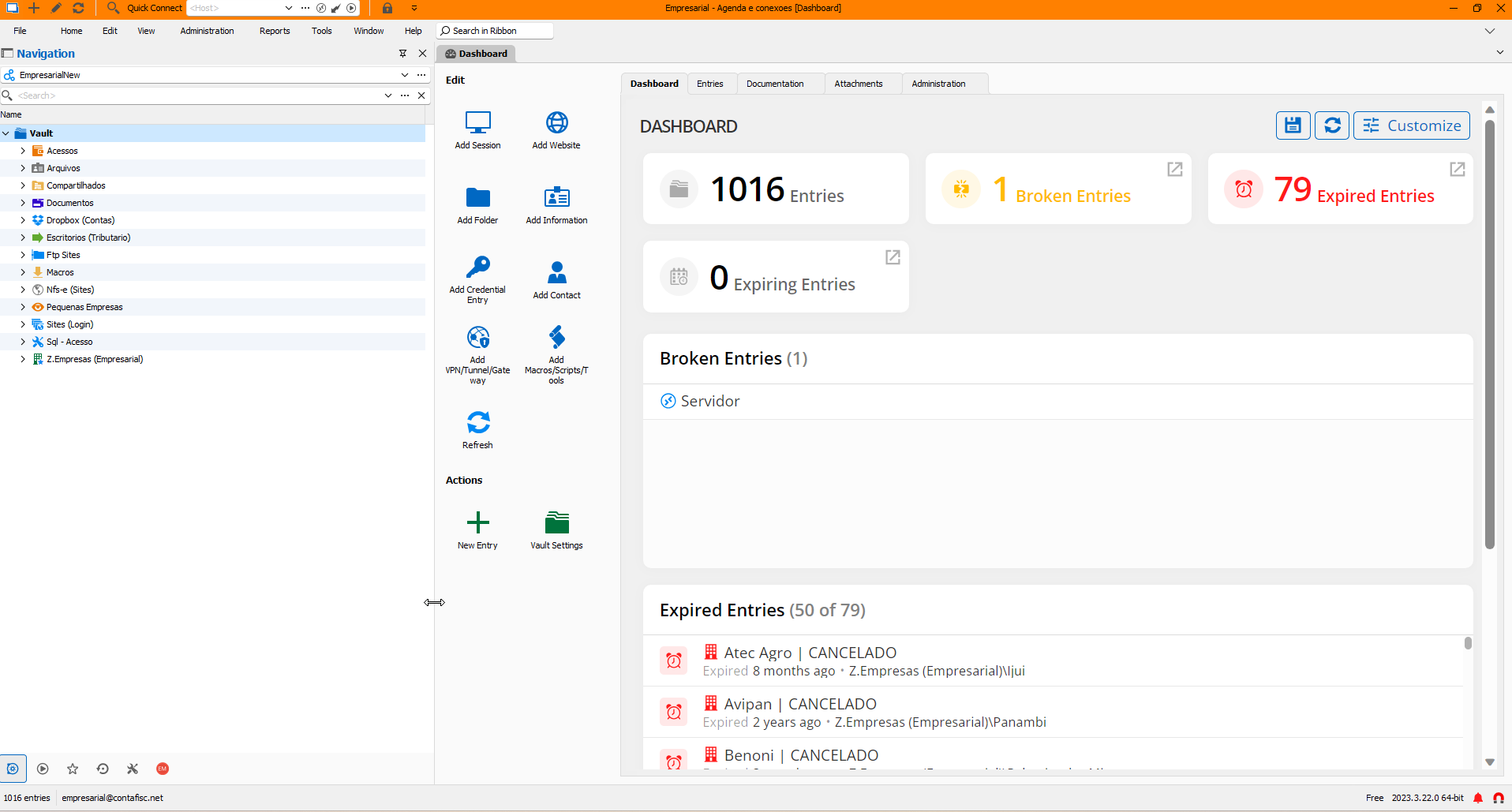
dQAQVPMTZe.png
Hello,
Thank you for your response.
It is possible that another application may be causing your issue. The best approach, as you mentioned, is to open some applications and see if the issue reappears. If you identify a specific application that is causing the problem, please let us know.
Best regards.
Carl Marien