Connection failure due to garbled characters in telnet

Hi, RDM development team, thank you very much for making such a great product. I encountered a problem connecting to my router using RDM's Telnet. Please evaluate if there is a bug.
After storing my username and password, I directly executed an error message as follows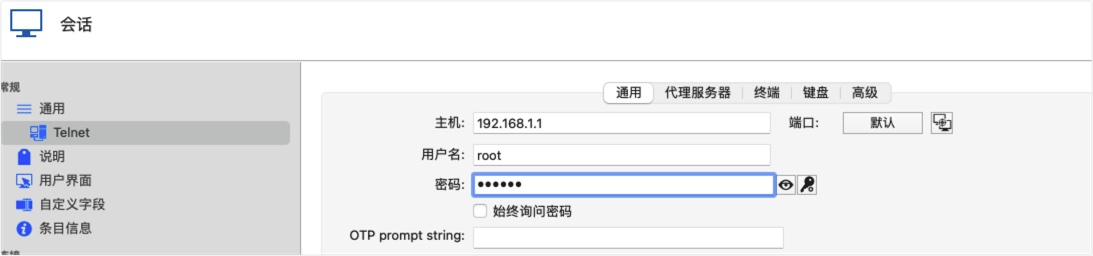
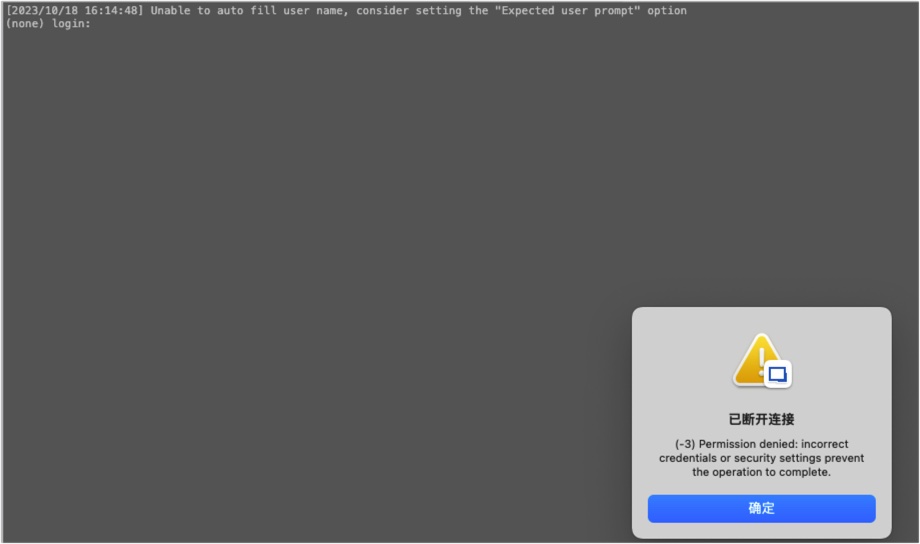
I tried to debug myself and found that without filling in the user information, direct linking would result in garbled characters, leading to a failure in username recognition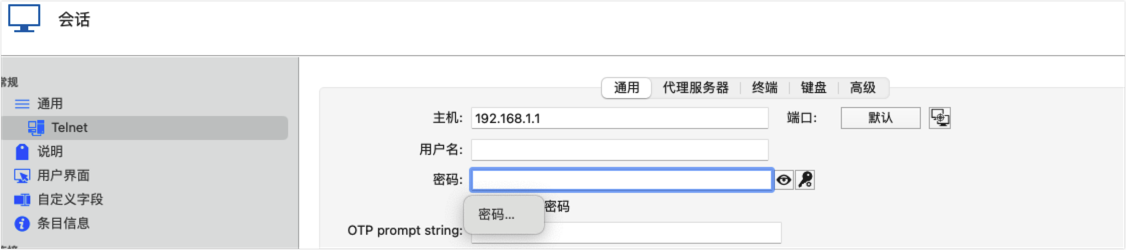

If I manually delete random characters and manually write the account password, I can log in,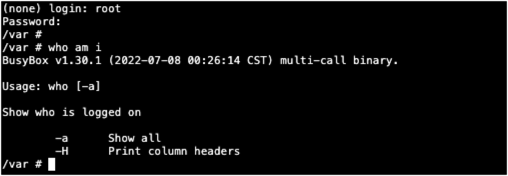
Please provide a solution to this problem,Thx~
1ad37d3a-9735-4cc2-bc3c-e7e01cd364a7.png
20a5031a-6733-461e-b2c3-b26d3931a942.png
92a482f9-2fff-42c9-9105-f37242f90a0a.png
2.jpg
1.jpg
All Comments (5)
Hi,
Could you provide a Session Log? To do so, enabled Session Logs (as described here) and launch your session again. In the Session Log window, there should be a file generated with the session name. Please, share this file here.
Best regards
Xavier Fortin
Hi,
Before doing what I requested earlier, could you try doing the two following changes?
Set the Telnet -> Terminal -> "User prompt string" to "login:" and the Telnet -> Terminal -> "Password prompt string" to "Password:". Just like in the following screenshot: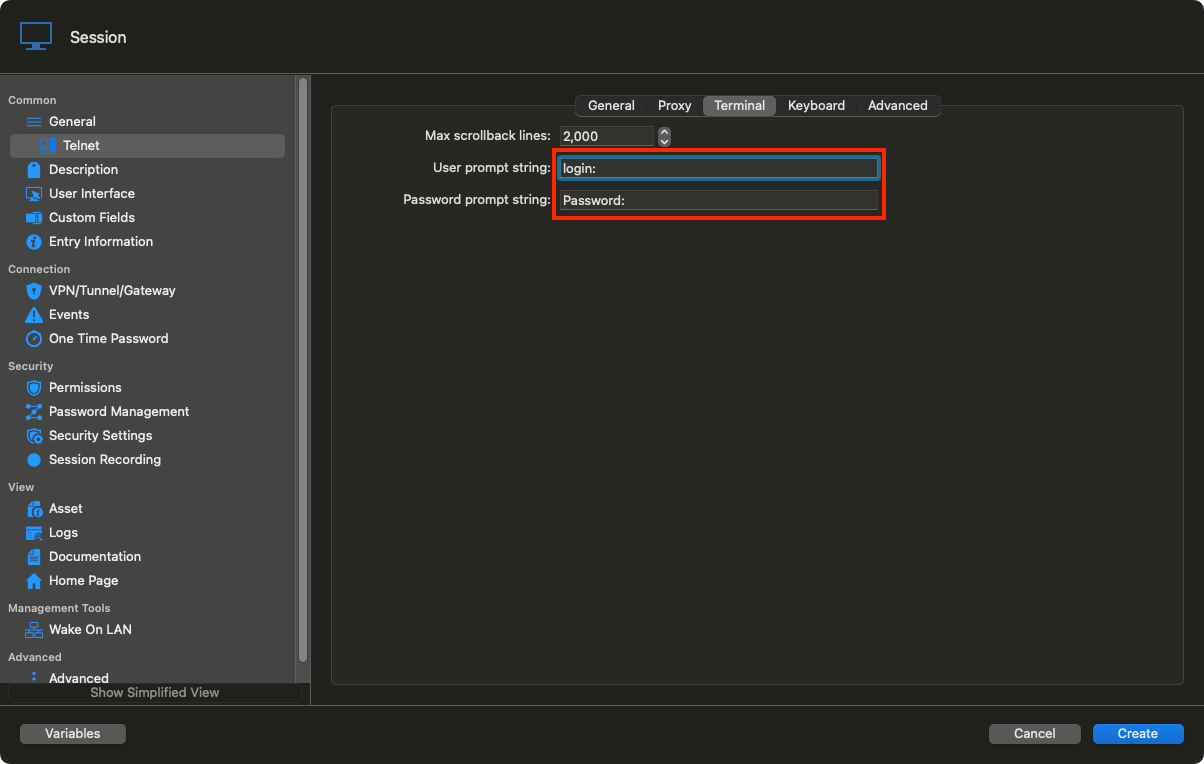
Best regards,
Xavier Fortin
ExpectedPrompt.png
Log is follow:
[2023/10/18 23:42:33] Devolutions Protocols version: 2023.8.11.1 macOS
[2023/10/18 23:42:33] Terminal font: Menlo [Menlo, fixed=True]
[2023/10/18 23:42:33] Starting Telnet, verbose level: 4
[2023/10/18 23:42:33] Connecting to port: 23 (IP any)
[2023/10/18 23:42:33] Credentials provided: user(no prompt), password(no prompt)
[2023/10/18 23:42:33] Starting Telnet negociation
[2023/10/18 23:42:33] Client will Negotiate Window Size
[2023/10/18 23:42:33] Client will Terminal Speed
[2023/10/18 23:42:33] Client will Terminal Type
[2023/10/18 23:42:33] Client will New Environment
[2023/10/18 23:42:33] Client do Echo
[2023/10/18 23:42:33] Client will Suppress Go Ahead
[2023/10/18 23:42:33] Client do Suppress Go Ahead
[2023/10/18 23:42:33] Client will Binary Transmission
[2023/10/18 23:42:33] Client do Binary Transmission
[2023/10/18 23:42:33] Server do Echo
[2023/10/18 23:42:33] Client will Echo
[2023/10/18 23:42:33] Server do option(33)
[2023/10/18 23:42:33] Client won't option(33)
[2023/10/18 23:42:33] Server will Echo
[2023/10/18 23:42:33] Server will Suppress Go Ahead
[2023/10/18 23:42:33] Unable to auto fill user name, consider setting the "Expected user prompt" option
[2023/10/18 23:42:33] Disconnecting from Telnet server
Hi,
Could you provide a Session Log? To do so, enabled Session Logs (as described here) and launch your session again. In the Session Log window, there should be a file generated with the session name. Please, share this file here.
Best regards
Hi damoncui,
Did you try what I suggested in my second post?
Best regards,
Xavier Fortin
Hi,
I tried as you said, but unfortunately, I still reported an error
Best regards,
Hi,
Before doing what I requested earlier, could you try doing the two following changes?
Set the Telnet -> Terminal -> "User prompt string" to "login:" and the Telnet -> Terminal -> "Password prompt string" to "Password:". Just like in the following screenshot:
Best regards,
8888be47-d0b0-437f-9c62-a014bf8d72dc.png