Older version of workspace

Hi,
Would it be possible to provide me with a download for workspace that is the build before 2023.2.5 (for windows).
Since upgrading workspace, I just get a message saying "this vault is too low a version. Please open this vault on the web app. I don't have access to the vault so I cannot upgrade it and I see no way to downgrade my workspace app.
All Comments (9)
Hello, this message appears when the vault has not been migrated by your hub administrator. This migration is essential for the vault to function correctly with all its permissions and features. Could you kindly request your administrator to perform the vault upgrade in the Administration section of your hub?
To do so:
- Go to Administration > Vaults and click on this button:

Best regards,
Sébastien Aubin
Product manager - Password Management
d02da400-7875-46e5-b16b-9556d7caceab.png
I'm the administrator for our domain.
There is no button that looks like that for upgrading vaults.
Hello Darren,
Thank you for your reply,
I see, that is indeed odd, to clarify, are you connecting from the Web Interface? Perhaps you could provide us with a screenshot of your current view? Feel free to blur out any sensitive information.
Is your colleague still receiving this error when attempting to connect to the Hub from the workspace app?
Let me know,
Best regards,
Samuel Dery
Yes I am.
Hello,
Thank you for your reply,
I see, we will wait for a return from Darren in this case,
Best regards,
Samuel Dery
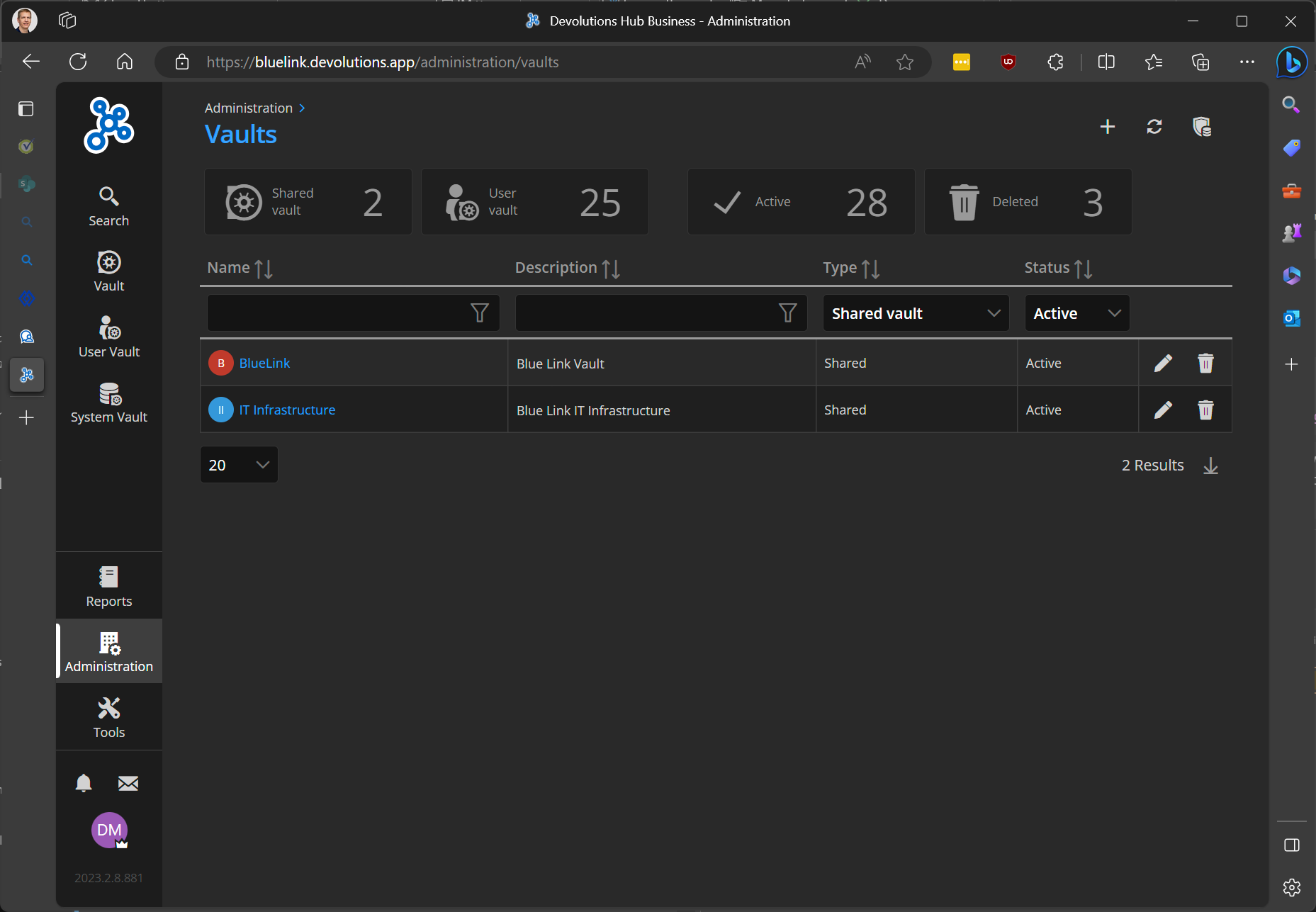
This is what I see in admin console for our vaults.
c06dcd9d-28bc-4d75-9a89-8f93af3d148d.png
Hello, it appears to be an issue on our end. We will conduct an investigation to determine the root cause and rectify it promptly. In the short term, you may resolve the issue by disconnecting and then reconnecting the Business Space, which should restore its functionality.
Best regards,
Sébastien Aubin
Product manager - Password Management
Awesome, re-adding the business space worked.
thanks
Hello,
Thank you for your reply,
Perfect, I'm glad to hear this resolved your issue!
Best regards,
Samuel Dery