BeyondTrust + SSH Template + sudo su

I've followed the instructions at https://docs.devolutions.net/kb/remote-desktop-manager/knowledge-base/connect-su-user-ssh-sessions/ to use sudo su, and have successfully used it myself via a template with a beyondtrust SSH session, but my co-worker, who is not an admin over the RDM data source, is unable to sudo via the post login commands via the template; all the specified commands are sent, but it appears that the $PASSWORD$ variable isn't being filled, despite Administration -> System Settings -> Password Policy -> Allow password in variable for Macros being enabled.
I have a SQL Server data source, for what it matters.
All Comments (7)
Hello,
Is the "Allow Password in Variable" option also enabled in the entry properties in the Security Settings ?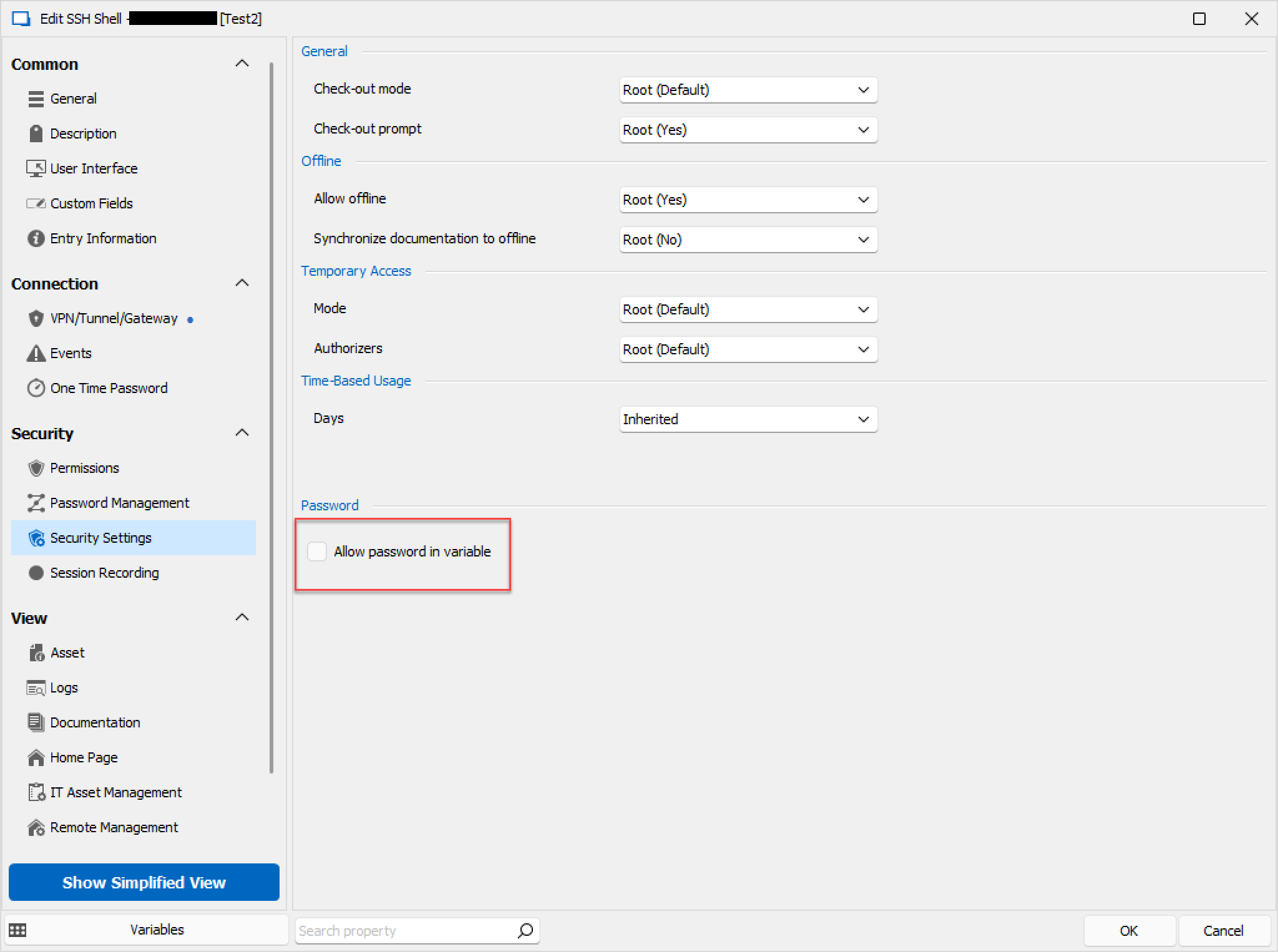
Best regards,
image_2023-10-11_112838376.png
Hi Zach,
I've confirmed with my coworker that the box is checked, but the issue persists. He is able to create a standalone (non-BeyondTrust) SSH session in his user vault and it does work that way, but that defeats the whole purpose of the BeyondTrust session because he needs to specify the password instead of it getting pulled out of the password safe.
Thanks,
Sam N.
Hello,
As a test, does giving the user admin rights (in other words, making them an administrator by editing their user account under Administration > Users) allow them to get the expected behaviour ?
Try this, and once you have your answer revert them back to a user.
Best regards,
Hi Zach,
Much to my surprise, it didn't work after elevating my coworker to admin.
Are there any other settings that need to be enabled for this to work?
Thanks,
Sam N.
Hello,
Would you be okay with me opening a case for this ?
If you don't already have one I will open one and then send you a link to schedule a remote session.
Best regards,
Hi Zach,
Yeah please open a case for it; we'll have to coordinate with my coworker, as I can't reproduce the issue myself.
Thanks,
Sam N.
Hello,
Perfect !
I will open a case and send you a link to schedule a remote session.
Best regards,