VPN/Gateway in System Vault does not support User Specific Settings
VPN/Gateway in System Vault does not support User Specific Settings

Hello,
We've seen that the latest versions of RDM (2023.2.32.0 at least) support now the creation of a VPN/Gateway entry in the System Vault. That's great, as there are thing like a VPN/Gateway that would be nice to share among all the vaults.
However, it doesn't seem that user specific settings are supported in the System Vault, or at least they are not supported with a Windows RDP Gateway entry (host name is fictitious in these snapshots):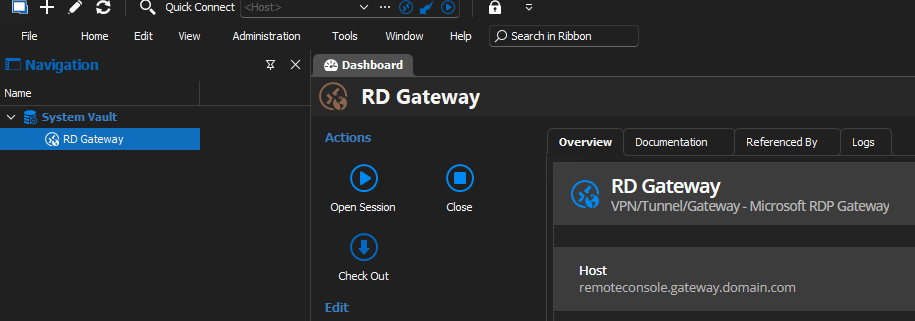
But there is no provision for specifying user's settings. In the case of a gateway, those would include the user's login/password, which would be specific for each user.
How is it supposed to work?
Thanks!
1a4529de-f863-400f-a695-db2139c2a4f0.png
64eae601-ec12-4a29-bf54-86b7e7239642.png
All Comments (7)
Dear techreg,
Thank you for reaching out to us.
After conducting some tests, it appears that there may be an issue with the RDP gateway entry. I will investigate this further with our developers and update you as soon as I have more information.
Best regards,
Patrick Ouimet
Hello,
At the moment, you should configure the RD Gateway's credential to be either "My Personal Credentials", "My Privileged Account", or "Find by name (user vault)", which all three are meant to point to a user's own credentials. Can this help you in the mean time?
We understand why specific settings would be useful to achieve something similar. At the moment it's not possible because only administrators can see the System Vault pane. We have opened a ticket to eventually add support for this.
Regards,
Hubert Mireault
Hello Hubert,
Thank you for your answer. I still fail to understand how it could be used, apart from the credentials "issue". Having one RDP Gateway defined in the System Vault, I am not able to select it as a gateway in any entry of any vault.
Thanks.
Hello,
You should be able to select entries from the System Vault with the following steps:
Open the properties from a session in the shared vault => VPN section => Type = Session ;
Tab Settings (Session) => Linked (Vault) => Click on the 3 dots => at the bottom you should find the entries from the System Vault:
Regards,
Min
be1c09fe-ac92-449d-9b5b-c4830c61e58c.png
Hello Min,
This works, thanks! I'd never thought to select a session type, where is this information coming from?
Well, I was too enthusiastic apparently. It works, somewhat...
The behavior is not exactly the same as of using straight a RDP Gateway connection. First of all, now it appears this dialog upon opening an entry whose VPN is set as described in Min post: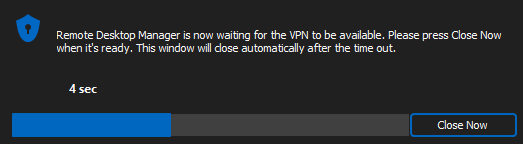
And after having waited around 10 seconds, most of the time it fails to go through the "VPN" (an RDP Gateway in reality) and tries to open a connection directly with the target host (which doesn't work).
Really, I don't understand why in the session I can't select directly the gateway in the system vault instead of going with this VPN -> Session -> RDP Gateway detour.
a6550e35-cae4-4894-b29d-e2c56eb1d7cb.png
Hello,
Thank you for your feedback. We will test and attempt to replicate the issue on our end.
Best regards,
Patrick Ouimet