MMC snapin load issue

I have a MMC snap in that run as domain account., using run as admin option to make it work. before the snapin was quick and loaded fine, now the snapin takes about a 30-45 secs to get the consent window. the snapin loads fine but that time is just getting greater. any ideas?
All Comments (6)
Hello,
I am not quite sure I understand the issue, could you give us more details on MMC and Remote Desktop Manager?
Best regards,
Etienne Lord
RDM version 2023.3.37.0 64-bit, MMC = Microsoft Management Console, AD Snaping for Active Directory Users and Computers. On the general tab i have my Run line specified as "C:\Temp\AD.msc". the Run as tab a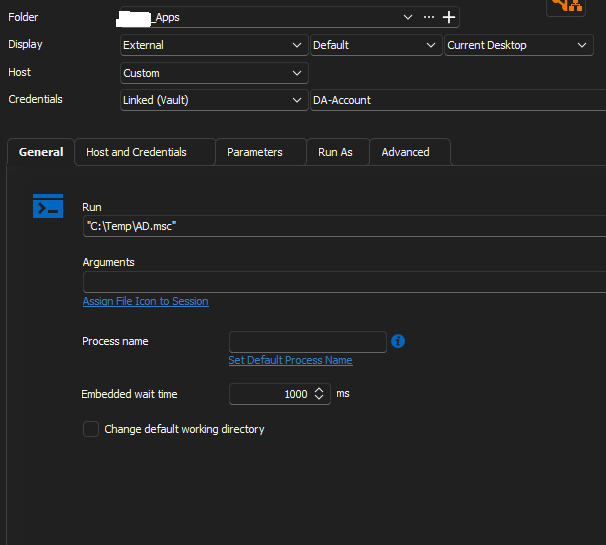
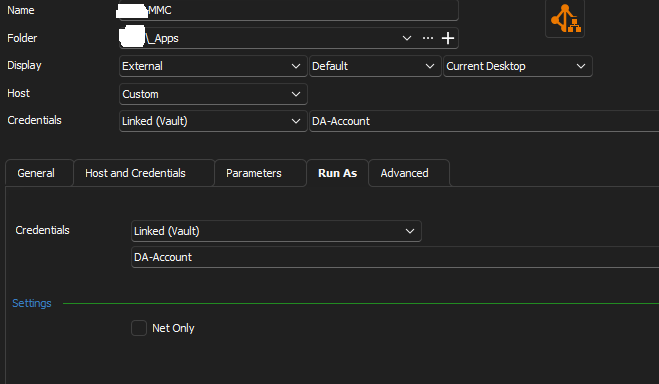
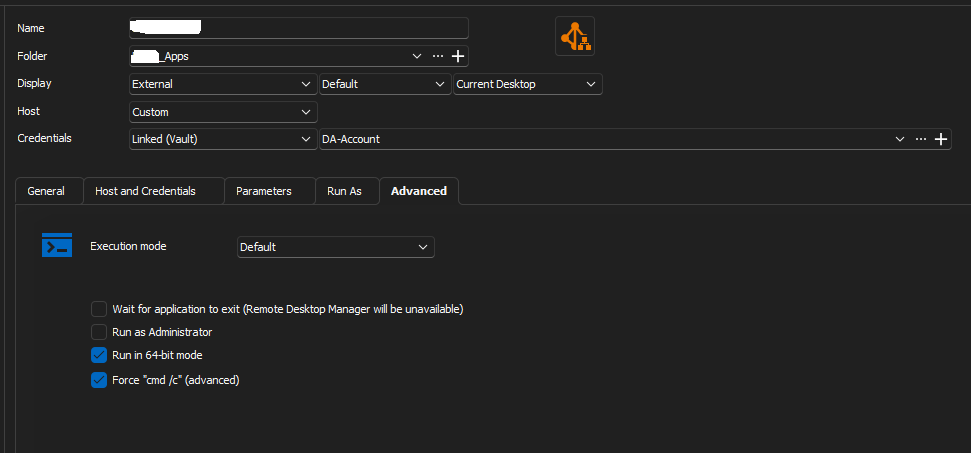 s Linked (Vault) and my credentials from the vault already setup, and the advance tab as Run in 64bit mode and Force "CMD /c" Advanced)
Screenshot3.png
Screenshot2.png
Screenshot1.png
Hello mrkillam,
Thank you for this feedback.
Could you follow this documentation and tell me if this works for you?
https://docs.devolutions.net/kb/remote-desktop-manager/how-to-articles/automating-remote-mmc/
Best regards,
Patrick Ouimet
Well the management tools options is not there to allow the credentials. but, i did figure it out as some of the settings i had were not correct.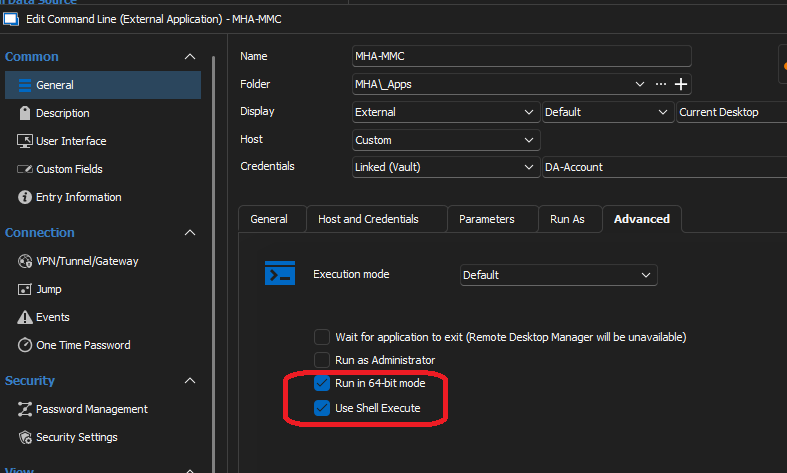
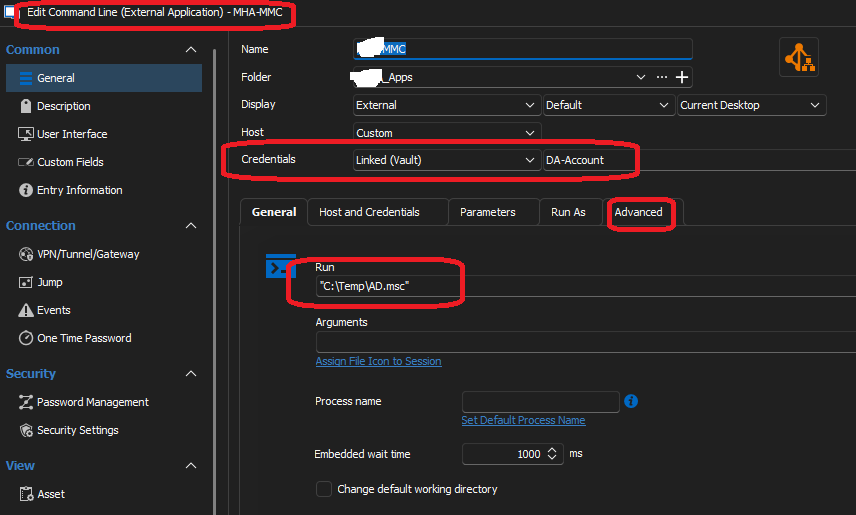
Screenshot2.png
Screenshot1.png
Hello mrkillam,
Thank you for providing your feedback.
Can you confirm if the issue of slow opening has been resolved? If not, does it still take 30 to 45 seconds to open after this change?
Also, could you try opening it outside of RDM using the "Run as a different user" option? This will help us determine if the issue is related to user permissions.
Lastly, have you noticed any change in behaviour with a direct launch?
Best regards,
Patrick Ouimet
Hello mrkillam,
Do you know that we have an entry in RDM called Active Directory Dashboard?
Could you have a look to see if this entry can do exactly what you want to achieve with this command line entry?
Best regards,
Patrick Ouimet