Saving Offline File - Hangs when trying to close the app

Hi,
Every so often, when I try to exit RDM, it gives me a loading bar on the bottom right that says Saving Offline File... It sits there for a minute or two before actually closing the program. Can someone tell me what it's doing at that time and if there's a way to turn it off?
All my Data Sources are SQLite and all have the Backup turned off so not sure what this Offline File is that it's saving.
Thanks.
All Comments (14)
Interesting, we've done a few fixes for this issue in the last few versions, but you are on SQLite so this should not even be an issue for you. I will investigate. What version are you currently running?
Stéfane Lavergne
I was on 2023.1.11 or something like that. Was applying the update to 2023.2.27 which got stuck when the program didn't close on time. Currently at 2.27.
I did used to have a SQL data source but changed to SQLite when our license ran out. I don't see the SQL one in my list of data sources any more. Maybe there's a leftover setting somewhere?
I have yet to reproduce the issue. The next time RDM freezes could you please perform the following?
https://docs.devolutions.net/kb/remote-desktop-manager/troubleshooting-articles/hung-rdm-dump-file-creation/
Best regards,
Stéfane Lavergne
Just to be clear, it doesn't totally freeze permanently. If I let it sit for a while, it does eventually finish whatever it was doing. I just don't know what it was doing. :)
When it gets in the Saving Offline File state, do you still want me to do the process explorer stuff or not since it doesn't actually go not responding and freeze?
Saving Offline File should not take more than a few seconds*.
* If you have enabled offline attachments and/or documents (see example) then saving to offline could take some time.
Before doing the minidump, you could try the following. While RDM is responsive perform the following:
- Help > Profiler
- Set Profiler Level = 16385
- CTRL + Refresh (top left
 icon)
icon) - Take a look at the
Sync to Offline..section of the profiler (example below & attachment)
Please send me (via private message) the profiler trace so that I can have a look. We will then evaluate if the minidump might be helpful.
Best regards,
11 - Sync to Offline... - Count : 12
11 -     Document - Synchronized - A (7.0 KB)
11 -     Document - Root setting : YesForce
11 -     Document - Max size : 5 MB
11 -     Document - Total count : 1
11 -     Document - Size : 7.0 KB
11 -     Document - Synchronized Count : 1 (0)
11 -     Documentation - Synchronized - child-2 - Documentation Name - (Home)
11 -     Documentation - Root setting : YesForce
11 -     Documentation - Max size : 5 MB
11 -     Documentation - Size : 5.4 KB
11 -     Documentation Attachments - Size : 0 Byte
11 -     Documentation - Synchronized Count : 1 (0)
11 -     Documentation Attachments - Synchronized Count : 0 (0)
11 - Sync to Offline : 12 ms - Count : 12
Stéfane Lavergne
2e9d1eaf-1445-4a66-8bc0-e30659d34779.png
2023-09-20_08-12-50.png
2023-09-20_08-13-31.png
Hi,
Just upgraded to 2023.3.32.0 the other day. Just now, when I tried to close, I got the Saving Offline File thing again. It sat for about 1 minute and then finally closed.
I did the Profiler to 16385 and will PM you.
@kelemvor
Thank you for the profiler trace.
We have a few fixes included in the latest release v2023.3 that should resolve this issue. The Saving Offline File window will/might still be displayed but should take much more than a few seconds before it finishes.
Best regards,
Stéfane Lavergne
Hi,
I'm on v2023.3.28 and just clicked the button to upgrade to 2023.3.32. When the Updater tried to close the open instance of RDM, it failed. I clicked Retry and it failed again. I then noticed the Saving Offline File progress bar on the bottom right was slowly moving across the screen. I still don't know what that does but it was preventing the program from closing. Once if finally got done, the Updater was able to close the program and install the new version without any trouble.
Thanks.
And now when RDM opened up, I have no sessions. Just says No Enterprise license found. I chatted with someone who said v32 is broken and I need to go to v31 instead. I tried to close RDM (32) to do that and the Saving offline file bar went about 40% of the way across the screen and stopped moving. It's been sitting there for 10-15 minutes. I guess I'll have to kill the program through Task Manager and hope nothing breaks.
On a side note, why does Checking For Updates find a version that is known to be broken. You should really pull it until it's fixed.
Ah, as I was about to post this, the Saving offline file finally got done. Now to try install v31...
Hi,
- We are in the process of pulling .32 from the auto-update
- If you need/want to run .32, reboot your OS, the issue only occurs a machine with an uptime of 24+ days.
- .33 has been built, with the fix, and is undergoing acceptance testing
- "Waiting for offline"
- This will happen when RDM is trying to close but it has yet to complete the offline write to disk.
That being said 10-15 minutes is not normal, under most normal loads I would expect 1-15 seconds. Offline may take time depending on what settings you have configured in (Vault Settings > Security Settings) and the amount of data you are trying to synchronize to disk.
You can perform the following and see if it gives us any good information.
- Start the profiler, Help > Profiler
- Set the Profiler Level = 16385
- Close RDM
- While you are waiting for RDM to close
- Keep an eye on the profiler window, are you seeing anything? You should see things like the following.
- Screen shot or record it since the "Send Trace to Support" won't be clickable since RDM is closing.
- Keep an eye on the profiler window, are you seeing anything? You should see things like the following.
11 - Sync to Offline... - Count : 26
11 -     Documentation - Synchronized - google - Documentation Name - (Home)
11 -     Documentation - Root setting : YesForce
11 -     Documentation - Max size : 5 MB
11 -     Documentation - Size : 452 Bytes
11 -     Documentation Attachments - Size : 0 Byte
11 -     Documentation - Synchronized Count : 1 (0)
11 -     Documentation Attachments - Synchronized Count : 0 (0)
11 - Sync to Offline : 28 ms - Count : 26
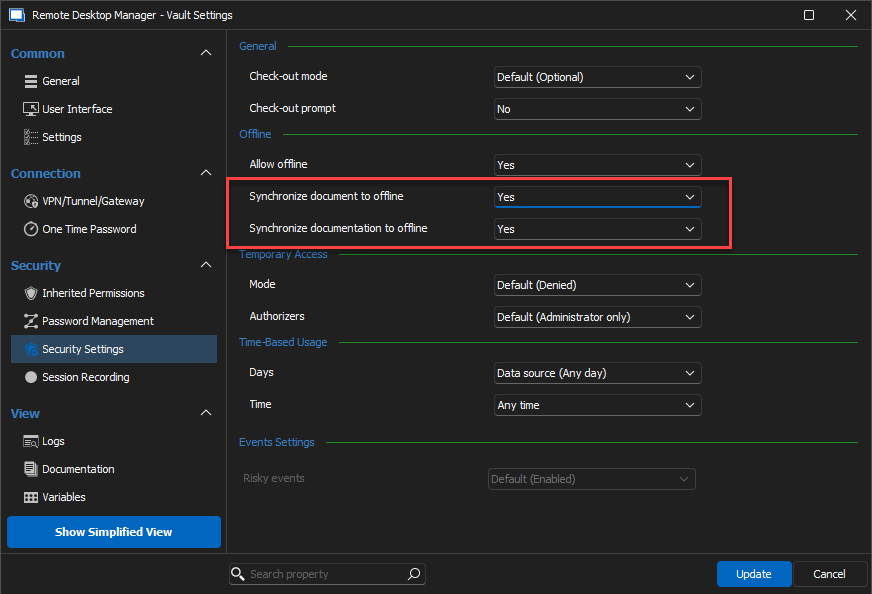
Stéfane Lavergne
61291b69-e89b-42a4-8618-fc86dc88db33.png
I looked in Vault Settings, but I don't have many of the options you have in your screenshot.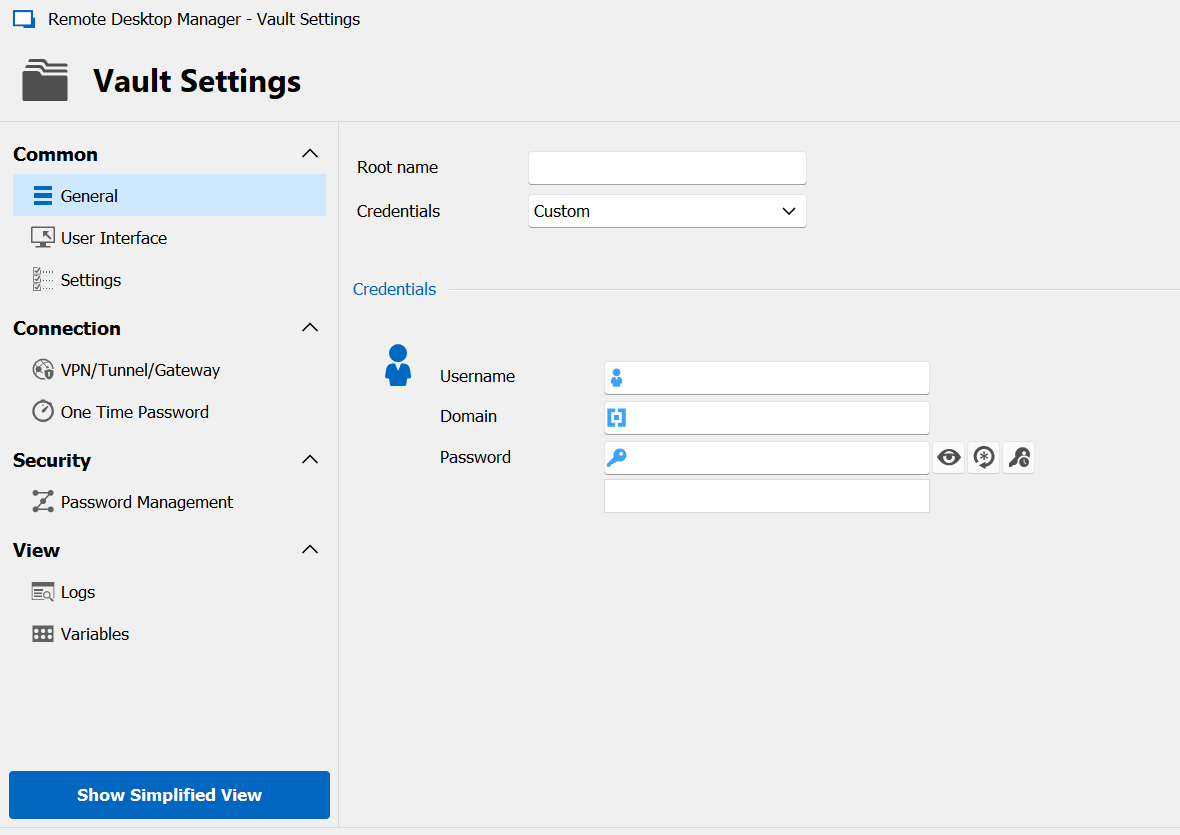
I checked the Profiler and I already had that number set from the last time I looked into this. However, the Auto-Clear box was checked so the window was blank. When I closed RDM, it closed immediately, which is what it normally does, so I didn't see anything in the Profiler window. Normally RDM closes just fine. It's just every so often where it gets stuck for a while with that Offline File notice and I don't know what it's trying to do or why it's taking so long.
Thanks.
7eb26b28-ca08-4531-bec1-735f744d5786.png
Hang on, my bad, in your first post you said:
All my Data Sources are SQLite and all have the Backup turned off so not sure what this Offline File is that it's saving.
I completely missed this point. So all I've been saying is wrong/irrelevant for you.
Give me a few minutes to re-read the entire thread, regroup and get back to you with an appropriate answer.
Sorry for the confusion.
Stéfane Lavergne
Hi kelemvor,
Thank you for your patience.
I went back to the drawing board on this issue and was able to identify a few possible reasons why you are seeing this. I have yet to find the root cause of the actual delay/freeze but nonetheless I've implemented the following changes that will be available in the next v2023.3.34 release (no ETA for this release at this time).
- On the close delay of RDM, when we detect that the offline thread is still busy:
- Implemented improved detection and handling
- Max wait of 60 seconds on close of RDM.
- Added a "kill switch" . Press CTRL+ALT+SHIFT while RDM is closing will cause RDM to close regardless the state of the offline save.
- Use this if you still see the issue once you get this version
My hope is that the new implementation will resolve the issue and the other two points are there to help alleviate the impact in case it's still present.
Best regards,
Stéfane Lavergne
Hi,
Just upgraded from 33 to 35. The first time I tried, RDM closed out instantly without any problems. However, I didn't have admin rights so I can cancelled the upgrade. I fixed my admin rights and tried the update again. This time it sat at the Saving Offline File prompt for around 3-5 minutes before it closed.
I am now on 35 and will keep an eye on it.
Thanks.