MacOS - Close to menu bar
0 vote

I would love the ability to close and hide Remote Desktop Manager to the menu bar in MacOS. Coupled with the 'Hide icon in Dock' setting, this would enable running RDM as a menu bar only application.
The below screenshot is from the Bitwarden settings menu as a reference.
bitwarden/clients: Bitwarden client applications (web, browser extension, desktop, and cli) (github.com)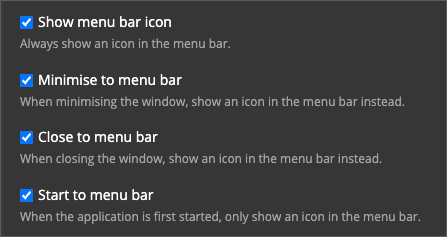
CleanShot 2023-09-12 at 09.00.29.png
All Comments (1)
Hi lukask,
I think you can probably already get this behaviour by disabling the app settings -> User Interface -> Menu Bar and Dock -> General -> "Show icon in Dock":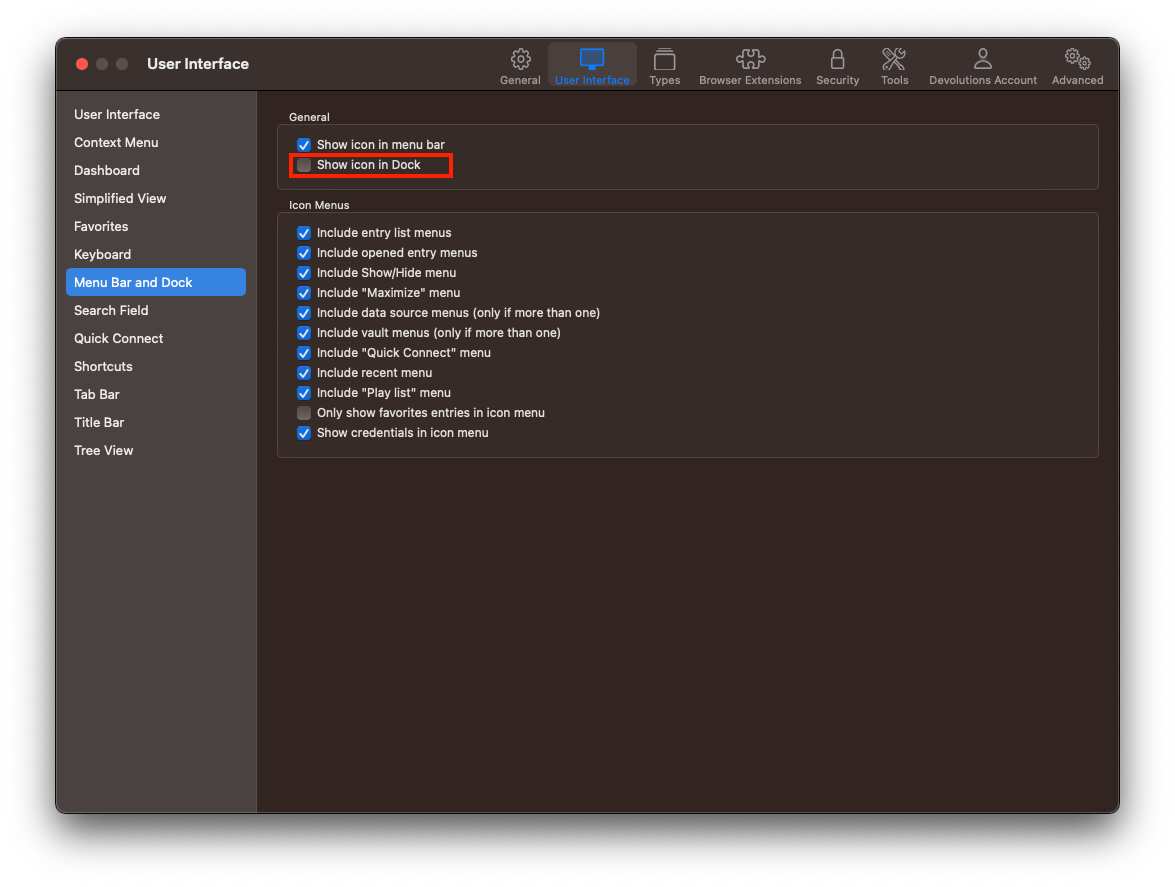 While I believe it should be enabled by default, if you do not have an icon in menu bar, this can be enabled with the "Show icon in menu bar" checkbox in the previous screenshot.
And if you do not even want the RDM main window to be shown on launch, you can set the app settings -> General -> Application Start -> Application Startup -> "Startup window state" to "Minimized":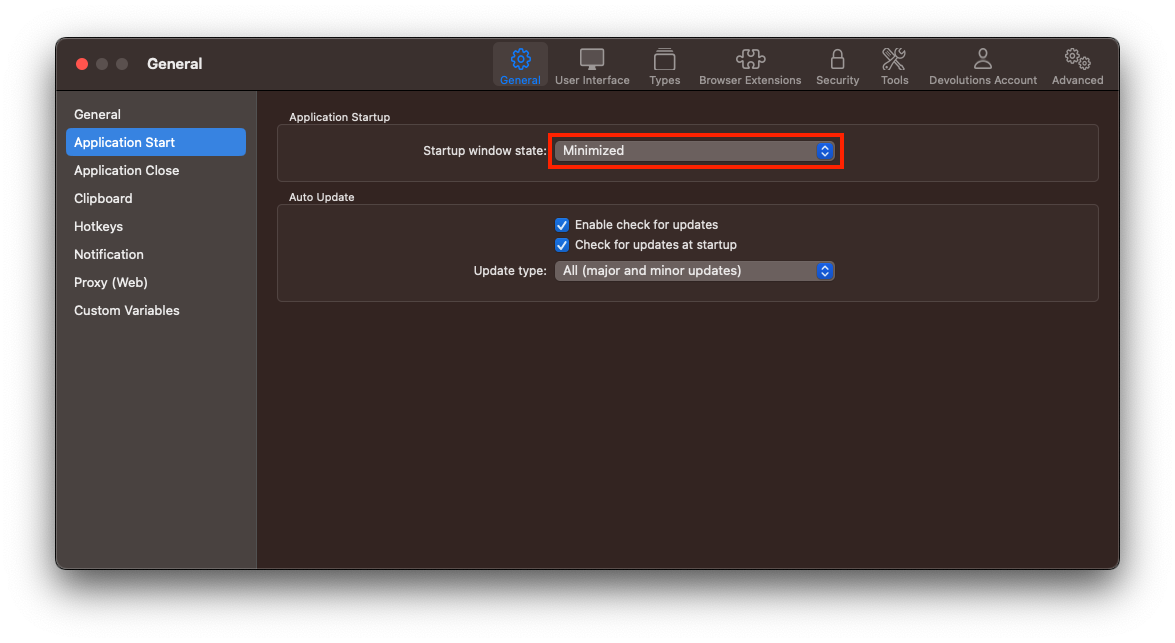
Best regards,
Xavier Fortin
StartMinimized.png
MenuBarAndDock.png