Memory Issues and Frequent Freezes

RDM Version: 2023.2.27.0
License: Free
Data Source: SQLite, Data source stored on a network drive.
OS: Windows 11 22H2 22621.2134
Problem 1:
When trying to connect to RDP sessions, the software tells me that there is an unexpected error when trying to connect to some RDP sessions. The error in the application log is:
System.OutOfMemoryException: Insufficient memory to continue the execution of the program.
   at MSTSCLib.IMsRdpClient9.Connect()
   at AxMSTSCLib.AxMsRdpClient9NotSafeForScripting.Connect()
   at Devolutions.RemoteDesktopManager.Frames.Embedded.FreEmbeddedRDP.Connect()
The release notes say that my version of RDM was intended to fix an out of memory issue, but it seems to have caused one for me. My system is not out of or low on memory when this error occurs, nor does the RDM process appear to be using an unusually high amount of memory.
Problem 2:
Frequently (at least once every other day, though sometimes more than once a day) my Remote Desktop Manager will simply freeze up in the background. When this happens I cannot get the window to come into the foreground to use it. If I minimize other windows and attempt to use it, nothing happens until I try to close the application, in which case it tries to pull up what I've clicked on, along with the "Are you sure you want to exit? sessions are open" screen. If I tell it that I do not want to exit, thinking that the issue is fixed, it continues to exhibit the same behavior, not letting me do anything without threat of being closed. When I do confirm that I want to exit, the application process never terminates after the window is closed. I have to go into task manager and terminate the process or I cannot restart the application.
Problem 1 is the more urgent of the two. This is happening so frequently right now that it is making it hard to work because I either need to open several instances of Microsoft Remote Desktop, or I need to keep restarting Remote Desktop Manager.
I don't mind downgrading if there's a specific version I should try downgrading to, but I am nervous about staying on a downgraded version because of the lack of security patches.
All Comments (24)
Hello,
Out of curiosity, does disabling API Hooking under File > Options > Types > Remote Desktop resolve the RDP issue (problem 1) ?
As for problem 2, I'll need to know if there's any pattern with when the application freezes.
Are there any reoccuring entry types opened whenever this happens ? Perhaps a specific number of entries ?
Let me know !
Best regards,
So far, Problem 1 has not happened today, which is odd because I've not made any changes to my system today, and it was happening yesterday across multiple reboots. If it happens again, I will disable that setting and see if that alleviates it.
Problem 2 seems to be fairly random. Sometimes it is after I unlock my workstation, but other times it happens when I've been using my PC. My entries are almost entirely RDP sessions, but I do have some external programs (namely RSAT consoles and the Microsoft ConfigMgr console) that I use RDM to launch with an administrative account. I'll keep an eye out to see if it's happening with a particular number of open entries.
Hello,
For problem 2, I'm going to send you a private message with a link for our sharefile.
I'd like for you to use the link so that you may send a minidump file from one of your RDM freezes.
Please name the file "Forum - Memory Issues and Frequent Freezes" if possible, as this will allow us to better track the file.
Once it's sent, please let us know.
Best regards,
Problem 1 happened again today. I have turned off the API hooking and restarted the application. I'll report back if it continues to happen.
Problem 2 hasn't happened in the last couple of days, but I do have the link should it happen again.
Hello,
Perfect, let me know your results for problem 1, and as for problem 2 be sure to let me know once the file is sent (0should the issue happen again, of course).
Best regards,
Pardon my ignorance here, but Problem 2 happened again tonight. I don't see that the app itself has any kind of dump it does itself. Is there a particular file I should be looking for, or is there a particular method I should use to collect a dump for your use?
Hello,
My mistake !
I realized I forgot to send a link which explains how to create a minidump file, you should have it now in your direct messages.
Best regards,
Good morning, Problem 1 happened again this morning
System.OutOfMemoryException: Insufficient memory to continue the execution of the program.
at MSTSCLib.IMsRdpClient9.Connect()
at AxMSTSCLib.AxMsRdpClient9NotSafeForScripting.Connect()
at Devolutions.RemoteDesktopManager.Frames.Embedded.FreEmbeddedRDP.Connect()
API hooking is disabled
I grabbed a minidump just in case it's helpful, although this is not the issue that you had requested the minidump for. If you think it would be useful, I can upload it to y'all via the link you sent me previously.
fdf0ff11-68a8-4f82-8ca5-68b8ad98a0eb.png
Hello,
Was this in the latest version of RDM (2023.2.32.0) or are you still using 2023.2.27.0 ?
Best regards,
I am still on 2.27.0. I will upgrade and see if the issue resolves.
Hello,
Understood, I will await your results.
Thank you !
Best regards,
2023.3.20 had problem 2 this afternoon. I've recently wiped and reinstalled this PC due to issues I managed to cause myself. Problem 1 hasn't happened recently so it may be sorted.
I'll be sending the file in via the link you provided to me, in the next few minutes.
Edit: It's been long enough that the link has expired, so I'll need a new one if you'd still like the dump file.
I have the same problem, W11 (latest 23h2) on vmware, physical pc on the same version everything ok, notebook on the same version everything ok too
API hooking disabled
RDM v. 2023.3.22.0 64-bit
System.OutOfMemoryException: Insufficient memory to continue the execution of the program.
at MSTSCLib.IMsRdpClient9.Connect()
at AxMSTSCLib.AxMsRdpClient9NotSafeForScripting.Connect()
at Devolutions.RemoteDesktopManager.Frames.Embedded.FreEmbeddedRDP.Connect()
I have the same problem, W11 (latest 23h2) on vmware, physical pc on the same version everything ok, notebook on the same version everything ok too
API hooking disabled
RDM v. 2023.3.22.0 64-bit
System.OutOfMemoryException: Insufficient memory to continue the execution of the program.
at MSTSCLib.IMsRdpClient9.Connect()
at AxMSTSCLib.AxMsRdpClient9NotSafeForScripting.Connect()
at Devolutions.RemoteDesktopManager.Frames.Embedded.FreEmbeddedRDP.Connect()
Hello,
How much RAM was given to your virtual machine ?
Is the Windows 11 version the same on your Physical PC as your VM ?
I ask because if it's working on your physical PC and notebook and yet not working on your virtual machine I suspect the virtual machine and/or the OS build being used may be a fault.
Best regards,
I have the same problem, W11 (latest 23h2) on vmware, physical pc on the same version everything ok, notebook on the same version everything ok too
API hooking disabled
RDM v. 2023.3.22.0 64-bit
System.OutOfMemoryException: Insufficient memory to continue the execution of the program.
at MSTSCLib.IMsRdpClient9.Connect()
at AxMSTSCLib.AxMsRdpClient9NotSafeForScripting.Connect()
at Devolutions.RemoteDesktopManager.Frames.Embedded.FreEmbeddedRDP.Connect()
Hello,
How much RAM was given to your virtual machine ?
Is the Windows 11 version the same on your Physical PC as your VM ?
I ask because if it's working on your physical PC and notebook and yet not working on your virtual machine I suspect the virtual machine and/or the OS build being used may be a fault.
Best regards,
Hello thanks for your reply ....
Windows 11 is not the same, I wrote mistake, VM is 22h2 22621.2506, physical pc is 23h2 22631.2506
Physical pc has 16GB ram VM has 8GB and I have only 50% memory allocated.
I forgot to write, this error shows when I want connect to specific computer through rdp, when I click "Open session"
Just chiming in to report another freeze this morning. Was off yesterday and the weekend and came in to find it not working this morning.
Hello thanks for your reply ....
Windows 11 is not the same, I wrote mistake, VM is 22h2 22621.2506, physical pc is 23h2 22631.2506
Physical pc has 16GB ram VM has 8GB and I have only 50% memory allocated.
I forgot to write, this error shows when I want connect to specific computer through rdp, when I click "Open session"
Hello,
If you upgrade your VM to the latest Windows 11 version does the issue persist ?
Best regards,
Just chiming in to report another freeze this morning. Was off yesterday and the weekend and came in to find it not working this morning.
Hello,
Thank you for reporting this to us, did you send us the minidump file through the ShareFile link I sent in your private messages ?
Best regards,
Just chiming in to report another freeze this morning. Was off yesterday and the weekend and came in to find it not working this morning.
Hello,
Thank you for reporting this to us, did you send us the minidump file through the ShareFile link I sent in your private messages ?
Best regards,
Hi Zachary,
The link that was sent previously is no longer valid. I do have a minidump file available to send, but will need a new link.
Hello,
Perfect !
I will send you a link with instructions shortly in your private messages.
Best regards,
Hi there, I had the same problem for quite some time and spent many hours trying to figure out what is happening, I finally found out that it is related to these 2 things:
- When the time is out of sync on my client or when using a different time format e.g. AM-PM / 24H
- RDM is linked to my Devolutions account and when I start up RDM it opens Edge automatically for authentication. Sometimes the 2FA does not pop up on my phone, and even if it says "you can close your browser now" it's not correctly authenticated. To make it work i basically have to stay on edge until i get 2FA authentication working, then the memory error goes away.
Hope it helps.
On a side note, i think the 2FA is a bit flimsy and acts strangely, and I wonder if it's possible to use the embedded browser instead for the 2FA.
Sebastian
Solution
- The first fix to this problem, was setting up my client to sync it's time for the same source as the rest of the network and ensure that my client was running the same time format (in my case 24h) as the rest of the network
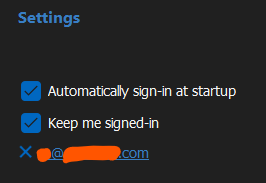
- The second fix for me was to make sure that my Edge Browser is Logged in with 2FA/MFA
RDM Version: 2023.2.27.0
License: Free
Data Source: SQLite, Data source stored on a network drive.
OS: Windows 11 22H2 22621.2134
Problem 1:
When trying to connect to RDP sessions, the software tells me that there is an unexpected error when trying to connect to some RDP sessions. The error in the application log is:
System.OutOfMemoryException: Insufficient memory to continue the execution of the program.
at MSTSCLib.IMsRdpClient9.Connect()
at AxMSTSCLib.AxMsRdpClient9NotSafeForScripting.Connect()
at Devolutions.RemoteDesktopManager.Frames.Embedded.FreEmbeddedRDP.Connect()The release notes say that my version of RDM was intended to fix an out of memory issue, but it seems to have caused one for me. My system is not out of or low on memory when this error occurs, nor does the RDM process appear to be using an unusually high amount of memory.
Problem 2:
Frequently (at least once every other day, though sometimes more than once a day) my Remote Desktop Manager will simply freeze up in the background. When this happens I cannot get the window to come into the foreground to use it. If I minimize other windows and attempt to use it, nothing happens until I try to close the application, in which case it tries to pull up what I've clicked on, along with the "Are you sure you want to exit? sessions are open" screen. If I tell it that I do not want to exit, thinking that the issue is fixed, it continues to exhibit the same behavior, not letting me do anything without threat of being closed. When I do confirm that I want to exit, the application process never terminates after the window is closed. I have to go into task manager and terminate the process or I cannot restart the application.
Problem 1 is the more urgent of the two. This is happening so frequently right now that it is making it hard to work because I either need to open several instances of Microsoft Remote Desktop, or I need to keep restarting Remote Desktop Manager.
I don't mind downgrading if there's a specific version I should try downgrading to, but I am nervous about staying on a downgraded version because of the lack of security patches.
807fca8b-fa2e-4553-bb70-7d5de55ec157.png
Hi there, I had the same problem for quite some time and spent many hours trying to figure out what is happening, I finally found out that it is related to these 2 things:
- When the time is out of sync on my client or when using a different time format e.g. AM-PM / 24H
- RDM is linked to my Devolutions account and when I start up RDM it opens Edge automatically for authentication. Sometimes the 2FA does not pop up on my phone, and even if it says "you can close your browser now" it's not correctly authenticated. To make it work i basically have to stay on edge until i get 2FA authentication working, then the memory error goes away.
Hope it helps.
On a side note, i think the 2FA is a bit flimsy and acts strangely, and I wonder if it's possible to use the embedded browser instead for the 2FA.
Sebastian
Solution
- The first fix to this problem, was setting up my client to sync it's time for the same source as the rest of the network and ensure that my client was running the same time format (in my case 24h) as the rest of the network
- The second fix for me was to make sure that my Edge Browser is Logged in with 2FA/MFA
RDM Version: 2023.2.27.0
License: Free
Data Source: SQLite, Data source stored on a network drive.
OS: Windows 11 22H2 22621.2134
Problem 1:
When trying to connect to RDP sessions, the software tells me that there is an unexpected error when trying to connect to some RDP sessions. The error in the application log is:
System.OutOfMemoryException: Insufficient memory to continue the execution of the program.
at MSTSCLib.IMsRdpClient9.Connect()
at AxMSTSCLib.AxMsRdpClient9NotSafeForScripting.Connect()
at Devolutions.RemoteDesktopManager.Frames.Embedded.FreEmbeddedRDP.Connect()The release notes say that my version of RDM was intended to fix an out of memory issue, but it seems to have caused one for me. My system is not out of or low on memory when this error occurs, nor does the RDM process appear to be using an unusually high amount of memory.
Problem 2:
Frequently (at least once every other day, though sometimes more than once a day) my Remote Desktop Manager will simply freeze up in the background. When this happens I cannot get the window to come into the foreground to use it. If I minimize other windows and attempt to use it, nothing happens until I try to close the application, in which case it tries to pull up what I've clicked on, along with the "Are you sure you want to exit? sessions are open" screen. If I tell it that I do not want to exit, thinking that the issue is fixed, it continues to exhibit the same behavior, not letting me do anything without threat of being closed. When I do confirm that I want to exit, the application process never terminates after the window is closed. I have to go into task manager and terminate the process or I cannot restart the application.
Problem 1 is the more urgent of the two. This is happening so frequently right now that it is making it hard to work because I either need to open several instances of Microsoft Remote Desktop, or I need to keep restarting Remote Desktop Manager.
I don't mind downgrading if there's a specific version I should try downgrading to, but I am nervous about staying on a downgraded version because of the lack of security patches.
Hello,
Thank you very much for this, I hope this will help those with the same issue.
We will see what others in this thread have to say regarding these solutions.
Thanks again !
Best regards,
Hello,
Perfect !
I will send you a link with instructions shortly in your private messages.
Best regards,
I have been out sick for a few days and am finally back in the office. I have uploaded the dump file I had created and it is named "Forum - Memory Issues and Frequent Freezes-Problem2"
Hello,
Thank you for this !
I will send this to our developers and see what they can tell me regarding this issue.
I will update you once I have news.
Best regards,