noticeable lag when RDP to a VM thru RD Gateway on MAC

Info:
- RDM MAC: 2023.2.9.1
- MACOS: 13.5
- RD Gateway Server: Windows server 2022
Hi, I notice an issue on RDM MAC 2023.2.9.1. When RDP to a Windows VM thru RD Gateway, there is a noticeable lag (slow response to mouse clicking and hover on Windows start menu). After several tests, I found the issue is related to a high polling rate mouse (connected via a USB-C Digital AV Multiport Adapter, https://www.apple.com/shop/product/MUF82AM/A/usb-c-digital-av-multiport-adapter?fnode=aecbc4320f68fa5d3dda5ac75ac87e7bc9cdfb5fc44984d5086d259d82b62a1db5459d9d87d4c19252f83c2dd3ad09eab05b82ab51ced48e8e701cecdb67328dea0112aa65217ad50139b7650d3414be45881a14988a3c3085d3863446a469c2)
the workaround is
- change the transport setting in RD Gateway tab from AUTO or HTTP to RPC
- use touch pad or low-end mouse
- use direct RDP (not thru RD Gateway)
I would like to report the issue back and seek for a fix.
All Comments (8)
Hello,
Thank you for reporting this,
I've moved this forum thread in the RDM MacOS - Bug Report forum, and will discuss with our developers regarding this to see what can be done.
Best regards,
Hello,
I confirm that a ticket has been opened about the issue and we will see what we can do.
We will come back to you if we find a solution or we have questions about it.
If you have any question don't hesitate to ask.
Best regards.
Michel Lambert
thank you
Hi pirate585,
Could you confirm the exact mouse model you use?
Best regards,
Xavier Fortin
Hello,
With the new version of RDM Mac (2023.3.6.3), you will have the option to limit the polling rate of the mouse in Settings > Types > Remote Desktop (RDP) > Mouse. The setting should prevent the issue.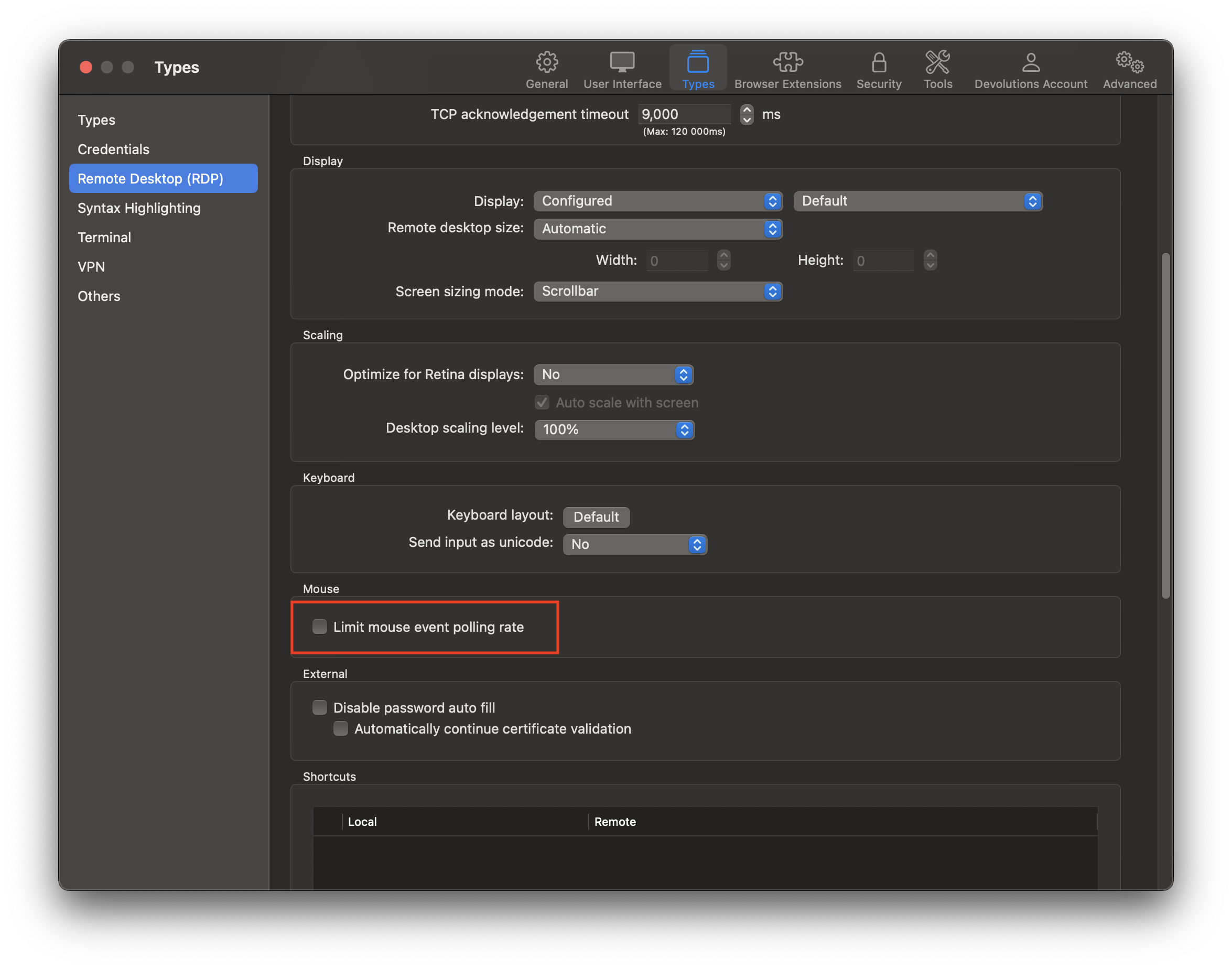
If there anything don't hesitate to ask.
Best regards,
Michel Lambert
MouseEventLimiter.png
execllent. I confirmed the new setting is working as expected. appreciate your efforts and support
Glad to hear it!
Do not hesitate if you have any other issues.
Best regards,
Xavier Fortin