Batch Edit doesn't work properly

Hi,
I recently used the "batch edit" possibility, on ssh connections. But I lost gateway information, and maybe more.
I'm attaching a screenshot of the problematic action.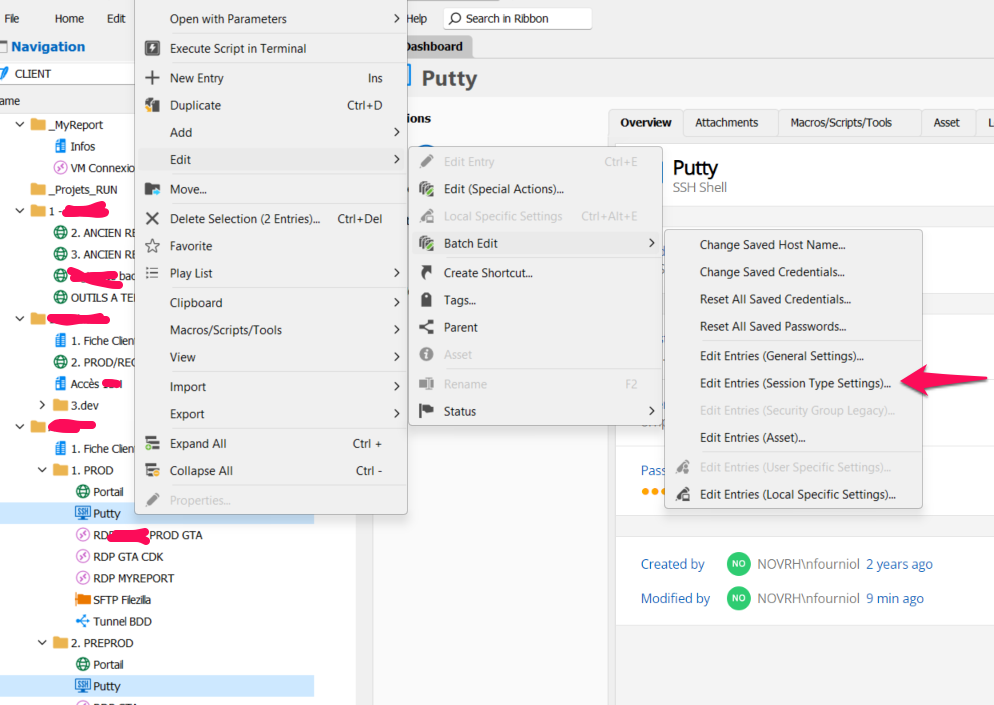
I use RDM version 2023.1.28.0 64 bits
This bug is really annoying and dangerous.
Best regards,
Nicolas
screenshot_RDM_batch_edit.png
All Comments (7)
Hello Nicolas,
Thank you for contacting us on that matter.
I tested it out, and I couldn't reproduce this issue on the latest version of RDM.
Could you update your RDM and tell me if this issue still occurs?
Best regards,
Patrick Ouimet
Hello Patrick,
I can't update my RDM version because I have deleted some registry keys and now it's impossible for me to update, I got an error.
Do you know how to clean totally my RDM installation in order to be on a clean environment and be able to install RDM ?
Dear Nicolas,
We are here to guide you on uninstalling Remote Desktop Manager and all its associated folders. You can find the instructions at https://docs.devolutions.net/rdm/windows/installation/uninstall/#uninstall-and-reinstall-remote-desktop-manager-without-the-cfg-file.
If the issue persists even after updating to the latest version, please inform us. Also, note that if you use a local data source, the database is stored under %localappdata%/Devolutions/RemoteDesktopManager/Connections.db. We recommend saving this file and backing up your database before proceeding with the uninstallation.
We hope this information is helpful. Please feel free to contact us if you have any further queries.
Best regards,
Patrick Ouimet
Hello Patrick,
I've installed the version 2024.1.20.0 (not the latest because I have some problems with the latest, my data source is cleared, I don't know why).
I contact you about my initial post, I reproduce the error with the 2024.1.20.0 version.
When I do a batch edit, I just validate without modifying data and I loose the gateway connection data.
I've found the pattern, maybe you didn't see the bug for a reason.
The pattern is the following: for instance just select 3 ssh connections, one with test1.test.com as a gateway, another with test2.test.com as a gateway and the last one with no gateway.
When you batch edit your three connections, a popup is open with several tabs including the gateway tab.
If you go on the gateway tab you will see someting like in the screenshot below.
In the screenshot below you can see that the override checkbox is not checked in the gateway tab, and also you can see the value test2.test.com in the value. It is because when I selected the three ssh connections by maintaining Ctrl Key, I started with the ssh connection with the gateway test2.novrh.com.
But if I had selected first the ssh connection with no gateway then you would have seen no gateway in the gateway tab.
Then you validate the batch edit, without checking "override" in the gateway tab. And then your all three ssh connections will get the gateway value that was displayed in the gateway tab! Even if "override" was not checked. Consequently it will apply test2.test.com as a gateway to all the ssh connections that were selected, just because I've selected first the ssh connection with gateway test2.novrh.com.
I hope my explaination is clear.
Regards,
Nicolas
Sorry I'm unable to post messages with screenshots, I tried on chrome and firefox.
But I think my explaination is sufficient.
Hello Nicolas.
Thank you for this feedback.
The explanation should be enough to reproduce this issue.
I think I have 2 or 3 ideas on this one.
I will let you know as soon as I have some results.
Best regards,
Patrick Ouimet