SSH - Shift+Tab don't work

Hi there,
Since a month (or maybe more), when i'm in a SSH session, the Shift+Tab don't work, it move like i'm only press the Tab key.
Others applications work well with that combination.
A friend of mine is still in the build 2023-1-29 and don't have any issue.
I'm on the last 2023-2-27.
Already check the keyboard shortcuts in the configuration menu, but found nothing.
Tried to change Putty to Kitty in the Types/PuTTY options, nothing change.
All Comments (10)
Hello,
would it be possible for you to create a portable installation of RDM and see if this issue still occurs? To do so, you will need to do the following:
1. Download the .zip file below: https://remotedesktopmanager.com/home/thankyou/rdmbin
2. Create a new folder on your Desktop.
3. Extract the content of the .zip file into the folder created at #2
4. Go to this folder once the .zip file has been extracted and run remotedesktopmanager64.exe
5. Connect to your data source.
This will tell us if the issue is tied to the local installation of RDM.
Best regards,
Carl Marien
Hello, thx for your answer.
I tried with your zip file, it does the same :/
Hello,
Thank you for confirming this, could you tell me what you data source is ?
Secondly I'd like to know how the following options are set for your friend and how it is set for you: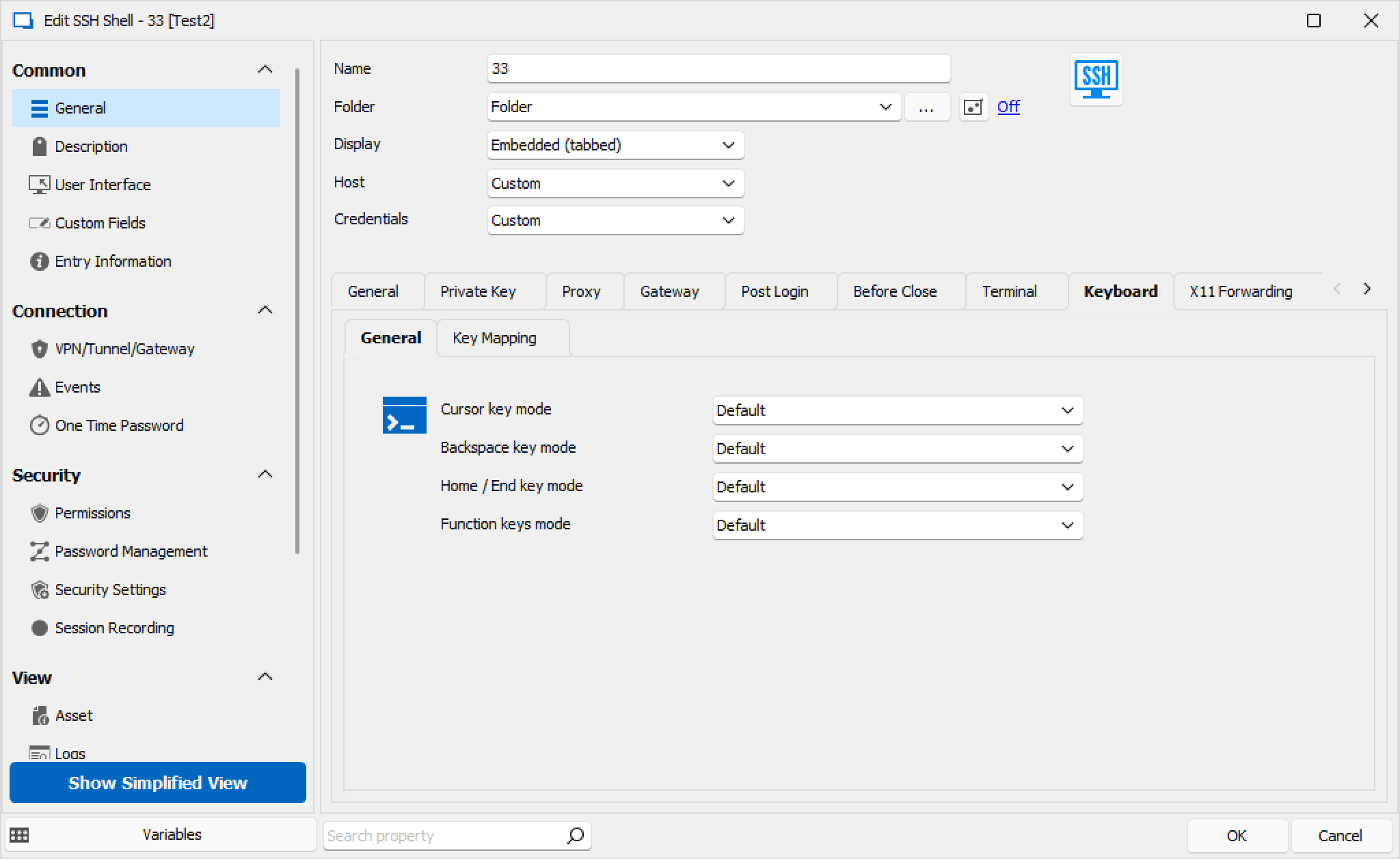
If your options are default, can you see if specifying the options to your specific configuration (as needed) resolves the issue ?
Best regards,
image_2023-09-12_134201357.png
Hello,
I don't fully understand what you mean "what's data source", but the database has the version v1.147.
My connection is a standard SSH connection, no custom options are configured (except "TCP keepalives", don't think it's relatable)
My friend have the same.
My options are like your screen. I tried every options in this "keyboard" menu, one at once, but no change.
BUT, I tried the "Key Mapping" option, like this :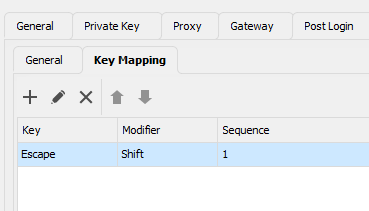
And... it works with that (new) combination.
The original combination (Shift-Tab) still don't work in RDM.
Capture d'écran 2023-09-13 075125.png
Hello,
To view the data source you are currently using, please follow these steps:
- Navigate to the 'File' menu and select 'Datasource.'
- Double-click on the data source you're using.
- The type of the data source should be displayed at the top of the window.
Additionally, could you please let me know if you have configured any shortcuts using 'Shift + Tab' within the 'File' menu under 'Keyboard Options'?
Best regards,
Carl Marien
Hi,
It's a SQLite datasource file.
I tried to disable all keyboard shortcut under this menu (and restart RDM) :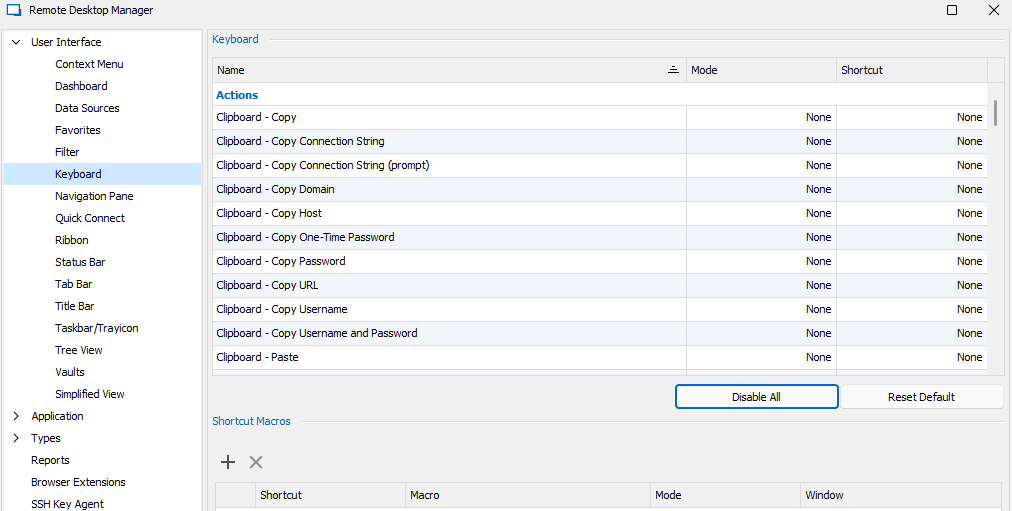
But my issue is still there.
Tryed "Reset Default" too, it do the same.
Capture d'écran 2023-09-15 074752.png
Hello,
We would like to propose conducting a remote session with you to better understand and resolve your issue. If you're interested, please let us know, and I will send an invitation to the email associated with your Devolutions account.
Best regards,
Carl Marien
Hi,
Yes, you can send me an invitation :)
Today, i tried to update to the 2023.2.28.0 version, still the issue.
Hello,
I've sent you a request for a remote session on your personal email.
Best regards,
Carl Marien
Hello,
I updated to the new 2023.2.30.0 : the issue has been solved:)
Thank you !