Import Computer Wizard doesn't Select All entries by default
Import Computer Wizard doesn't Select All entries by default

This has gotten me so many times I needed to post it here as a bug. If you go through the Import Computer Wizard, and go through the various screens, when the results are dhown, it has only "selected" the first entry. If I click Next through the rest of the screens, I end up only importing one item and then have to redo the entire import again. This is bad design. Why would anyone want to Import from AD and then only import one item.
It would be great to either change this so that ALL the entries are selected by default, or to have a separate prompt that specifies to select the items you want to import and then have a Select All button. Especially because we have a large environment and the import takes 5-10 minutes each time I run it.
Thanks.
All Comments (7)
Hello,
Do you mean in this dialog?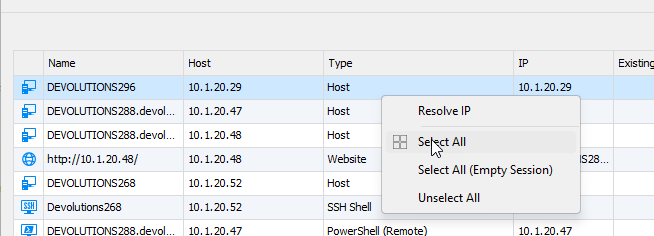
You can right click and Select All.
Regards
David Hervieux
7a6c6d8c-ab5c-41ca-ad79-7065db072bdc.png
Yes. The point is that I shouldn't have to manually do a Select All. It should have them all selected by default. No where on that screen does it say that I should go select the items I want. It just shows me a list and I assume it's going to import the whole list. That's the whole point of doing an AD import is to import all your AD objects.
There's should at least be a confirmation box that says "You are about to import ### entries. Do you want to continue?" That way if it says '1', I'd remember that I have to go select them myself since the program doesn't do it.
Thanks.
Hello,
I think that we should add a Checkbox column checked by default like you are suggesting. What do you think?
Regards
David Hervieux
I think a checkbox column would be great. At least that's a visual indicator that things are selected for import. Adding a sentece at the top that says "Select the items to import" would help as well.
Thanks.
And since my screen looks a bit different than yours, this is what I see when going through the Import Wizard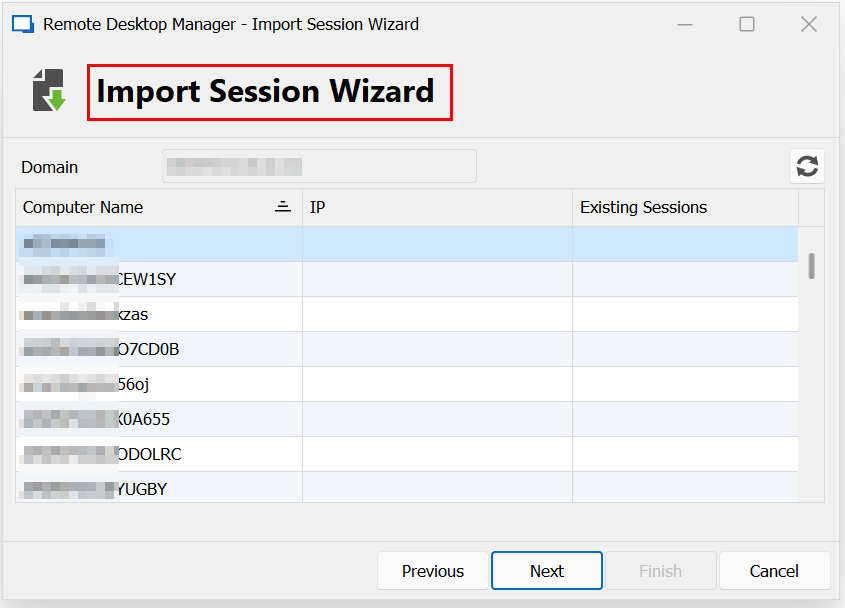
28634655-43d1-4c66-9f84-ce0c6567b82d.png
Hello,
I have created the ticket for that.
Thank you
Regards
David Hervieux
A checkbox is now available starting with RDM 2023.2.28 and 2023.3.8.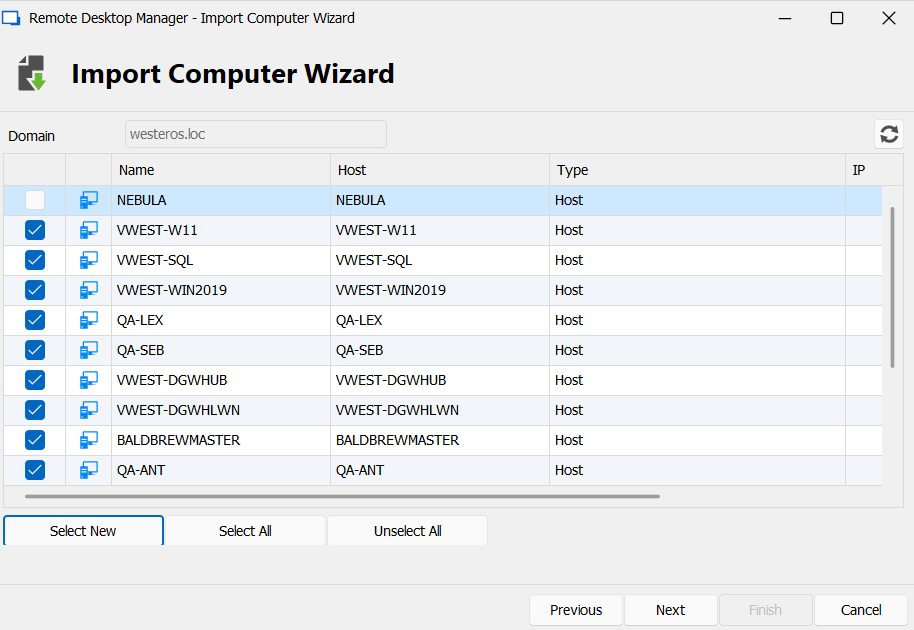
Sébastien Duquette
d1303a1f-27cf-4b72-b480-53689a1e8bff.png