Unable to Sign in to RDM

Hi
When i launch Devolutions RDM, the auto signup box appears and redirects me to the login page.
My password is correct but the page just refreshes and does not log me in.
I get the same behaviour if i go to Settings on RDM and click Account Settings then Sign In. New Web page opens .. but just wont login.
If i browse to devolutions website manually in a web browser and click Login, then that works fine.
All Comments (11)
Hello,
Thank you for reaching out to us regarding this,
Could you provide me with a screenshot of the error when RDM automatically attempts the connection? Is it redirecting you to an account creation page or giving you an error?
Let me know,
Best regards,
Samuel Dery
When i open the RDM App, i get this :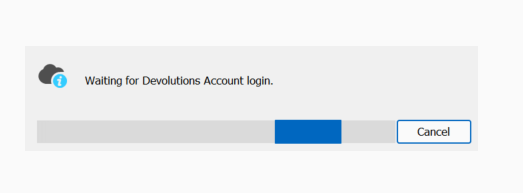
and a browser appears with this page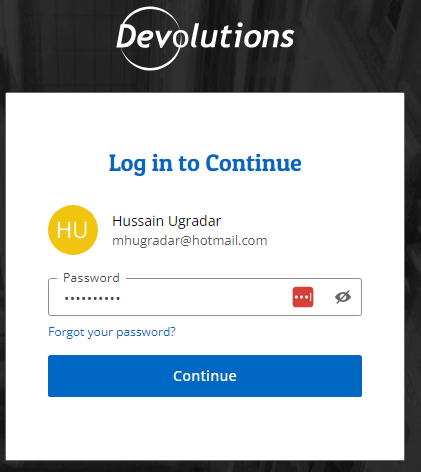
My password is right, but when i click continue it attempts to login, then goes back to this login page.
If i click cancel on the loading bar, then RDM opens .. but i am not logged in
4672a490-add6-4f97-845a-9c342fea2a6d.png
a29d93d0-8ac0-4bfa-ab0e-5842c48fb9fa.png
Hello,
Thank you for your reply,
I see, that is indeed odd,
I'd like to confirm which version of RDM you're currently using?
That being said, I'm wondering if configuring an application password would work for you in this case, we have the following knowledge base article regarding creating one:
https://docs.devolutions.net/cloud/sign-in-security/application-passwords/
Once done, if you go into RDM under "File" -> "Devolutions Account" and use the "Application Password" option, the "Username" field would be your Devolutions account email.
Let me know if this works,
Best regards,
Samuel Dery
Hello,
I am using Version 2023.2.24.0 64-bit
It lets me create the password and sign in, but still does not show my account as signed in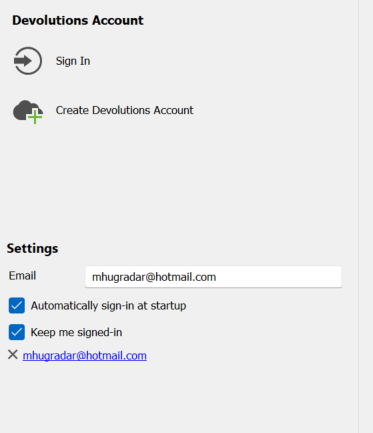
cf06e3cc-1bbf-4d26-961b-4b936855e6eb.png
Hello,
Thank you for your reply,
I see, with this new configuration have you attempted to use the "Sign-in" button under the "Devolutions Account" section? If so, what was the result?
Let me know,
Best regards,
Samuel Dery
It just repeats the initial steps of asking me for my password and not proceeding when i press Login
Hello,
Thank you for your reply,
I see, that is indeed odd, could you update to the latest version of RDM 2023.2.27.0, which can be downloaded from this link to see if the same issue persists?
https://devolutions.net/remote-desktop-manager/home/thankyou/rdmsetup/
Let me know,
Best regards,
Samuel Dery
Hi
same behaviour as before
Hello,
Thank you for your reply,
Would you be interested in a remote session so that I can have a look at this issue with you?
To do so, I would need to open a case for you regarding this, would the email used for your account be the correct one to use? If not, let me know, and I can send you a private message so that you can provide me with the correct email.
If this is easier for you, you can send an email to service@devolutions.net, and it will create a case automatically, simply mention this topic in the message so that it can be easily identified.
Let me know,
Best regards,
Samuel Dery
HI, Yeah a remote session would be fine,
Tthe email on the account is fine to setup a case.
Hello,
Thank you for your reply,
No problem, I've created the ticket and sent you an email including a scheduling link.
Best regards,
Samuel Dery