Please allow reconnection from "disconnected warning window"

Currently if my sloppy LTE connection disconnects me I do get a pop up with the disconnection error.
Fair enough.
Clicking OK it closes the connection completely. Would you please consider adding the "Reconnect" butto non that very same popup window to make the the reconnection quicker and more practical?
Thanks
All Comments (7)
Hello,
Assuming you're talking about the same prompt, we have recently received a request to add a reconnect/retry connect button to that window: https://forum.devolutions.net/topics/39944/add-retry-connect-button-to-cant-find-computer
If that is the case, we will note your interest in this feature as well.
In your case though, since it's not on the first connection, I think you could use the "keep tab opened on disconnect" feature. Once the connection is disconnected, the tab will stay opened and from there you will be able to reconnect it.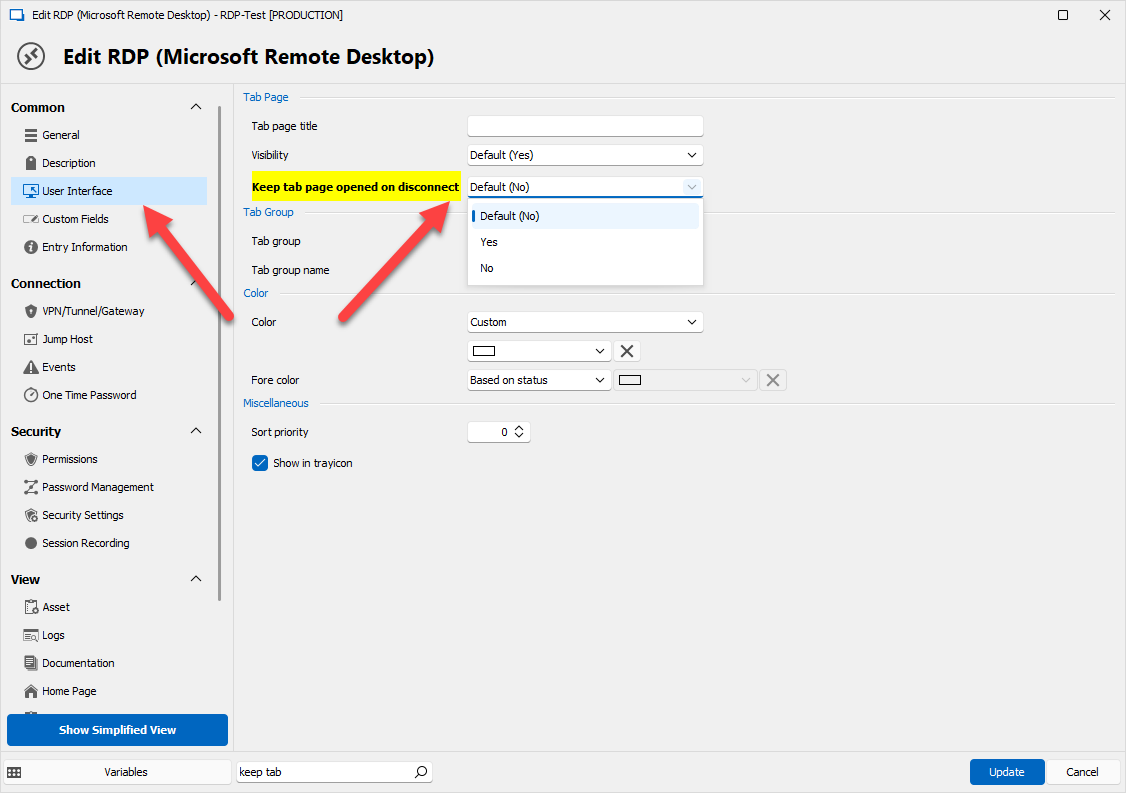
Please let us know if this works for you.
Regards,
Hubert Mireault
b42deb6c-8577-49ef-a27c-f97fe1771e89.png
Thanks for the quick answer and the information. Indeed that setting will help my case.
Two more points please:
- I noticed that this is RDP only? Can this be extended to SSH as well?
- Could we (users) have global setting to have this on as a default?
Thanks
Hello,
For the SSH entry the value is located in the advanced tab: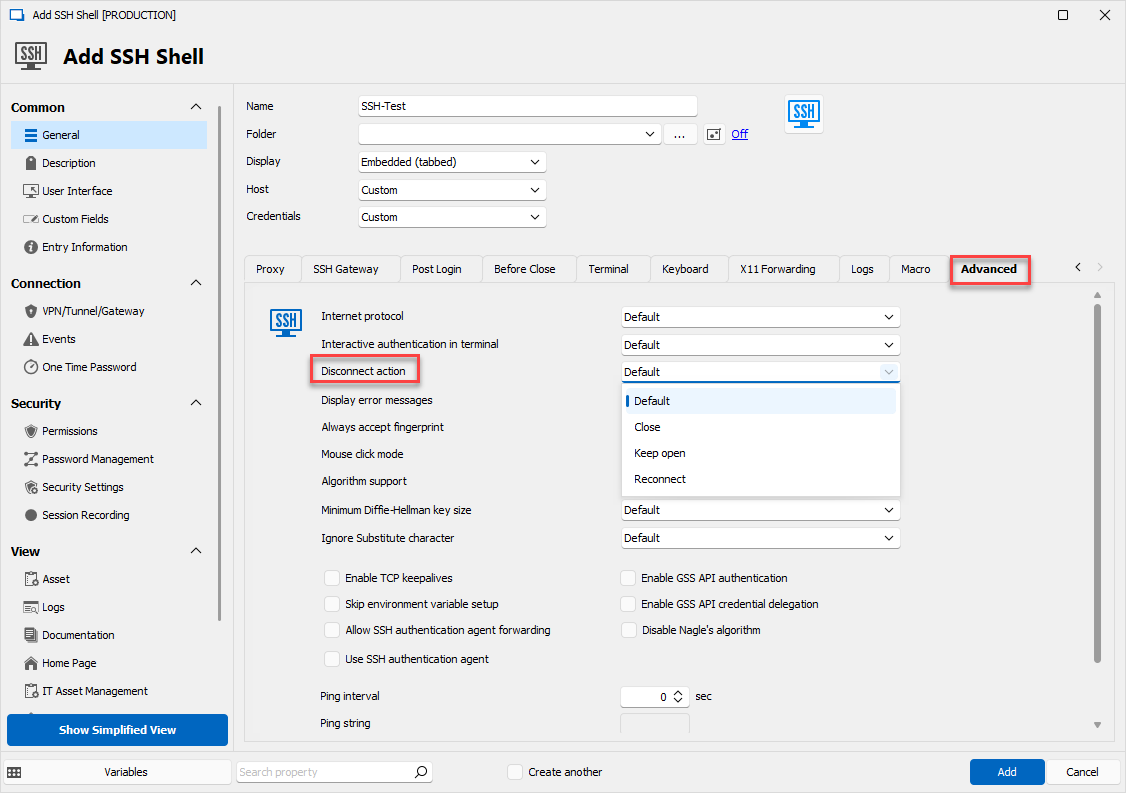
The default value for the RDP connection can be found in File > Options here: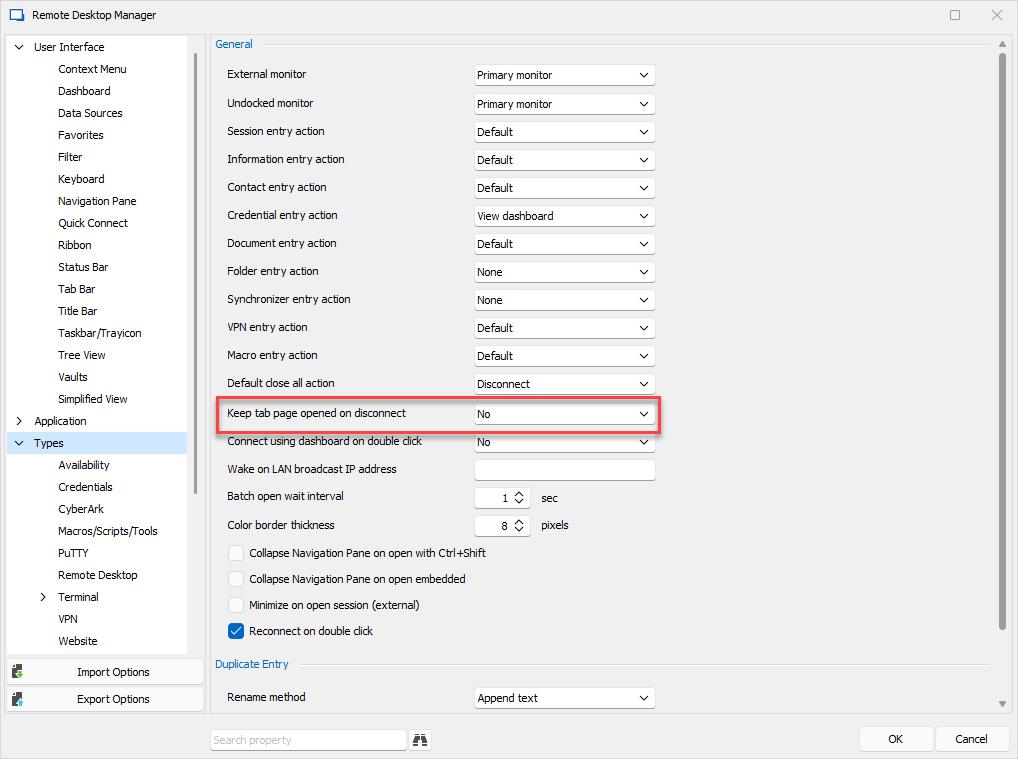
And the default value for the SSH entry (which I'm noticing has an outdated label dating from before we had the "reconnect" mode, we will change this):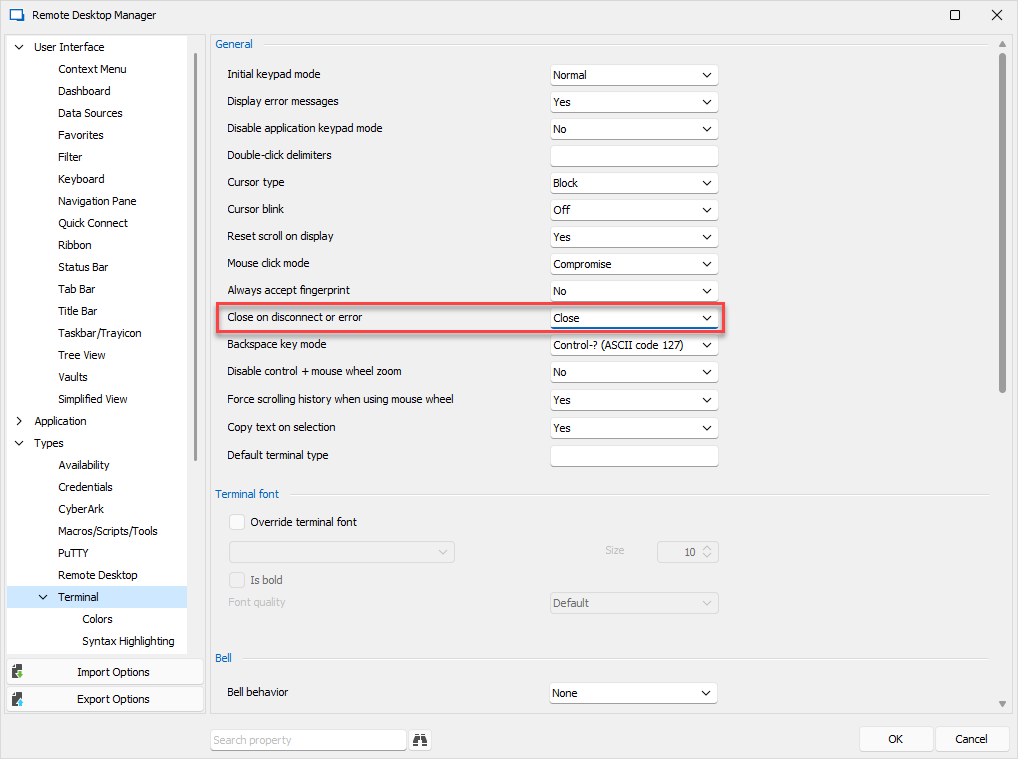
As you can notice, these options are local to the user. If you'd like to force this on your entries, I would suggest:
- Performing a Batch Edit of the entries you want to change and changing this setting, making all of your desired entries use this configuration
- Creating a template with this setting configured on it, and using this template to create future entries, to make sure they all have this configuration by default
Regards,
Hubert Mireault
03662838-4a3f-4d75-a850-c7d7d3fb51b5.png
22435e7c-b31f-40da-9f36-fc754031cd4f.png
196b5560-0c0e-4ffd-b3c6-9d39a521d0b2.png
Thanks this really helps.
I have to say I'm impressed with RDM it seems like nothing is left behind.
If I can help with making the product even better I would say that from a UI point of view there's a margin of improvement in having the same option (reconnect in this case but it can be any) aligned for every type of connection, e.g. somehow I would expect the keep disconnection open to be the same regardless of the protocol and displayed in the very same place. Then of course ssh has different options from rdp and those perhaps have sense to be displayed under advanced.
On the "advanced" terminology side it's perhaps a bit confusing to have the "General - connection advanced" and "Menu - advanced".
Your feedback and kind words are appreciated! A lot of features in RDM come directly from our userbase, and we're always doing our best to take our users' comments into account when improving our products.
For your point about the UI, the reason why it's a separate option for SSH compared to the more "generic" one found in RDP and VNC for example, is because the one for SSH has the "reconnect" option which is not available for other entry types, so we decided to separate it. I do understand that it's confusing, but at least, there should only be three cases at the moment:
- Entries that support the "Keep tab opened on disconnect" generic option that is found in RDP, VNC, etc
- SSH entries with the "disconnect action" option
- Entries that do not support the "Keep tab opened on disconnect" feature at all
For the terminology, do you mean the left accordion menu's advanced section, and the entry's advanced tab?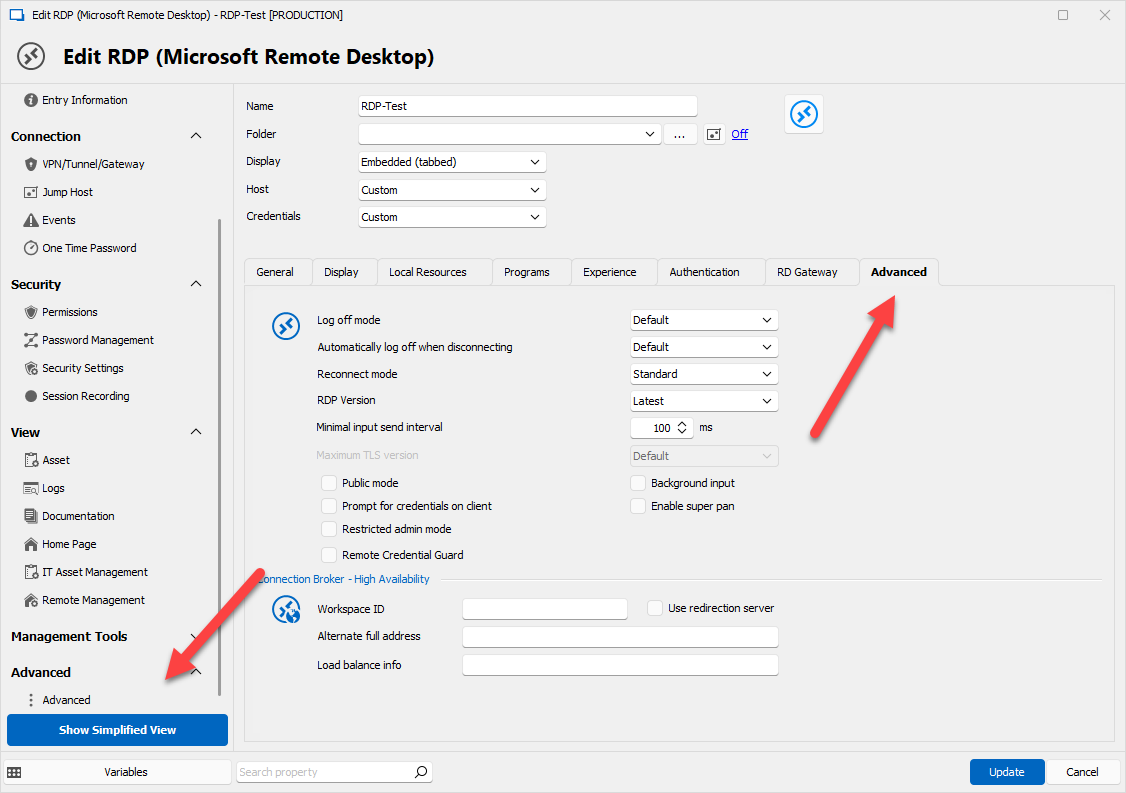
If this is what you mean, we will keep it in mind, but for now this is by design. There's only so many words we can use for an "advanced" section, and reworking the UI to avoid this would be difficult at the moment. Not to say it's not possible, but it won't be in our short term plans.
Regards,
Hubert Mireault
770bc24d-6627-4ff8-9692-a56824f8165f.png
Thank appreciated.
What I noticed so far is:
the popup window is a system window so it interferes if you get disconnected e.g. while using word. IMO this should be a popup within RDM only so visible when I maximize the program via the taskbar icon.
I might have misunderstood something here but the disconnection popup doesn't provide the reconnect button, it just performs it on my behalf. Let me better explain: I have set the disconnection action (ssh) to reconnect however because of the point above it was disconnected because a wifi issue. This results into a series of popups as reconnecting is technically and temporarily not possible. I would suggest you add another option to that Disconnection Action to "prompt" which would add a button to trigger the re-connection upon user interaction manually. Still this should happen/be-visible only when RDM is maximized.
Thanks
For the error prompts, from what I know it's the normal behavior in WinForms when we open a modal window. There are options to not show the error messages in certain entries (RDP and SSH being some of them), which might help you in the mean time. For SSH it can be configured in the entry directly (Advanced tab > display error messages) with a default in the options (File > Options > Types > Terminal > Display error messages), and for RDP there is the "disable embedded RDP error message" in the options (File > Options > Types > Remote Desktop > Disable embedded RDP error message).
I think originally the "reconnect" mode was for the connection was briefly lost, and probably isn't suitable for a scenario where you're unable to connect for longer periods of time. Maybe you could change the option to keep the tab opened, and from there you can reconnect manually when you know the connection should be available? If you remove the error messages with the suggestion above, it would be unintrusive, and only show that the entry was disconnected at the top like this: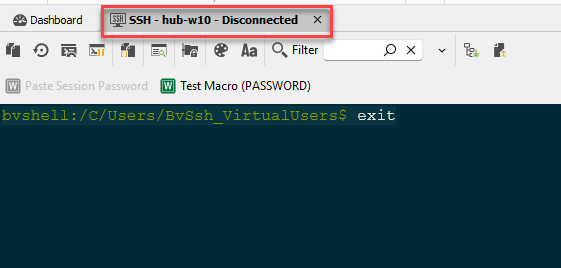
From there you can right click the tab > reconnect and it should reconnect.
Let me know if this can work for you or if I'm misunderstanding the scenario.
Regards,
Hubert Mireault
47e14242-05bb-4047-8510-4b70197cb65d.png