SFTP Session view layout

Hello,
when I create "SFTP Session" (as in not Filezilla, or WinSCP, but RMD internal one), default view is somewhat unusable.
So if I get it to show Details in the lower pane, move the bar to show the whole path, and adjust windows, all looks finally... and then, I close the session, reopen it, all is back to the default layout.
Any way to save the layout I create, and preferably use it for all other SFTP sessions?
Thank you
Kosta
All Comments (8)
Hello,
Can you tell us what version of RDM you are currently using?
Also, could you give us a screenshot of what you would like to save for the layout? We made improvements for this recently but it's likely we didn't cover everything. It would be very helpful for us to know exactly what you'd like to save.
Regards,
Hubert Mireault
2023.2.24.0 on PC, on Mac 2023.2.8.1.
However, the issue here is on PC (on Mac, I don't even see any files)...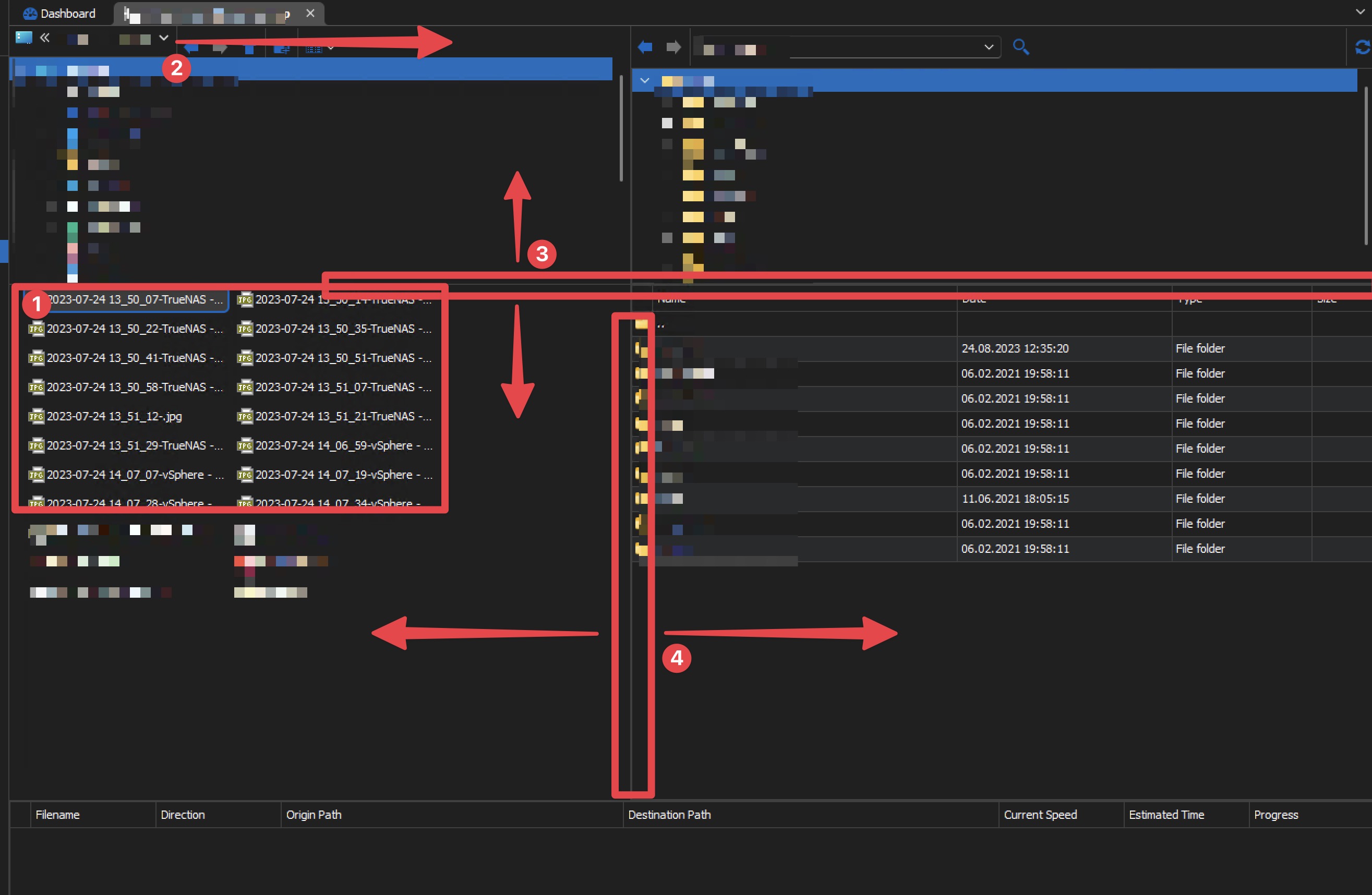
- Files are shown as list, that can be changed to detailed list (one file per line, with details)
- The line can be moved left-right, to reveal full path
- Lines can be moved vertically to adjust the view
- Lines can be moved horizontally to adjust the view
Basically all that you see visually. And if I adjust those, and then close the session and reopen, they will open in this (screenshot) exact layout again.
Hope this helps.
CleanShot 2023-08-24 at 20.09.46@2x.jpg
Thank you, this is greatly appreciated. I have opened a ticket and we will post back here when we have an update on the matter. I don't think it should take too long to add.
Regards,
Hubert Mireault
Hi srdankostic,
Could you provide logs for your session not working in RDM Mac? If it's not already the case for you, you can show logs by checking the Advanced -> "Show logs" checkbox in your entry settings.
Best regards,
Xavier Fortin
I have to correct myself on behalf of Mac-Version:
It was an user-error, I thought the files should appear in the lower portion of the window, similarly to PC version, however they apparently appear in the tree itself.
But, resizing the window, same as with PC version, also doesn't get saved.
Would it however be possible to get the same kind of view on the Mac-RDM as is on Windows-RDM? Mix of tree and files is terrible. Either separate windows (similar to FileZilla or RDM for Windows) or like WinSCP. Even better, user-configurable.
We'll keep this in mind, but this is nothing trivial to change.
Best regards,
Xavier Fortin
That goes without saying. Would be nice to see it, however.
Hello,
We've further improved the saving of the layout for file explorers. These changes include those mentioned in your latest screenshot as well as a few more (the transfer panel the bottom to name one). This will be available for the 2023.3.8 version. Thank you for your help.
Regards,
Jafran Majeau