Some issues with 2023.2.22

Hello,
- Reopen session does not work. When I close RDM with an open RDP session and reopen it immediately, I am not prompted to open the RDP session again.
- While searching the Options if I did something to disable the reopen setting, I found "Disable telemetry". What telemetry do you collect and how can I disable it by GPO? As a company you normally not allow the collection of telemetry...
- When closing RDM and opening it immediately again, the window position and size is not correctly remembered or applied.
Another thing I found in the Options: What does "Lock integrated security: validate only against domain context" do? I did not found anything about this setting in the KB.
Brgds Andreas
All Comments (17)
Hello,
Which version number of RDM are you using ?
Can you provide your data source type as well ?
Best regards,
Hello,
MS SQL and the version I wrote in the subject…
Brgds Andreas
Hello,
My mistake for the question regarding the version,
As for your questions or concerns,
1 - Under Edit > Playlist > Playlist Management, is the folllowing configured ?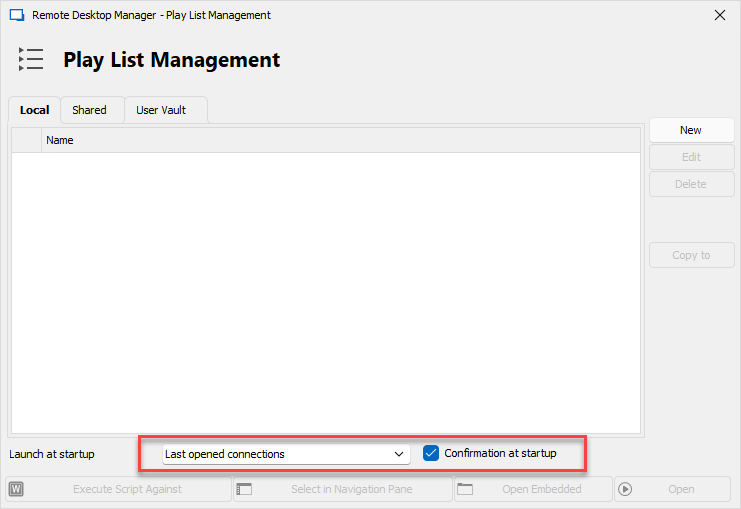
If not, this is likely why you're not prmpted to reopen your connections after relaunching RDM.
2 - There is indeed a way to disable telemetry by GPO, here's where it should be located:
3 - Under File > Options > Application Startup, is the following option configured ?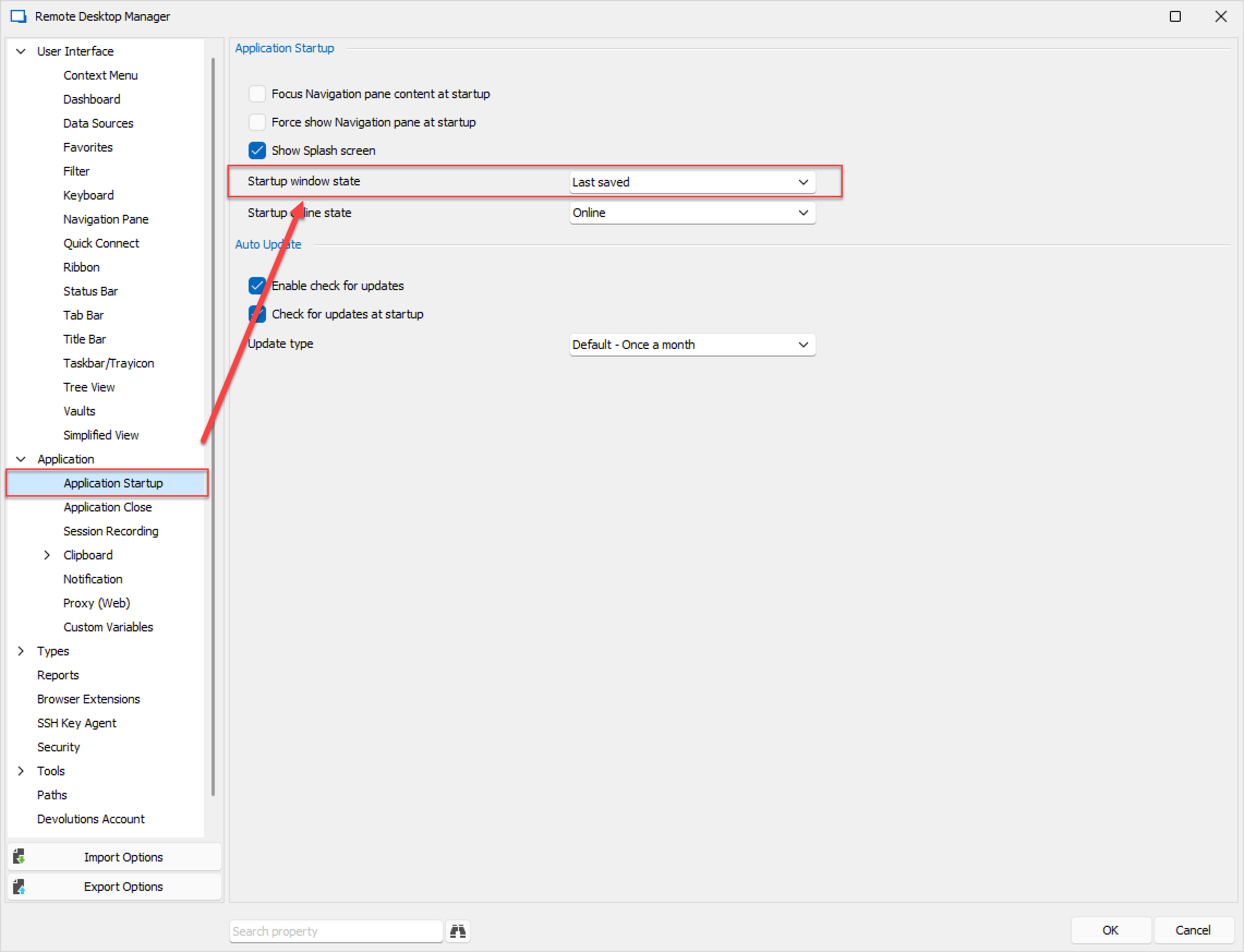
If not this may be why the window state is different when RDM is relaunched.
Best regards,
d63b6a1e-1d20-47a7-86c5-75193b1cb03c.png
fafeec88-c5b8-4f5b-bcbd-c99715910855.png
b1cb2db2-854c-4d0b-bd2c-cc476c3ee365.png
Hello,
sorry for my late reply...
1 - Playlist Management - yes, this is default: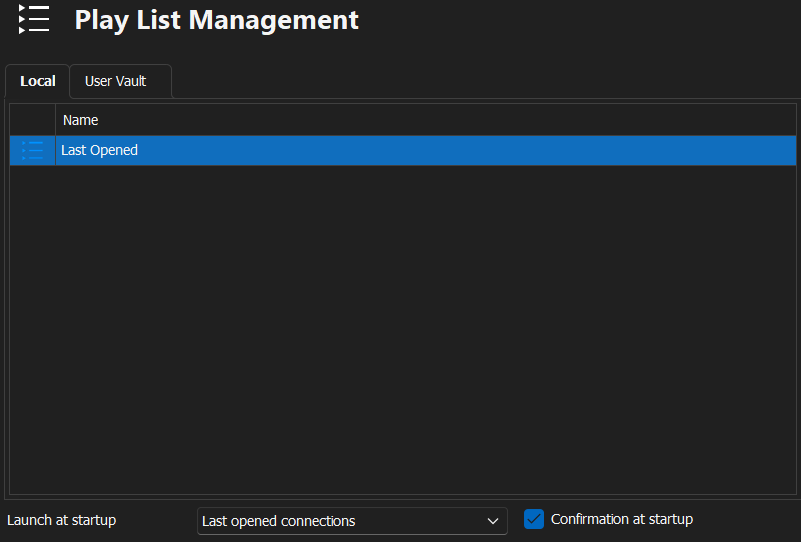
2 - OK, now the question has changed a little bit. My ADMX file calls this "Disable Analytics",
which is already enabled.
If I enable something by GPO, why does the application not show it? You should make a checkmark which I am unable to change, if something is set by GPO.
3 - Application Startup is last saved: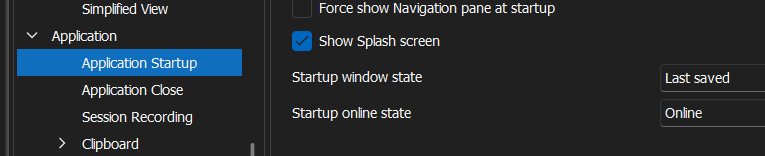
The only thing - I am already at 2023.2.25 and I did not verify 1 and 3 again...
And you missed the last line of my first post:
---cut---
Another thing I found in the Options: What does "Lock integrated security: validate only against domain context" do? I did not found anything about this setting in the KB.
---cut---
Brgds Andreas
3c6905ea-b08e-4ce5-827e-59bbc0bc12de.png
9c7f5cfb-ca96-43ec-85e9-026d5c60e7d7.png
497db74f-1830-4698-a535-f417c8f3a5d1.png
Hello,
I just did a upgrade to 2023.2.27 (from .25) and the window position is working now.
But the reopening of closed sessions does not work. I had two sessions open before I did the upgrade, after the upgrade the two sessions are lost.
Brgds Andreas
Hello,
1 - I've just tested the option and it seems to work properly in version 2023.2.27.0 of RDM.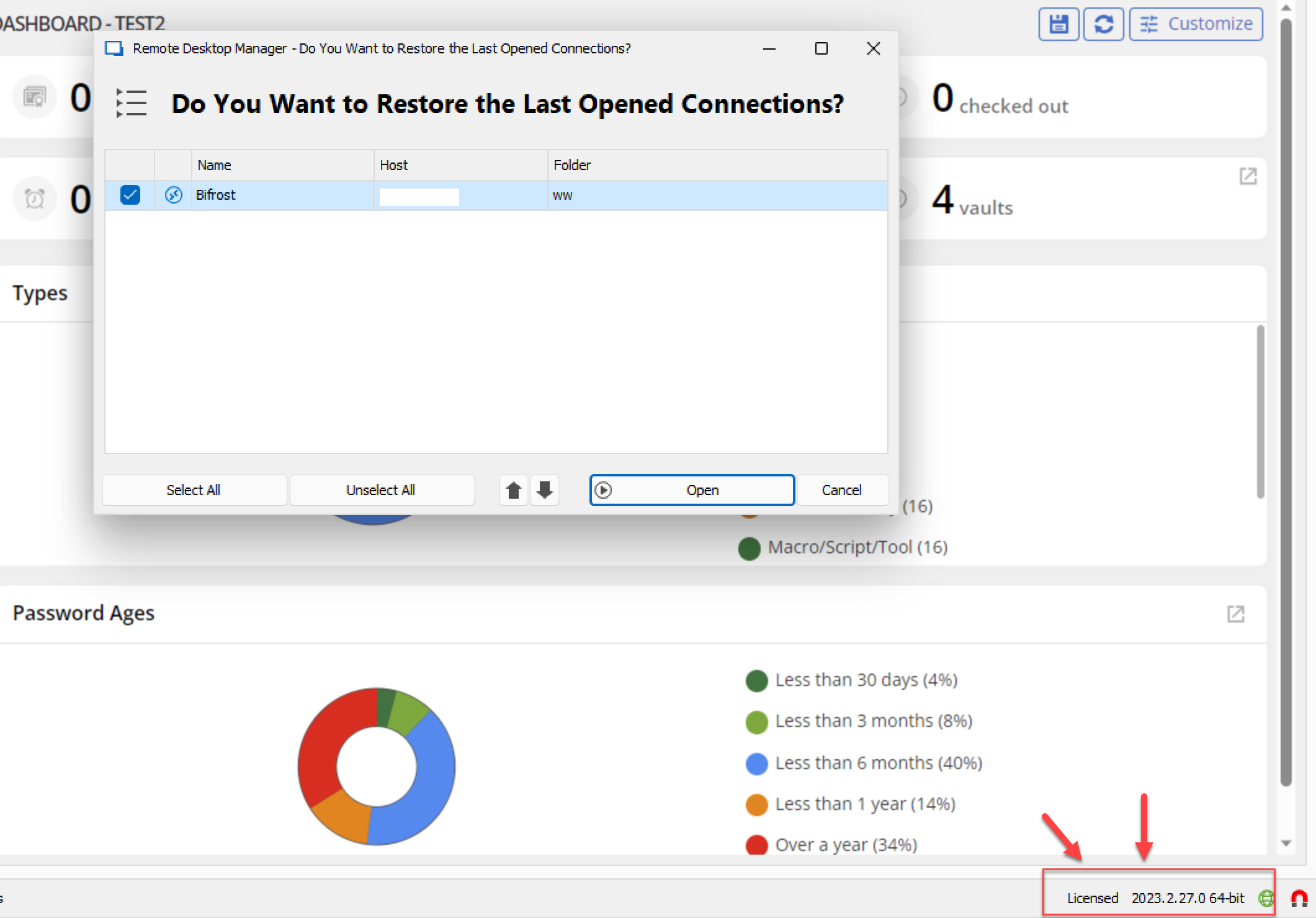
Could you attempt to try in a portable version of RDM ?
To do so, you will need to do the following:
1- Download the .zip file below:
https://remotedesktopmanager.com/home/thankyou/rdmbin
2- Create a new folder on your Desktop
3- Extract the content of the .zip file into the folder created at #2
4- Go to this folder once the .zip file has been extracted and run remotedesktopmanager.exe
5- Connect to your data source
2- I would suggest writing a separate feature request in the forum, however to my knowledge the checked option is the one you mentioned in your original post: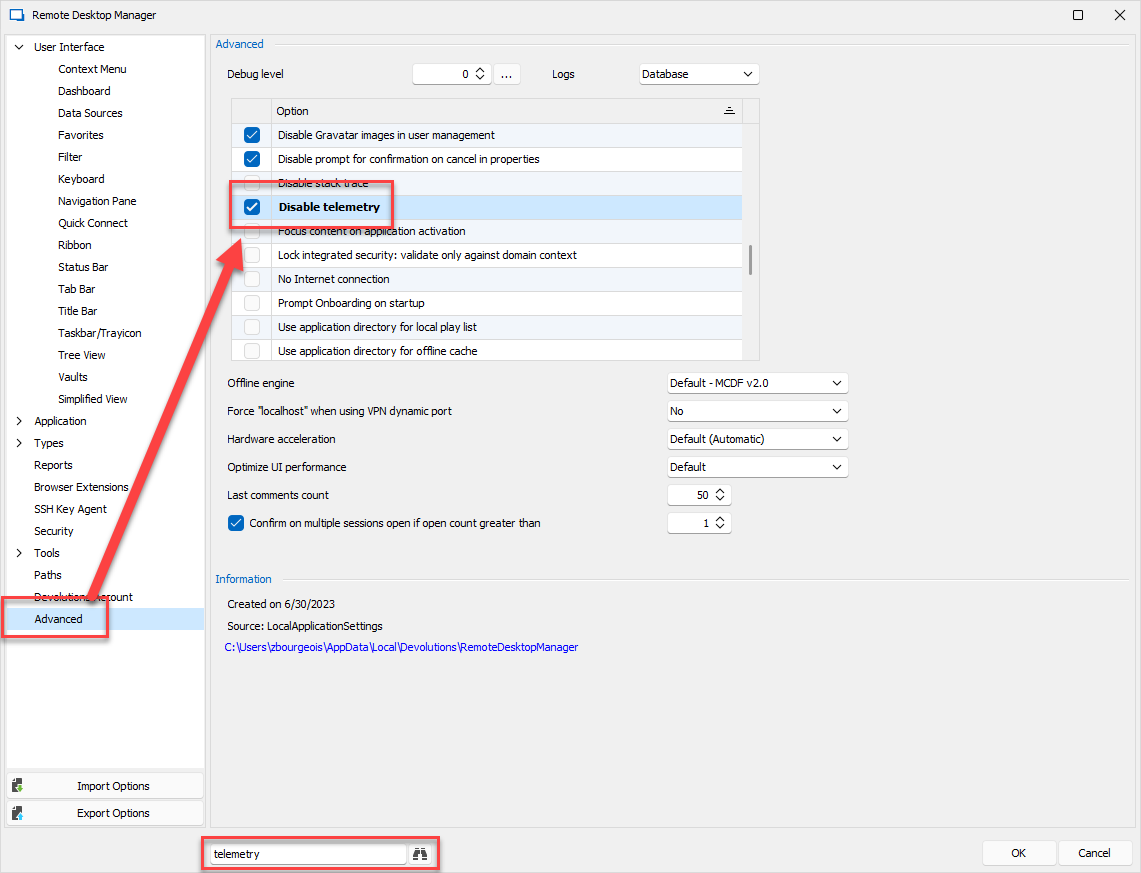
3 - Where is the "Lock integrated security: validate only against domain context" option ?
Best regards,
image_2023-08-31_150442470.png
image_2023-08-31_150406396.png
image_2023-08-31_110813457.png
image_2023-08-31_110745465.png
Hello,
it is not working in the User Vault!
In the Shared Vault it is working, but in the User Vault the reopen does not work. I tested this now on my admin client where no GPO and other restrictions apply. When I have a session in the User Vault it is not reopened, in the Shared Vault it is. We only user User Vaults...
For the other things I open separate posts to not mix it up...
Brgds Andreas
Hello,
Thank you for clarifying the issue,
I will speak to our engineers as I am unaware if this is simply a limitation of RDM.
It seems that the option only appears under the "Local" tab in the Playlist Management window and not the "User vault" which leads me to think that perhaps the behaviour is normal since it may not be implemented in RDM.
Best regards,
Hello,
I was sure, that this was working in the past...
Now I looked again at the Play List Management and for "Local" there is a "Last Opened" default Playlist, but for the "User Vault" tab next to it not. So I think you are right!
Would be great to get the same for User Vault.
Brgds Andreas
Hello,
I'll update you as soon as I receive confirmation of this from our developers.
However, so far I'm leaning towards this being a limitation rather than a bug. Though keep in mind, I could be wrong !
Best regards,
Hello,
According to our engineers this is an issue, it should be resolved in version 2023.2.28.0
Best regards,
Hello,
perfect - thanks for your help! :)
Brgds Andreas
Hello,
My pleasure !
If the issue persists when this version releases, please let us know !
Best regards,
Hello,
just because I am very impantient...
When will 2023.2.28.0 be released?
Brgds Andreas
Hello Andreas,
Version 2023.2.28.0 is currently in QA testing, so provided there are no blocking issues, we should be able to release it this week, possibly tomorrow.
Regards,
Hubert Mireault
Hello,
with 2023.2.28.0 the playlist it is working again. Thanks for your help!
Brgds Andreas
Thanks for the feedback Andreas, glad to hear it works well for you.
Regards,
Hubert Mireault