"Go Offline" only available for my own user...?

Hello,
I just found out, that I am the only one who has offline usage. And I don´t know how I managed to do this...
My DB Info: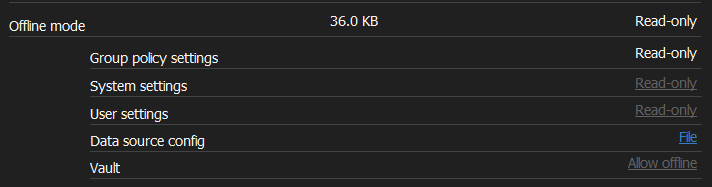
From my colleagues: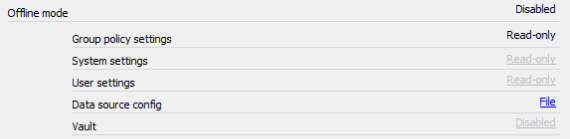
What did I do wrong? Why do I have Vault set to "Allow offline" and my colleagues are "Disabled"? Both users are on the same central SQL DB with the same settings I think...
System Settings, Cache/Offline is set to Read-only. I only found this at "User and Security Management":
But as I said - for my user it is working. Just to remember - we only use the personal vault, no user has access to the shared vault.
Brgds Andreas
1a5a9878-b460-4251-be68-b0590692ae58.png
2e91be8b-0e26-47f7-ae73-4ec9b9a395da.png
02de4b51-b134-4eca-a484-2819a06aedb0.png
All Comments (6)
Hello,
Thank you for reaching out to us. to better assist you, could you please provide us with the following information:
· A screenshot of your RDM dashboard
· Your RDM version
· The data source you are using.
· Are you an admin in this data source?
Once we receive this information, we will be better equipped to diagnose and resolve the issue.
Best regard
Carl Marien
Hello,
- Screenshot - RDM Dashboard? What do you want to see? Or do you mean Data Source information?
- Versions:
- My client, offline working: 2023.2.18 and 2023.2.22
- Others, offline not available: 2023.2.12 and 2023.2.18
- Data Source: SQL Server, same database for all users as written above
- Not with this user and I also think this user was never an admin
Where is this "Vault" setting configured that is "Disabled" on all installations, but "Allow offline" on mine? I think this must be a central setting
Brgds Andreas
Hello,
Could you please check in the system setting -> user template -> offline mode and check the default offline mode for newly created users?
Then could you please check in user management if the offline mode is enabled or disable?
You can use this video I made to guide you. : 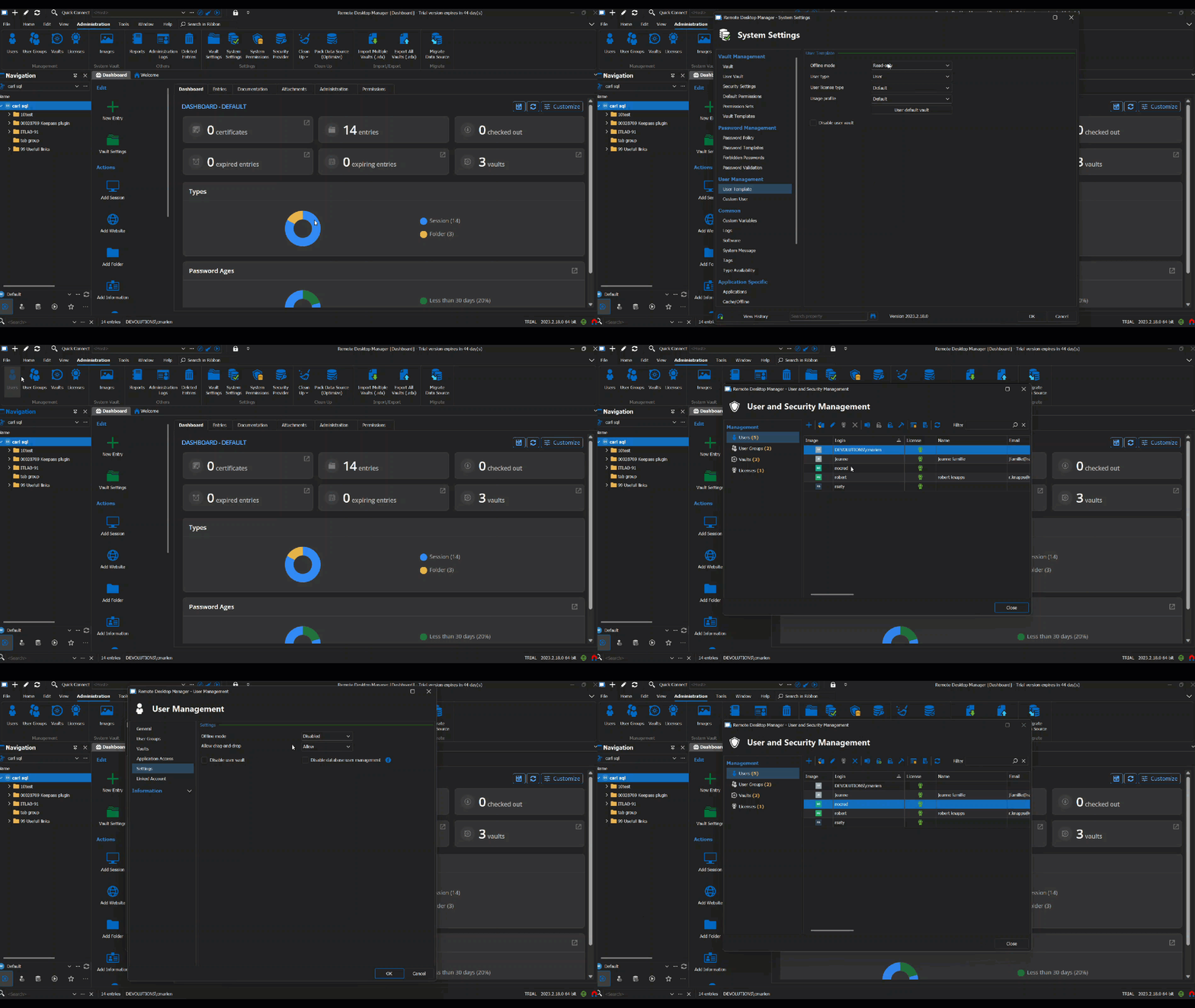
If you have any additional questions or concerns or require further support, please let me know, and I'll be more than happy to help.
Best regards,
Carl Marien
2023-08-09_11-27-21.gif
Hello,
It is set to Read-only: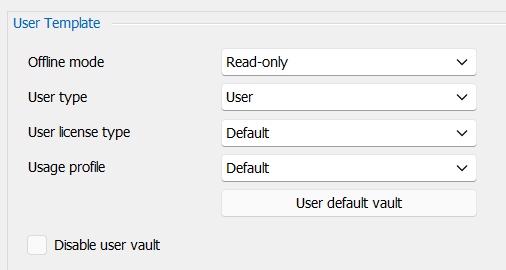
Also the user I created the screenshot before has this set to Read-only: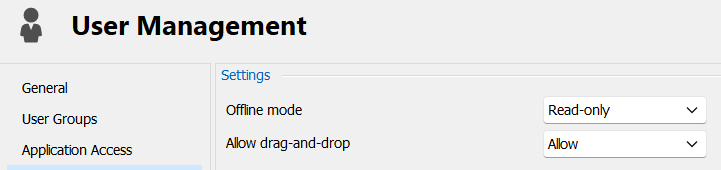
As shown on the screenshot of my first post:
Group policy: Read-only
System settings: Read-only
User Settings: Read-only
Only the Vault is for me Allow offline and for all other users it says Disabled.
As I am the admin and my regular user was for sure the first user that connected - could it be that the Default Vault was set to Allow offline when I first connected and that this setting got preserved somehow? And that it now does not matter what is configured on the Vault? I mean this was more than one year ago so I can´t believe it, but I have no other explanation.
I also noticed now that my admin user also has Offline mode for Vault "Disabled", I changed now the setting I mentioned in my 3rd screenshot from post 1 and enabled Allow offline: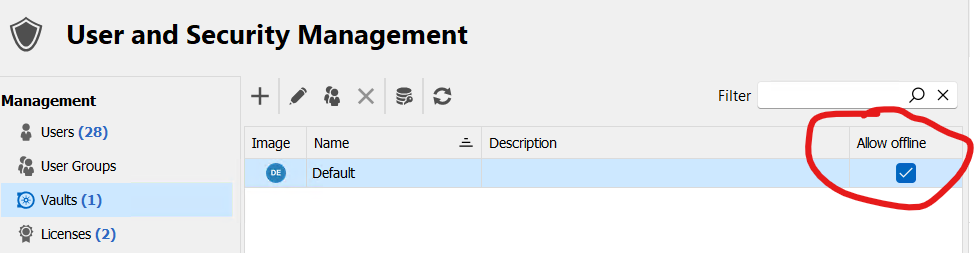
Now also my admin user is able to use offline mode.
Why does this depend or is so unspecific that a setting in the Default Vault also means the personal vault? My users have no access to the Default Vault, they only have a personal vault which I want to make available offline.
Brgds Andreas
9a58b6f1-556a-40fa-a293-6bda426896e3.png
bd8dd7d8-2f75-42ba-8140-b1b4bd9a0ce6.png
f39cf1f3-d216-4529-83a3-725f25b58e00.png
Hello,
today I checked this with my colleagues - unfortunately no. They still have Vault to Disabled in their DB info. Why?!?
EDIT: i found the "trick"! :)
I think I wrote that I disabled the shared vault for all of my users. And this was the problem here. After I added all my users to the shared vault, they were able to go offline.
Brgds Andreas
Hello,
Glad to hear that you were able to find the solution! Let us know if you have any further questions or issues!
Best regards,
Etienne Lord