My Personal Credentials - Cannot Set Expiration Time

When creating or modifying entries in My Personal Credentials there is a date picker for choosing the expiration date, however there is no time picker or the ability to manually set it. When you save the entry, it stores a random time on the date you selected. If you save again, it selects a different random hour.
At the very least it should automatically set either the current time or midnight. That way you are less likely to accidentally lock yourself out because you have a false sense of validity.
It would be even better if we could either type in or pick a time to correspond with the actual expiration time, ie: as you would be able to determine for a windows account using this command:
NET USER myuser
-or-
NET USER myuser /Domain
...
Password expires 8/24/2023 12:17:07 PM
...
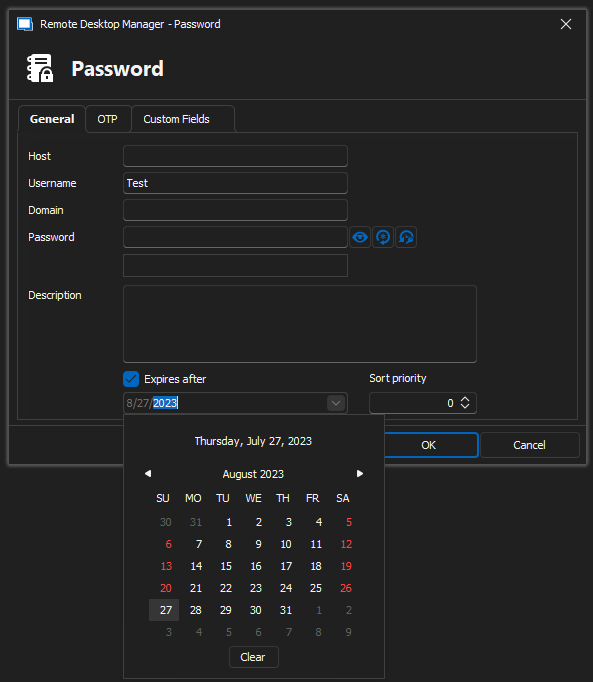
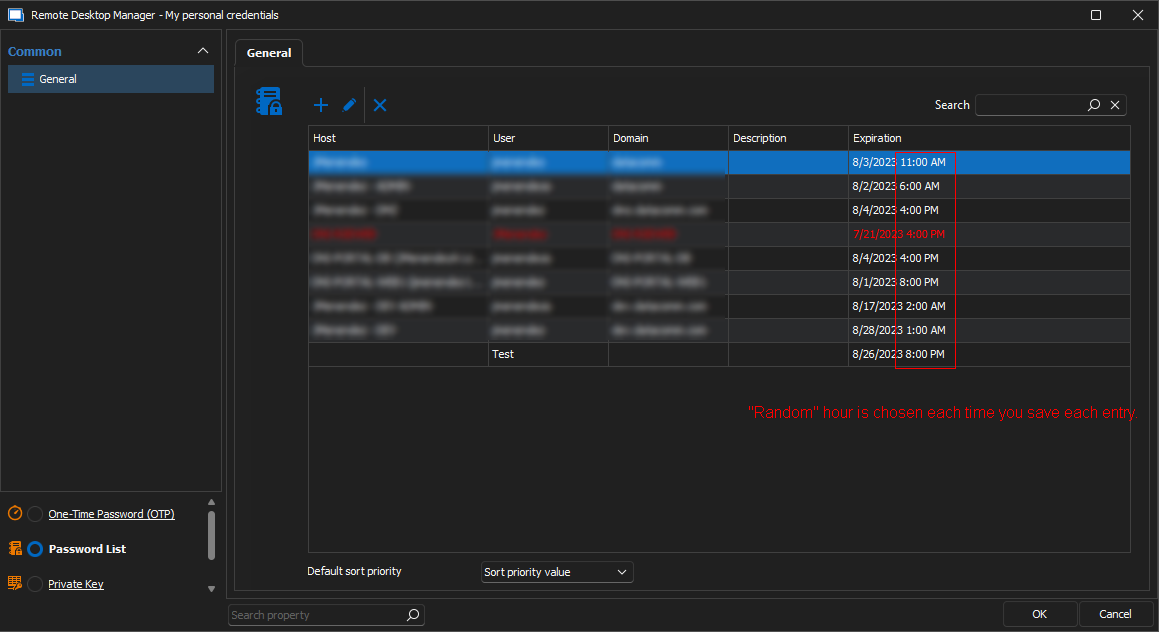
you get a different random time.
All Comments (1)
Hello,
Despite my investigation, I have not found a way to change the hours of expiration in a password entry. However, I will contact our engineer as soon as possible to address it.
Best regard
Carl Marien