Batch Edit - Password Only

I'm trying to batch edit the password I have saved in all of my RDP and SSH sessions. Because we use Beyond Trust's Password Safe, the username is a direct connect string that is unique to each session, so that can't change.
When I do a Batch Edit -> Change Saved Credentials, the username gets changed as well as the password. I've tried unchecking the username box, but then it blanks out the password for all the sessions. If I leave it checked it sets the username on all sessions to the first session of the group I've selected.
Is there another way to batch edit just the password and leave the username intact?
All Comments (14)
Hi,
Thanks for taking the time to report this! First, let me just confirm that the first behaviour you describe is indeed a bug, and I've opened a ticket to fix this.
As for a workaround, you can select all the entries you want to modify and use the Edit -> Edit (Special Actions)... -> Custom AppleScript with the following script:
set password of _connection to "NewPassword"
save _connection
Of course, replacing NewPassword with the actual password you want to set. This should allow you to change the password, and only the password.
Best regards,
Xavier Fortin
That didn't work either. It blanked out both the username and password.
This shouldn't, I've tried the script just before sharing it. The script specifically only set the Password property. There's no reason the username would also be cleared in this case. Is it possible you tested on entries were the field were already cleared previously by the aforementioned bug?
You can find a video demonstrating this attached to this post.
Best regards,
Xavier Fortin
ScriptEditExample.mp4
I'm sorry, I don't know what to tell you. I watched the video and that is exactly what I'm doing. But after checking sessions the username and password is blank.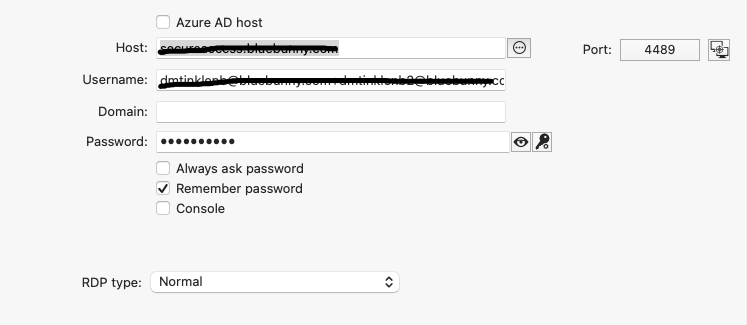
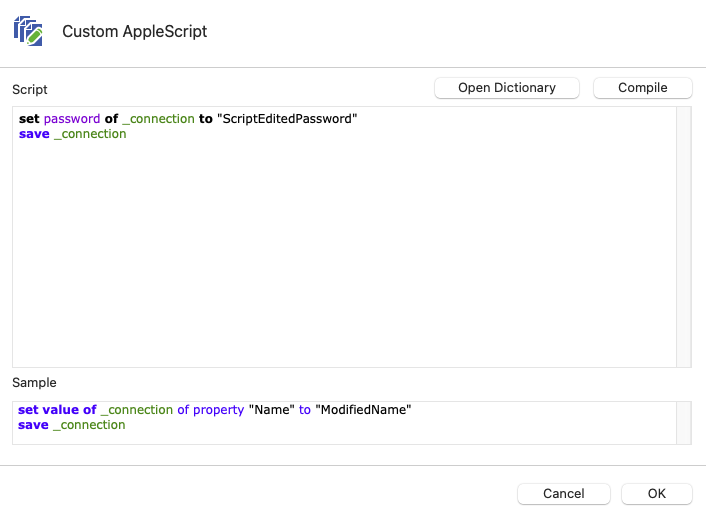
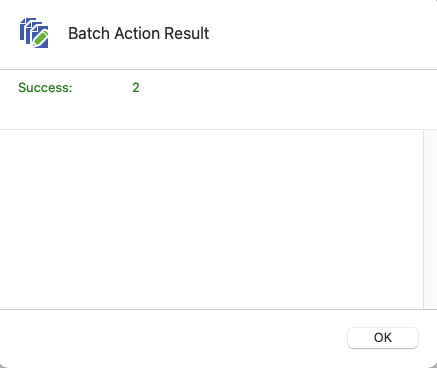
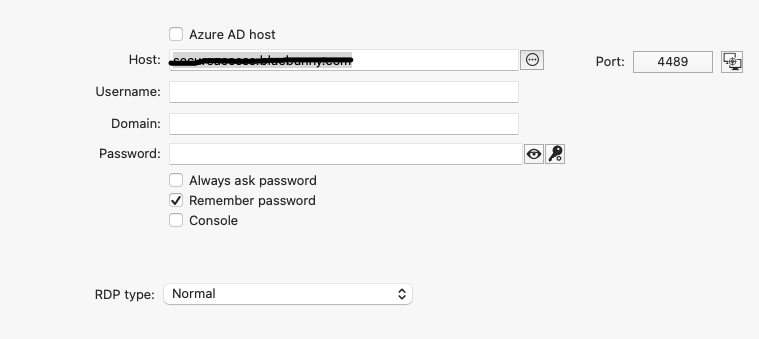
after_script.png
before_script.png
success.png
script.png
This is weird. To eliminate an issue with your session. Could you create a new session, filling it's username and password field with random things, and try the script with it (just to help me narrow down the issue)? I really have no clue why this script would clear the username.
Best regards,
Xavier Fortin
Created a new session, added a username and password, ran the script and it blanked out the username and password.
You could try the following script, but this one would only work for RDP entries. You would need to replace .RDP with .Terminal for SSH entries:
set value of _connection of property "RDP.Password" to "NewPassword"
save _connection
Although, I still see no reason why your usernames would get cleared with the original script. I've just gone through the code to validate and nothing in the set of the Password even remotely affects the Username field...
Best regards,
Xavier Fortin
Tried that it didn't work either. So you're saying the code is correct, what am I supposed to do now? Open a support ticket? I have 374 sessions that need to be updated and it sure would be nice if it worked like it was supposed to.
Hi,
The support team contacted me, we'll try to schedule a support session with you, if it's alright with you?
Best regards,
Xavier Fortin
Yes. I am completely free today and Monday.
Had a call with support today and we figured out that the script doesn't work with the XML data source. We changed to a SQLite data source and then the script worked correctly. Batch Edit still didn't work but he acknowledged it was a bug that will be fixed in the next version.
Yep! I just confirmed with Patrick!
I didn't think at all of testing with a XML data source (usually SQLite is the default local data source). I've been able to reproduce the issue and we will open another ticket for the AppleScript + XML data source issue.
Thanks for your assistance in diagnosing this issue!
Best regards,
Xavier Fortin
Hi dmtinklenb,
RDM macOS 2023.2.8.1 is now available with a fix for the Batch Edit credentials.
We also found the issue with the AppleScript editing in XML data source, but not soon enough for it to make it to this version. This will be fixed in the next release.
Best regards,
Xavier Fortin
Hi,
I know we worked around the issue, but the issue with entry getting cleared if edited with AppleScript in an XML data source should now be fixed in RDM Mac 2023.2.9.1.
Best regards,
Xavier Fortin