RDM - Websession - self signed certificates

I'm trying to access an internal site with a Website session in RDM (2023.1.29)
Credentials are also stored in RDM and the websession is linked to the credentials.
Problem : site is using a self signed certificate.
Depending on the browser different messages appear :
Chrome : 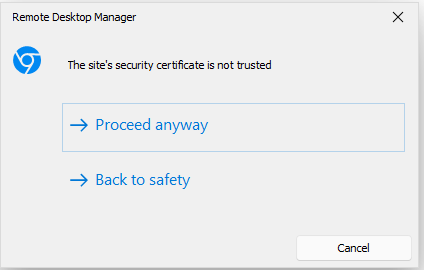
MS Edge : 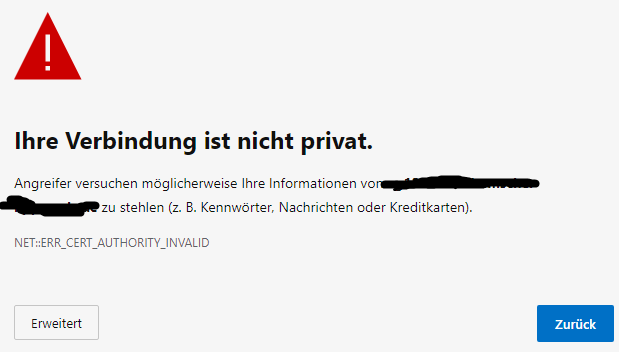
How can I accept these permanently ?
Found this old article : Allow embed Firefox to access SSL w/invalid certs
but being 12 years old, I don't even want to think about trying this...
edge.png
chrome.PNG
All Comments (3)
Hello,
Please enable Ignore certificate errors in the properties of the website entry at the More settings tab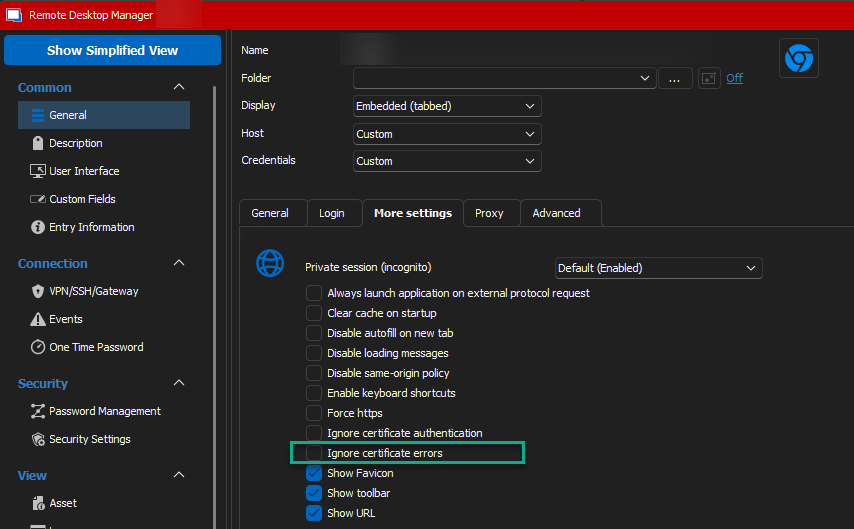
If the option is not listed here, please make sure that Web browser at the General tab is not set to Default and select a browser from the dropdown.
Regards,
Min
03e8b978-198d-47e8-a1b5-a9d83cf06f87.png
ok, thanks, i didn't realize that the tab "More settings" changes when you switch the browser
it's working fine now
Hello,
Glad it's working- thanks for your feedback!
Regards,
Min