Import to update tag "keywords"

Hello, I have several servers listed in groups and wanted to see if there is a way to update the Tag "Keywords" via import from a CVS or txt file?
All Comments (5)
Hello James,
Thank you for contacting us on that matter.
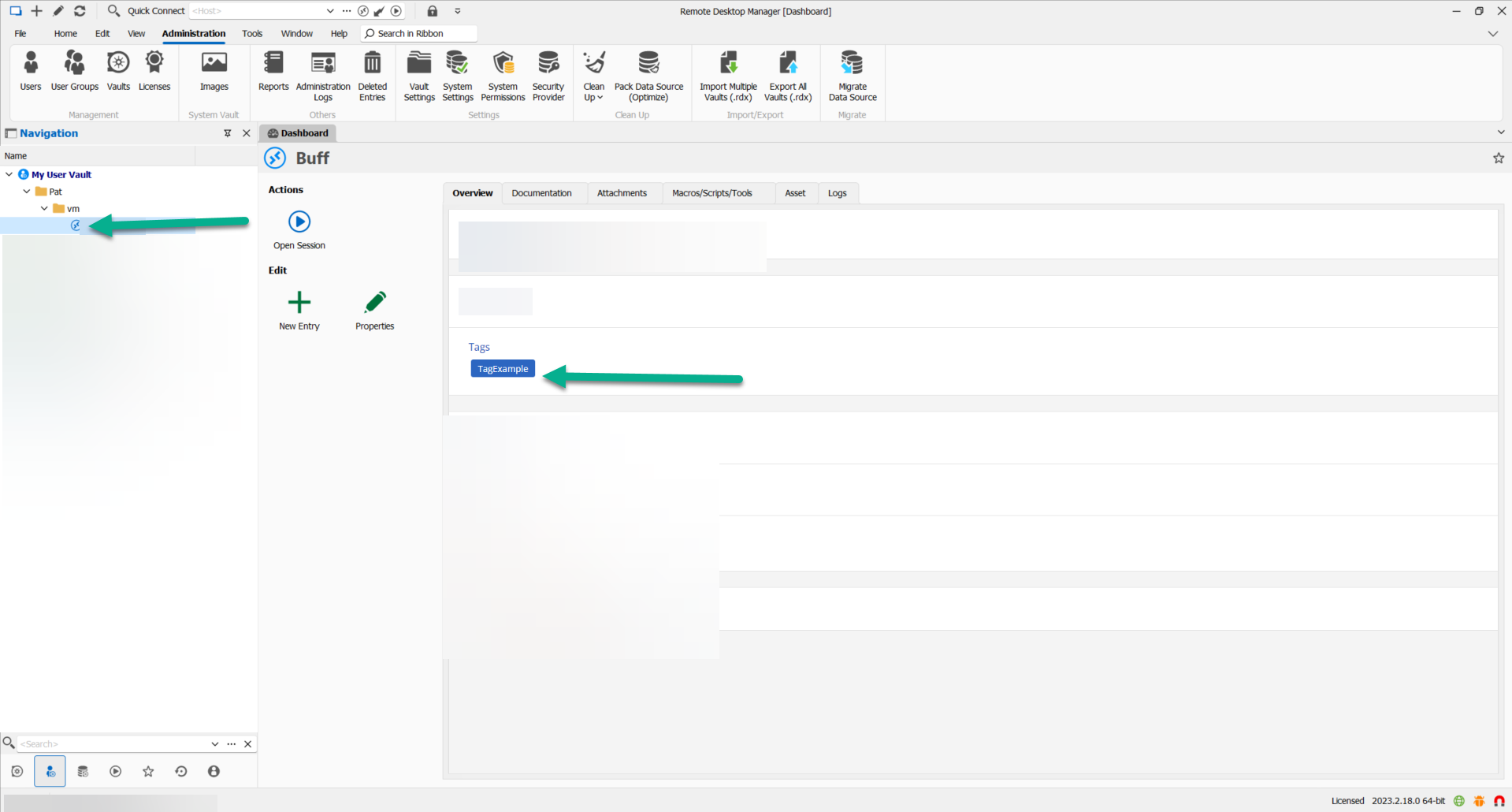
The import option in RDM works great for that.
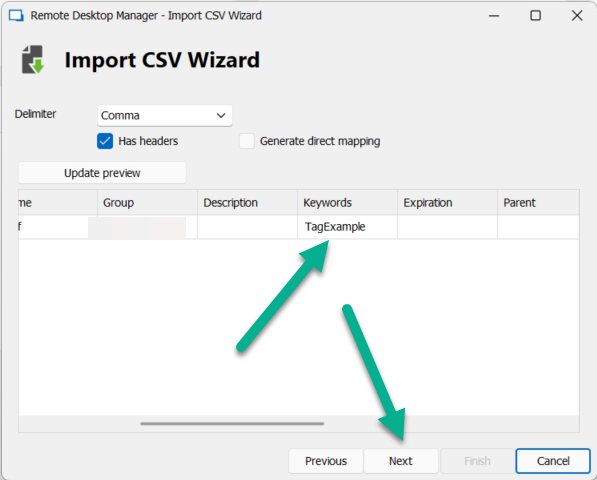
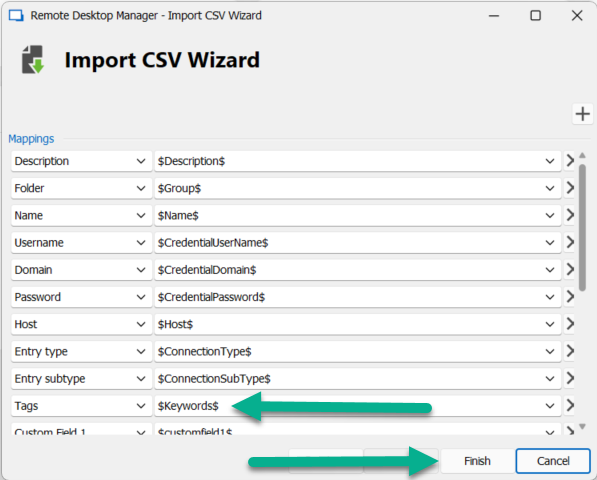
You only need to have a Keywords column in your CSV file.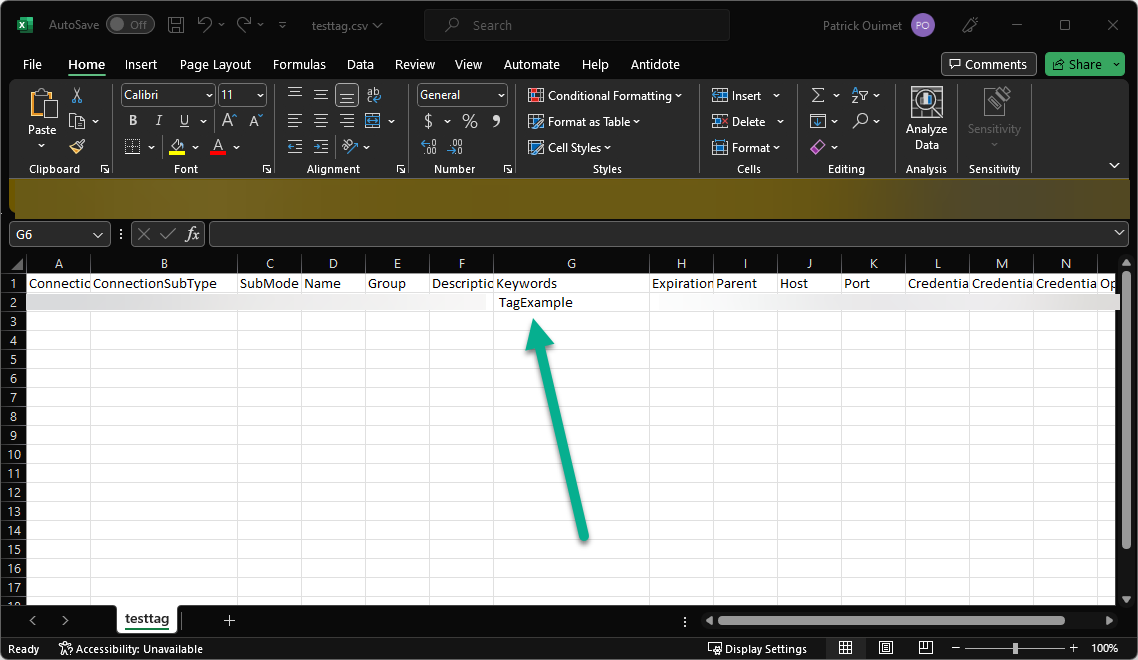
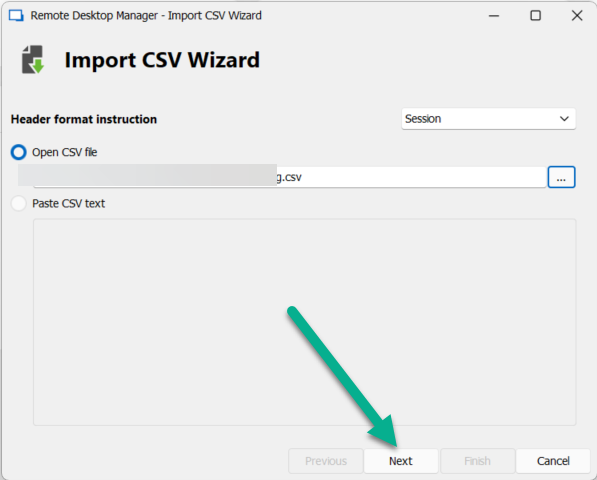
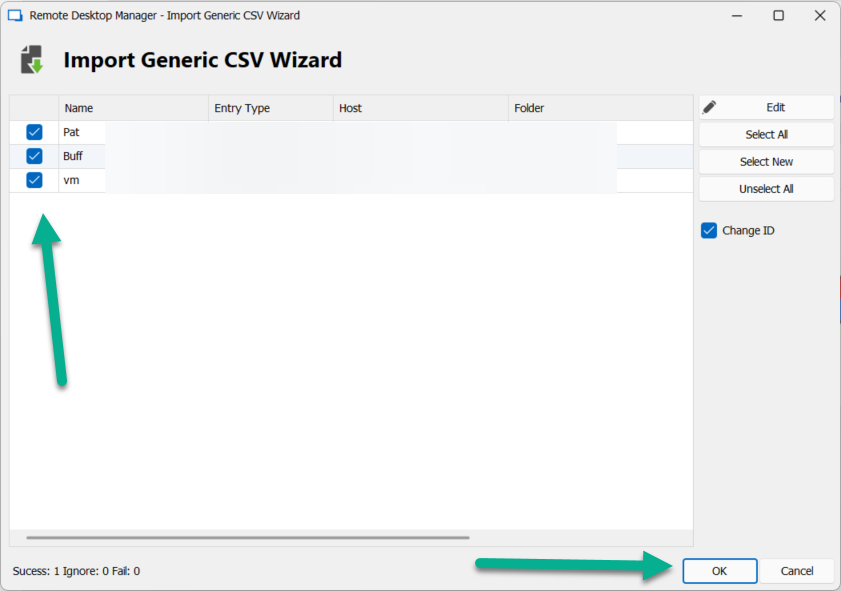
To import this CSV in RDM, right-click into your navigation pane -> Import -> CSV Import -> Import Generic CSV Wizard.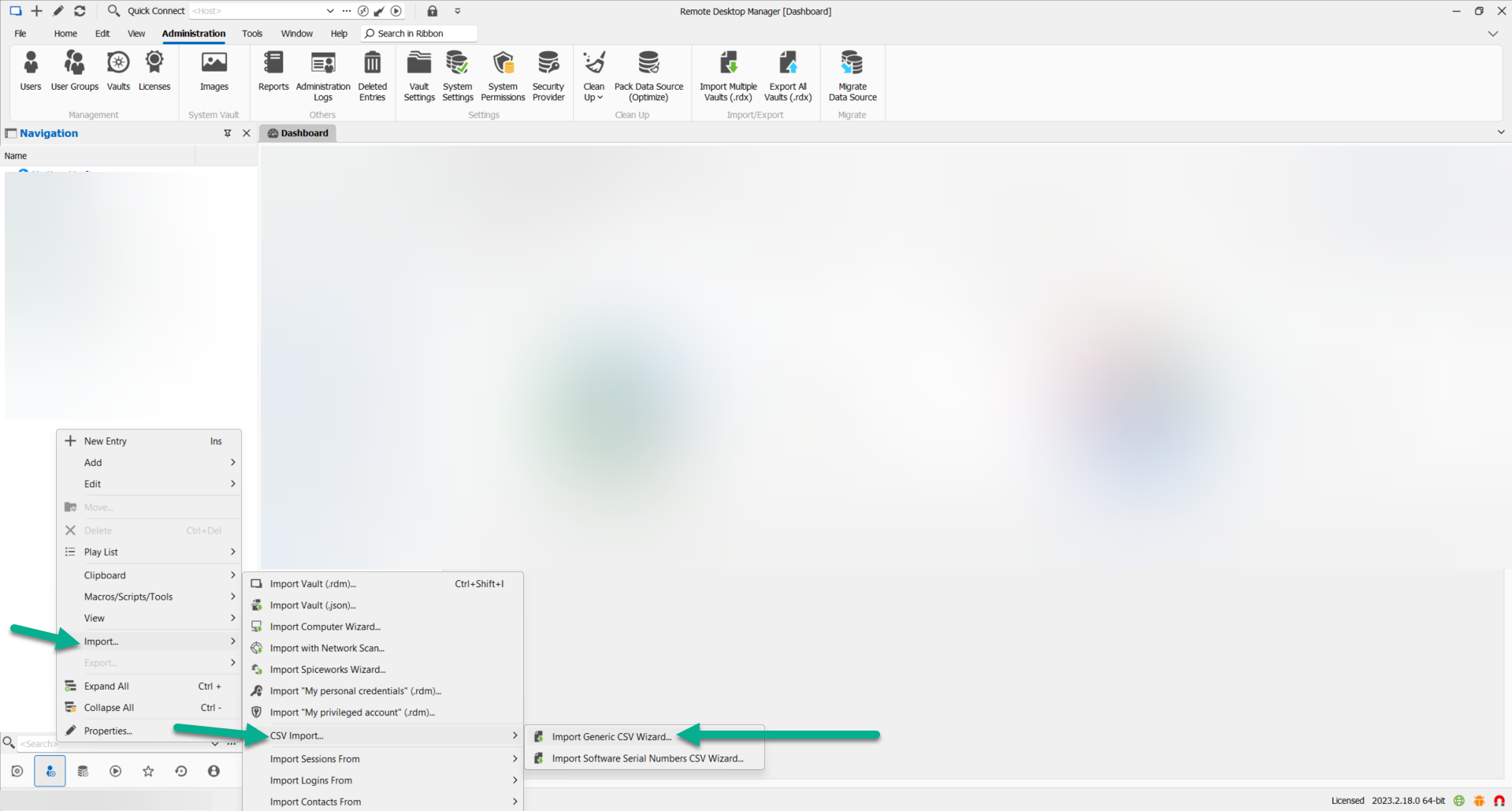
Best regards,
Patrick Ouimet
inport3.png
import6.png
import5.png
import4.png
import3.png
import2.png
import.png
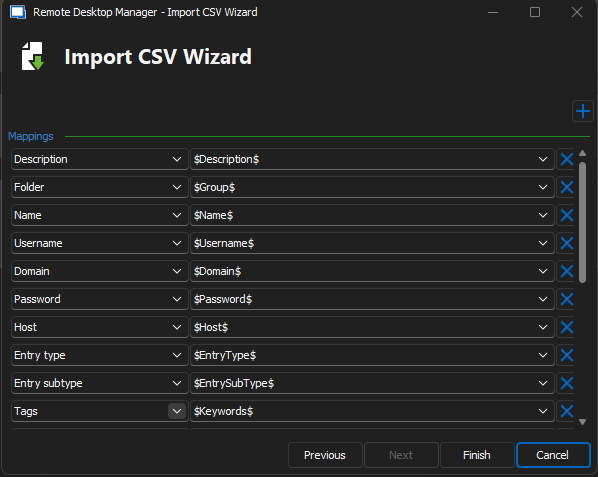
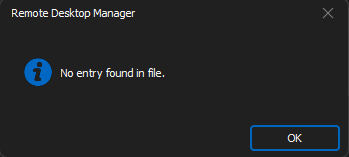
attached is the csv that I am trying to use and the screen shots of me importing them. I thought this might be the way, but I get a message that says... "No entry found in file."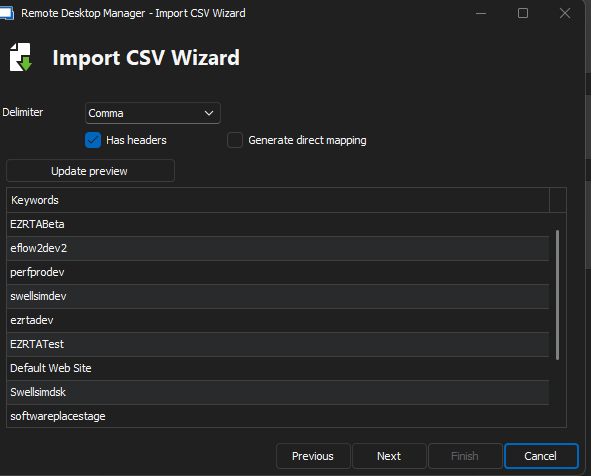
RDM_Import3.png
RDM_Import2.png
RDM_Import1.png
Tag_Insert.csv
Hello James,
I wanted to clarify that the Keywords column is not a standalone entry, but rather a component that can be included in an entry. In order to utilize this column, you must input all necessary information for the entry to be added to RDM.
To assist with adding a tag in your .csv file, I recommend exporting one entry and reviewing how the .csv is structured.
Once all required information is included in the CSV, the entry will be successfully added to RDM.
Best regards,
Patrick Ouimet
Thank you for all your help. I found out what was needed and missing and was able to import Tags.
Dear James,
Thank you for your kind feedback. If you have any further questions about our products, please don't hesitate to contact us. You can reach us through chat, phone, forum, or email us at service@devolutions.net.
Best regards,
Patrick Ouimet