no logs after ssh duplicate connection in Remote Desktop Manager 2023.2.14.0 64-bit
no logs after ssh duplicate connection in Remote Desktop Manager 2023.2.14.0 64-bit

Hello support,
I have set ssh to write log to C:\puttylog\$DATE_TEXT_ISO$_$TIME_TEXT_ISO$__$HOST$__$USERNAME$.log
the first ssh window can write logs.
but when I right click the tab and click "Duplicate connection", no new log file and no logs was written.
I am using Remote Desktop Manager 2023.2.14.0 64-bit for Windows
Thanks for helping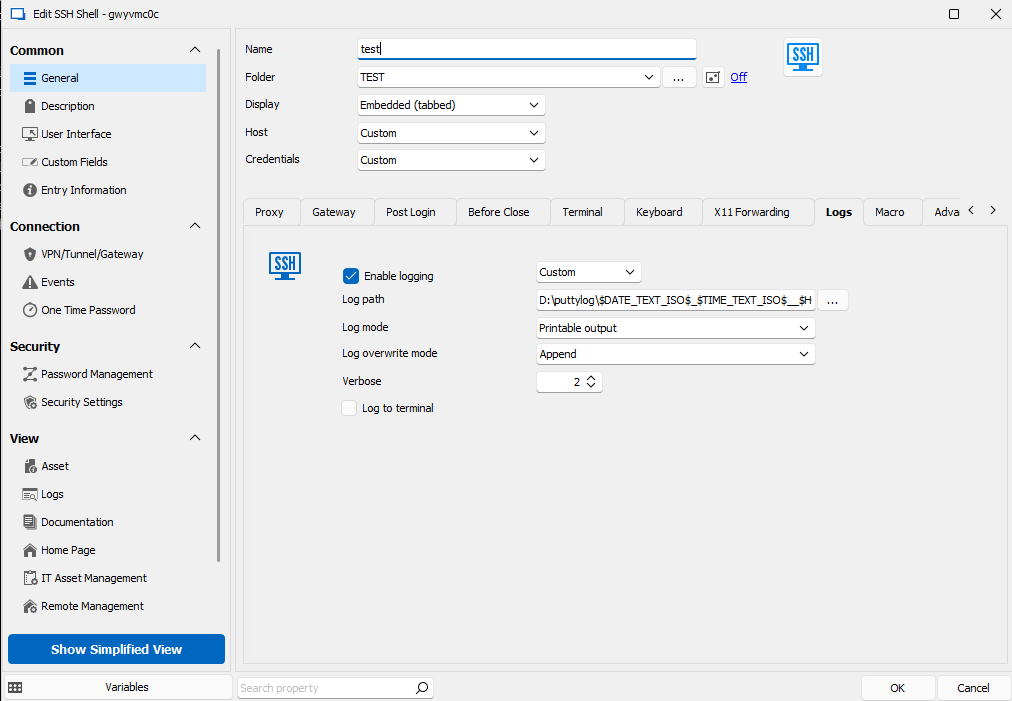
20230720a.png
All Comments (13)
Hello,
Thank you for reaching out to us regarding this,
I see, I'm wondering if this is related to your "Log overwrite mode" field, If you test with another option do you encounter the same issue?
Let me know,
Best regards,
Samuel Dery
Hi,
quite an old post, but still the same problem with version 2024.1.17.0 64-bit (.NET 8.0.12) no matter what "Protocol Overwrite Mode" option is set.
Only the main Session writes in to Log.
Any Idea to solve this problem?
Hello,
Thank you for reaching out,
Would you be able to update to the latest version 2024.3.28.0 to see if you still encounter this issue?
If you are using an Advanced type of data source this may require a data base upgrade, let me know if you need guidance on this,
Best regards,
Samuel Dery
Hello,
Thank you for reaching out,
Would you be able to update to the latest version 2024.3.28.0 to see if you still encounter this issue?
If you are using an Advanced type of data source this may require a data base upgrade, let me know if you need guidance on this,
Best regards,
Hi Samuel,
just updated to 2024.3.28.0, but still the same issue.
What do you mean with "Advanced type of data source"?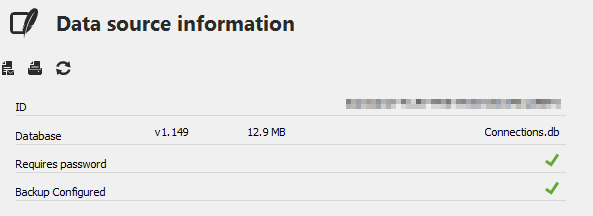
Thx
3e73d0b9-353f-473f-96a4-41be8fbe6520.png
Hello,
Thank you for your reply and screenshot.
You are currently using an SQLite data source.
I've done some testing on my end, and it seems to be working as expected. Are you using the same variable as mentioned by the other user in the thread?
Let me know,
Best regards,
Samuel Dery
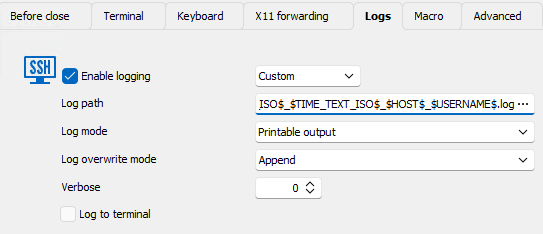
Logsetting is
$DATE_TEXT_ISO$_$TIME_TEXT_ISO$_$HOST$_$USERNAME$.log
Hello,
Thank you for your reply,
Can you provide me with a screenshot of your Logs section configuration?
Let me know,
Best regards,
Samuel Dery
Hello,
Thank you for your reply,
Can you provide me with a screenshot of your Logs section configuration?
Let me know,
Best regards,
d2c66aa5-fd40-4bc1-8324-d494db10c00d.png
Hello,
Thank you for your reply,
Can you provide me with the full log path?
I'm afraid it cannot be seen in the screenshot.
I would also like to confirm that the logs are indeed generated as expected for the session but not the duplicated entry?
Let me know,
Best regards,
Samuel Dery
It's too long to get in on one screen.D:\logs\$DATE_TEXT_ISO$_$TIME_TEXT_ISO$_$HOST$_$USERNAME$.log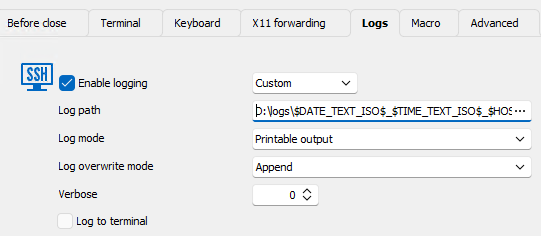
But there is no problem with the Log path, because it works without any problem for each Initial-Session.
One other strange behavior, if I set the Log overwrite mode to "Prompt", the prompt also appears on each duplicate, but there is no Output to the Log from any duplicated Session.
803d9545-4754-4ab8-8143-d7c4e5be5b76.png
Hello,
I would like to have a remote session with you to have a look at this issue,
For this, I will need to create a case. Would the email used for your account be the correct one? If you would like, I can send you a private message so that you can provide me the correct email.
Let me know,
Best regards,
Samuel Dery
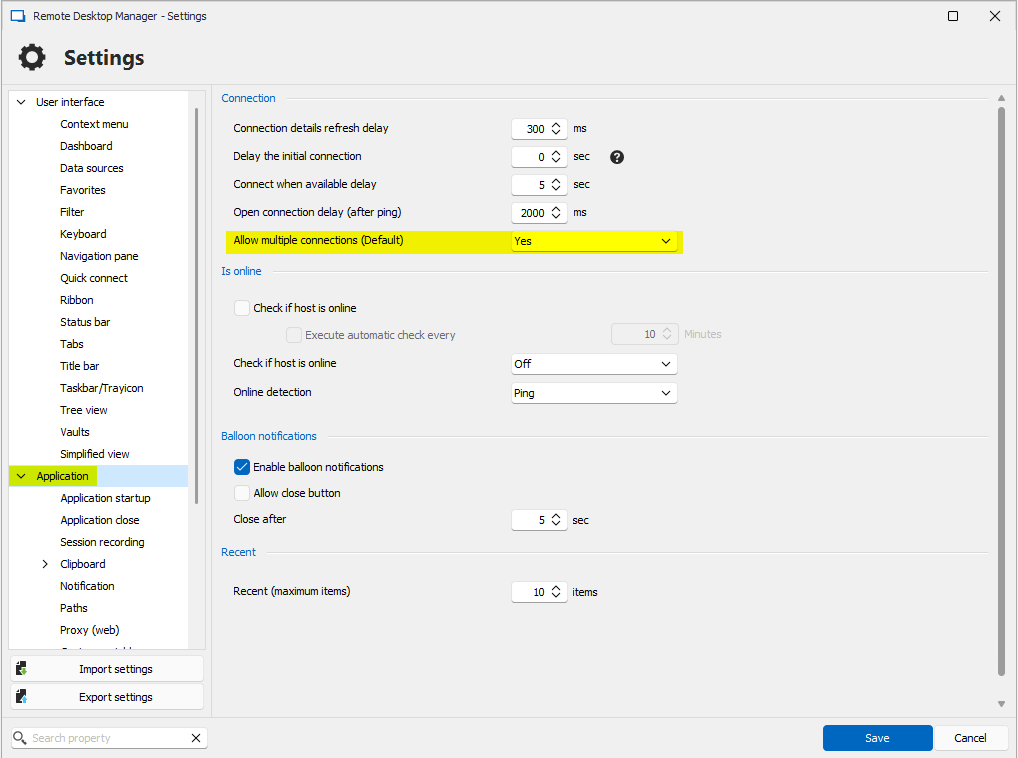
I changed the default to allow multiple connections, so I don't need the duplicate connection anymore.
a598b2b0-e128-466a-adaf-d0f46d1c7581.png
Hello,
Thank you for your reply,
I see, no problem,
Let me know if you have further issues regarding this,
Best regards,
Samuel Dery