Option to disable the vertical navigation
0 vote

Option to disable the vertical navigation
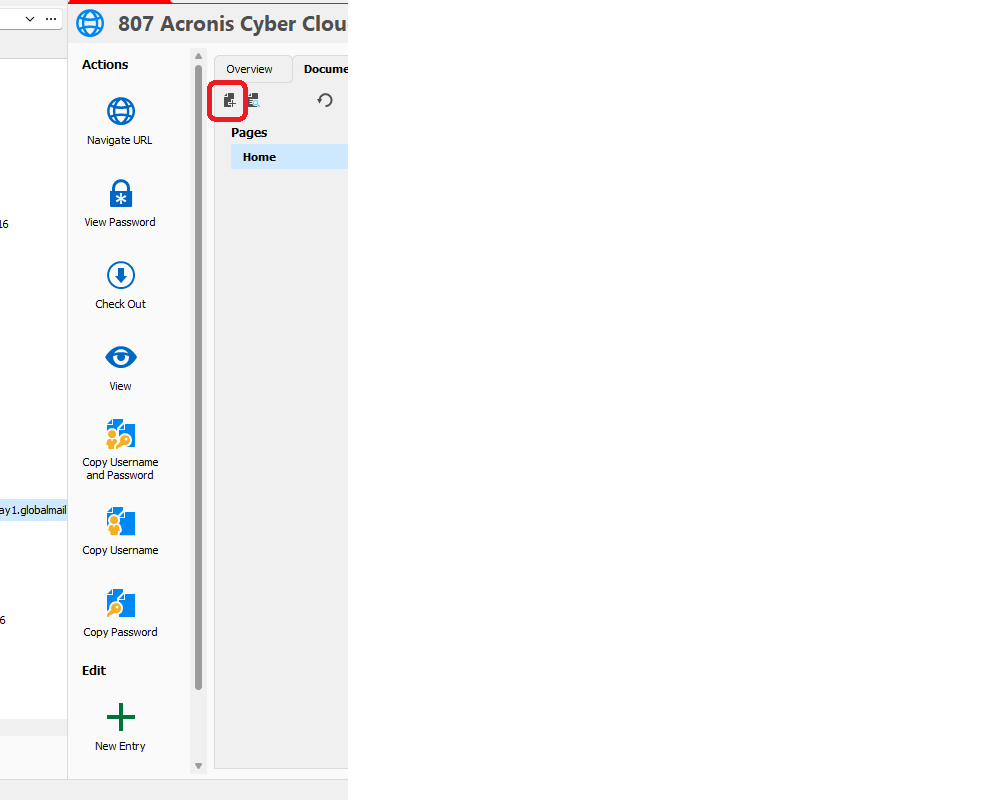
Hello, here is a screen shot.
The vertical icon list is HUGE and consumes a tremendous amount
of vertical space and forces a vertical scroll and we have to :”HUNT” for the
scroll bar which reduces to ONE PIXEL width when not hovering over
(frustrating).
My suggestion is provide options in the settings jungle to:
1)
HIDE the icon text and allow the text to appear as a pop up upon
mouse over hover (like in the black box in the second screen shot) which will
collapse the vertical list to where vertical scrolling is not required.
2)
Reduce the icon size to those in the red outlined box
These two options will allow the user to hide text and or reduce
icon size.
Once a user learns the icon images, the text will no longer be
required.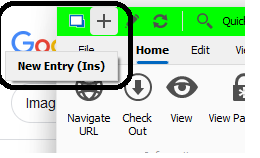
screenshot2.png
screenshot1.png
All Comments (2)
Hello,
I will try to add reduced size mode as an improvement when the text also disappears if you resize under a threshold.
Regards
David Hervieux
Hello,
This is now implemented and it will be available in the next major update 2023.3 planned for this fall: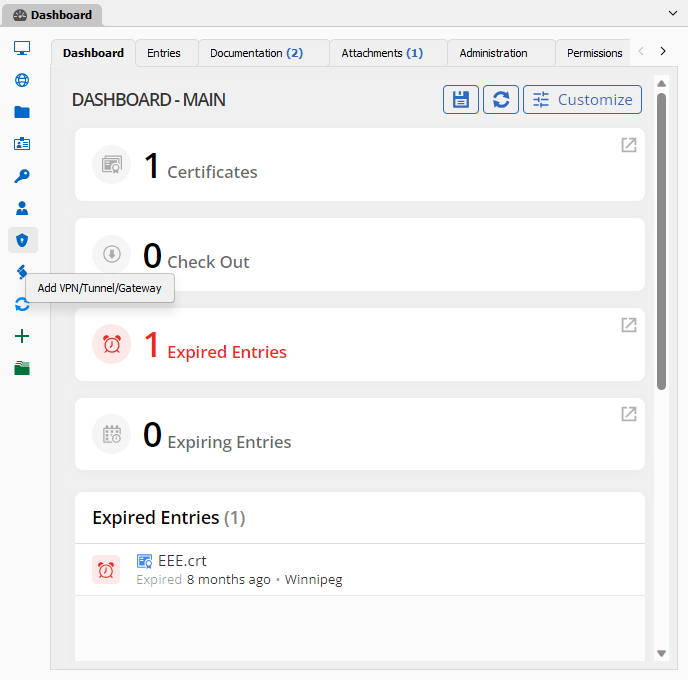
Regards
David Hervieux
bb9f99d5-1e92-4a8b-ba6d-5487cf10d383.png