winbox does not open "inside (on account)" such an opportunity is gone, only "outside"
winbox does not open "inside (on account)" such an opportunity is gone, only "outside"

winbox does not open "inside (on account)" such an opportunity is gone, only "outside"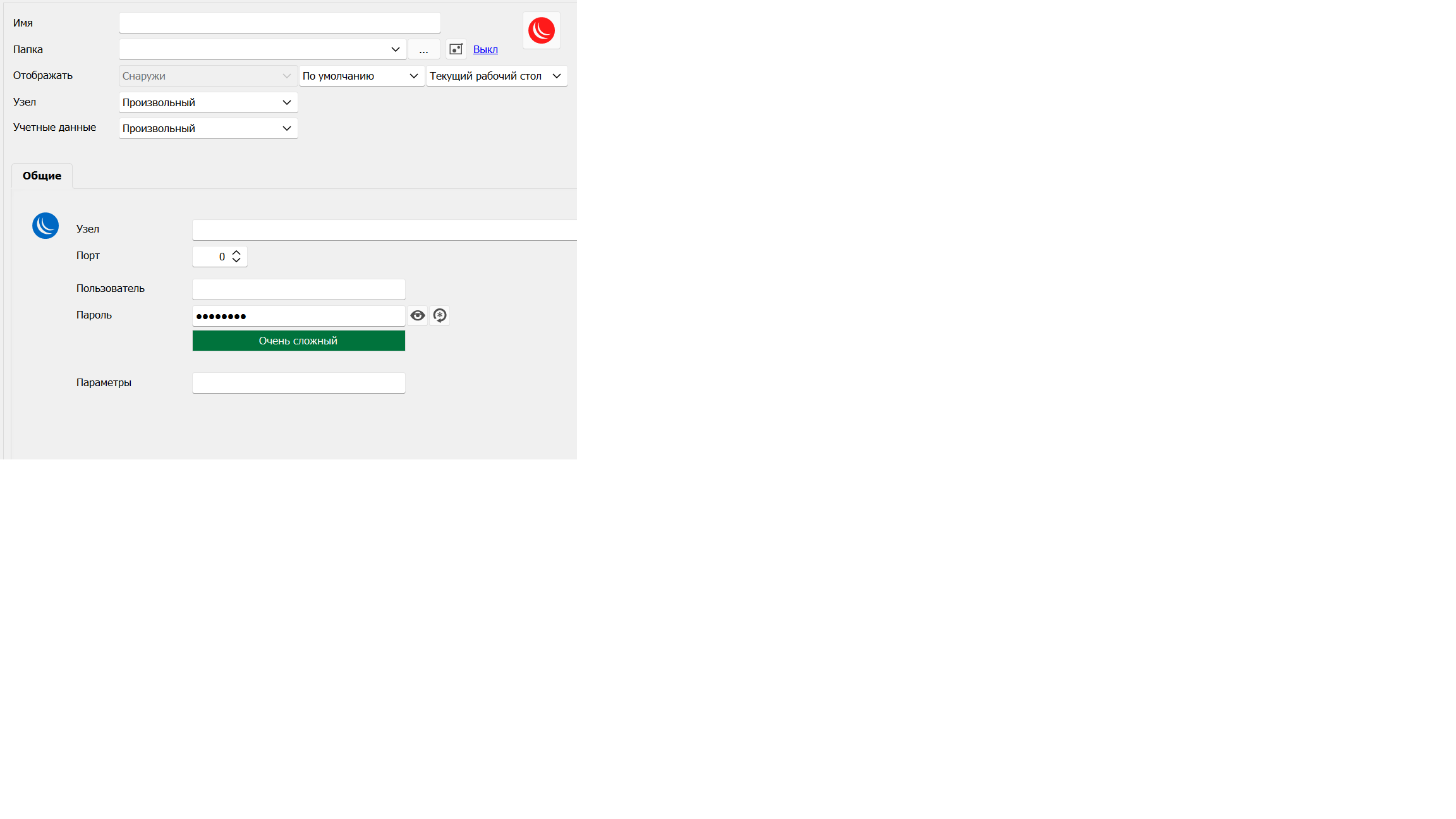
We have a lot of connections through WinBox and before version 2023.2.12.0 we always opened WinBox "Inside (in a tab)" starting from version 2023.2.12.0 the setting switched to "Outside" and turned gray, does not give anything to change. RETURN the very convenient ability to open WinBox "Inside (in a tab)" Now in 2023.2.14.0 it is gray (as in the screenshot) and cannot be changed
PS
We were able to revert to version 2023.1.20.0 to access many WinBox windows in RDM TAB... this is a very handy feature when working with router discovery and discoveries. We don't understand why you expelled her? Please return
error.png
All Comments (10)
Hello ViteXeon,
Thank you for reaching out to us about this matter.
I wanted to get to the bottom of things, so I reached out to our engineering department to see if the behaviour you've experienced is normal. According to them, the embedded option for Winbox was working fine in an older version of RDM. However, after a fix was made on the Winbox side, this option is now broken and cannot be repaired. This new behaviour is related to Winbox 6.1.
As of version 2023.2.2.0, the Winbox entry can only be opened as an external display. I hope this information is helpful to you.
Best regards,
Patrick Ouimet
Hello Patrick,
Your engineering department is VERY confusing, WinBox programs never meet version 6.1 as well as versions 5.xx-4.xx, the maximum version of WinBox to use the program is 3.38 !!! what is the possibility of a screenshot from the developer's site from today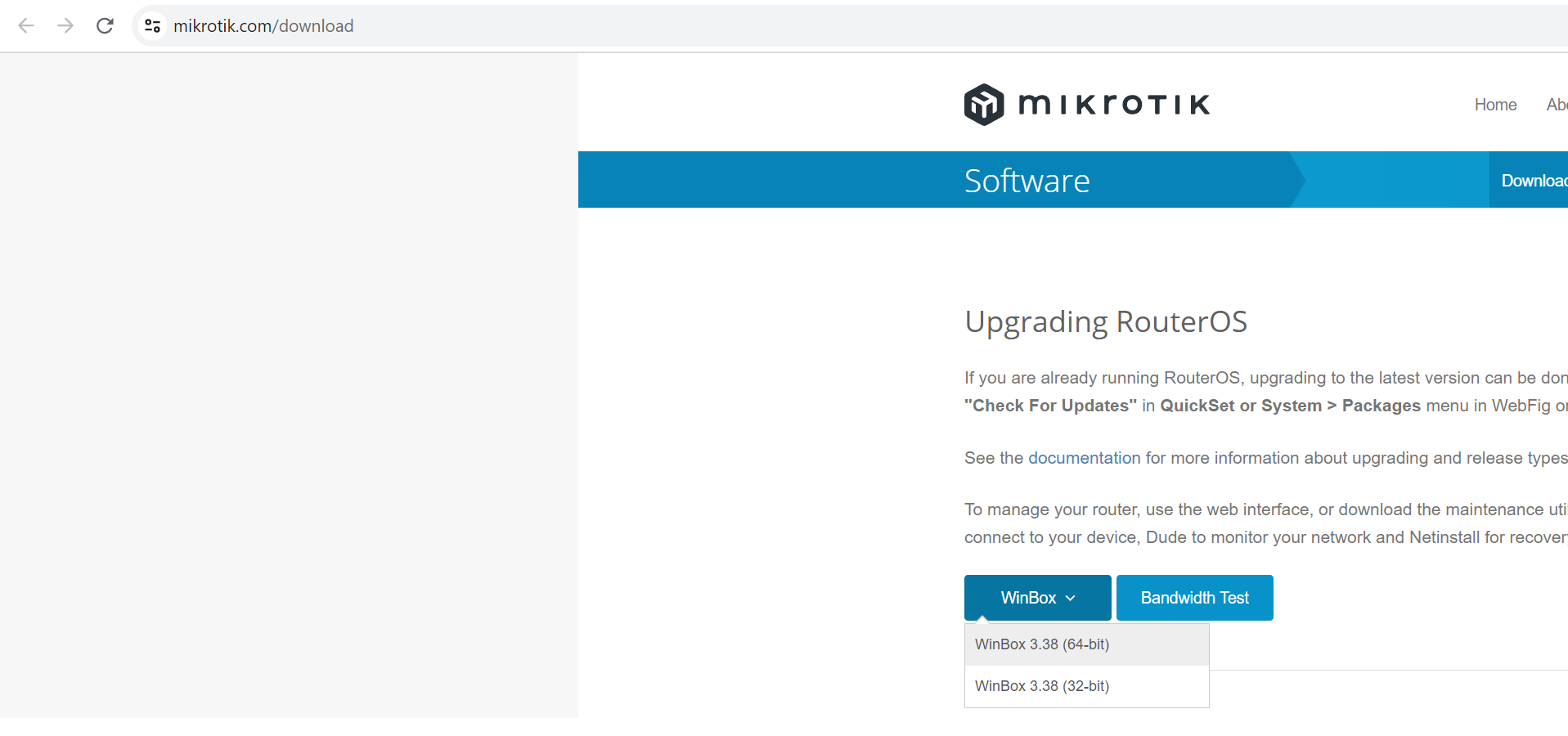
Don't let the engineering department confuse the firmware version of the Microtik hardware called RouterOS with the WINDOWS settings programming software called WinBox (it's written in a low-level language and has only standard Windows window management features)
And also, I haven’t updated the WinBox version since 2022 and I have version 3.37 and the problems started precisely in your new RDM 2023.2.12.0 release in release 2023.1.20.0 everything works fine, and even if I install the latest version of WinBox 3.38 !!!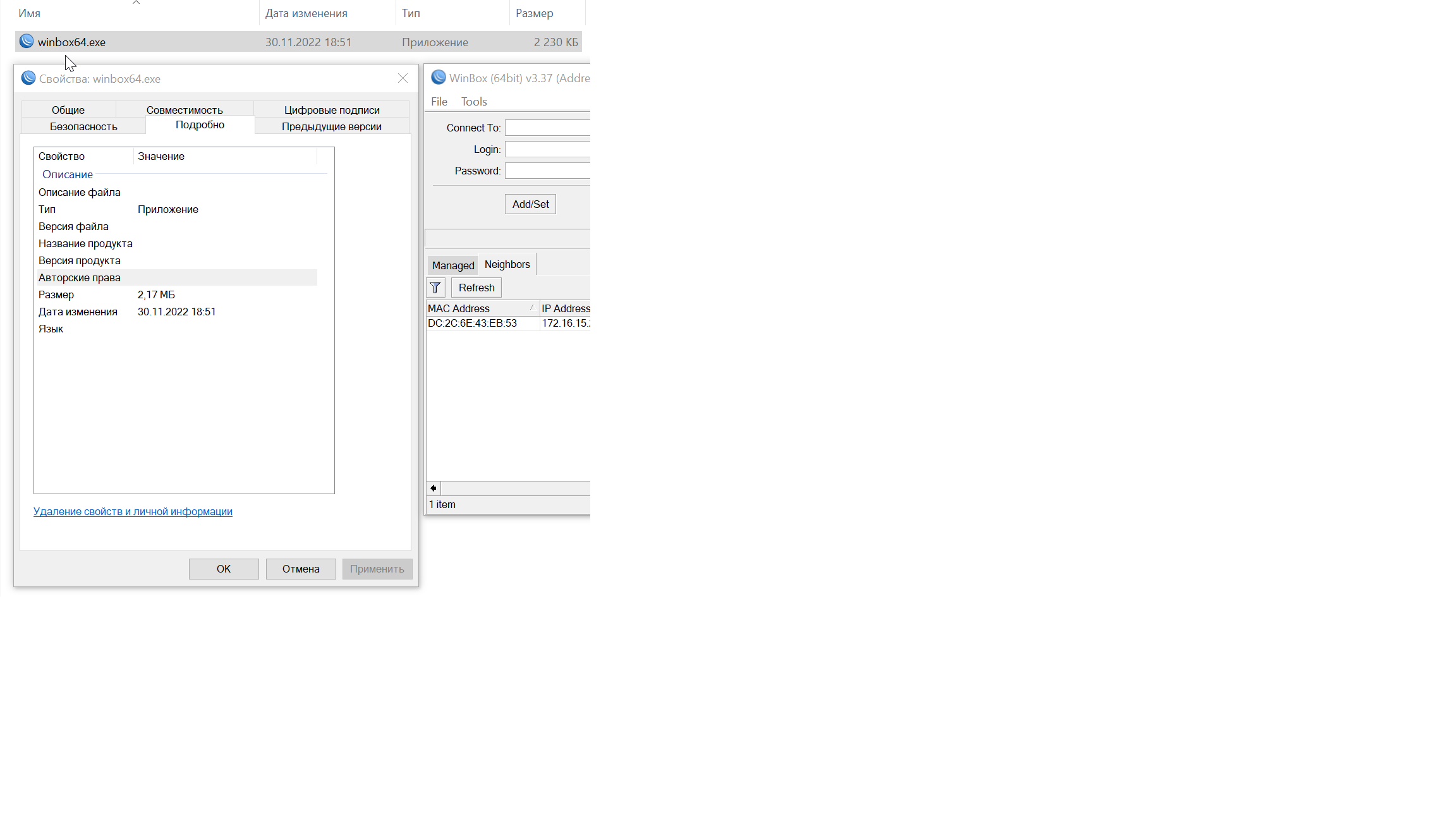
I ask you to look into the problem and return the ability to work to the WinBox program in tabs, since this is exactly the problem on the side of the RDM code !!! I think it's just a mistake that they just blocked this function from opening in tabs ... alas, this happens often with RDM engineers (if you look at the error posts found, I always turned out to be right )))
PS
I look forward to a speedy fix and the return of the functionality to open the WinBox program in internal tabs RDM
error.png
error02.png
Hello,
Embedding an application is based on parent windows hack and honestly it something take often does not work. Please make sure to be polite about the engineer because it's appear that one of the them is the CEO and takes the decision. If I look at your post, you are not the nicest user on the forum and it appear that we should do all you want.
I understand that you want a speedy fix but I'm not even sure that something I want to continue to support in RDM.
If you want to help, you could you try to create a command line session and manually invoke winbox embedded. If this works for you, I will unblock the UI.
PS: By the way, I'm the CEO and the original developer of RDM. I still code and do my best to support as many technologies as possible but our focus is RDP, SSH, Telnet, FTP, ARD and VNC.
David Hervieux
I’m sorry if I hurt something, it doesn’t always work correctly (I just indicated that I wanted the WinBox 6.1 version never arose, and maybe we are talking about different things, and I didn’t describe the problem correctly).
Therefore, let me ask why WinBox version 3.37 or 3.38 is installed (with a difference of half a year between them) and RDM 2023.1.20.0 perfectly opens the WinBox application in tabs, RDM version 2023.2.12.0 and higher stopped doing this (the function simply became blocked) while these Microtik engineers did not carry any changes in WinBox ...
PS
David, maybe I'm an evil tester)) but I'm a very dedicated user of your product from the first versions, and I hope I always correctly point out RDM BUGS that only allow it to get better (remember only that annoying mistake when winbox passwords disappeared in the DBMS, and we are together figured out the problem, and I think this is a very critical bug for RDM and very specific)
PSS
by the way, why doesn't the RDM community contact the WinBox developers for official support, we have quite a lot of Microtik equipment, maybe they don't leave to figure out the problem...
PSSS
As soon as support for WinBox appeared in RDM, maybe since the end of 2021 everything has always worked fine... By the way, just like the WinSCP application works, it always opens just as well in the inside. As a result, you will be able to use RDM at your own risk Unlock the ability to open WinBox in RDM subtabs ?? (honestly always perfectly opened inside)
As you asked. updated winbox to latest version 3.38 and ran it fine from cmd prompt without fail. I'm attaching a screenshot. Works great.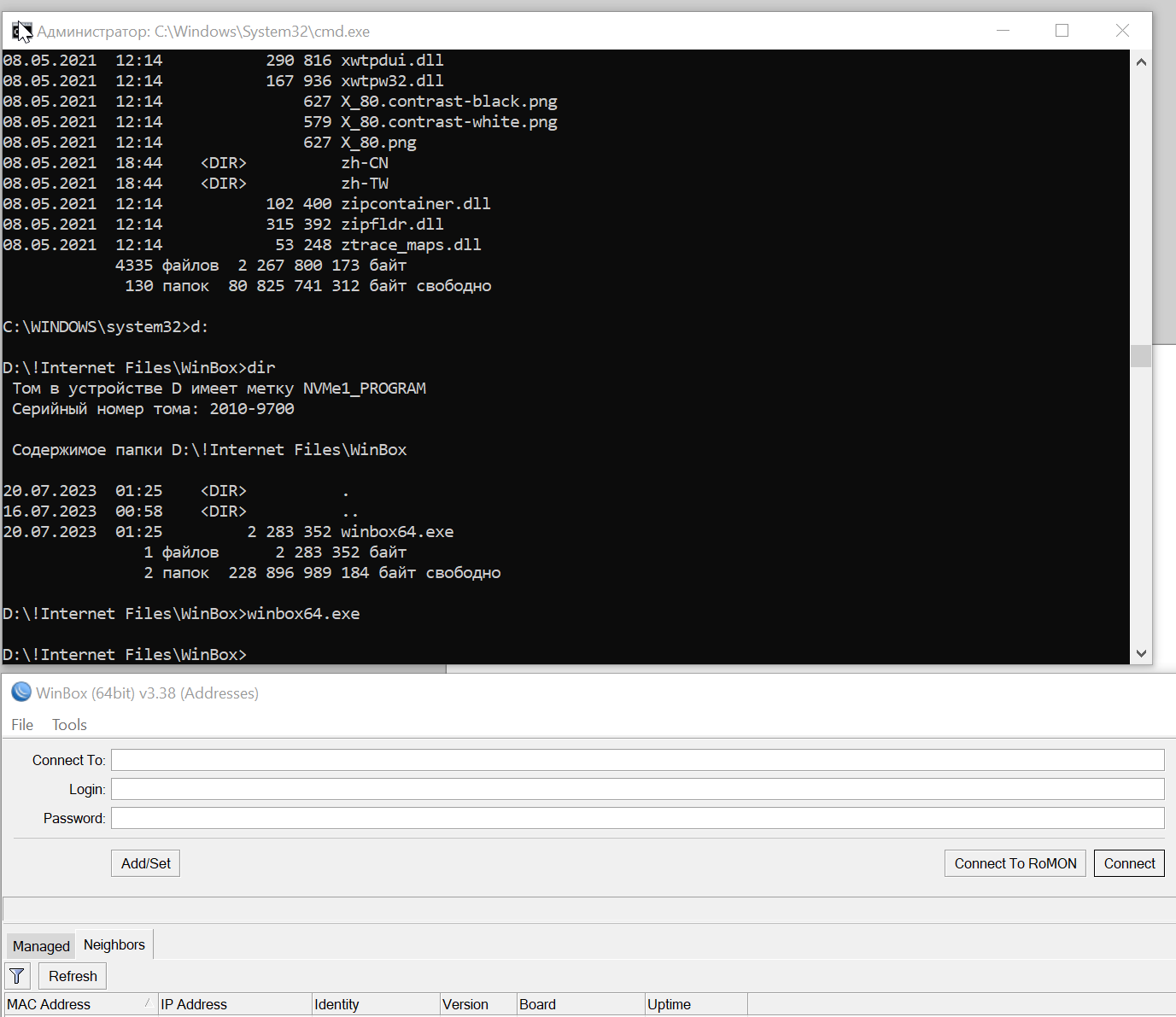
error.png
Hello,
We will re-enable embedded mode for Winbox in 2023.2.18.0.
Regards,
Hubert Mireault
Thank you very much, we are waiting for the new version
Hello,
2023.2.18.0 should be available, could you try it out and see if it works for you?
Regards,
Hubert Mireault
I tried. Everything works great. Thank you very much, this is a very useful and cool RDM feature for open applications in internal tabs
Thanks for the feedback, glad it works for you.
Regards,
Hubert Mireault