Add-on Bomgar Representative Console

Hello, all! Does anybody have knowlege/information on how to configure the Bomgar Representative Console add-on? I see there are several options on how to configure it, but cannot find any documentation on it.
No matter what I do, I seem to get this error: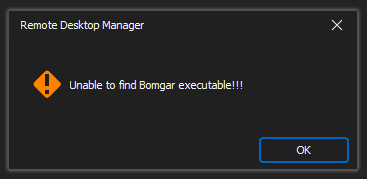
I've verified in File > Options > Paths > Configure Installation Path > Bomgar Representative Console that the path to the executable is correct, that RDM recognizes that, and that the permissions on that director/executable are appropriate to allow this to work.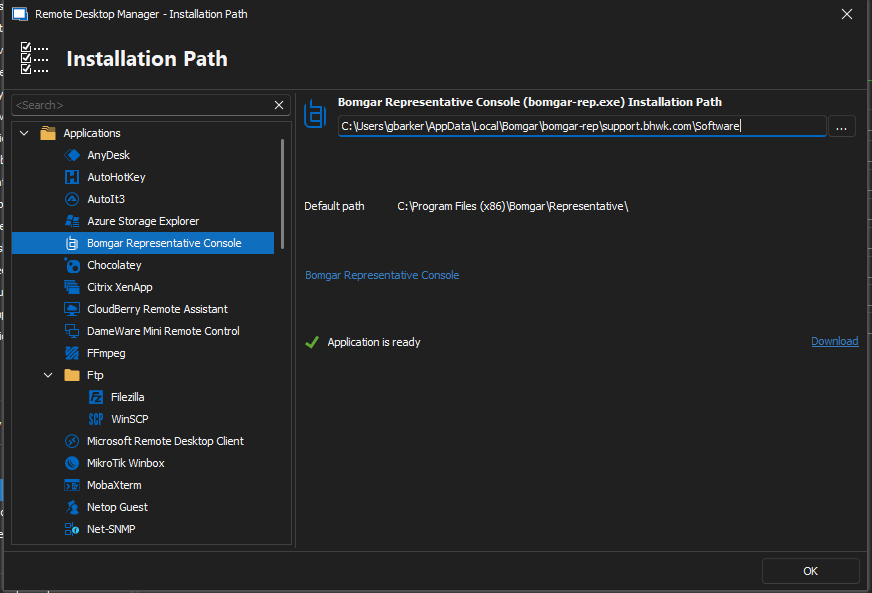
As a follow-up question, is the BeyondTrust integration any better than the add-on? I noticed it on the website but can't find any information on that either.
Thank you!
--
Griffeth Barker
💻 Call/Chat on Microsoft Teams
📧 Send me an email
🔗 Connect on LinkedIn
6c8f60e7-80af-48c0-831a-751af1379c77.png
e7de940a-dbff-4855-b11f-38580432ec38.png
All Comments (5)
Hello Griffeth,
Thank you for reaching out to us regarding this,
I have a few questions which you can hopefully answer.
- Which version of RDM are you using?
- Which type of data source are you using?
That is indeed odd, I would expect this configuration to work since according to your screenshot the "Application is ready". Can you validate that the "Executable" is indeed found in this folder?
From my understanding add-ons type entry are being launched by RDM using command lines which can sometimes face limitations/issues hopefully this answers your question.
We do have the following knowledge base article regarding the configuration of a BeyondTrust entry which may be of interest: https://docs.devolutions.net/kb/remote-desktop-manager/how-to-articles/beyondtrust-configuration/
Best regards,
Samuel Dery


--
Griffeth Barker
💻 Call/Chat on Microsoft Teams
📧 Send me an email
🔗 Connect on LinkedIn
Hello Griffeth,
Thank you for your reply,
I'm afraid that I'm not able to see the provided screenshots perhaps you could send them again?
Let me know,
Best regards,
Samuel Dery
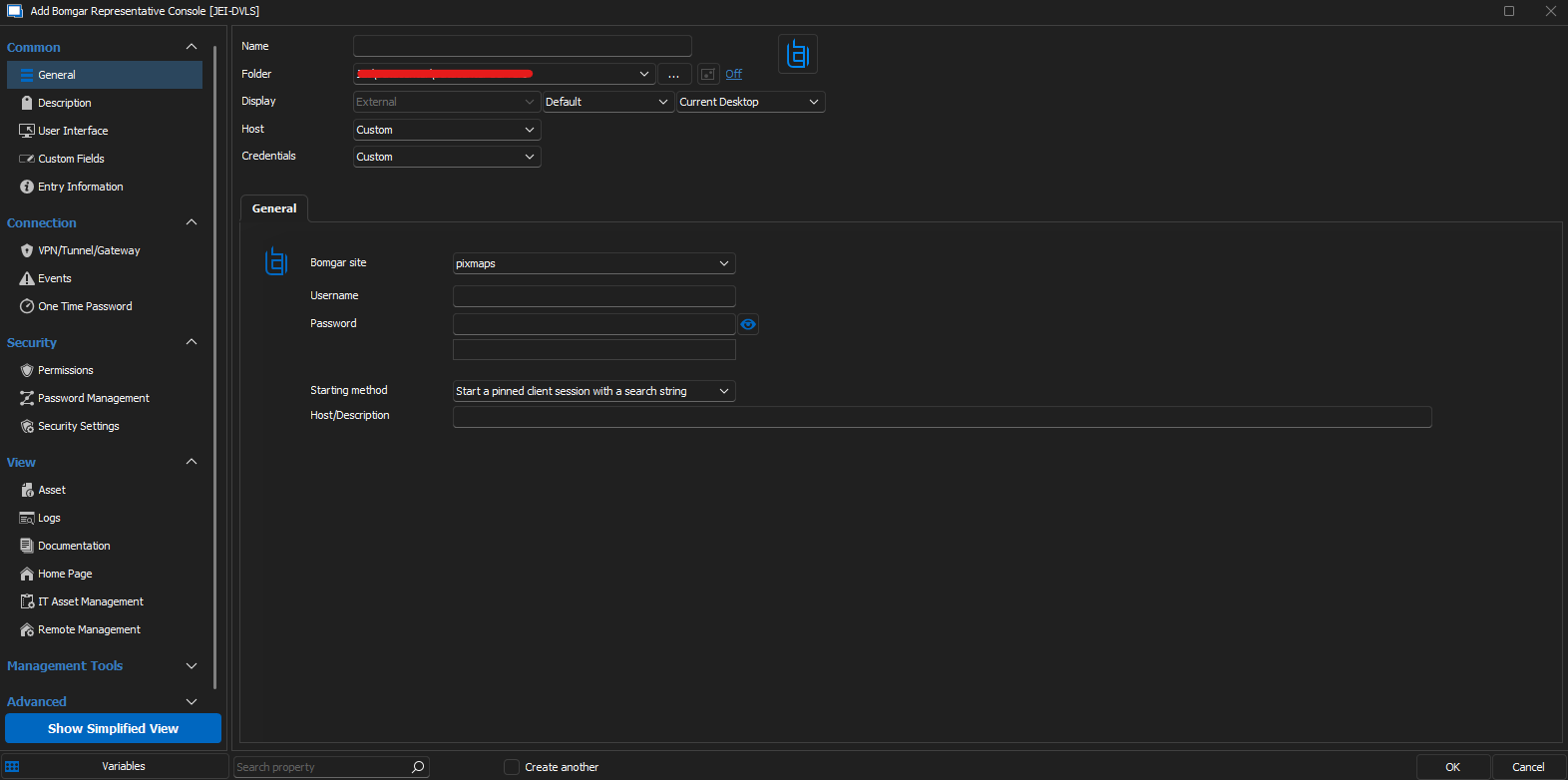
--
Griffeth Barker
💻 Call/Chat on Microsoft Teams
📧 Send me an email
🔗 Connect on LinkedIn
Screenshot 2023-07-18 110644.png
Hello Griffeth,
Thank you for this screenshot,
I'm not certain what you wanted to show me with this, did you have questions regarding some of the fields?
Let me know,
Best regards,
Samuel Dery