Auto-submit RDM Datasource MFA One Time Password
0 vote

The datasource MFA One Time Password (OTP) for Authenticator apps is always 6 characters (I believe). Therefore, can we have it auto-submit after entering the 6 characters, like some other websites and apps do?
It would save a step and time of having to click Validate or press enter, and make the process just a little more seamless. Thank you.
All Comments (7)
Hello,
just to be sure that I understand in which screen you want the autofill, could you post a print screen?
Regards
David Hervieux
Sorry, here's a screenshot to provide better clarity. It's when performing the OTP MFA to access the RDM datasource. Clicking Validate or pressing enter is an extra step that has to be done everytime. If the OTP is always six characters (which I believe it is), then can we just have it "auto-validate" like some other apps with OTP, such as Windows Hello (PIN) and Apple IDs where as soon as the sixth character is entered it performs the submit.
Example: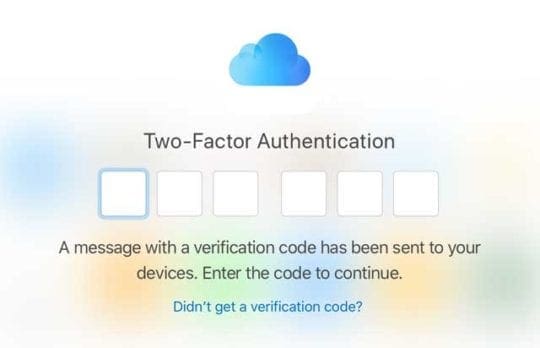
iCloud MFA has no submit button because it auto-submits on the last character.
41d0a19a-dde5-4b1a-82b4-779170d3426f.png
Hello,
Thank you for the print screen It should not be hard to add. I suggest to add a checkbox checked by default called Auto submit. Thanks again for the suggestion.
Regards
David Hervieux
Any update or roadmap on this request? We're still having to enter the MFA OTP and click validate to access RDM. Whereas most other modern apps simply auto-validate after the sixth digit is entered.
Thanks. 😊
Hello,
We'll raise the priority on this.
Regards,
Hubert Mireault
Hello,
We've added the auto-submit feature for the Authenticator Validation window. It will submit the code automatically if it has 6 characters. This should be available on the upcoming 2024 version.
Regards,
Jafran Majeau
Thanks for the follow up. Looking forward to this timesaver and modern experience. 😊