Chinese character in password fields

Hello,
On my RDM I have enabled the use of the computer credentials to unlock RDM interface. I also have to unlock my private key in the SSH user agent with my passphrase.
My issue here is that every time I start to input my password, my keyboard stay in Chinese mode and doesn't automatically switch back to English mode, leading to a lot of wrong password error alert 😅.
So, I wanted to ask you if the current behavior is a bug or if it was intended to allow Chinese password ? Because usually, when I am prompted to input a password, for example on a website, my keyboard automatically switch back to English, and I can't go back to Chinese.
Have a nice day,
Clement.
All Comments (22)
Hello Clement,
Thank you for reaching out to us regarding this,
I have a few questions which you can hopefully answer.
1- Which version of RDM are you using?
2- Which type of data source are you using?
That being said, from my understanding, this would be the expected behavior when typing RDM will use the keyboard configuration that is currently used, in this case, you would need to change your keyboard type before typing.
Personally, I like to use "Windows" + "Space" to perform this change hopefully this is helpful.
Best regards,
Samuel Dery
Hello Samuel,
1- 2023.2.14.0 64-bit
2- SQLite
That being said, from my understanding, this would be the expected behavior when typing RDM will use the keyboard configuration that is currently used, in this case, you would need to change your keyboard type before typing.
Personally, I like to use "Windows" + "Space" to perform this change hopefully this is helpful.
When you are using a Chinese keyboard (or Japanese/Korean etc) on Windows (or Linux), the keyboard come with an English mode. This mean that I don't need to add an additional English keyboard if I want to write in Latin character. To switch mode, I just need to press "Shift" and the keyboard will switch between English/Chinese.
As you can see in the following pictures, my system is set to use "Chinese (Traditional, Taiwan) Microsoft Bopomofo". But if you pay attention to the area in red, you can see that there is two modes, when the keyboard mode is "中(Zhong)", it means that I am typing in Chinese, and when the mode is "英(Ying)", I am writing in English(QWERTY).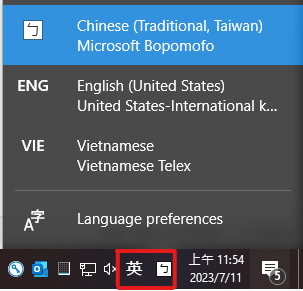
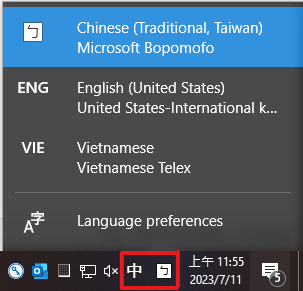
Usually, when I start to input my password in a password field on a website or a desktop app, the Chinese mode is automatically disabled by the system and the keyboard switch back to English.
I hope my explanation is ok 😅
Have a nice day,
Clement.
english mode.png
chinese mode.png
This is a documentation from Mozilla about how to handle this kind of keyboard, which is called "IME".
https://firefox-source-docs.mozilla.org/editor/IMEHandlingGuide.html
https://kb.mozillazine.org/About:config_entries
It seems that the IME keyboard should be disable when the focus is on a password field.
Clement.
firefoxIME.png
Hello Clement,
Thank you for your reply,
I see, I've reached out to our engineering department to see if this is something we could implement.
I will keep you updated with any news I receive,
Best regards,
Samuel Dery
Hello Samuel,
Thank you for your reply.
I hope it can go through !
Have a nice day,
Clement.
Hello Clement,
Thank you for your patience,
I simply wanted to give you a small update regarding this, I've opened a case with our engineering department so that they can investigate if they could be added.
I've linked the case with this thread and we will keep you updated with any news.
Best regards,
Samuel Dery
Hello Samuel,
Thank you for the follow up.
Have nice day,
Clement.
Hello,
Any news about the implementation of this feature ?
It would really save a lot of typo and backspace click for Asian people.
Have a nice day,
Clement.
Hello Clement,
Thank you for your reply,
Unfortunately, I do not have any news regarding this,
I've reached out to our development team to see if they have an update,
Best regards,
Samuel Dery
Hello,
We've added an option to forcefully disable the IME. You can find it in Files - Settings - Advanced, it is named Disable IME for password fields. This should provide the behaviour you're looking for, and it should be available for 2024.1.24.
Regards,
Jafran Majeau
Hello,
For clarification, the IME will be automatically disabled for the 2024.1.24 version, and the option will be released with the following version.
Regards,
Jafran Majeau
Hello,
Thank you for your replies !
I'm looking forward to try and test it !
Have a nice day,
Clement.
Hello,
I have updated to the version 2024.1.24.
The option doesn't show up in the setting and the IME window doesn't disappear when I type the passphrase of my SSH private key.
Have a nice day,
Clement.
Hello Clement,
Thank you for your reply,
I see, I will reach out to my colleague regarding this and keep you updated with any news I receive,
From my understanding, the option will be available in the following version,
Best regards,
Samuel Dery
Hello,
I have updated to the version 2024.1.25.
The option now does show up in the setting but after being enabled, my keyboard doesn't switch back to English mode (when I am typing in a password field).
And the IME window still appear in the top left corner of my screen.
Moreover, if I disable the setting "Disable IME for password fields", when I type my password using my Chinese keyboard in English mode,
then RDM will show full-width English characters and will duplicate my input. (But if I do so when I click the unhide password field button, then the characters are in normal width and unique.)
Have a nice day,
Clement.
RDM_password.png
Hello,
We'll investigate this and update you as soon as we have information.
Regards,
Jafran Majeau
Hello,
Thank you for the follow up.
Have nice day,
Clement.
Hello clement_chen,
I've done some further testing on my end, and as of 2024.1.25, with the option Disable IME in password fields enabled, I am not encountering any issues. When entering a password field, it automatically switches to english, and then returns to its previous state when leaving the password field. The inputs works well whether or not the password field is revealed. I am using the Chinese (Traditional, Taiwan) from your original post for testing.
I did experience issues however when the setting was disabled (as you mentioned). And those will be fixed for the 2024.1.26 version. Although, as far as I understand, the IME window at the top of the screen displaying is normal when the setting is disabled. (But it should not appear when the setting is active).
It is possible however that the specific field you are experiencing issues with might be an outlier. Should you still encounter issues in the aforementioned version, please provide us with the exact field and window prompt with a screenshot if possible), so that we can investigate it.
Regards,
Jafran Majeau
Hello,
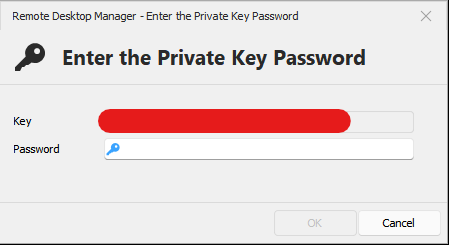
At the moment (2024.1.25), here are the different prompts where it doesn't work (I only use those ones, so I don't know if there is windows where it works):
- This is the window for unlocking the application with the computer credentials
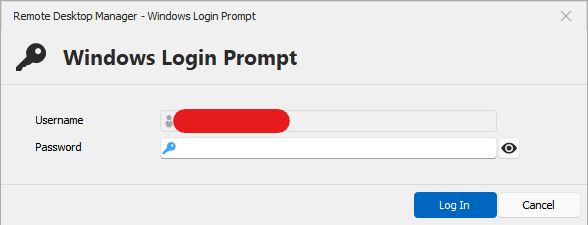
- This is the window to edit a SSH Shell configuration (RDP doesn't work either)
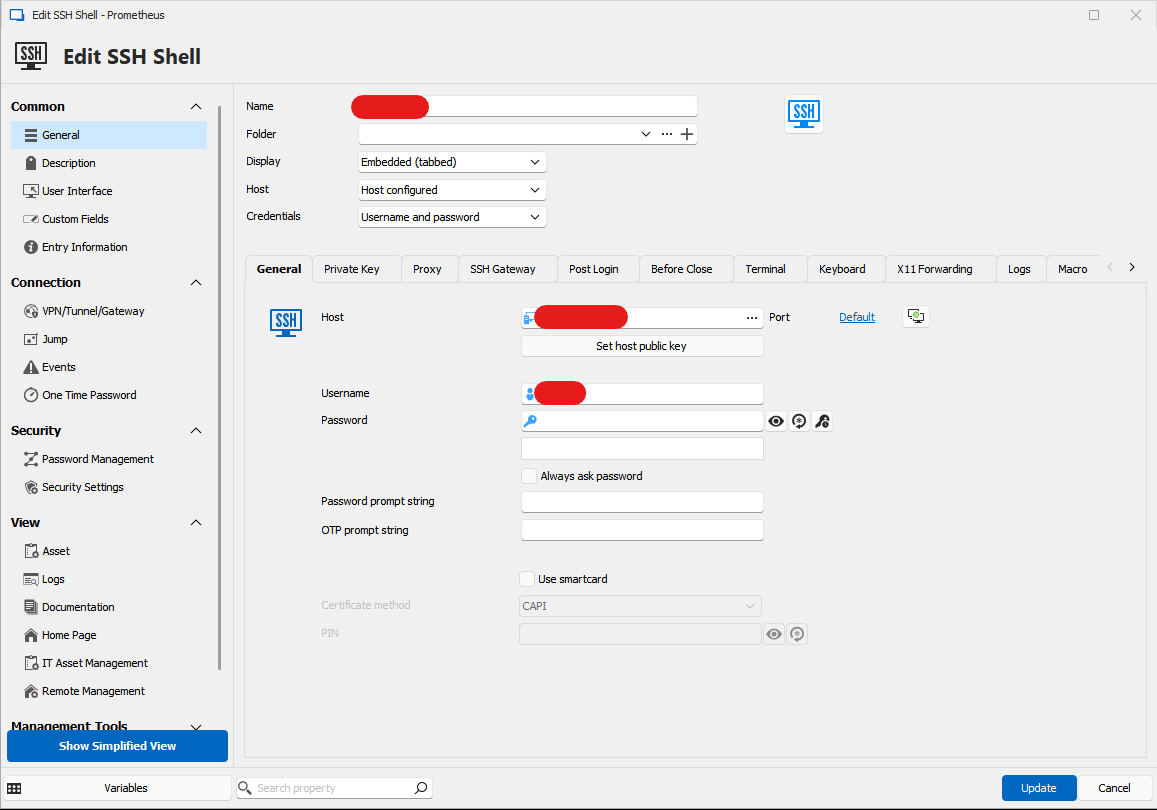
- This is the window to enter a SSH private key passphrase
Have a nice day,
Clement.
RDM_windows_prompt.png
RDM_ssh_shell_prompt.png
RDM_ssh_key_prompt.png
Hello,
Thanks for the screenshots, more information always helps. Once the 2024.1.26 version comes out, let us know if you are experiencing any further issues.
Regards,
Jafran Majeau
Hello,
Since the last update (2024.1.27.0 64-bit), it works perfectly !
Thank you a lot for your help ! Now I don't have to worry every time I type a password !
Have a nice day,
Clement.
Hello Clement,
Thank you for your reply,
Perfect, I'm glad to hear that this is working as expected!
Best regards,
Samuel Dery