Sort and Filter for custom reports

Hello,
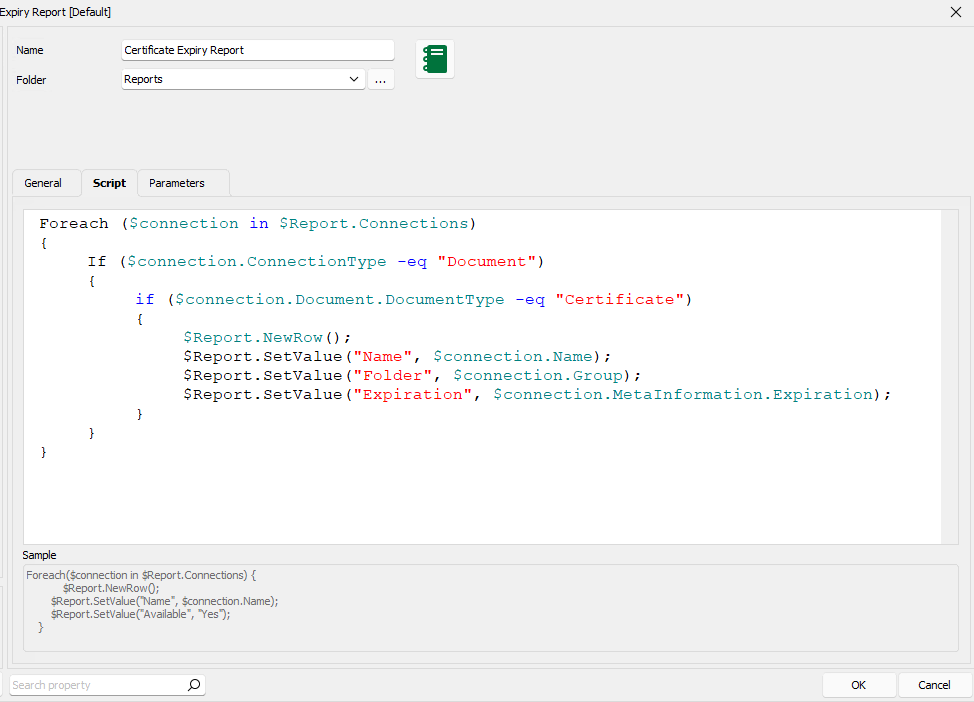
When I generate a builtin report in RDM (for example the 'Asset Overview' report), there is an option above the columns to sort/filter. However if I create a custom report, the option to filter and/or sort not available. How does one filter and/or sort the report either via the GUI or via the associated powershell code.
As a side note, it would also be nice if the custom reports could be seen/used in DVLS web page too.
Thanks
Joe 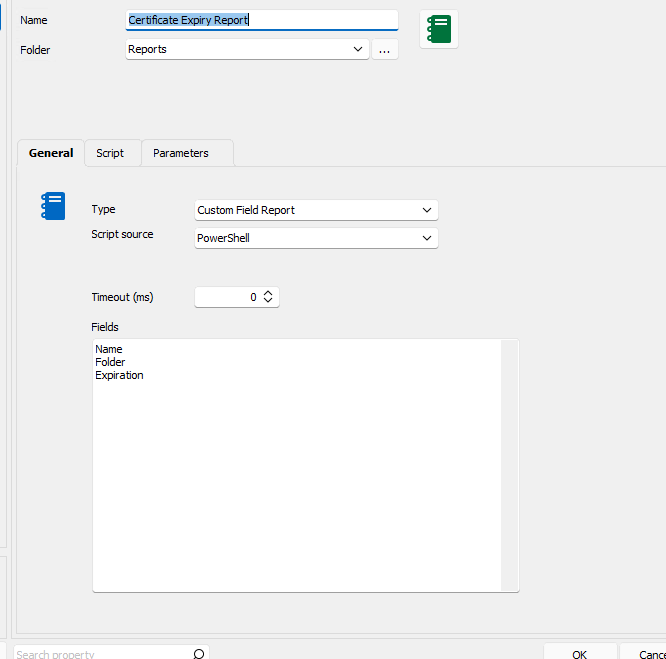
25258867-58ce-4695-9d83-556aec3bef15.png
9a33f2f5-f217-454b-a002-beb926f8e623.png
All Comments (16)
Hello Joe,
Thank you for contacting us on that matter.
Did you already have a look at our PowerShell Github for many Script that can be useful in RDM?
https://github.com/Devolutions/RDMSamples-ps
You could probably find some interesting information.
In the meantime, I will check with my colleague if there is a way with PowerShell to Filter/Sort the result of your report/script.
Best regards,
Patrick Ouimet
Hi Patrick,
Thanks for you help. I tested some of the powershell from Github and it does allow for sorting using regular commandlets, however that approach is rather inconvenient because it requires the RDM powershell module to be installed, along with PowerShell v7, which creates dependencies on the users to have those components installed on their machines. In addition, I also noticed that the filter/search bar is not available in a number of the other builtin reports. Why is it that the search/filter is not available for all reports since they are generally a collection of columns/rows?
Further, the save options only allows for saving as a HTML document. In many cases, a user would want to export the data as a csv file.
Joe
Dear Joe,
Thank you for sharing your feedback with us.
We use PowerShell 7.2 as it's now compatible with multiple platforms, which is essential for RDM since it operates on various platforms. This helps us save time and effort by setting up the tool only once.
Regarding your other concern, could you provide us with more specific details on the report built-in in RDM that lacks this option? We'll forward your feedback to our engineering department to see if we can enhance our application.
Best regards,
Patrick Ouimet
HI Patrick,
Entry List is another built in report that does not have the filter capability. Ideally all reports whether custom or built in should have this.
Also, with the report embedded powershell code that I included in the original post, is there a command that can sort the contents of the $Report variable. I've been unable to find documentation on what commandlets are available within the embeded custom report PowerShell script. I tried adding '$Report = $Report | sort-object' at the end but that didnt work
Thanks
Joe
Hello,
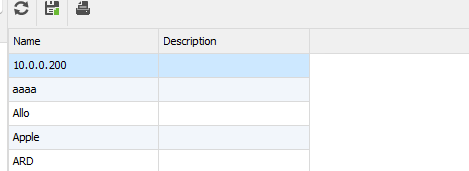
I'm working on multiple small improvements including:
- Automatic field caption detections
- Grid view instead of html view
- Sort support in Powershell

Regards
David Hervieux
71a7df89-2198-4a28-9142-3089fbeddcb8.png
b9e3d98e-6f3a-48a6-bfd5-8d2f3a6adc25.png
Hi David,
That sounds fantastic, looking forward to when this is available.
Export to CSV of report results (including only filtered results) would be another great improvement if its possible without too much effort.
Much appreciated
Joe
Hello Joe,
I want to express my gratitude for your patience.
I have some exciting news to share with you. The latest features in Remote Desktop Manager will be released soon in version 2023.2.15.0. Rest assured, I will inform you as soon as this version becomes available.
In addition to this, we are currently working on an article that will cover this topic in detail.
Thank you for your continued interest in our services.
Best regards,
Patrick Ouimet
Thats great news, Thanks Patrick. I look forward to testing this out.
Joe
Hi Patrick,
Just wondering if the latest RDM release has the new reporting features you mentioned?
Thanks
Joe
Hello Joe,
Thank you for your follow-up message.
I'm pleased to inform you that the feature you requested is now available on the latest version of RDM. Our team is currently working on an article that will explain how to use this new feature in detail. Once the article is released, I'll be sure to notify you right away.
Best regards,
Patrick Ouimet
Hi Patrick,
Just tested it out, and it works great, thank you so much.
Much appreciated
Joe
Hi Patrick,
Just wondering if the documenation was available yet for what commandlets are available within the embeded custom report PowerShell script window?
Thanks
Joe
Hello Joe,
Thank you for this feedback.
I'm still waiting for the documentation to be completed.
I will share the article here when it is available.
In the meantime, I will check with the engineering department for the cmdlet available for the report.
Best regards,
Patrick Ouimet
Hello,
It's not possible to directly use the RDM PowerShell cmdlet. This is a basic scripting feature to interact with the flow.
Here some screenshot to use the sort: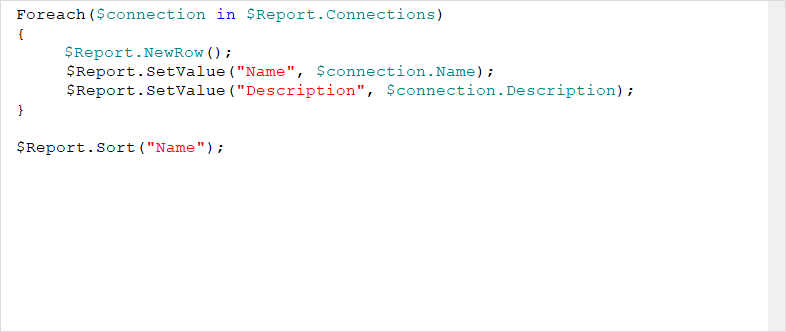
Perhaps for an advanced report, you could use the PowerShell CmdLet but outside RDM:
- https://docs.devolutions.net/rdm/windows/powershell-scripting/powershell-module/
- https://forum.devolutions.net/forums/128/powershell-modules--support
Regards
David Hervieux
50cb70e9-07d2-4f89-a1c5-b8568e0ceb5a.png
ok, thank you Patrick. Yes I understand the regular RDM commandlets are not available within custom reports, but it would be useful to have a reference document available to what commands are supported within the report scriptlet window. I think currently there is only sparse information / examples available on various blog posts.
Hello Joe,
Thank you for this feedback.
The example and all the cmdlets will be listed in this article Here:
https://docs.devolutions.net/kb/devolutions-powershell/remote-desktop-manager/create-custom-field-report/
It only explains how to create the report entry for now, but we are working on the list.
Best regards,
Patrick Ouimet