How to access/create a System Vault?

Hi,
I read the release article "What's New in Remote Desktop Manager 2023.2" (Devolutions Blog).
The System Vault looks really great.
But it does not show up in the View tab, or at the bottom of the navigation pane as mentioned in the article.
How can I access/create a System Vault?
RDM-Version: 2023.2.12.0
DVLS: 2023.2.2.0
Best regards
All Comments (9)
Hello,
To access and add entries to the System Vault, you need to be logged in as an admin.
For example, a VPN entry can then be used in an RDP entry. Under VPN/Tunnel/Gateway, you can select Session under Type: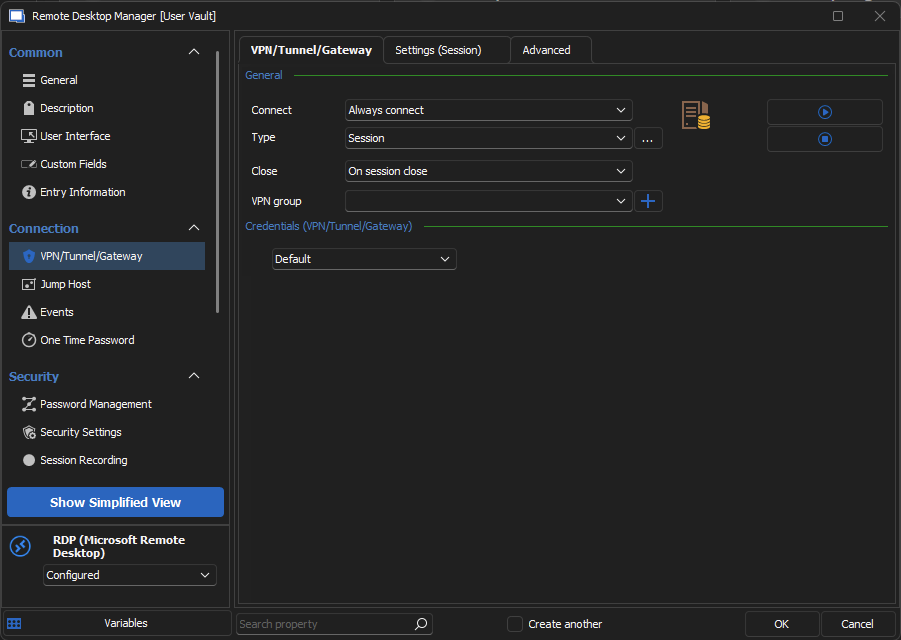
Then under Settings (Session) you can select your VPN from the System Vault: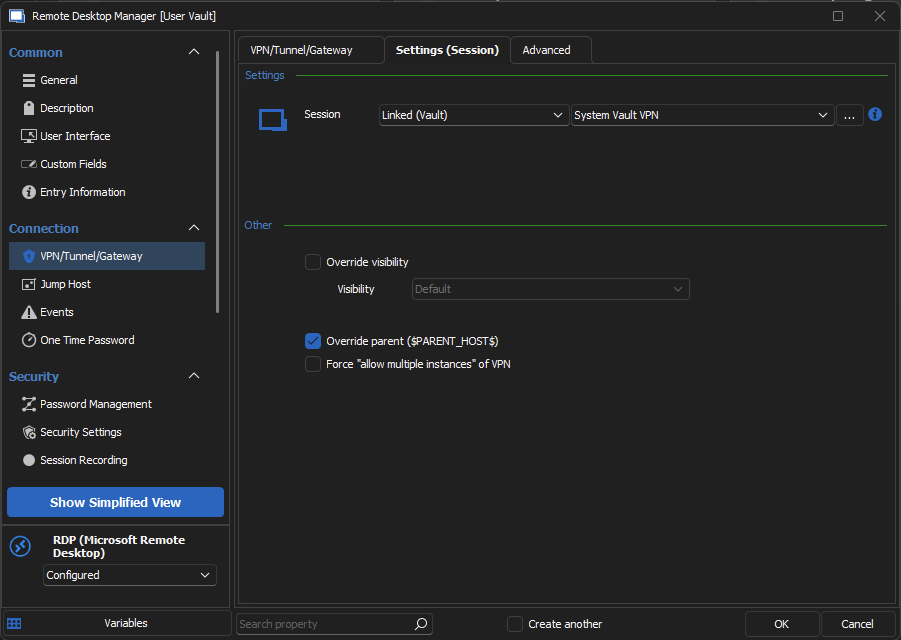
Hope this helps, if you have any questions don't hesitate to write back to us.
Best regards,
4601e96f-816a-46eb-b35a-c575579d61d1.png
32461513-3c9b-489d-a84a-e6b6425d6a37.png
This only shows how you can select the System vault from the drop-down - not how to create the system vault.
If you go to "User and Security Management" - and select "Vaults" from teh left hand column... you can clearly see that there is no "System" vault.
If I go to create a Vault - do I just name is "System"? or should there be a checkbox to signify the new vault as a "System" vault.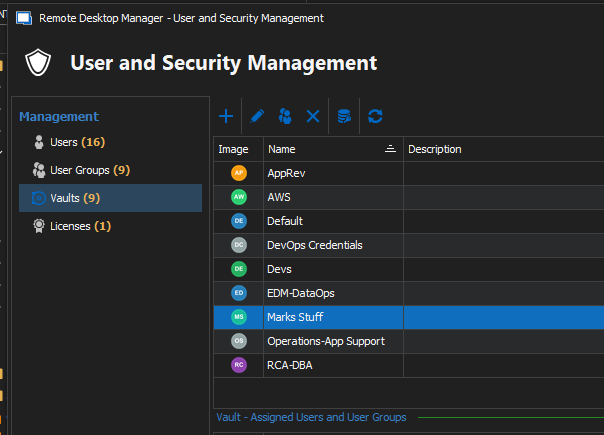
ec5aacf3-4ca7-4e0b-9bee-34a45815e041.png
Hello,
The system vault cannot be managed or created, the vault is only accessible by admins.
From the admin account, you should see the system vault from the view tab.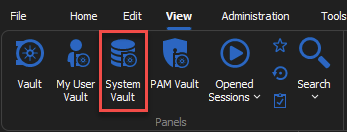
Best regards,
02beecde-2f28-413b-96c6-4beadce83d1a.png
I did find that - i was looking under Administration - not View.
I did however just submit another email to support on how to use the System vault.
thanks for your quick response on this one though...
cb7c43cc-0fe6-4d30-8fd1-3da09752c9cf.png
Hello,
The system vault can be used by admin to add entries that can then be used by users.
For example, an admin can add a contact entry in the system vault, then a user can link a credit card entry to the contact from the system vault.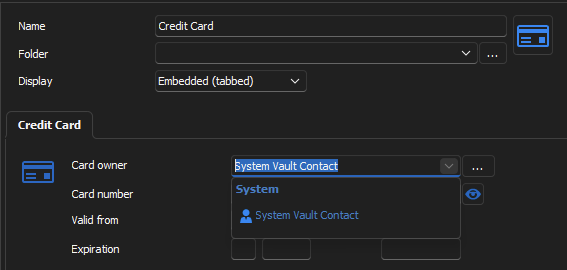
Or an admin can add a VPN entry in the system vault, then the VPN can be used by RDP entries.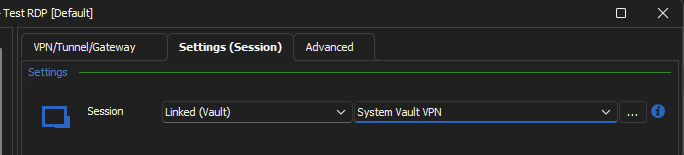
Best regards,
a660cae3-ae9b-4bb4-a441-47b62da186c8.png
d04b66b6-2ec3-4cb4-8d2d-dcaf8886655b.png
If I add Scripts to the system vault how do users access them?
I was hoping this would be the perfect vault to use. However, I was not aware only admin can see it.
I don't really want to make everyone an admin in order to make this work.
Thanks
Iain
Version 2025.3.23.0 64-bit
Data Source SQL
Hi iaing80,
Only administrators are allowed to manage (add/edit/delete) items in the system vault but all users have use (execute) access on the system vault.
Best regards,
Stéfane Lavergne
Hello,
When you create a script in the system vault, it is then accessible through the Macro/Script/Tool tab in the dashboard: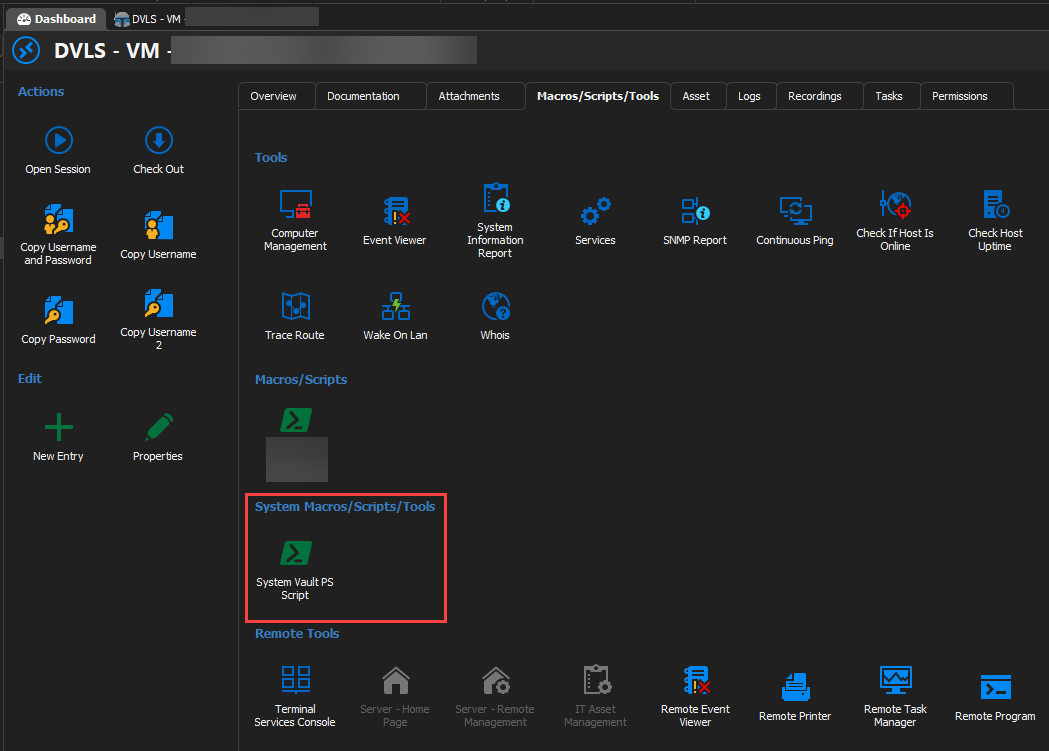
You are right, only administrator are able to access the system vault to add entries, but the content of the system vault is accessible by anyone.
Best regards,
540c5076-ec44-4c2e-8712-efa61eb9387f.png
Could not see it on a non Admin user. However, script dashboard did show it. Which is perfect!
Thanks
Iain
Version 2025.3.23.0 64-bit
Data Source SQL