Where I can change the WinSCP location?

Hello,
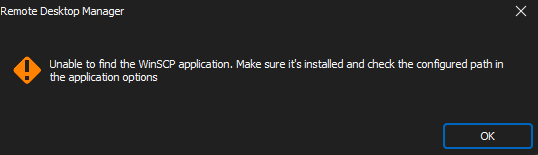
please tell me where I can change WinSCP location????? When I open host with WinSCP session I have two alerts that I am unable to run WinSCP but there is no choice to change the location of WinSCP.
It's been 10 minutes of never-ending looking for this setting and I fell really annoyed already.
Thanks.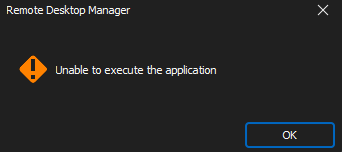
2023-06-29_15-28_1.png
2023-06-29_15-28.png
All Comments (7)
Hello,
You could change the Path for WinSCP in Remote Desktop Manager under File - Options - Path - Configure Installation Path - WinSCP.
Best regards,
Etienne Lord
Hello,
thanks. I changed it but it's not working. The path for WinSCP executable is 100% right. I ran Windows + R and typed: "C:\Program Files (x86)\WinSCP\WinSCP.exe" which started WinSCP program. When I put the same location to the RDM it's not working.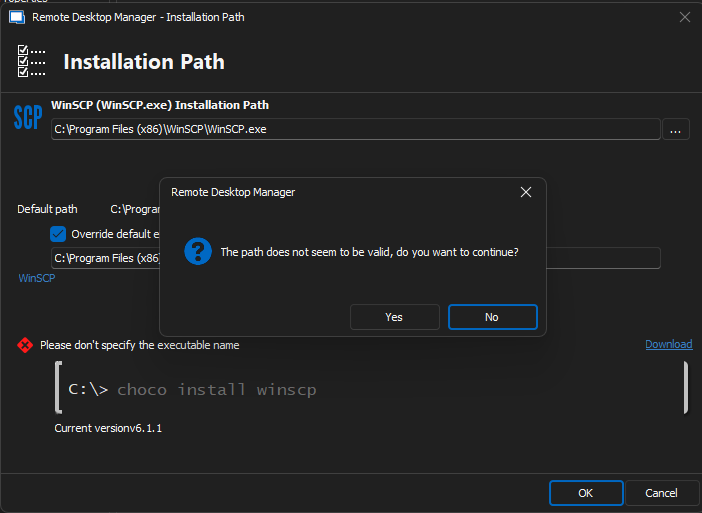
2023-06-29_15-34_1.png
Hello,
I believe if you remove the "WinSCP.exe" portion from your installation path it should work.
Best regards,
Not working.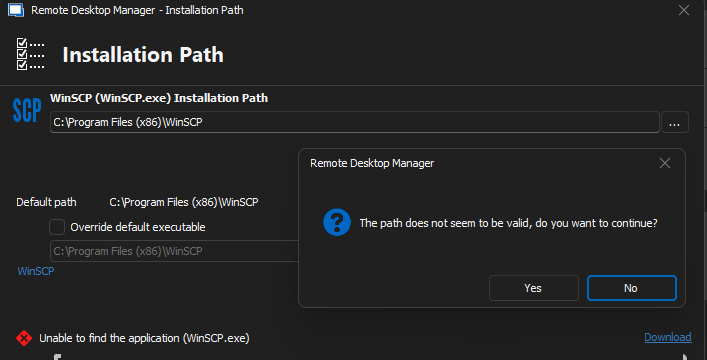
2023-07-03_10-38.png
Hello,
Are you writing it down manually or are you using the button with the three dots on the side ?
If you're writing it down manually, try the three dots on the side of the file path field, and go through your file explorer till you reach the folder containing the executable.
Best regards,
Hello,
thanks! When I have chosen the path from the three dots menu it worked!.
Best Regards,
Hello,
Perfect !
I'm glad that worked.
Best regards,