Windows to MacBook Air Resolution Issue

Remoting from a Window 11 PC to a MacBook Air M1, 2020 - MacOS 13.0.1 Mac screen shows up all squished. Have tried playing with the scaled, smart resize, and preserve aspect ratio but all result in the squished screen. Is there something I can do to address this?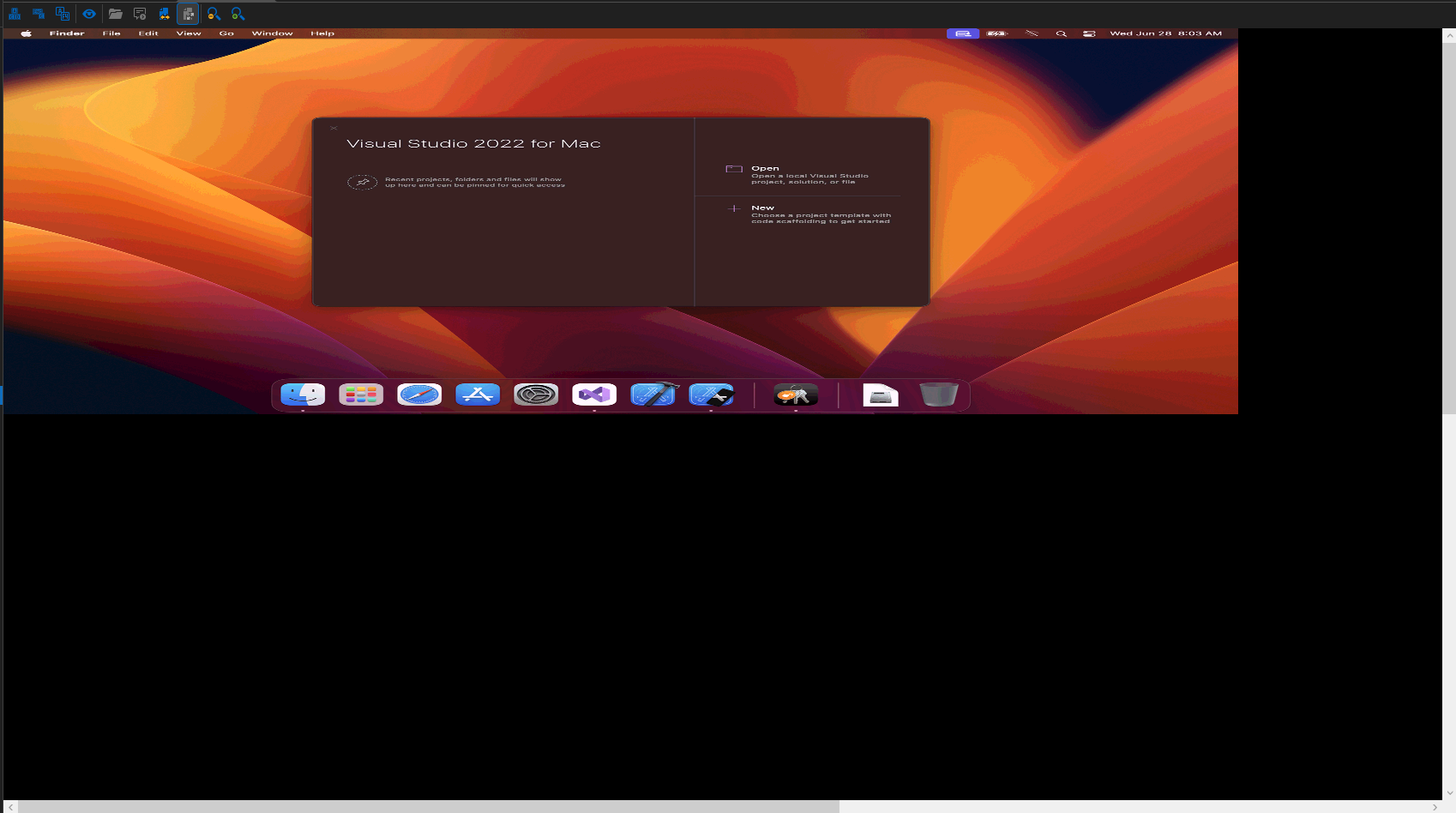
Screenshot 2023-06-28 084527.png
All Comments (16)
Hello,
Thank you for contacting us !
Which version number of RDM are you currently using ?
Which data source is being used ?
I'd also like to know how your "Display scaling" setting is configured under File > Options > User Interface.
Best regards,
Hello,
Thank you for contacting us !
Which version number of RDM are you currently using ?
2022.3.35.0 64-bit
Which data source is being used ?
Local Data Source
I'd also like to know how your "Display scaling" setting is configured under File > Options > User Interface.
Default - System aware
Best regards,
Hello,
Would it be possible for you to create a portable installation of RDM and see if this issue still occurs?
To do so, you will need to do the following:
1. Download the .zip file below: https://remotedesktopmanager.com/home/thankyou/rdmbin
2. Create a new folder on your Desktop.
3. Extract the content of the .zip file into the folder created at #2
4. Go to this folder once the .zip file has been extracted and run remotedesktopmanager64.exe
5. Connect to your data source.
This will tell us if the issue is tied to the local installation of RDM.
If the problem, reappears in the portable version of rdm can you try to connect to the MacBook without using rdm?
Thank you in advance for your help, and please don't hesitate to reach out if you have any questions or concerns.
Best regards,
Carl Marien
Hello,
Would it be possible for you to create a portable installation of RDM and see if this issue still occurs?
To do so, you will need to do the following:
1. Download the .zip file below: https://remotedesktopmanager.com/home/thankyou/rdmbin
2. Create a new folder on your Desktop.
3. Extract the content of the .zip file into the folder created at #2
4. Go to this folder once the .zip file has been extracted and run remotedesktopmanager64.exe
5. Connect to your data source.
This will tell us if the issue is tied to the local installation of RDM.
the screen still looks the same using the portable RDM version.
If the problem, reappears in the portable version of rdm can you try to connect to the MacBook without using rdm?
Installed RealVNC Viewer and can remote to the MacBook without a problem, screen looks fine.
Thank you in advance for your help, and please don't hesitate to reach out if you have any questions or concerns.
Best regards,
Hello,
Seems you're currently using a legacy version of rdm you should try to perform the update to the latest version.
Since you have an old version of Rdm your local data source can disappear. This can happen because the local data source is not stored the same way and can cause problems.
Don’t worry, if you export your local data source then import it in the new version of Rdm you won’t lose any data (don’t worry even if you ignore this step your data is still in a hidden folder on your computer nothing will be lost.
First to do an export
1. Right click on your data source
2. Select export.
3. Export selection. Rdm
4. You should include the credential and the document you can add a master key for extra security.
5. Click OK then save the Rdm file in a safe folder.
Now that your data has been saved you can proceed with the update.
1. In the help tabs
2. click on the “check for update.”
3. Follow the instructions.
Now to import your data source
1. Right click on your data source
2. Import -> import. rdm
3. Select your .Rdm files.
4. Follow the instructions.
Best regard
Carl Marien
You're currently using a legacy version of rdm you should try to perform the update to the latest version.
Updated to 2023.2.14.0 64-bit, unfortunately it appears to have not changed anything. Tried changing the display settings scaled, smart resize, etc.. and its still squished.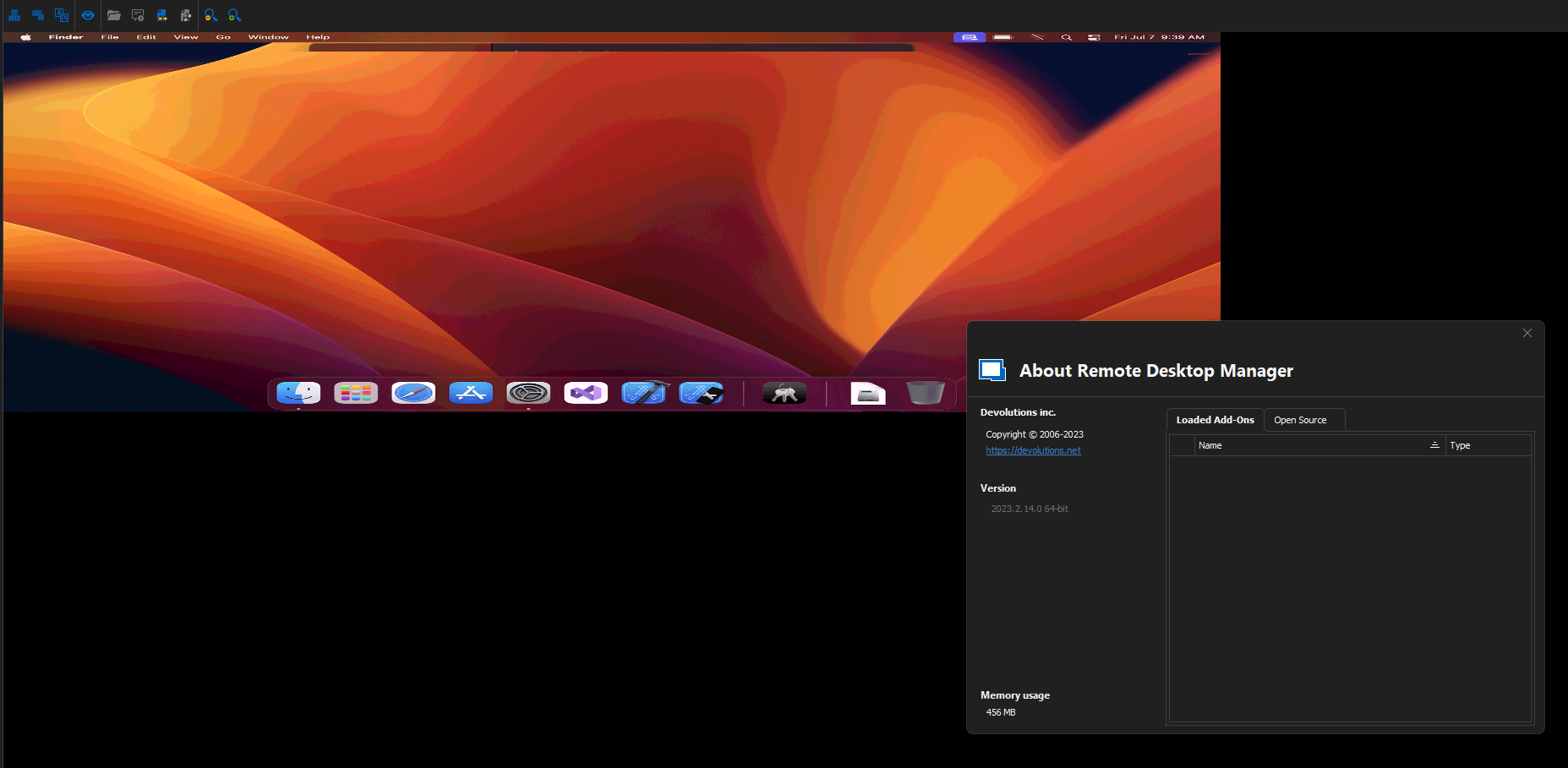
5cfa2d45-45ec-4b4f-be26-8ddc7855d3cc.png
Hello,
Thank you for providing the necessary information. I will proceed to create an internal ticket to address this issue.
Best Regards,
Carl Marien
Hello
Please could you send me a screenshot of the Settings > Display configuration for the remote machine? I've put a screenshot here to be clear what I'm taking about. Also; just to check - you're connecting directly to the MacBook and not - for example - a virtual machine?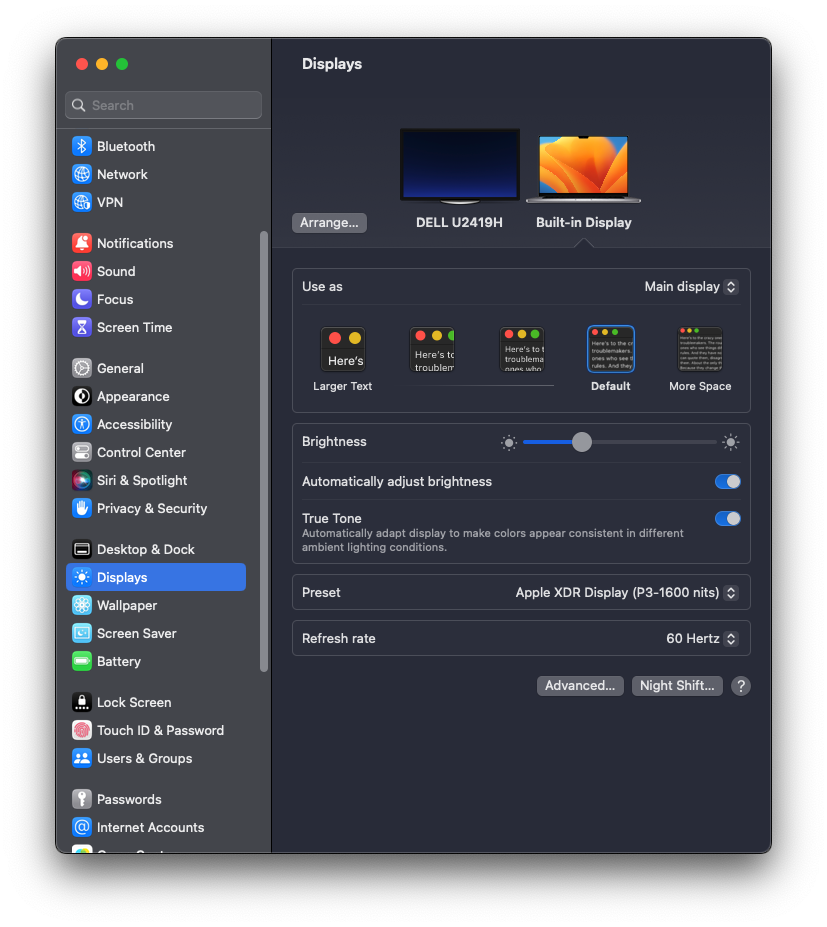 Please let me know if something isn't clear
Thanks and kind regards,
Richard Markievicz
Screenshot 2023-07-12 at 08.29.00.png
Hello
Please could you send me a screenshot of the Settings > Display configuration for the remote machine? I've put a screenshot here to be clear what I'm taking about. Also; just to check - you're connecting directly to the MacBook and not - for example - a virtual machine?Please let me know if something isn't clear
Thanks and kind regards,
Yes it is a physical machine. 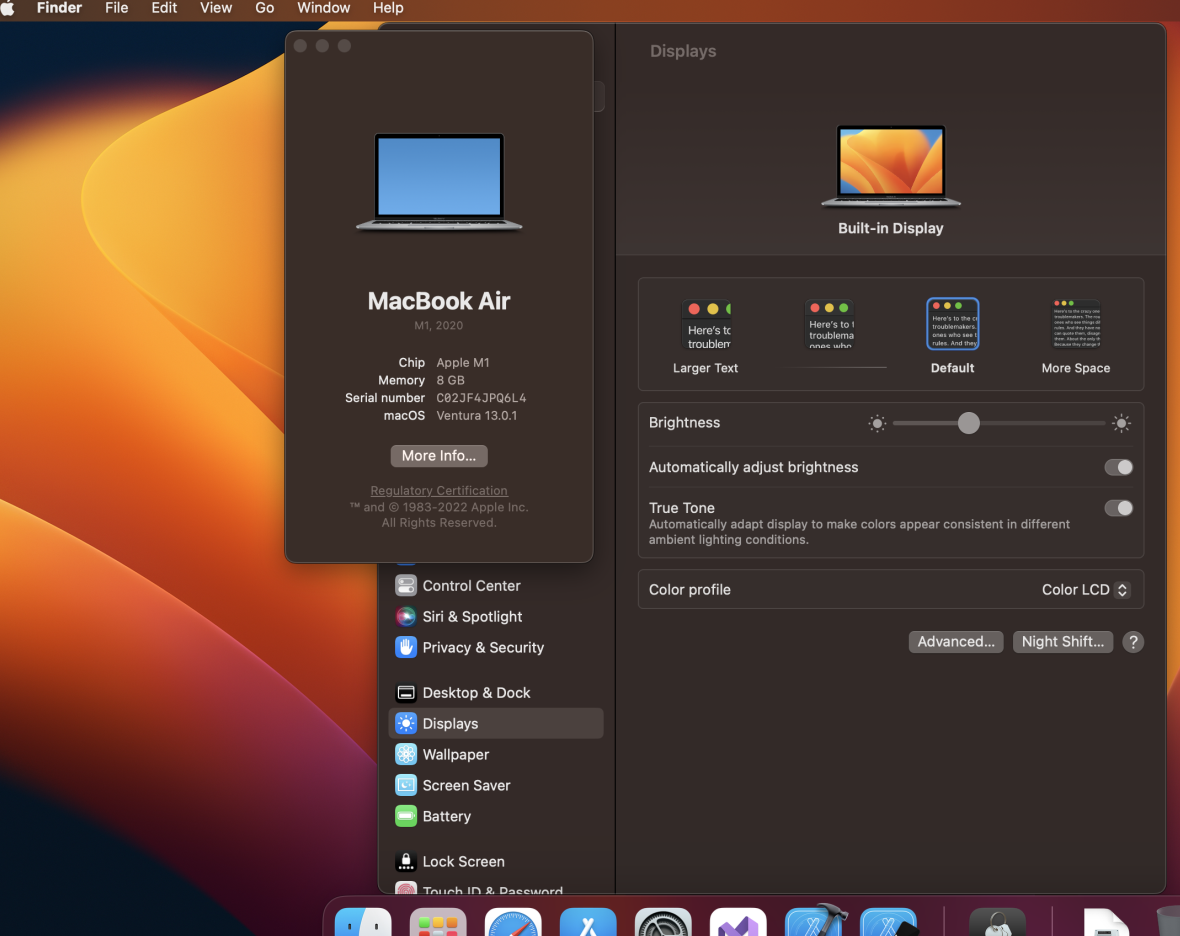
b34c7be3-5d46-45e2-a4cd-9766078b9d31.png
Hello
Thanks for the info. For what it's worth, I tried this exact case (I have an identical M1 MacBook Air to you) using both the legacy and latest versions of RDM, and I couldn't reproduce the problem. It's apparent that the display is scaled at 50% and possibly we're getting or reading the wrong resolution or scaling factor from the server. I have seen this problem once before but it was related to using the display scaling option on a UTM virtual machine.
The next step is to generate a diagnostic log which will show the values we're getting from the server.
- In Options > Types > Others, scroll down to the "Other" section
- Check "Enable logging for ARD and VNC" and supply a file path for the log (for example, c:\users\Richard\desktop\rdm-ard.log)
- "Ok" the changes and then close and re-open RDM
- Run your connection again
You should have a log file at the given location that you can send to me, either by PM or by email to support@devolutions.net (mentioning this forum thread).
Please let me know if something isn't clear or you have further questions
Kind regards,
Richard Markievicz
Logs sent.
Thank you. One thing that stands out (although I'm not sure it's related) is that you're using the ZLib codec. On the connection, under "Settings > Display" what do you have configured for "Performance"? Is it something other than "Default" or "Adaptive quality (Apple MVS Codec)"?
If so, please try restoring the default and let me know if it changes something.
Thanks and kind regards,
Richard Markievicz
Thank you. One thing that stands out (although I'm not sure it's related) is that you're using the ZLib codec. On the connection, under "Settings > Display" what do you have configured for "Performance"? Is it something other than "Default" or "Adaptive quality (Apple MVS Codec)"?
If so, please try restoring the default and let me know if it changes something.
Thanks and kind regards,
Don't see a performance setting. Only have color depth, zoom, scalled, preserve aspect ratio and smart resize as options under display.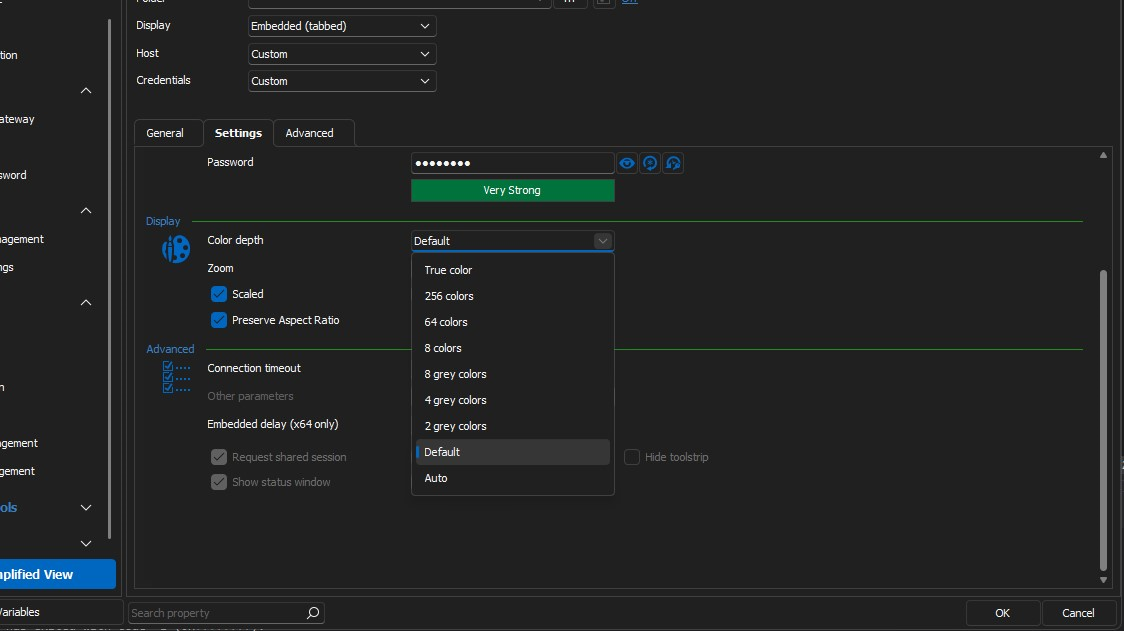
7dbf48c2-77a8-4be3-89d4-f04c745ccc29.png
Hello
Ah, ok - the entry is a VNC type. Can you try creating an ARD "Apple Remote Desktop" connection with the proper settings for your environment and let me know if it behaves better?
Underneath, the ARD connection is based on VNC (the same as Apple's screen sharing protocol is based on VNC) but there are differences. The VNC connection won't understand or respond to all the messages an Apple server might send, and performance will be worse.
Let me know if something isn't clear or you have further questions
Thanks and kind regards,
Richard Markievicz
oh, can't believe I was using the wrong session type. The apple one works much better. Thanks for the help.
Hello
Great news. Please don't hesitate if you have further questions or comments!
Thanks and kind regards,
Richard Markievicz