SSH Terminal Font Issue
0 vote

Hi!
Update: Using Windows 10
After an upgrade of RDM to version 2023.2.9 I no longer can use the "legacy terminal"
In version 2023.1.29 this was possible.
The new version of SSH Terminal makes font look really bad (see attached images)
The top 2 images are from new version, font is really blurry, and also a lot bigger (Consolas 10, not bold)
Setting Font Quality does not change anything.



Please make SSH Terminal usable again.
2023.2.9-02.png
2023.2.9-01.png
2023.1.29-02.png
2023.1.29-01.png
All Comments (9)
Hello,
Thank you for contacting us regarding this,
If you go into the properties of the SSH Shell entry, and go under the Terminal > Display tabs, you should find options in order to modify the terminal as you desire.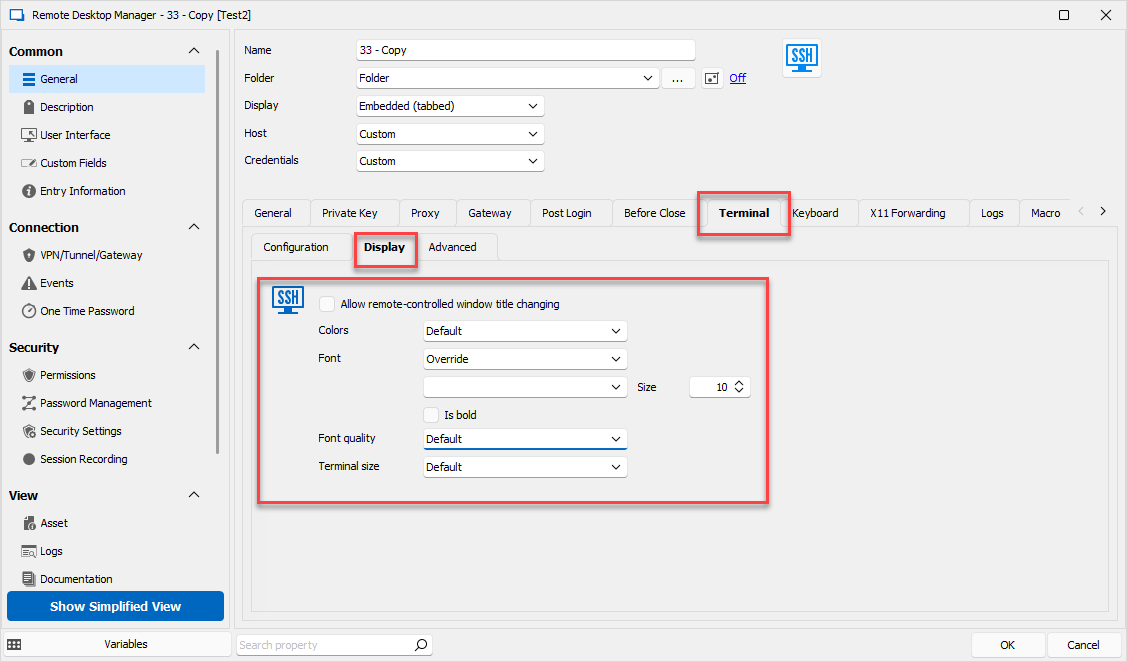
Let me know if you have any further questions or concerns regarding this and it will be my pleasure to help.
Best regards,
dc54ad48-331e-4bb5-935c-7bb0f710c6bd.png
Hi again.
Thank you for your answer.
I have already set the font and size in global settings: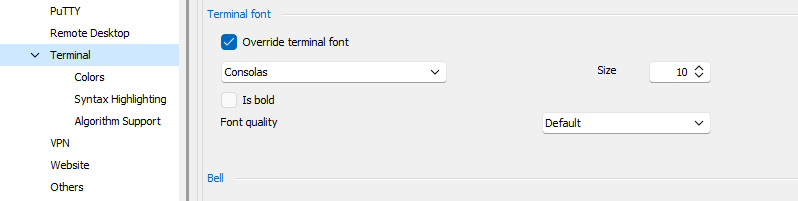
I also tried setting it on the session, but no luck.
This setting is gone in the new version: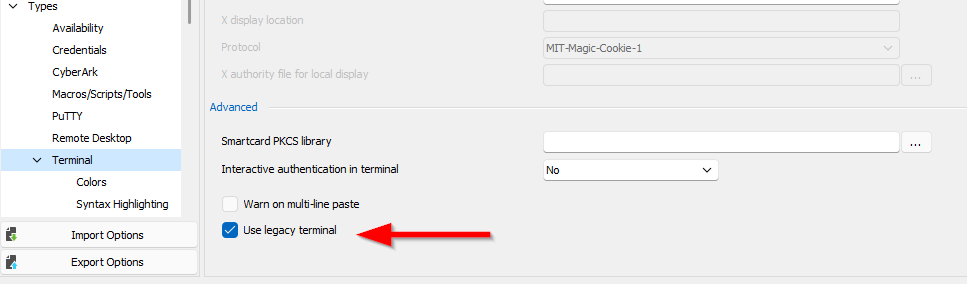
Please make SSH Terminal usable again.
bild.png
rdm03.png
Hello,
I spoke with our engineering team to see why the option was removed, and according to them the legacy feature itself was platform-specfic and kept causing issues. The purpose of this change is to allow us to centralize development of RDM.
As for the actual issue, I'd like to know if you're able to reproduce the issue from a different computer, preferably one with different specs if possible. The reason is due to us not being able to reproduce your visual issue internally at the moment.
Secondly, I'd like to see a screenshot of the Terminal > Display options within the entry itself to make sure nothing is conflicting with what was set within your File > Options.
Best regards,
Hi again!
I have tried unticking "Use legacy terminal" on version 2023.1.29.0
This is another computer, and it now behaves in the same way.
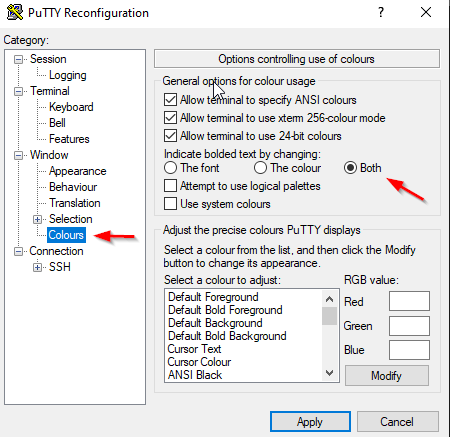
I assume that the legacy terminal used putty in the background, and I have now found the option in Putty that triggers this behaviour:
These are the settings in Putty/Kitty that makes it works as I want: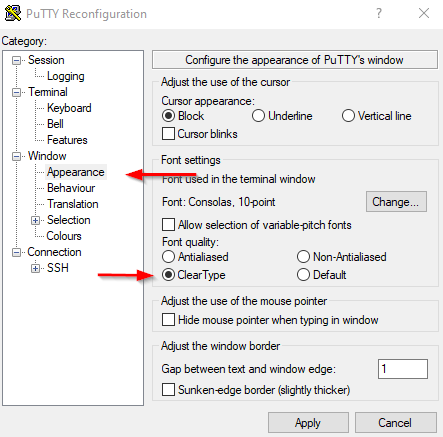
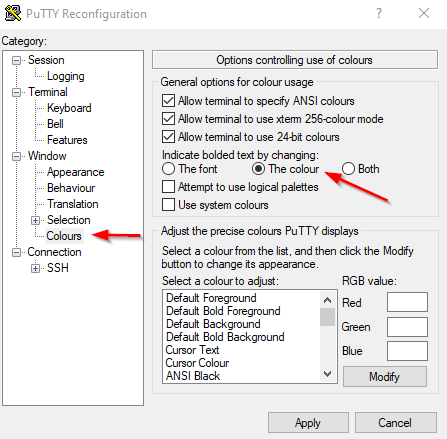
These are the settings in Putty/Kitty that makes it works as in RDM "new terminal":
Feature request (if is not already in RDM):
Create a global setting under terminal:
"Indicate bolded text by chaning:"
The font The colour Both
Bug report:
When I choose Font quality: ClearType, it does nothing, and when I open settings again, Anti-aliased is chosen for me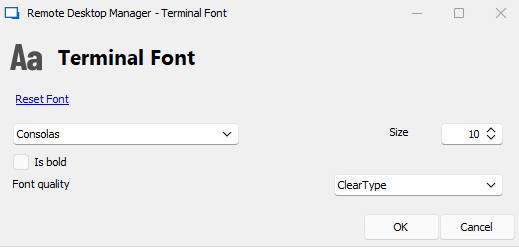
Kind regards /
Jonas
font_cleartype.png
putty_works_font.png
putty_works_colors.png
putty_same_as_rdm_font.png
putty_same_as_rdm_color.png
Hello,
Thank you very much for the detailed reply !
After speaking with one of our engineers, it seems we'd like to look into creating a new setting to allow better control of the "Bold" option and also overall improvement of the Font Quality.
I will move this thread to the Feature Request forum, and have an engineering ticket opened so that our engineers can begin working on this.
Best regards,
Hi!
Is there any update on this feature request?
Kind regards /
Jonas
Hello,
There should now be better options for the terminal font in the upcoming major version of RDM. (2023.3)
I'll notify you when this version is released.
Best regards,
Hi!
I tried the latest version 2023.2.27.
My feature request is not implemented what I can see.
I assume you have some ID for every feature request, so you know when it will be implemented / is implemented. =)
Kind regards
// Jonas
Hello,
I edited my previous message as it seems I was incorrect, the implementation will actually be released in our next major version update (2022.3) of which I have no current ETA.
Best regards,