how to batch edit "After Login Commands"

Is there a way to do it?
Thanks!
All Comments (3)
Hello,
Those can only be modified with PowerShell for the moment. Could you show us what you are trying to accomplish? We could provide you with a sample script.
Best regards,
Richard Boisvert
Hello,
I have many SSH entries, like this one : 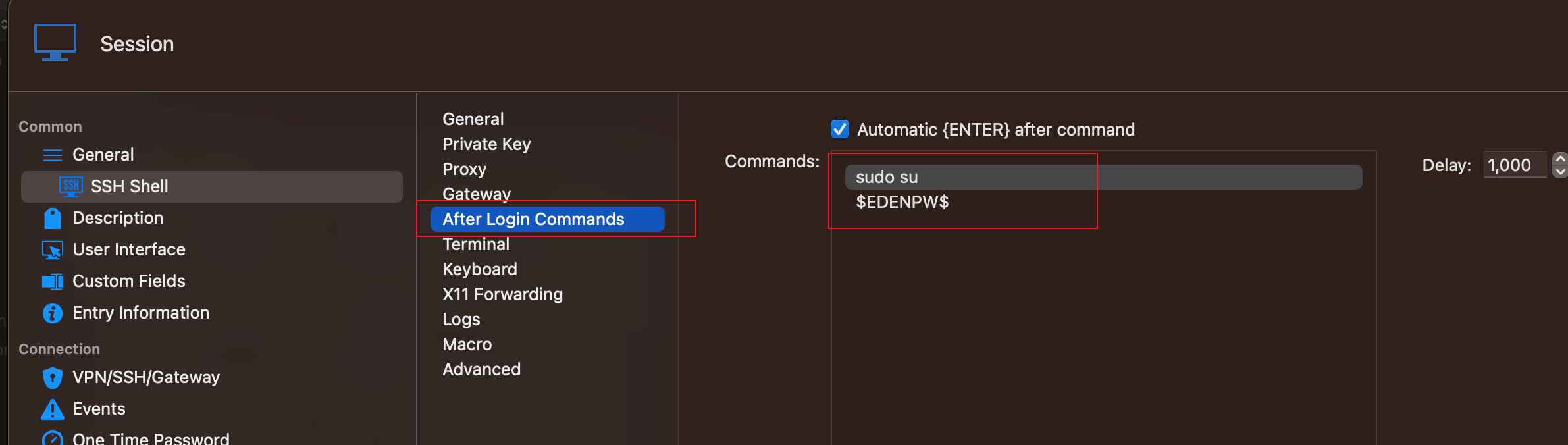
I set some cmds in the "After Login Commands".
There are two inefficient aspects:
- Many entries need to set the same "After Login Commands"
- Sometimes I want to change the cmds in "After Login Commands", I have to edit entries one by one
So, I want to batch edit "After Login Commands": select all entries, and set "After Login Commands" for once.
Thank you!
670d09e9-e540-4da0-beb1-661f1f1621c2.png
Hello,
Since they are AfterConnectTerminalMacros, and they are a special objet type, the simplest method to apply this to many entries would be to copy the macros of an existing SSH entry and apply it to the entries.
For example:
$model = Get-RDMSession -name "name_entry_working_events"
$macros = $modelTerminal.AfterConnectTerminalMacros

$entries = GetRDMSession -Type SSHShell -GroupName "name of folder the entries are in"
foreach ($entry in $entries) {
  $entry.Terminal.AfterConnectTerminalMacros = $macros
  Set-RDMSession -Session $entry
  }
You will need to user PowerShell 7 for macOS - https://learn.microsoft.com/en-us/powershell/scripting/install/installing-powershell-on-macos?view=powershell-7.3 - as well as the Devolutions.PowerShell module - https://docs.devolutions.net/rdm/windows/powershell-scripting/powershell-module/#manually-install-and-import-the-powershell-module
I have also moved your topic to the RDM macOS forum, since you are using maOcS. Note that if you have access to a Windows machine, this could be done with a custom PowerShell script - https://docs.devolutions.net/kb/devolutions-powershell/remote-desktop-manager/ssh-algorithm-support/#custom-powershell-command-script
Best regards,
Richard Boisvert
