use email or UPN of privileged account in login forms

Hi,
I try to manage shared bookmarks in our team. There are a lot of entries to where I set "my privileged account" in Credentials and use these in login form. Most times this work's like a a charm when only the username itself is used.
Some sites require an email address. I tried many combinations to use it, now, but nothing worked until now. Can you tell me what variable is to use to fill a login form's field with UPN or "associated email" of the existing privileged account?
Or is there another way to use it except of variables?
Thanks in advance for your answers :-)
rgds
Michael
All Comments (6)
Hello,
Please note that for some websites, the auto-fill function may not work automatically. It is important to be aware that some websites have measures in place to prevent the automatic filling of credentials.
Can you try to add you credential directly to the html control id in the login section of the propriety of the entry?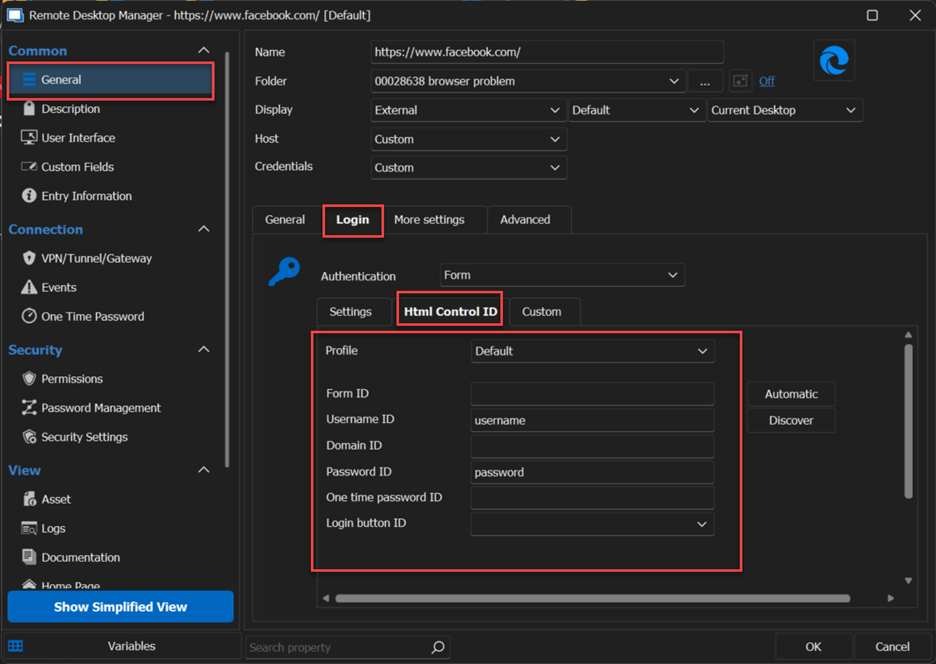
If that doesn’t work can you try the second method in this documentation? : https://docs.devolutions.net/kb/devolutions-web-login/how-to articles/website-authentication/?q=web+b?q=web+b#method-2
Should you have any further questions or require additional assistance, please feel free to reach out. I'm here to help.
Best regards,
Carl Marien
2023-05-31_10-21-58.png
Hi Carl,
thank you for your tips. But that is not what I need here. I already build some entries with specific login form fields.
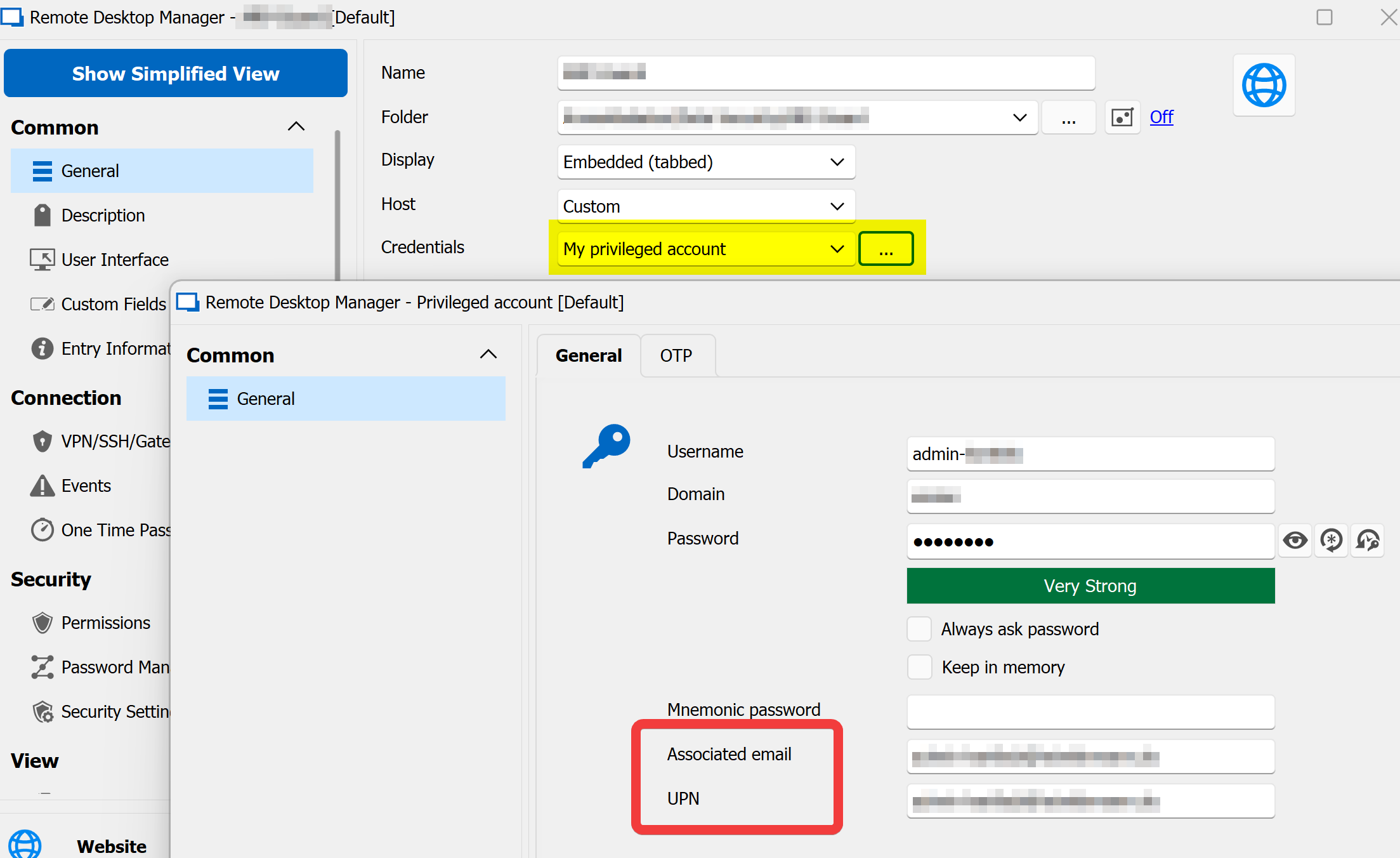
Please take a look at this screenshot. Some of my entries use "My privileged account". If nothing else is set, the login works great using the admin's Username. But what I need to know, is how to to use the admin's Associated email or UPN.
Have a nice day.
Michael
a0d13625-7cd6-4cb0-b58a-389a60184b94.png
Hello Michael,
Thank you for your precision!
According to the information I have gathered on that matter, you could add a field under the "Custom" section of your website entry and use the $USER_PRINCIPAL_NAME$ variable to fetch the information contained in the UPN field.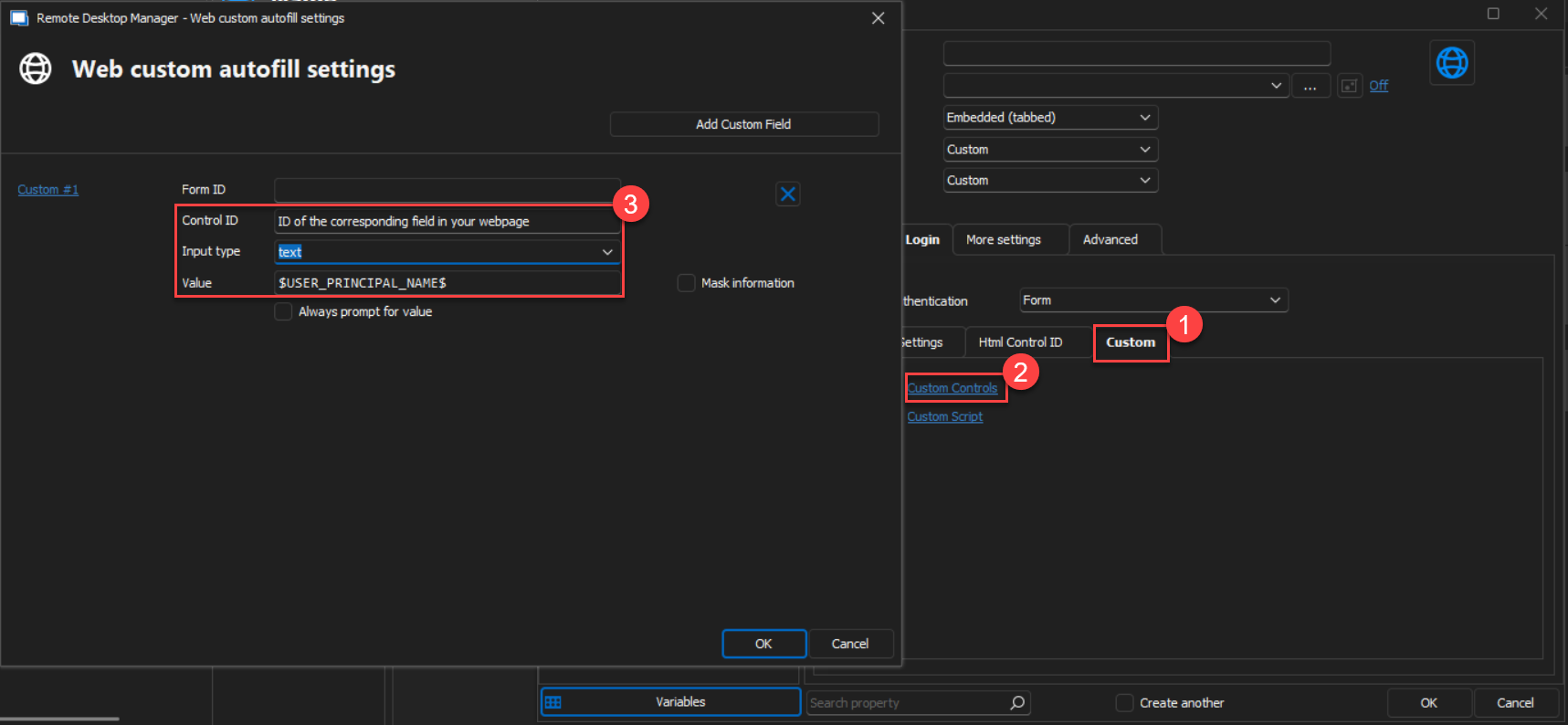
That being said, I haven't found a variable that would allow you to return the "Associated Email". I will contact our engineering department and see what can be done on that matter.
Best regards,
James Lafleur
2023-06-23_10-08-17.png
Hi James,
I already found this variable, too. I'm afraid, but this seem's to be using the system user's UPN. So the login fiels is filles with my personal windows login.
I'd appreciate it when you could speak to your engineering department to check, if there is a chance to use the privileged account's UPN.
I tried another one and wanted to combine username+"@domain.tld". But that is working neither.
rgds
Michael
Hello,
I have created an improvement ticket for that.
Regards
David Hervieux
Hello,
Good news, we were able to squeeze the new variables for the next minor update planned this week.
Regards
David Hervieux
