Icons not showing

Hi
I have changed my icons on my entities to use "Global" instead of custom, but icons often do not show: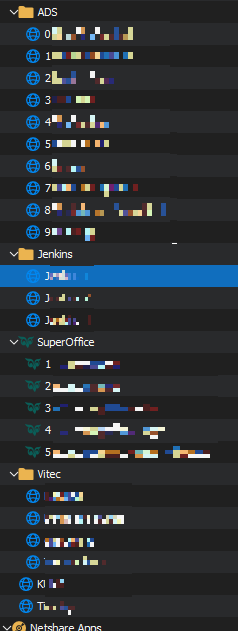
All entries in this screenshot is Websites using "Global" icon.
I think this other issue is related, that I don't always get global templates available.
I have no sure way to get them, sometimes they just are and sometimes the aren't.
When going in to Global (Images) or into Templates they are empty: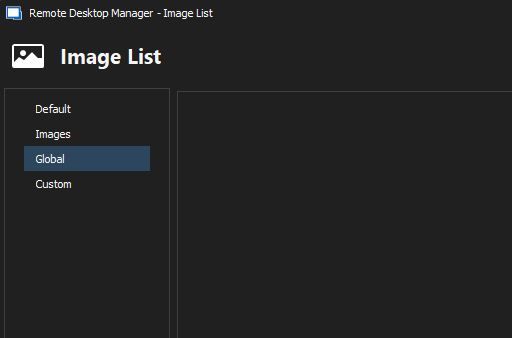
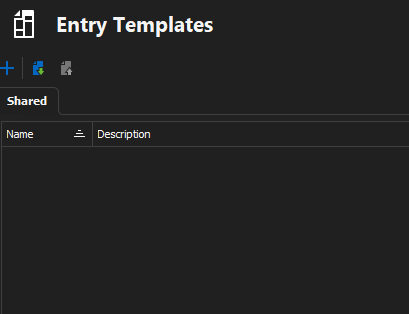
A restart of RDM is not enough.
RDM: 2023.1.29.0 64-bit
DVLS (Datasource): 2023.1.6.0
Regards Lars
Remote Desktop Manager connected with Devolutions Server running newest versions.
------------------------Signature------------------------
Sorry if any of above sounds harsh or provoking, it is NOT meant as such, but I have Asperger's and don't always know.
My intentions is always to be friendly.
-------------------------------------------------------------
11235bde-24bc-4bd5-9a93-783b9dcf76ba.png
d3a10a3a-9287-45b3-9aa7-85f065d33f4e.png
0b320b63-d87a-4101-b97a-f42d99cc8d34.png
All Comments (6)
I just tried to update to the newest beta on one machine and I got the icons and templates, but I suspect that an upgrade also clears caches, which could be the culprint in this case.
I will keep posted if the icons/template disappear again.
/Lars
Remote Desktop Manager connected with Devolutions Server running newest versions.
------------------------Signature------------------------
Sorry if any of above sounds harsh or provoking, it is NOT meant as such, but I have Asperger's and don't always know.
My intentions is always to be friendly.
-------------------------------------------------------------
Hello Lars,
Thank you for this feedback. I will make sure to conduct some tests on our side to reproduce this issue. You can rely on us to provide a solution that works for you. Don't hesitate to let us know if your custom icon disappears again. We're here to help.
Best regards,
Patrick Ouimet
Interestingly, when connecting to DVLS through Workspace for Windows (Version 2023.2.1) only the SuperOffice folder have the icon also.
Not sure how perfect Workspace is to use for test against DVLS, it does give the impression that something is afoot server side.
Remote Desktop Manager connected with Devolutions Server running newest versions.
------------------------Signature------------------------
Sorry if any of above sounds harsh or provoking, it is NOT meant as such, but I have Asperger's and don't always know.
My intentions is always to be friendly.
-------------------------------------------------------------
792e8c1b-99e5-4eb1-aad2-6c5c01f67288.png
Hello Lars,
Thank you for this feedback.
Could you tell me which type of entry is your entry in the SuperOffice?
Could you tell me which type of entry is in the other folders as well?
Best regards,
Patrick Ouimet
Hi
After updating DVLS and RDM to 2023.2 I haven't encountered it. So maybe we should wait and se?
SuperOffice and other intermediates are Folder-Folder and leafs are Websites.
/Lars
Remote Desktop Manager connected with Devolutions Server running newest versions.
------------------------Signature------------------------
Sorry if any of above sounds harsh or provoking, it is NOT meant as such, but I have Asperger's and don't always know.
My intentions is always to be friendly.
-------------------------------------------------------------
Hello Lars,
Thank you for your feedback.
Please if this issue occurs once more, let us know.
In the meantime, we are still working on the issue that occurs in Workspace.
Best regards,
Patrick Ouimet