RDM add menu greyed out

Good morning.
Since last update I cannot add any server on the platform because the "+" icon is greyed out.
What can I do?
Immagine 2023-06-19 151632.jpg
All Comments (7)
Hello,
Thank you for reaching out to us. to better assist you, could you please provide us with the following information:
1 A screenshot of your RDM dashboard
2 YourRDM version
3 The data of entry and source you are using.
4 Any other information you think could be coherent?
Once we receive this information, we will be better equipped to diagnose and resolve the issue.
Would it also be possible for you to create a portable installation of RDM and see if this issue still occurs? To do so, you will need to do the following:
1. Download the .zip file below: https://remotedesktopmanager.com/home/thankyou/rdmbin
2. Create a new folder on your Desktop.
3. Extract the content of the .zip file into the folder created at #2
4. Go to this folder once the .zip file has been extracted and run remotedesktopmanager64.exe
5. Connect to your data source.
This will tell us if the issue is tied to the local installation of RDM.
Best regards,
Carl Marien
Hi,
1)in attach the dashboard.
2)2023.1.29.0 64-bit
3)It's a local data sources.
4)No
I have installed a portable application and using the data source exported from the installed one, it works (it's possible to add new items).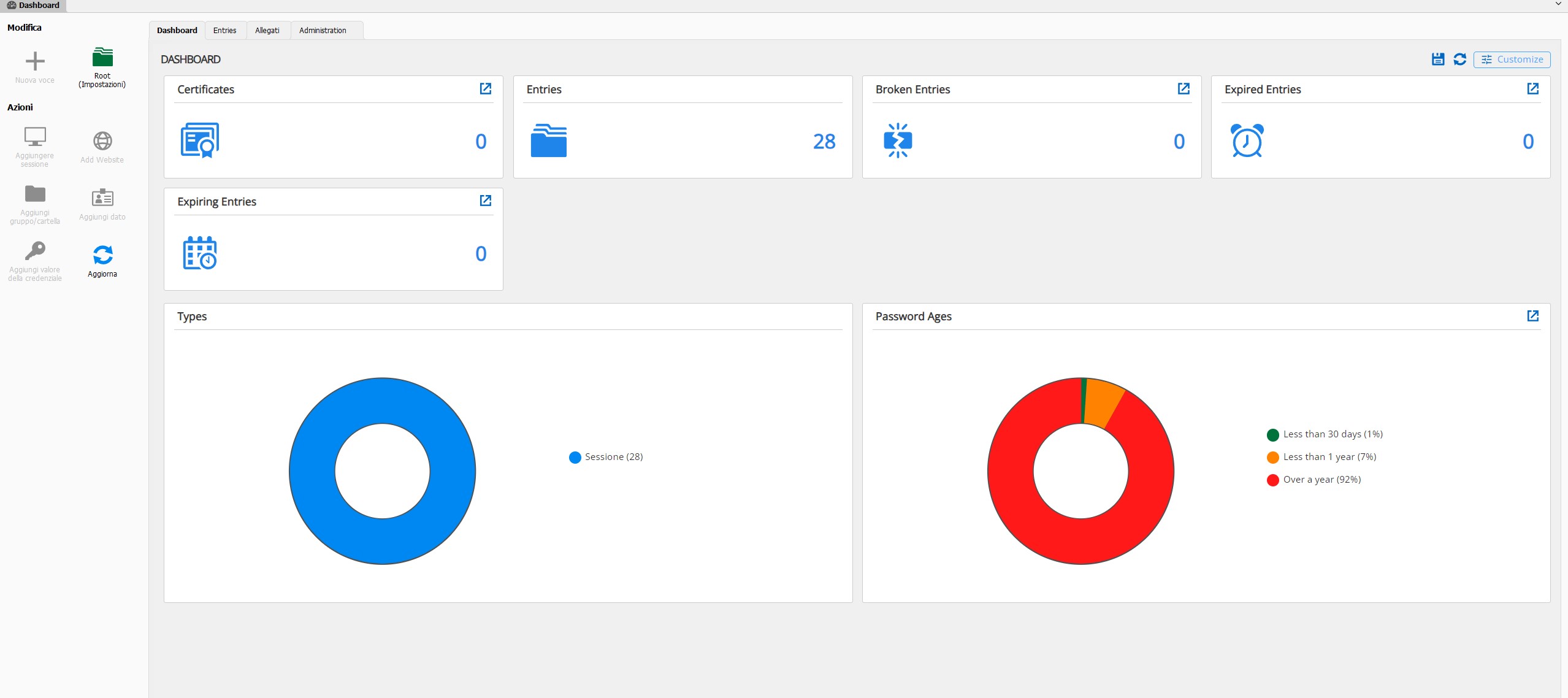
dashboard.jpg
Hello,
can you try the following:
1. Go under your %Localappdata% -> Devolutions folder
2. Rename the "RemoteDesktopManager" folder into "RemoteDesktopManager.old"
3.Restart RDM
4.Connect to your Data Source
Best regards,
Carl Marien
Hi,
I did it, but nothing changed. Still greyed out.
The connection to local source remained, I didn't had to change anything.
Hello,
Thank you for your swift reply!
Would it be possible for you to go under File -> Data Sources -> Select your Local Data Sources -> Edit and click on the ellipsis (...) to navigate to the path where your connections.db is stored?
Once this is done, could you please verify if you have read/write access on your "Connection.db"? Having only "read-only" access on this file would explain why RDM is unable to edit it, thus preventing you from creating new entries in the application.
Best regards,
James Lafleur
I have full access to the file: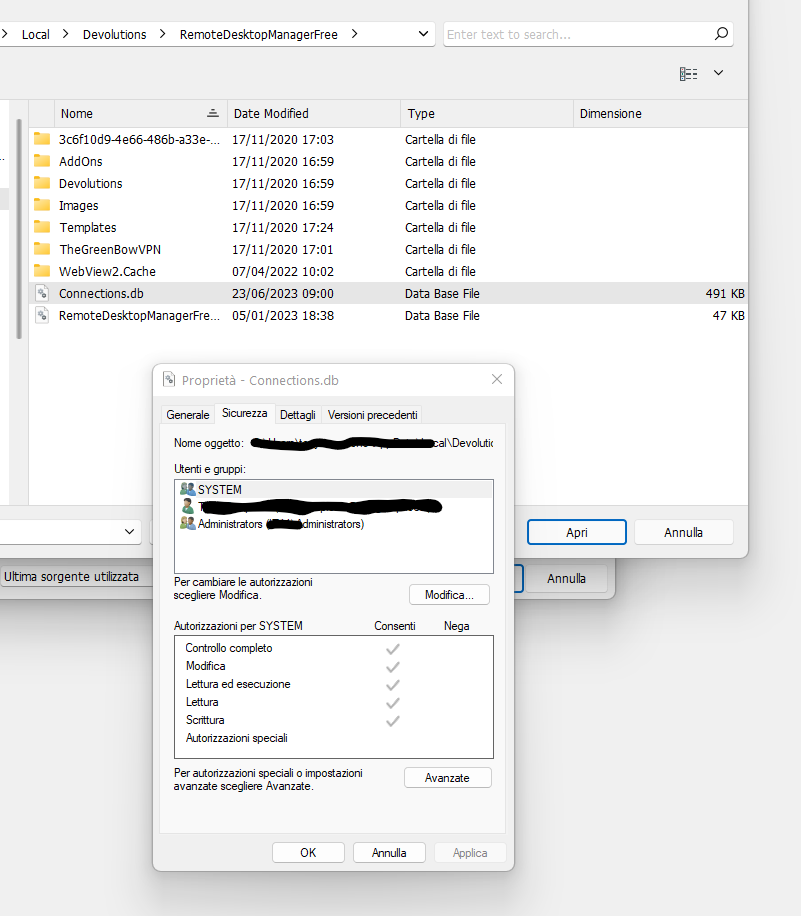
183b4e60-a988-440e-997c-7d85c0155694.png
As a test, would it be possible for you to move it to your desktop and update the path under File -> Data Sources to see if the same issue occurs?
James Lafleur