Need help with Hyper-V Dashboard

For a long time I was successfully using the Hyper-V Dashboard feature in RDM to administer VMs on our Hyper-V servers. At some point the dashboard stopped working. When launched the dashboard page simply remains empty, and the VMs never populate the list. I'm trying to troubleshoot what's wrong. I've followed the advice to configure the credentials under the management tools section, but still no success. I can create entries directly into the Hyper-V consoles of the VMs with no trouble (Remote desktop entry- Hyper-V type -> configure host and VM instance). This even will launch what is essentially the dashboard window to choose the VM for that entry! However, setting up the dashboard itself is something I cannot figure out. What's concerning is I've managed to lock my admin account in Active Directory many times trying to figure this out, even though the credentials are stored in my vault and are 100% correct. I think there is some kind of authentication issue happening but I'm lost as to what is misconfigured here. Is anyone able to step me through the correct configuration of the Hyper-V dashboard? It seems so simple but I'm obviously not understanding this.
The VM Chooser window when setting up a Hyper-V Console works great, as shown below, however the Hyper-V dashboard (which seems to be essentially the same thing, just standalone) does not authenticate properly or has some other problem.
Empty dashboard:
Basic settings: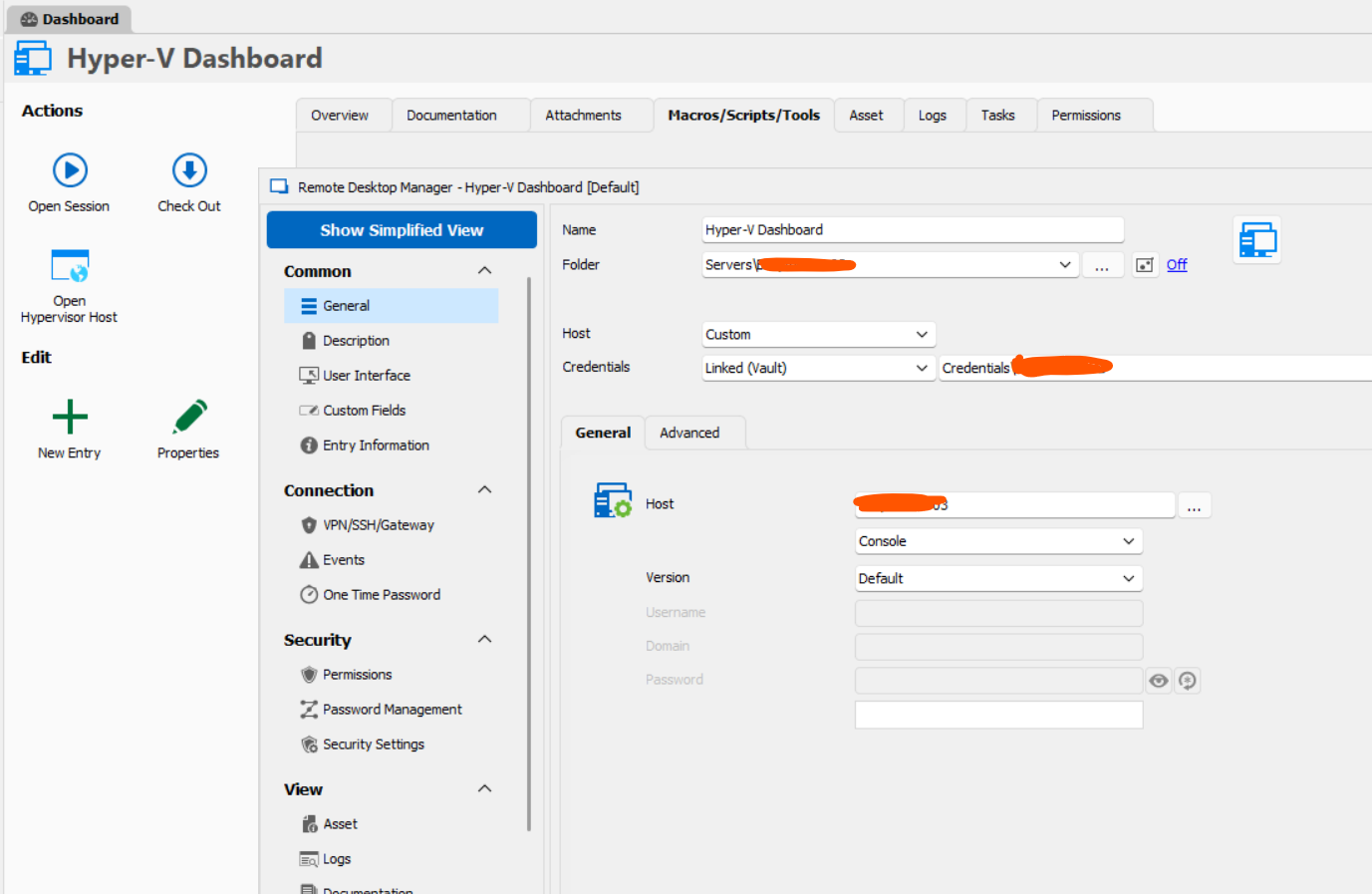
Hyper-V machine list and controls seem to work fine in the chooser window, shown below: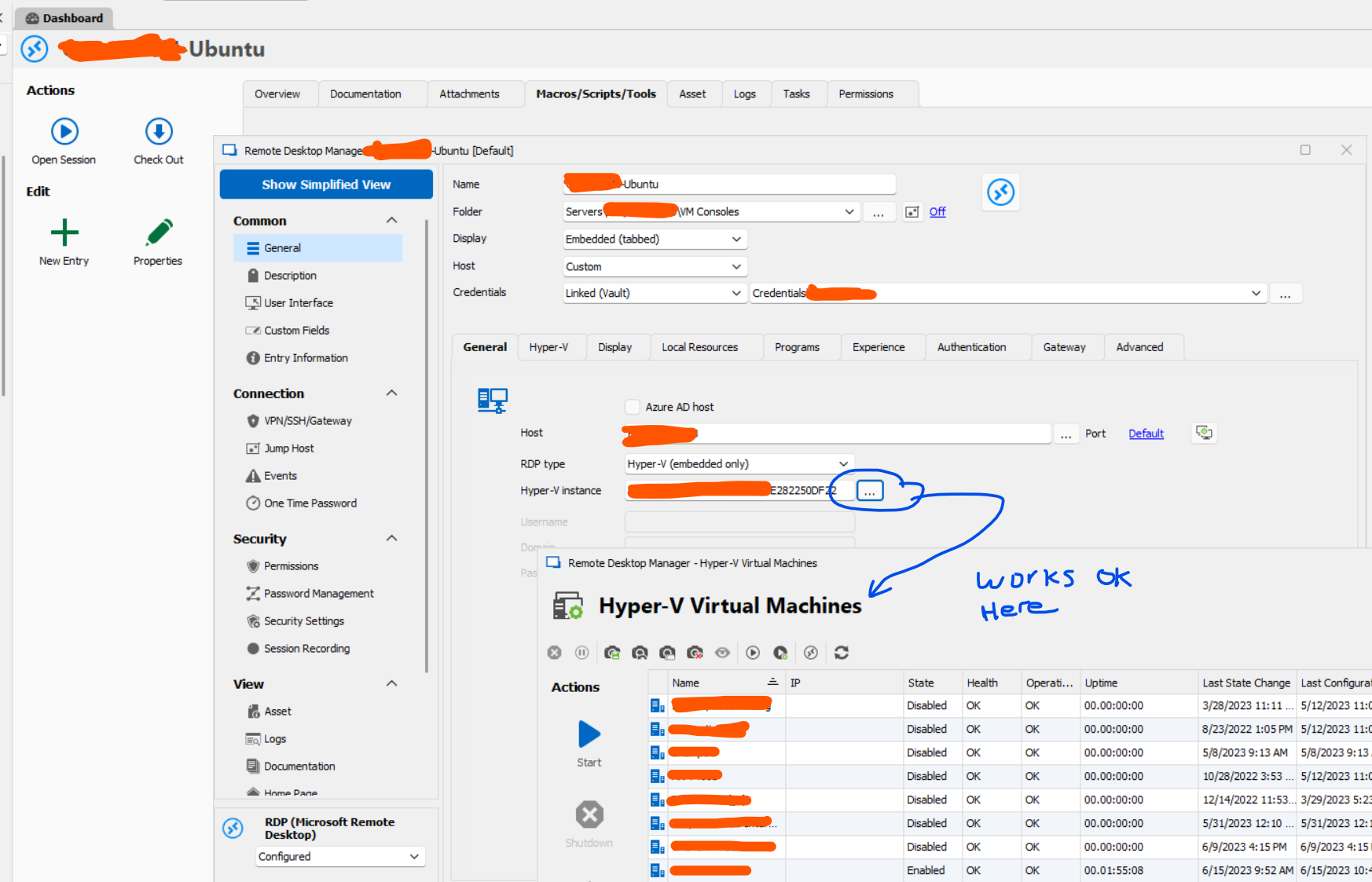
ff46abed-2b03-49e4-897e-e08abd25d494.png
50ba8356-ccff-4300-aea1-3a6275ad7467.png
db048ae1-9457-4b49-a141-0a20d65e6212.png
All Comments (10)
Hello Clark.
Thank you for contacting us on that matter.
Sorry for the late response.
I will check if you have a test environment in our system and try to reproduce this issue.
I want to assure you that we are working on your case right now.
Best regards,
Patrick Ouimet
Thanks for looking into this. Just for an update, this morning our team upgraded to RDM v 2023.2.9.0 64-bit, and this issue with the empty Hyper-V Dashboard remains. Looking forward to what you discover in the lab.
I enabled the debug log, and I see these messages showing access denied. However, clicking the "Open Hypervisor Host" button opens the RDP conection with no issues using the same credentials.
--- [BEGIN LOG] ---
Silent: System.UnauthorizedAccessException: Access is denied.
at System.Runtime.InteropServices.Marshal.ThrowExceptionForHRInternal(Int32 errorCode, IntPtr errorInfo)
at System.Management.ManagementScope.InitializeGuts(Object o)
at System.Management.ManagementScope.Initialize()
at Devolutions.RemoteManagement.Execution.WmiExecutionContext.Connect()
at Devolutions.RemoteManagement.Execution.ExecutionContextFactory.ConnectToHyperVWithVersionCheck(WmiExecutionContext context)
at Devolutions.RemoteManagement.Execution.ExecutionContextFactory.GetOrCreateExecutionContext[T](Object key, Func`1 createFunc, Action`1 overrideConnectFunc)
Local command executed - HyperV-GetTargetComputers - Error - 35 ms
Silent: System.UnauthorizedAccessException: Access is denied.
at System.Runtime.InteropServices.Marshal.ThrowExceptionForHRInternal(Int32 errorCode, IntPtr errorInfo)
at System.Management.ManagementScope.InitializeGuts(Object o)
at System.Management.ManagementScope.Initialize()
at Devolutions.RemoteManagement.Execution.WmiExecutionContext.Connect()
at Devolutions.RemoteManagement.Execution.ExecutionContextFactory.ConnectToHyperVWithVersionCheck(WmiExecutionContext context)
at Devolutions.RemoteManagement.Execution.ExecutionContextFactory.GetOrCreateExecutionContext[T](Object key, Func`1 createFunc, Action`1 overrideConnectFunc)
at Devolutions.RemoteManagement.Execution.ExecutionContextFactory.CreateWmiHyperVExecutionContext(ConnectionContext context, RemoteManagementHyperVVersion hyperVVersion)
at Devolutions.RemoteManagement.Commands.HyperVGetTargetComputersCommand.Execute(ConnectionContext context, HyperVGetTargetComputersParameters parameters)
at Devolutions.RemoteDesktopManager.Business.RemoteCommandDispatcher.ExecuteCommand[T,U](String commandName, ConnectionContext context, U parameters, Boolean addEntryToProfiler)
at Devolutions.RemoteDesktopManager.Frames.Embedded.FreEmbeddedHyperVVirtualMachines.<RefreshHyperVVirtualMachines>b__91_0()
Thread : 19
----------------------------------------
19 - OfflineManager.SaveMeta...
19 - Expiration : 13 ms
19 - OfflineManager.SaveMeta : 13 ms
Hello Clark,
Thank you for getting back to me. I appreciate your prompt response.
Based on your data source and the number of users on it, I suggest you try creating a portable version of RDM on version 2022.3.35.0 to see if this issue still persists. Here are the steps you need to follow:
1. Download the .zip file from the following link: https://cdn.devolutions.net/download/Devolutions.RemoteDesktopManager.Bin.2022.3.35.0.zip
2. Create a new folder on your Desktop.
3. Extract the content of the .zip file into the folder created in Step 2.
4. Once the .zip file has been extracted, go to the folder and run remotedesktopmanager.exe.
5. Connect to your data source.
Please note that if you are using an Advanced Data Source, it's best to skip step 5 and use the default data source created by the portable installation of RDM instead.
Thank you again for your cooperation, and please feel free to reach out if you have any further questions.
Best regards,
Patrick Ouimet
Hi Patrick. The good news is that worked. The Hyper-V dashboard works properly in the portable version you linked, 2022.3.35.0. Not sure what has occurred in the updates since then, but this gives us a starting point. Please let me know what is next. We're happy to help debug if you like. For reference, we have only two users on the datasource so it's very easy to do things like you described above. We can always work from a local copy of the vault if needed.
Thanks,
-Justin
Hello Clark,
Thank you for your concern.
I wanted to let you know that we were able to reproduce this issue on our end. Your case has been assigned to the engineering department, and I'll be sure to update you once we receive any feedback.
In the meantime, you may want to consider using the portable version as a workaround to access your credentials. We understand that this has been inconvenient for you, and we apologize for this situation has caused.
Best regards,
Patrick Ouimet
Thanks Patrick. We can get by, as we have been, by using RDP to connect into a server with the full Windows GUI installed, and run the built-in Hyper-V manager from there to adminster our headless Hyper-V servers. Not a big deal, just missing the convenience of the Hyper-V dashboard.
Thanks for all your help on this. Please let us know if the fix, once available, is planned for a specific version. Otherwise we'll just keep an eye on the release notes.
Thanks again,
-Justin
Hello Justin,
Thank you for your swift reply!
We will make sure to inform you once this issue is fixed.
Best regards,
James Lafleur
Hi James & Patrick. I just installed 2023.2.11.0, and it looks like the Hyper-V dashboard is fixed in this release. Looking at the release notes, maybe it was related to this "Fixed session tools credentials denied" ? At any rate it seems to be working again, so thanks for fixing that!
Hello Clark,
Thank you for your feedback.
I'm glad to hear that version 2023.2.11.0 is working for you. The issue you reported should already be fixed, but we're still testing it to ensure everything is working properly. Once the engineering department confirms that the issue is resolved, I'll update this post. Thank you for your patience and please let me know if you have any further concerns.
Best regards,
Patrick Ouimet
Dear Clark,
I am pleased to inform you that the engineering department has completed their testing and the issue you reported has been resolved. As per your suggestion, updating your RDM to version 2023.2.11.0 or above will address this problem.
Thank you for bringing this to our attention and for taking the time to follow up on it.
Best regards,
Patrick Ouimet