Support for new Teamviewer Desktop - Connecting to Computer in Console
Support for new Teamviewer Desktop - Connecting to Computer in Console
0 vote

Hi there.
I'm curious if there's a method to set up a "Teamviewer session" entry, but this time using the latest TV desktop console.
The key difference between the console and "Teamviewer.exe --id 123456789" is that the console doesn't prompt for a password, since Teamviewer knows you're already logged in. On the other hand, using the .exe asks for a password each time.
We don't use "Easy Access" and we also avoid setting the same password for all computers, due to the need for uniformity.
Our clients' computers are already listed in our account, and initiating a connection is as straightforward as clicking "Connect."
I'm also open to any ideas that would allow us to add a sub-entry for our computer objects, making it easier for my tech team to connect to a PC with a single click.
Thanks in advance.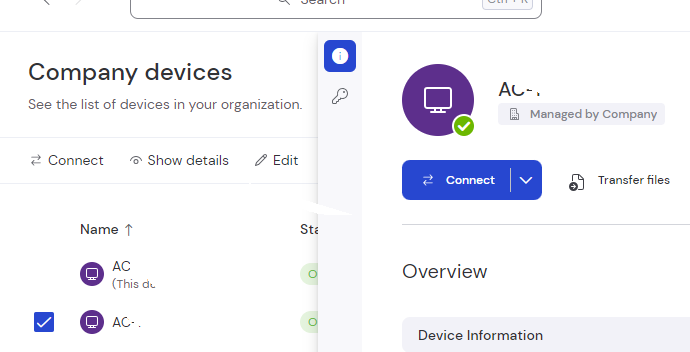

Snag_2841e8.png
Snag_284cd5.png
All Comments (8)
Hello,
Thank you for contacting us regarding this,
Please correct me if I misunderstood, however I believe the TeamViewer Dashboard entry may be what you're looking for: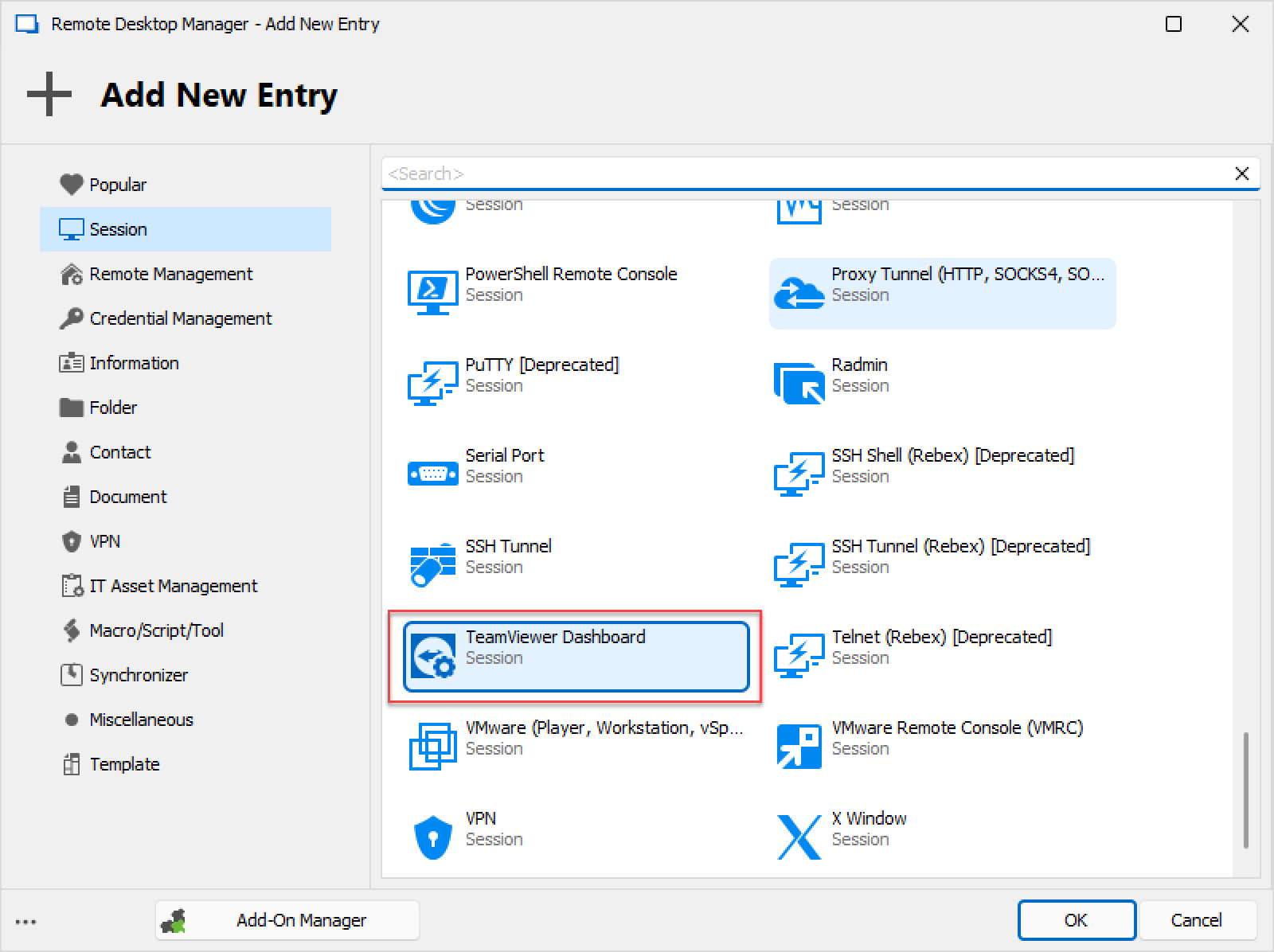
If this isn't what you're requesting, then let me know and it'll be my pleasure to keep helping you !
Best regards,
image_2023-06-08_150643015.png
Nearly !
What i am looking for is the ability to use that dashboard to connect to a computer automatically from a sub-entry.
Hello,
Forgive the delayed response, I was trying to figure out if this was possible in order to give you a clear answer.
At the moment, it is unfortunately not possible to do what you're requesting in RDM.
For this reason I will have this forum thread converted to a feature request.
If you have any further questions regarding this, please let me know !
Best regards,
Thanks Zachary. I appreciate that you took the time to be sure. Feel free to message me again if you want more details.
Hello,
Thank you !
We will be sure to let you know if we do !
Best regards,
Hi Zachary,
do you have any updates on this feature please?
we need to manage our cutomer with this new and secured feature.
Thanks
Hello,
I will have a look back with them and let you know!
Best regards,
Etienne Lord
Hi,
thanks.
As I looked very quickly it seems the management console (or the desktop client) authenticates the user, then simply launches the connection to the TeamviewerID without plainpassword
At the launch of a connexion from the web page we can see
a post request on https://login.teamviewer.com/LogOn/CreateLoginToken
responding with AccountId, LoginToken,TokenId,UserName
then a reponse is sent with the following that launches the session directly on the desktop client.
teamviewer8://remotecontrol?
remotecontrolid="TEMVIEWERID"
&managerid="TEMVIEWERCOMPANYID"
&username="USERNAME"
&logintoken="LOGINTOKEN"
&tokenid="TOKENID"