Unable to connect to Linux server through bastion [(10053L)
Version -- 2023.1.26.0 64-bit.
Getting below error while connecting to linux servers through bastion servers and unable to connect it.
(-25) Operation cancelled by the user.
Below error message is from Bastion tunnel..
Read error, ending dynamic negotiation 127.0.0.1:3390
[(10053L) An established connection was aborted by the software in your host machine.]
Closed tunnel: 127.0.0.1:3390 -> ?:0
Successfully able to connect to Windows servers over bastion. Only issue with Linux.
Kindly check if i am missing any configuration settings.
Note - Everything was working fine before upgrade to 2023.1.27.0 64-bit. release .. post that i faced this error.. Rollback release to 2023.1.26.0 64-bit. again however issue not fixed.
Thanks in advance.
All Comments (11)
I'm having the exact same issue. I can't pinpoint which release broke it, but it's been a few weeks. Nothing changed on the network/bastion and I can use Putty to do a port forward without issue.
Devolutions, can we please get this addresses?
Tried to install new version - Setup.RemoteDesktopManager.2023.1.28.0.exe
However getting same error message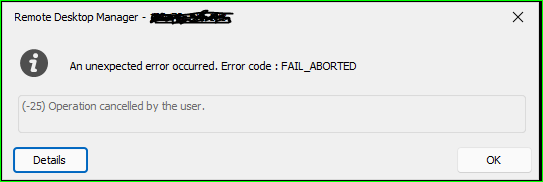
Using mRemoteNG and other tools .. i am able to connect to Linux servers.
c53b56d4-bef2-45c7-a045-241a3c627b6d.png
Hi,
Can you clarify what you mean by "Bastion" in this case? Is it Azure Bastion native client access, or something else entirely?
Best regards,
Marc-André Moreau
SSH Tunnel, used as an SSH gateway for another entry.
Bastion is like jumpto server.. and using same server we are able to connect to Windows servers.
This is the SSH output from the SSH Tunnel:
[6/9/2023 3:47:42 PM] User authenticated successfuly by password interactive
Listening on 127.0.0.1:3390 D
Read error, ending dynamic negotiation 127.0.0.1:3390
[(10053L) An established connection was aborted by the software in your host machine.]
Closed tunnel: 127.0.0.1:3390 -> ?:0
Read error, ending dynamic negotiation 127.0.0.1:3390
[(10053L) An established connection was aborted by the software in your host machine.]
Closed tunnel: 127.0.0.1:3390 -> ?:0
Installed older version -- RemoteDesktopManager.2022.3.24.0.exe .. issue got resolved.
Devolution should work on this issue for all latest releases.

Having the same issue, works fine for RDP sessions - but getting the same error listed further up for SSH connections. Works on earlier versions 2023.1.13.0 64-bit and not on 2023.1.29.0 64-bit
Hi,
This is a known bug and the fix will be available in our next release (2023.2.9.0) which is coming soon. It should also be available in the current beta version (2023.2.7.0)
Regards
Denis Vincent
Just to confirm the release of 2023.2.9.0 today has fixed the issues i had with ssh. Many thanks :)
YAY! So glad to find this was an actual bug, and not a misconfiguration on my part. I can also confirm that upgrading to 2023.2.9.0 has fixed this issue.