control+shift+6 key didn't work in terminal
Hi,
I use Remoted Desktop manager ssh terminal to manage our network devcie, in Cisco working environment, there is key combination Control+Shift+6 use as all-purpose break sequence. Use to abort DNS lookups, traceroutes, pings. I find out here use Control+shift+6 to setup bookmark. But even I setup bookmark key shortcut to None, it still not working properly in SSH terminal on Cisco device. Any advice?
wrong screenshooting:
Correctly screenshooting on SecureCRT, it should able to stop ping once I press "Control+Shift+6"

aff36227-7937-4992-9e58-003e9ff0930a.png
download.png
All Comments (24)
Hello,
Thank you for contacting us.
I have a few questions that I hope you can provide answers to.
- Which version of RDM are you currently using?
- What type of data source are you using?
Additionally, I would like to know if the "Grab the keyboard input" option is enabled in the bottom right corner of your RDM instance. It is represented by a small magnet icon and should be colored when enabled.
Let me know,
Best regards,
Samuel Dery
Hi,
I am use version 2023.1.22.0 64bits version with SQLite data source. Also, the "Grab the keyboard input" option enabled.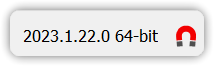
b80faafd-7b7e-4c3c-a8b4-fa1f005bf8c9.png
Hello,
Thank you for your reply,
I see, could you update to the latest version RDM 2023.1.28.0 to confirm if the issue persists?
You can download it from this link: https://remotedesktopmanager.com/home/thankyou/rdmsetup
Let me know,
Best regards,
Samuel Dery

Hello,
I'm using version 2025.2.23.0.
It appears that the Cisco break key combination is again not working.
I tried disabling the conflicting keyboard shortcuts "Set Bookmark 6" and "Go to bookmark 6."
Also tried it while having the magnet icon colored and grayed.
I'll appreciate your input.
Thanks.
Glenn
Hello,
Thank you for your reply,
Could you update to the latest version 2025.2.27.0 and let me know if you still encounter this issue?
https://devolutions.net/remote-desktop-manager/downloadenterprise/
Best regards,
Samuel Dery
Hello,
Thank you for your reply,
Could you update to the latest version 2025.2.27.0 and let me know if you still encounter this issue?
https://devolutions.net/remote-desktop-manager/downloadenterprise/
Best regards,
Hi @Samuel Dery
I apologize. Someone change the break character on the routers without documenting it.
Once the default was restored to the Ctrl-Shift-6 key combination worked a expected.
Thanks for looking into this.
Hello,
Thank you for your reply,
No problem, I'm glad to hear this is working as expected.
Best regards,
Samuel Dery
Hi,
I encounter same issue again, I have version 2025.3.29 on computer, magnet icon colored, also the conflicting keyboard shortcuts "Set Bookmark 6" has been disabled. I tried same key commination in Putty, it works.
Hello,
Thank you for your reply,
Could you confirm which version of RDM you were using previously, where it was working for you as expected?
Let me know,
Best regards,
Samuel Dery
Hi Samuel
This problem was fixed before, but not sure it happens again since which version. Maybe you can check with version 2023.1.28, I think this version maybe a good one.
I checked version 2025.3.27, it has same problem.
Hello Neil,
Thank you for your reply,
Which type of data source are you using with RDM?
According to the other user who encountered this issue initially it was working as expected for him on 2025.2.27.0
https://cdn.devolutions.net/download/Devolutions.RemoteDesktopManager.Bin.2025.2.27.0.zip
Could you create a portable instance of this version and let me know if it works for you as well?
Best regards,
Samuel Dery
Hi
Actually I always use portable version.
Hello Neil,
Thank you for your reply,
I see, have you been able to test with version 2025.2.27.0? If so, what was the result?
Best regards,
Samuel Dery
Hi,
I tested with 2025.2.27, it's same result. It doesn't work
Hello Neil,
Thank you for your reply,
My apologies for the delay,
Can you confirm if other shortcuts are working as expected in this remote connection?
I'm also wondering if you could provide me with a screenshot of the configuration under "File" -> "Settings" -> "User Interface" -> "Keyboard" I would like to see the "Set Bookmark"
I would also like to have a screenshot of your entry Properties under the "Keyboard" and "Key mapping" sections.
Let me know,
Best regards,
Samuel Dery
Hi
Here is you requested: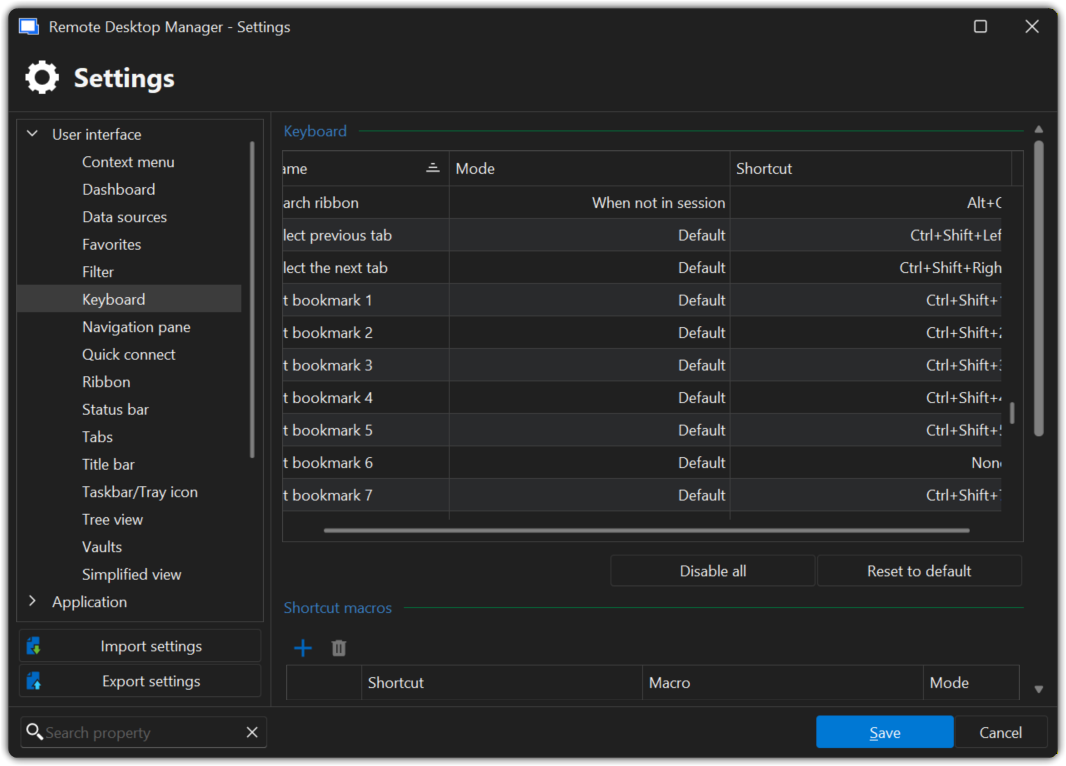
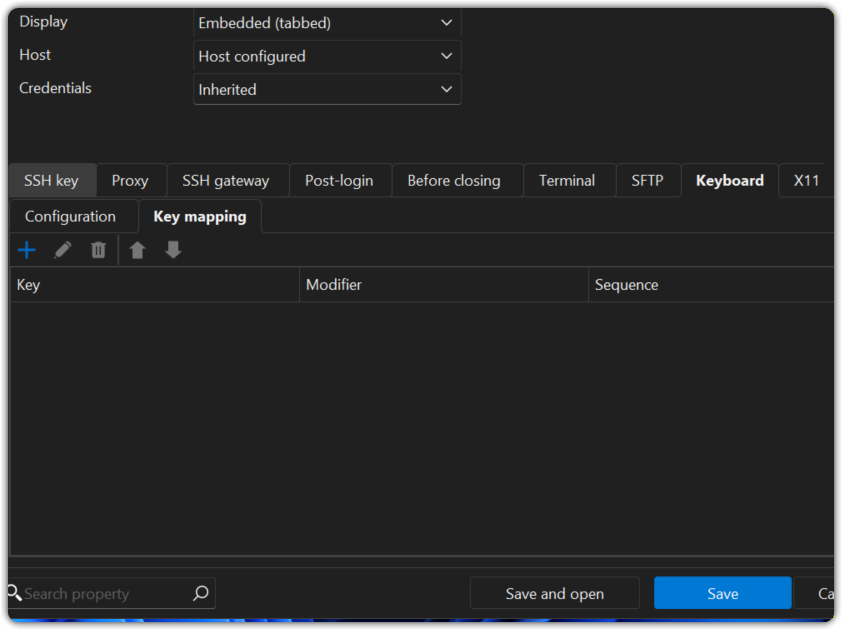
eed2094f-24e3-4336-acc4-137a192cf890.png
724547aa-5b4d-44f6-a210-9e8e8d1abd28.png
Hello,
Thank you for your reply,
Would you be interested in a remote session with me so I can take a look at your issue?
If so, I will need to open a case for you regarding this, would the email used for your account be the correct one to use?
If you would rather use another email, you can reach out to service@devolutions.net to open the case. Simply make sure to include this topic in the email.
Let me know,
Best regards,
Samuel Dery
Hi,
You can use this Email to reach me. Thank you for your time in advance.
Hello,
Thank you for your reply,
Perfect, I have created the case and sent you an email with a scheduling link.
Best regards,
Samuel Dery
Hi
I tested on version 2026.1.10, still same problem.
Hello,
Thank you for your reply,
I wanted to inform you that I have opened a case with our QA department regarding this to see if they are able to reproduce the behaviour,
I will keep you updated with any news I receive regarding this,
Best regards,
Samuel Dery
Hi
I created another ticket https://forum.devolutions.net/topics/52466/keyboard-swap-between-tabs, not sure two things linked together or not, but both related with keyboard.
Hello Neil,
Thank you for your reply,
You did the right thing by creating this new thread; it will help avoid confusion between the two issues.
At this time, I do not believe they are related.
Best regards,
Samuel Dery