$PASSWORD$ not working

I would like to automatically log on to Cisco Small Business Switches. Unfortunately, I can't give the login data automatically. It always asks for the login data again after connecting.
In the properties of the entry, I can enter $USERNAME$ and $PASSWORD$ as a command after login.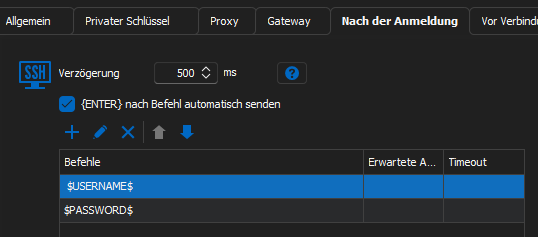
The $USERNAME$ is passed in the process. Instead of the password, however, $PASSWORD$ is entered as text instead of the actual password.
With a sqlite database, the whole thing works without problems. Unfortunately not with our RDM Enterprise SQL database.
The checkbox Allow password variable is set for the entry.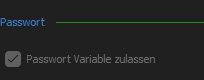
In addition, the check mark "Password variables for all entries" is set in the settings (checked as admin).
Are there any other approaches to narrow this down?
47b82b6c-a337-482a-9dad-6a6802e25b06.png
a8907399-e532-4cea-a32e-1150ad32a3c3.png
d7ee448d-5032-4f69-8ffa-eedab3484022.png
All Comments (3)
Hello,
does the SSH entry use a linked credential? If yes, the Passwort Variable zulassen must also be enabled on this entry.
Regards,
Min
Hi,
thank you for the feedback. That was the problem, among others. I had also created an entry with a password directly stored in the entry, where I had the same problem. After your tip, the linked credential worked. However, the entry with the directly saved password still did not work. I don't know what was wrong with my entry where the password was directly stored. I deleted it and created a new one and now it works. Thanks for the help.
Hello,
Perfect, thanks for your feedback! 😎
Regards,
Min