Full screen mode does not work in the product (RDP session)

If I try enter Full screen mode after connecting to RDP session (using fn + F or View -> Enter Fullscreen mode) it only removes Mac Os dock panel and upper panel but RDP session (remote desktop) still stays small and does not expand to whole screen.
All Comments (2)
Hello Dimak47,
Thank you for reaching out to us about this. In order to open an RDP session in fullscreen mode with MacOS, there are a few options that need to be activated in the entry properties.
Can you please try setting yours up using the following configuration?
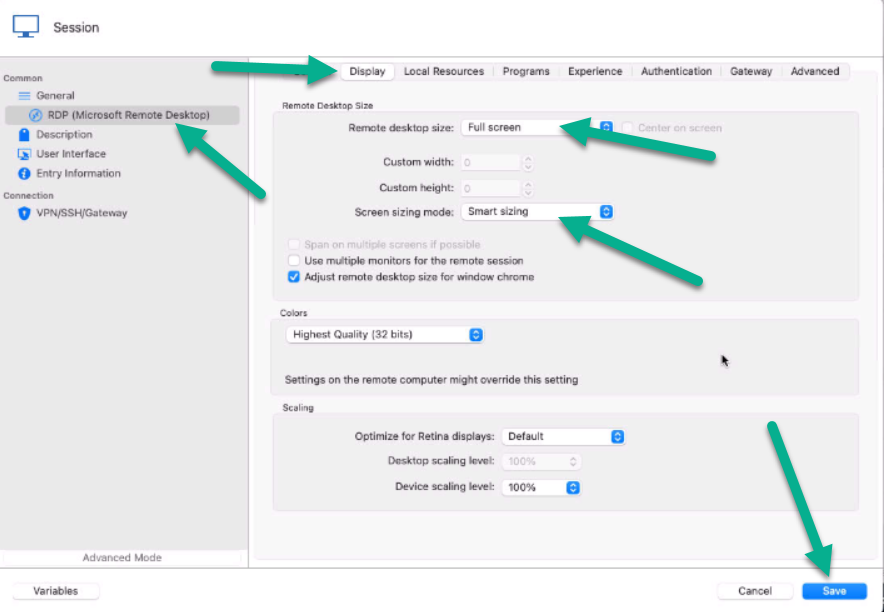
Once you have this setup, please let me know if it works for you. If you have any further questions or concerns, please don't hesitate to reach out.
Best regards,
Patrick Ouimet
rdp2.png
rdp.png
Hello Patrick!
I made these changes and after that Fullscreen Mode is working fine for me. Thank you very much for your support!