Move RDP session into RDM to make it embedded
0 vote

Hi, I've just downloaded RDM free version, I am unable to find Secret Server Entry. Is it due to free version? I did compare versions, no found 'Secret Server' item. I can add as a website, however every time I launched a remote server from Secret server site, it pops up a new window instead of open a new tab in RDM.
Please advise.
Thanks.
All Comments (18)
Hello,
External credentials, including Secret Server entries, require the Enterprise edition. You will also require a Delinea license to be able to use the Secret Server entry. You can write to sales@devolutions.net to receive a trial for both (or https://devolutions.net/remote-desktop-manager/trial for the RDM trial).
Please note only AD and local authentication are supported at this time, but we are working on the SAML (AAD) authentication.
For more information on the Secret Server entry: https://docs.devolutions.net/kb/remote-desktop-manager/how-to-articles/secret-server-entry-configuration/
Best regards,
Richard Boisvert
Thank you for quick response.
Actually I don't real need the secret server entry. I can access IBM secret server (URL) by adding a website entry in RDM. What I do need was launching remote server under new tab within RDM instead of pops up a new window. How to configure RDM?
Hello,
In that case, in the properties of the entry, simply select the display to be embedded: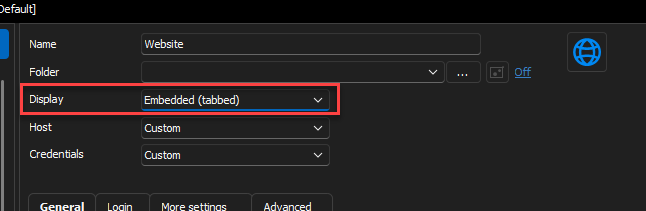
It will open in a tab in RDM instead of opening in an external program.
Best regards,
Richard Boisvert
78257873-2d5a-440c-b04d-7130201b70a2.png
I've already set "Embedded (tabbed)" by default. Just verified still pops up...
Hello,
Could you provide us with a recording of the behavior? It would be easier to assist you if we could see the issue.
Best regards,
Richard Boisvert
I think the issue was the button of "RDP Launcher" at the bottom of IBM secret server page. 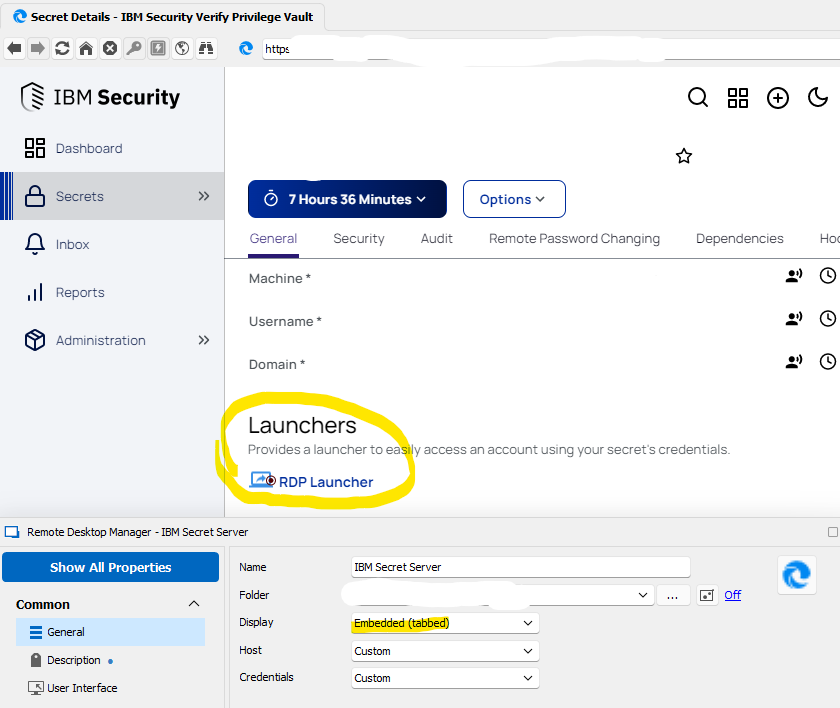
image_2023-05-18_150632719.png
There was "Secret Server protocol Handler" downloaded and installed. Probably the button called it to launch remote desktop in new window. 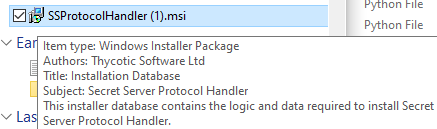
image_2023-05-18_183037191.png
Hello,
That is most likely the issue, it is calling that application when you open the link. In that specific case, it would not be possible to have that window embedded in RDM.
Let us know if we can be of any other assistance!
Best regards,
Richard Boisvert
Yes, it called mstsc to open a separated window. I believed it would be great if you can drag any opened window to a embedded tab in RDM. You know that we usually opened a few mstsc windows for managing multiple servers for deployment, comparison, etc. Hard to tell which window is which server during back and forth. With tabs, it's easier to manage. I like RDM so far except secret server gave me headache.
Hello,
The easiest solution would be to allow .rdp file to be handled by RDM, this way it would open embedded in RDM directly. This setting can also be set when you install RDM.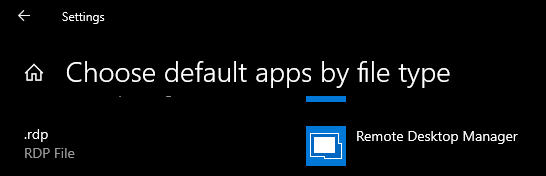
Best regards,
Richard Boisvert
50204bdd-7c34-46d3-b9f4-79d805ac75f6.png
I've set that

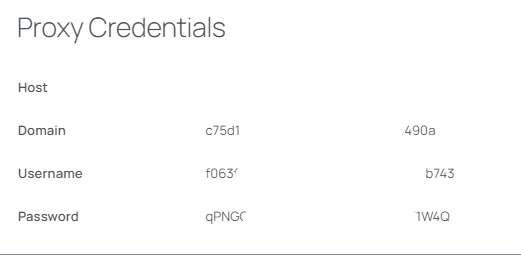
This worked when you open a .rdp file directly, however The RDP Launcher from IBM Secret server web page, it always launch Remote Desktop Connection with proxy credentials within a new window opened. 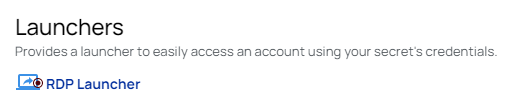
9e21b579-a6bf-465f-b74f-5dd8c31d61c0.png
a5eae7bd-af85-4f54-9e10-d164d1e8b9b9.png
b08a186f-4dd5-4e43-833f-227a62fac250.png
Hello,
Is this launching the RDP session with the Secret Server Proxy? If so, we unfortunately do not support it, since Delinea provided us with a cloud instance for testing purposes, but we do not hold a license that gives access to their proxy.
Best regards,
Richard Boisvert
Understood. I thought it would be great that you could do is to drag any windows (especially mstsc session windows) to RDM as a tab.
Hello,
I have moved your thread into the feature request section of the forum in that case!
Best regards,
Richard Boisvert
Hi
we are 50 sys-admin we are using RDM with SecretServer integration. It would be a great feature to connect via RDP / SSH using Delinea Secretserver Proxy.
Maybe with new release now we have an API support?
Best regards
Luca Brighetti
Hi,
We have a ticket to investigate this, but cannot provide any ETA as of yet.
Best regards,
Xavier Fortin
I wanted to share an update regarding the tools I use for server access.
After further exploration, I discovered that the IBM Secret Server Thin Client (specifically, Delinea Connection Manager) has the capability to open multiple server sessions in tabs. As a result, I have started using it for both PPE and PROD servers that require IBM Secret Server access.
However, for Non-Prod servers, I continue to prefer using Remote Desktop Manager (RDM). I find that RDM allows me to better organize and name my sessions, providing a more efficient approach to managing Non-Prod server connections.
We have tested some years ago Delinea Connection Manager and I confirm that using SecretServer API it can handle RPD and SSH connection trought proxy.
I hope RDM could implemt this feature soon.
L.