Devolutions.Powershell - New-RDMDataSource Error

Hello,
I've got problems with the new powershell module.
The following code is in use.
$dsname = "devo-backup"
$dsurl = "https://xxxxxx.xxx.xx"
$appkey = "zsd"
$appsecret = "xyz"

$ds = New-RDMDataSource -DVLS -Name $dsname -Server $dsurl -ScriptingTenantID $appkey -ScriptingApplicationPassword $appsecret -SetDatasource -WarningAction SilentlyContinue
Error Msg: "[Error] The operation has timed out."
And if I try "Set-RDMCurrentDataSource" I get the following, seems that the datasource is not configured correct.
PS C:\Users\xyc\Documents\PowerShell\Modules\Devolutions.PowerShell\2023.1.0.8> Set-RDMCurrentDataSource -ID 'yxc'
You need to have a Authenticator account to logon. Do you want to configure it?
[] Configure  [] Cancel  [?] Help (default is "Cancel"):
Is there any error log or idea?
All Comments (9)
Hello,
I just tried with your code, and it works on my end. Could you confirm you are using the PowerShell module version 2023.1.0.8 and PowerShell 7.3? Also, could you provide us with the version of your Devolutions Server?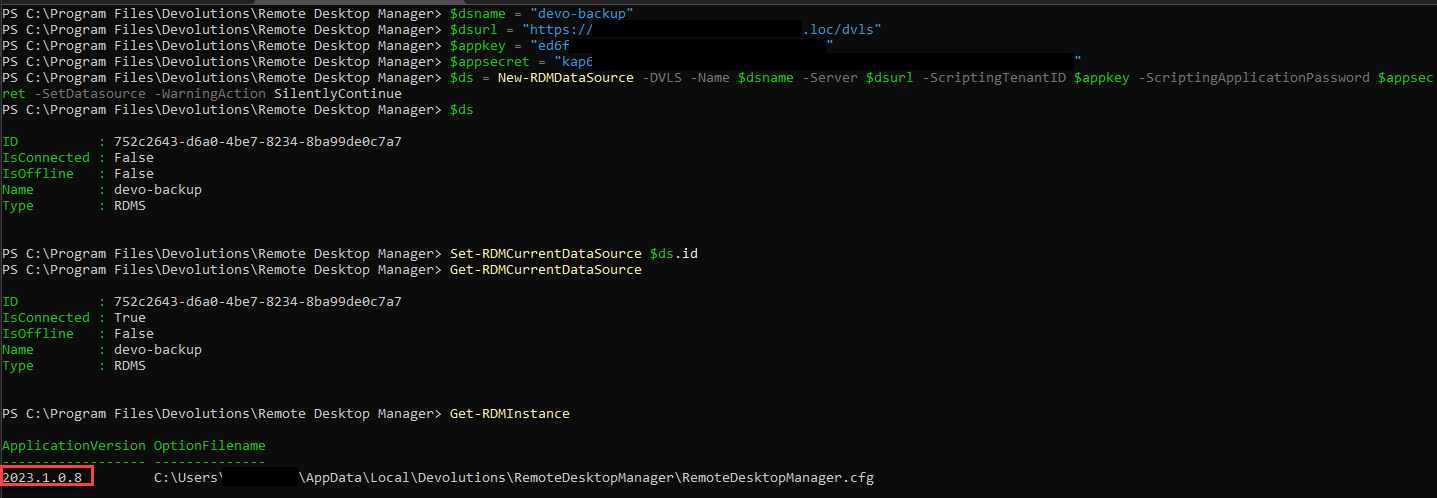
Best regards,
Richard Boisvert
f7dcfe1e-4c30-400f-88b7-2b7db784a1c6.png
Hello Richard,
yes it is RDM 2023.1.0.8 and Powershell 7.3.4.
After the "New-RDMDataSource -DVLS ...." command it gets a little timeout timeout.
Remote Desktop Manager [Loading sessions from data source Local Data Source]
[Error] The operation has timed out
Seems there is anything not correct. Application secret change has been tried.
I've created the applicatoin key and tried the code. I've tried it on my machine and also on the devolutions server itself.
Hello,
I have deleted your screenshot since it contained the application key and secret for your instance, I would recommend removing that application from your Devolutions Server instance.
The $ds variable displayed the correct data source information, so it looks like it was created correctly. If you re-open PowerShell and use the following, does it show as connected?
$ds = Get-RDMDataSource -name "devo-backup"
Set-RDMCurrentDataSource $ds.id
Get-RDMCurrentDataSource
Best regards,
Richard Boisvert
Thank you Richard!! Seems that I used to unedited screenshot ...
here is the output.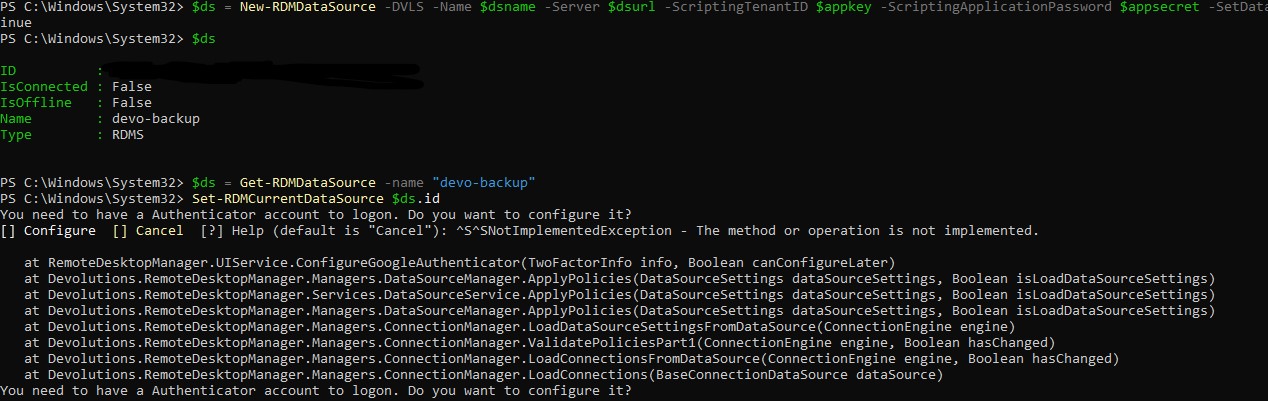
devolutions-error-powershell.jpg
Hello,
My pleasure!
I assume you have RDM installed on the machine you are trying to use the Devolutions.PowerShell module on? If so, when it is first loaded in memory, it will try to load the default data source. Could you either modify the default data source to the Devolutions Server one in RDM (File > Data Sources, at the bottom), or remove the local data source (same location in RDM)?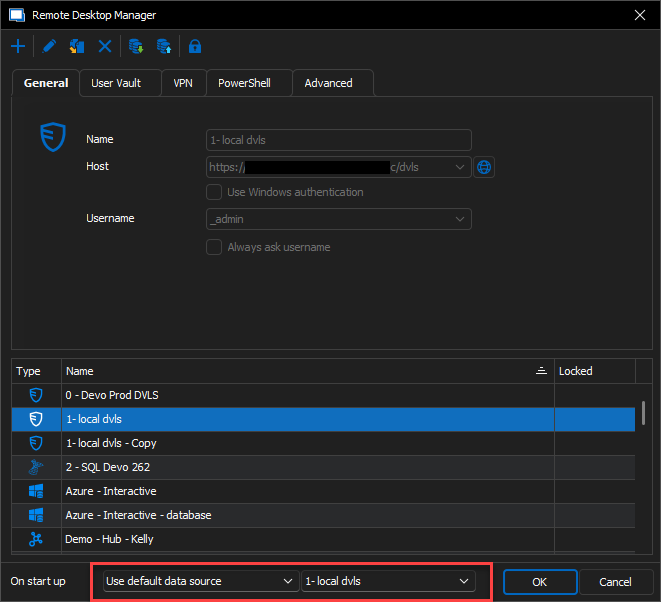
Best regards,
Richard Boisvert
fdde9618-dcdc-46c4-b42b-a24861e94356.png
Hello Richard,
I have only the devo-backup connection left, the other connections are deleted.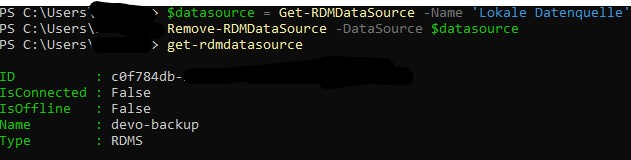
In the RDM the connection is also available. You can see in the Powershell Tab the correct application key. I can't save this manually because of the missing username (yellow marker).
In the settings I have for the rdm and other accounts 2FA as mandatory. Is this a problem with the application key?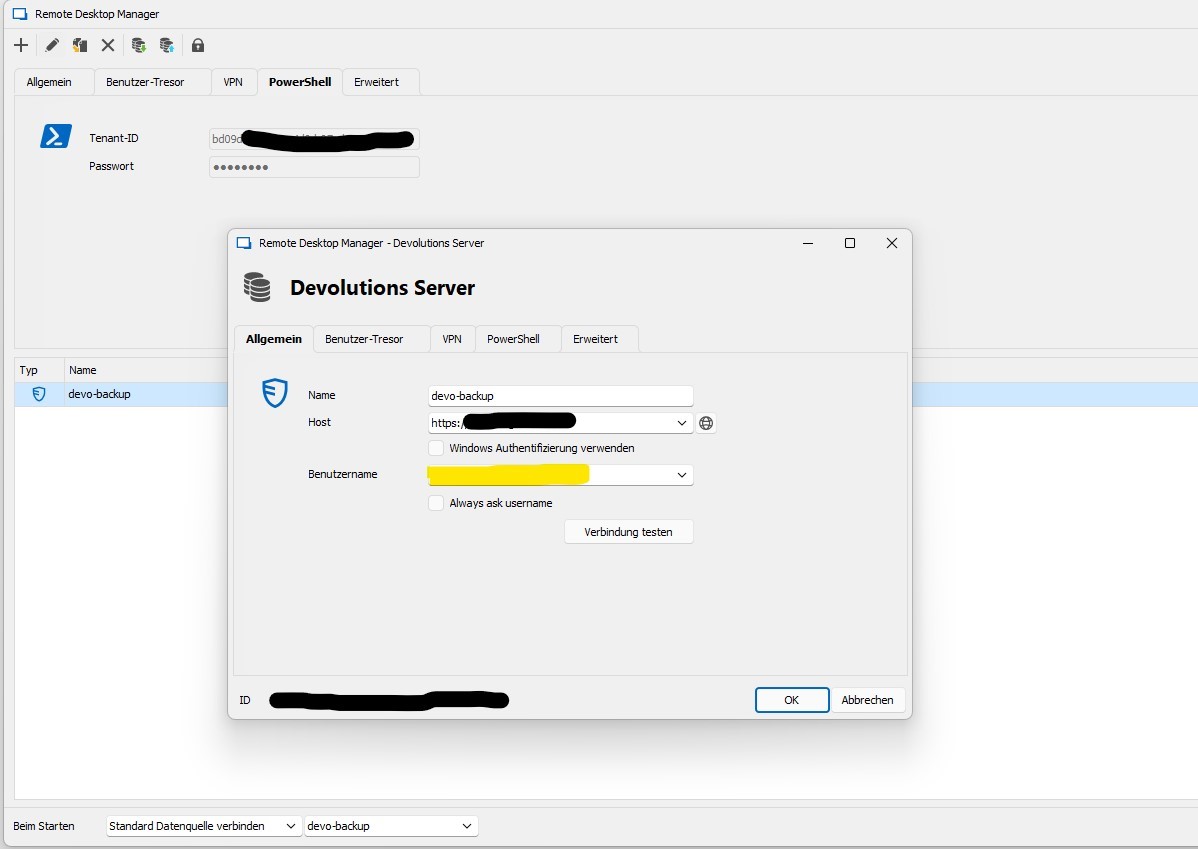
devolutions-error-powershell.jpg
devolutions-error-powershell1.jpg
Hello,
Just to be able to save it in RDM, you could check the "Always ask username" checkbox.
The 2FA is not applicable to the Application key, so it will not impact it.
As a test, in RDM, can you authenticate to the Devolutions Server data source, then go to File > Options > Types > Others and make sure the PowerShell version is set to PowerShell 7.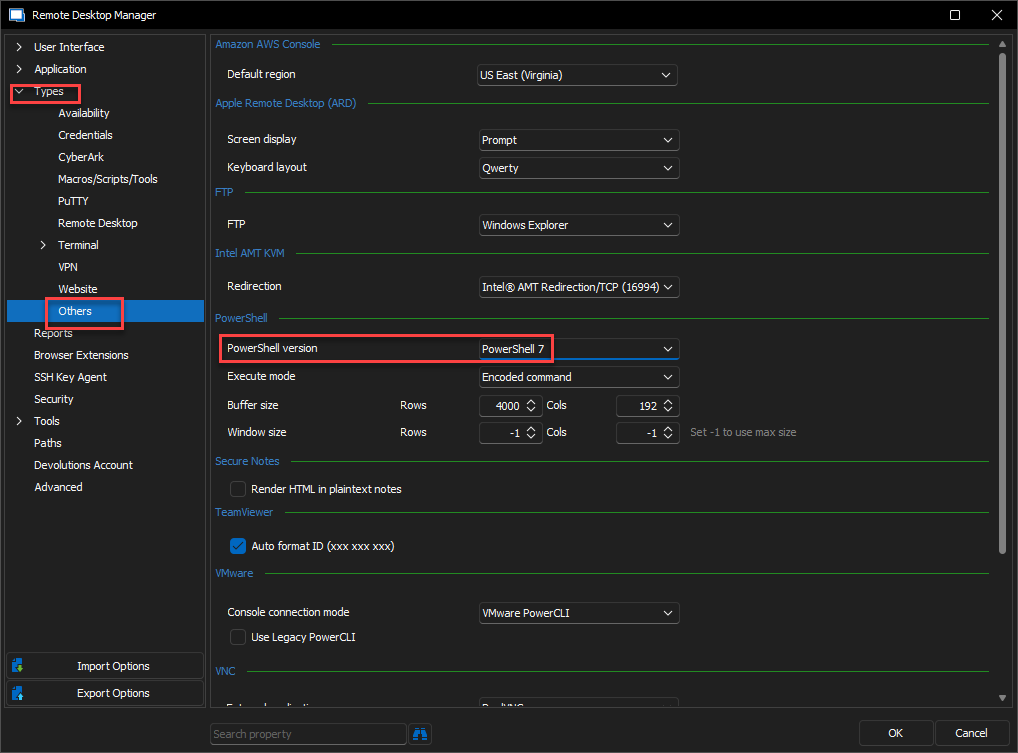
Then, go in the Tools tab of RDM, "PowerShell (RDM CmdLet)" and verify that the data source loads correctly.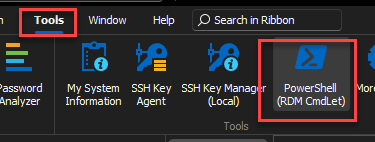
If it works from RDM, it should also work from the standalone PowerShell.
Best regards,
Richard Boisvert
b4833fa2-8c38-4c00-b2ef-d95ac5060862.png
e370b8b3-e8c2-482c-833d-267dd8f3ca18.png
@rboisvert: whould it be possible to "report" these fake profiles trying to scam you to click on their links, in what is clearly not a solution to the issue :)
@roch,
Thank you for the flag.
Indeed, this kind of post should not be present on our forum. I removed the post from the thread.
Best regards,
Jeff Dagenais