Unable to connect after upgrade

The issue started when i was forced to update, now I cannot get to my sites, I get this: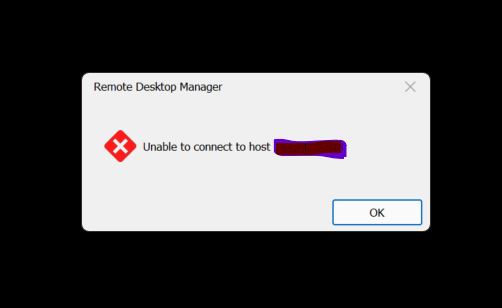
I did a bit of online sleuthing and it was mentioned to ty changing the RDP settings, if I change it to any of the ones that don't say FREE I get this: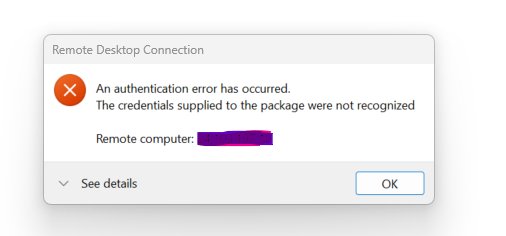
these are all established sites that my coworkers can get to, but I cannot. I uninstalled and reinstalled directly from the Devolutions site, still same issue.
any suggestions?
Bob
auth.png
unable.png
All Comments (4)
the details of the error are here:
[Window Title]
Remote Desktop Connection
[Content]
An authentication error has occurred.
The credentials supplied to the package were not recognized
Remote computer: xxx.xxx.xxx.xxx
[^] Hide details [OK]
[Expanded Information]
Error code: 0x0
Extended error code: 0x0
Timestamp (UTC): 05/12/23 05:27:07 PM
Activity ID: 8af3154c-2bbb-48f1-b08d-cf1775990100
Press Ctrl+C to copy.
Hello,
Thank you for reaching out to us regarding this,
I have a few questions which you can hopefully answer.
- Which version of RDM are you using?
- Which type of data source are you using?
That being said, I would also like to confirm if you're able to connect to this remote host outside RDM using MSTSC?
I've done some research on the error message you've received and found the following which I believe may be of interest in your case:
https://learn.microsoft.com/en-us/answers/questions/53514/credentials-supplied-to-the-package-were-not-recog
Let me know,
Best regards,
Samuel Dery
Hi Sam,
Version: 2023.1.26.0 64-bit
Password Hub Datasource
We tried everything in the forum string and to no avail.
Hello,
What is strange is that that title of your error message box indicate Remote Desktop Connection, which is usually related to MS RDP or the Microsoft ActiveX that we use to embed the RDP session into the tab.
That being said, do you encounter the same error message in external mode using Microsoft Remote Desktop?
Best regards,
Jeff Dagenais