New Windows Terminal support - focus issues & odd flow

It's great to see Windows Terminal support in RDM.
Using Win 11, all up to date (RDM and Windows). Also tried on a Win 10 machine, also all up to date.
A couple of issues:
- I am seeing consistent focus issues. Unlike every other RDM session, I have to manually click into the WSL terminal window to get focus. And before I do this, if I right click the tray menu, it pops up, but then immediately disappears as I go to select something. I have to then click in the WSL terminal window in RDM, and the right click tray menu starts to work properly again
- The setup flow is...odd. It was only by watching you intro video carefully that I saw you have to import the profiles from WSL to then be able to successfully set a font. I assumed it would pick up the font in the WSL profile, but it did not. So I was stuck for a while until I happened to notice you were using 'custom' for the profile, which then gives an Appearance tab - not visible at all until I did this import, whilst just using the profiles. This was quite confusing and could definitely be improved.
Other than those two point, it's fabulous to have this in RDM - really very useful indeed, and much better than the older approach of using the old console host.
All Comments (11)
Hello,
I will have to investigate that with the engineering department. Could you send a quick recording of the different behaviors?
Best Regards,
Etienne Lord
Hello,
Like Etienne said a recording would be useful, especially for the focus issues which I can't seem to reproduce.
As for the profile issue, when you say "I assume it would pick up the font in the WSL profile, but it did not.", do you mean that the font used in the opened terminal isn't the one setup on the profile (non-custom) selected in the entry? If so, this doesn't seem to happen to me. The profile used should be the exact one setup on your machine.
On the other hand, to change the font setting on the entry you would indeed have to use the custom option. We decided to make it work that way because we wanted to make it clear that when you edit a profile in the entry itself, it doesn't affect the existing profile on your machine. To actually edit an existing profile through RDM, you'd need to go in Tools -> More tools -> "Windows terminal profile management".
In any case, we'll try to think of ways to improve this workflow to make it more intuitive, and welcome any input you might have on the subject.
Regards
Jonathan Del Signore
Right, you're correct - it picks up the font, but not any changes of the size/weight (bold etc) of the font (if changed in the terminal profile). I see why you've implemented it the way you have, and that makes sense once explained - but it's certainly non obvious that it works that way and requires the custom option - so perhaps even some line of instruction there would help a lot.
Are you saying you can't reproduce the focus issues at all? The right click menu problem is intermittent, but the lack of immediate focus in a WSL2 tab is 100% reproducible here, on two machines. E.g. I have two tabs, one set up as a normal SSH into a server, the other a WSL Terminal. If I click the tab for SSH, I can immediately start typing into that window and input is accepted. If I click the tab for WSL, it does not yet accept input (clear because there is no flashing cursor as there is in WSL normally) - I have to manually click into that tab, the cursor then appears, and I can type away...
You're right, I can reproduce the focus issue exactly like you said. We'll open a ticket to take a look at the issue and come back to you with any updates.
We'll also look into improving profile settings clarity and/or making it work more instinctively.
Regards
Jonathan Del Signore
That's great to hear.
Hello,
We've introduced a fix for the focus issue that will be available in version 2023.1.28.0
We couldn't reproduce the right-click issue reliably, but it doesn't seem to happen at all anymore. Please let us know if it still happens for you, and we'll take another look if it's the case.
Regards
Jonathan Del Signore
This is great, I look forward to testing it once it becomes available.
This seems to be working well - many thanks.
One more issue, though - the scrollbar is off screen to the right and looks it isn't there (on my 4K monitor anyhow) - I can just grab it, but versus e.g. an SSH session, it's janky.
Hello,
Could you send a screenshot comparing the 2? I will have a look!
Best Regards,
Etienne Lord
Sure,
Red window is a standard SSH into a Ubuntu VPS, the yellow is a windows terminal running WSL2 Ubuntu. Note the complete absense of a scrollbar on the second window (makes no difference if there is a history or not). There _is_ a scrollbar there, it's just only half visible and black, so you get no indication it is there, and it's barely usable even if you know it is because you can't see what you're doing.
The last screenshot shows what you see if you do manage to work out it is there and grab the half bar.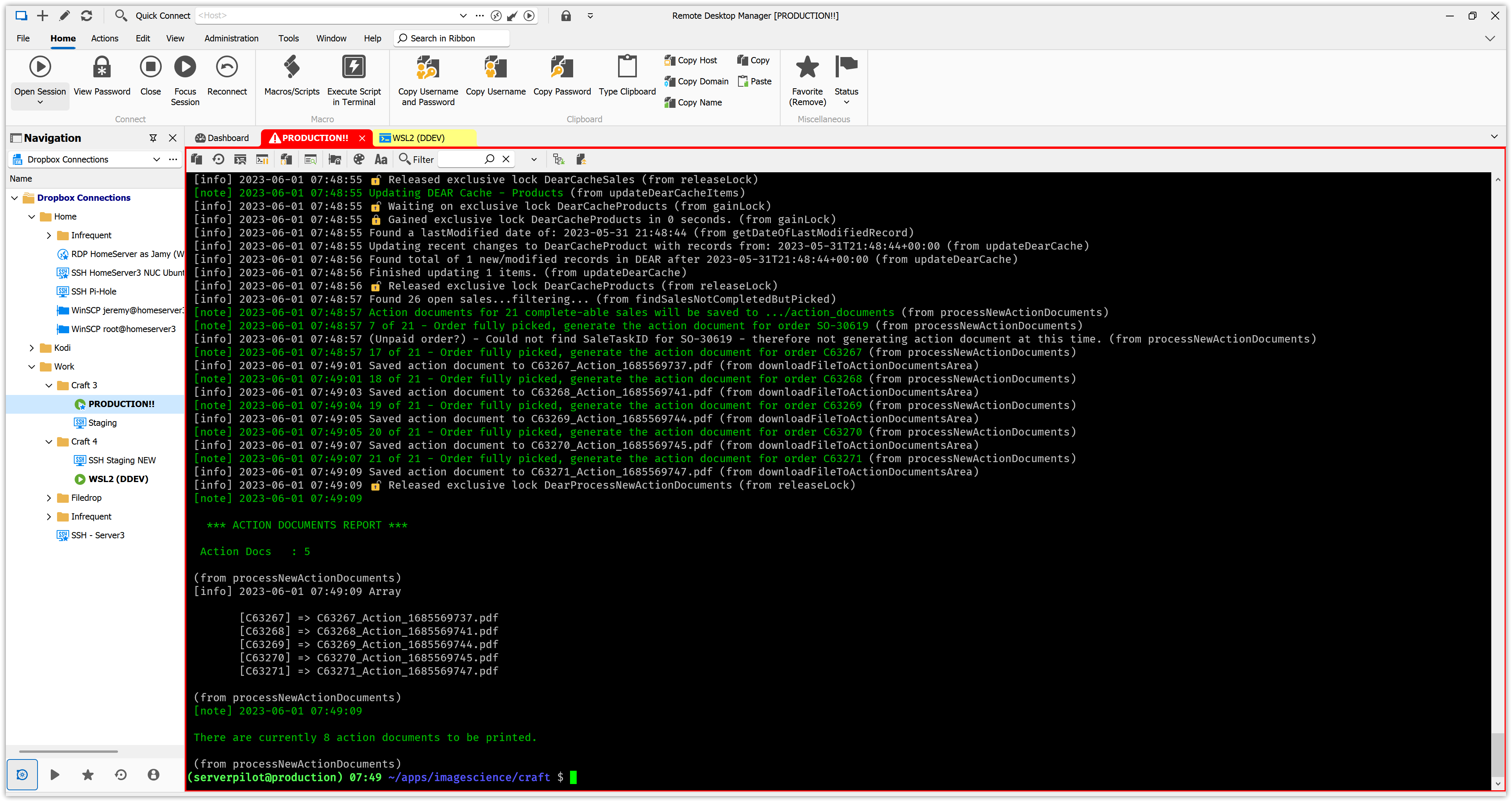
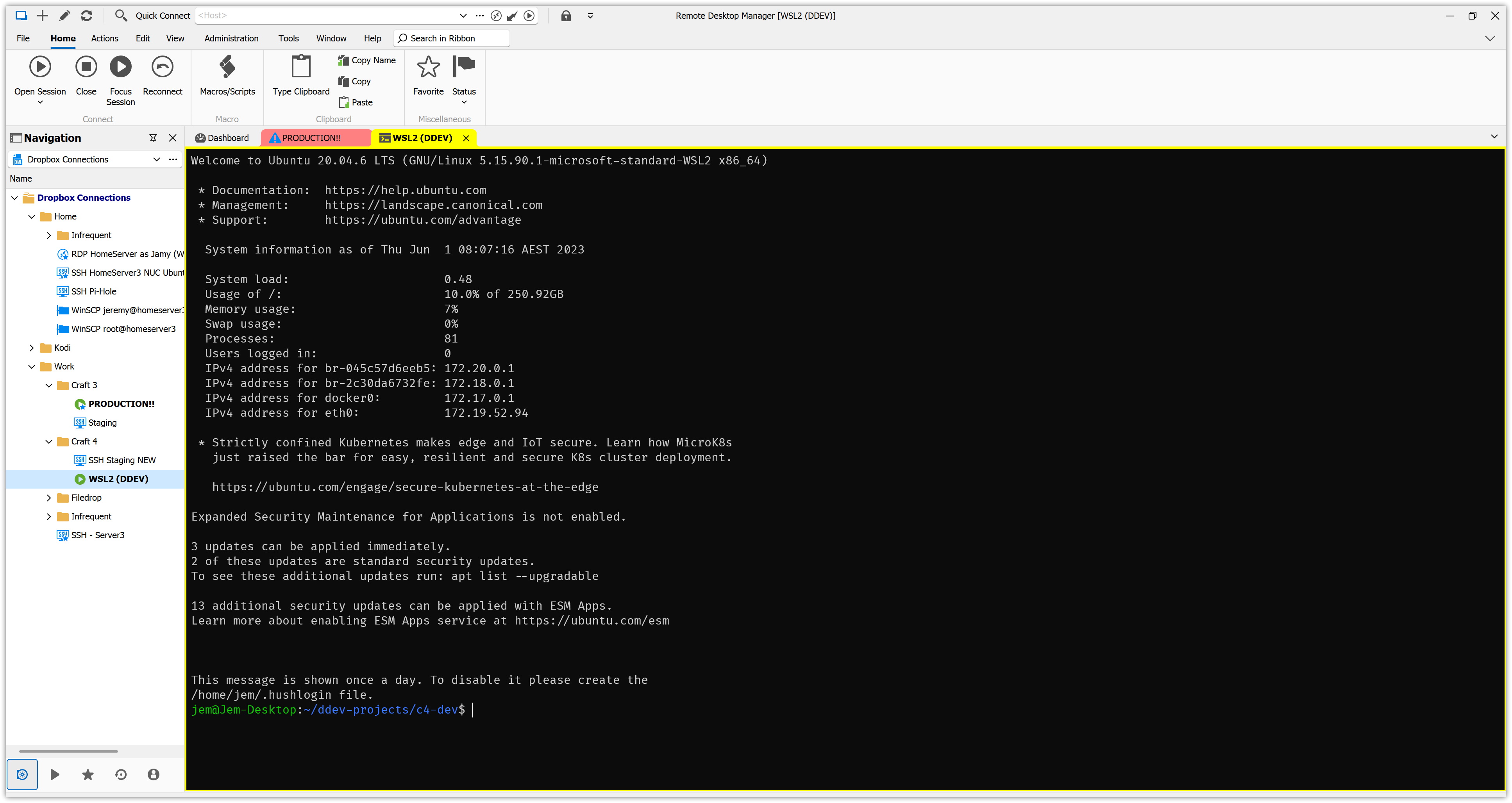
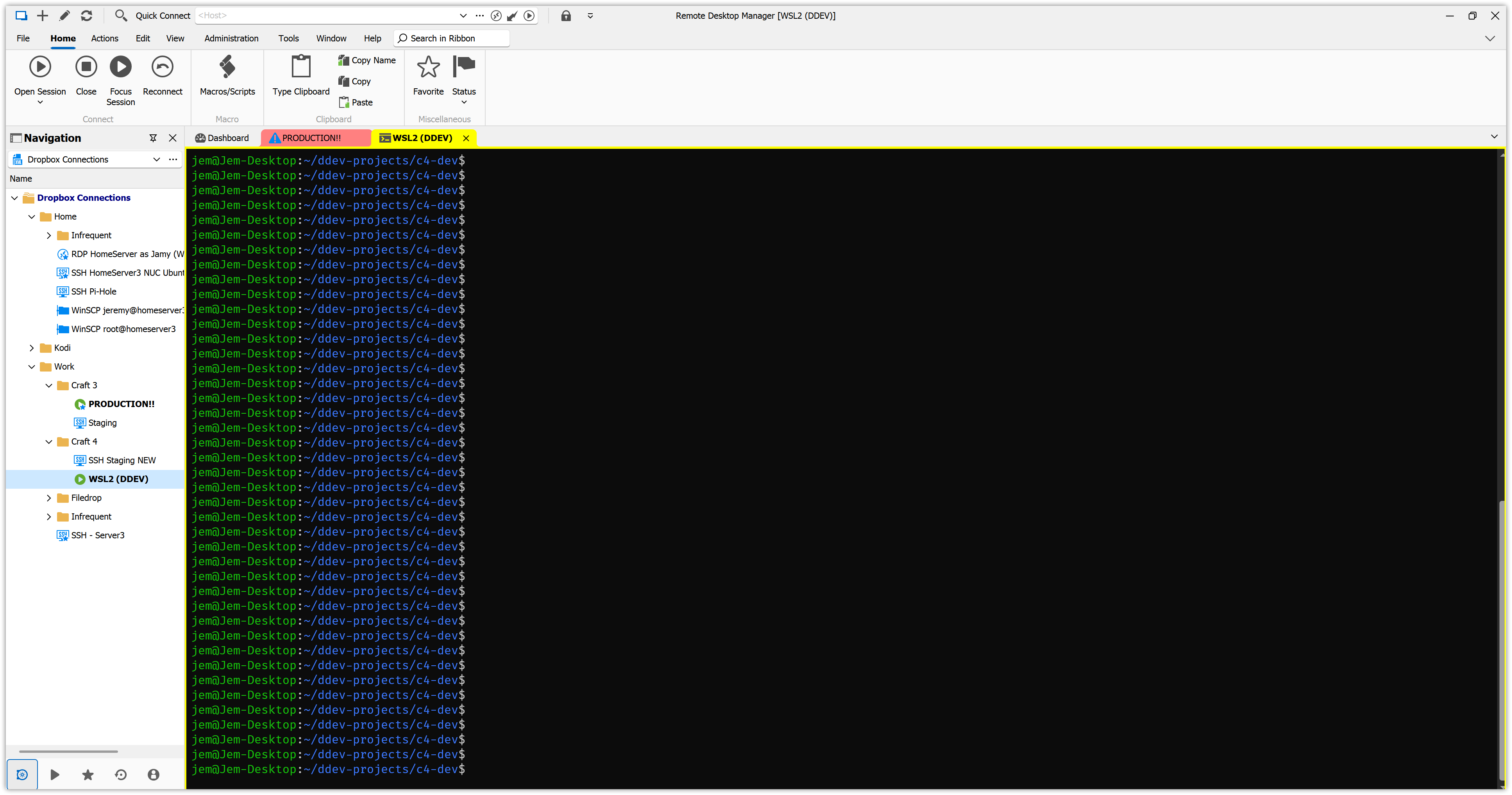
(all screenshots are right to the right edge of the screen)
WSL2 Bar.png
WSL2.png
SSH.png
Hello,
Thank you for the screenshots, I will have a look on my side!
Best Regards,
Etienne Lord