Other (Custom) entries - Option to unhide values
0 vote

Hi,
I am not sure which version of RDM, but at some point the values in Other (Custom) entries were made into hidden fields. We have used this entry type for both passwords and non passwords, an example being a list of network devices (IP for name and device for value). With the default to having the value being hidden we now have gone from a 1 step quick glance of every single line and value (in the dashboard) to:
1) clicking the entry
2) Clicking view
3) Clicking an individual line
4) Clicking view
5) (On the new popup) clicking the eye to view the value
6) clicking ok or cancel to close the window otherwise RDM is unusable as the focus is on the popup
Its really horrible. Can you please make an option in the entry to unhide the values if we want?
Thanks.
All Comments (16)
Hi, there is an option for that. You just have to unmark "is sensitive" at least on macOS. 
Bildschirmfoto 2023-05-11 um 10.07.55.png
Hello,
Thank you for reaching out to us regarding this,
The option nrathmer mentioned is also available in RDM Windows, when you access your entry "Properties" and go into the "Custom Fields" section you have to the option to change the custom fields between "Plain Text" and "Sensitive".
Let me know if this helps,
Best regards,
Samuel Dery
Hi,
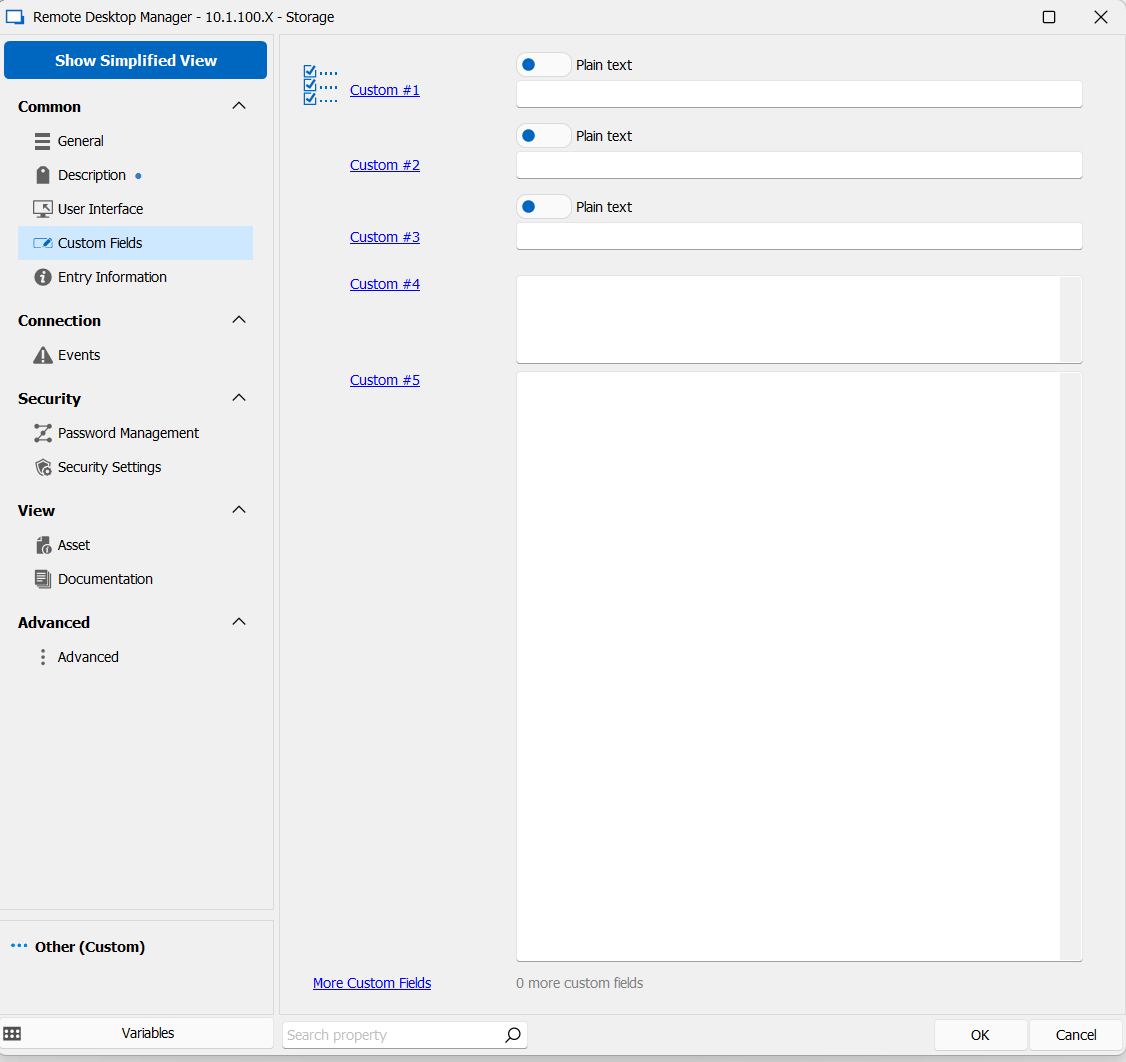
Thanks for the replies. Unfortunately I cannot see nrathmer's image and Samuel your suggestion does not seem to relate to the main entries that I am referring. See images: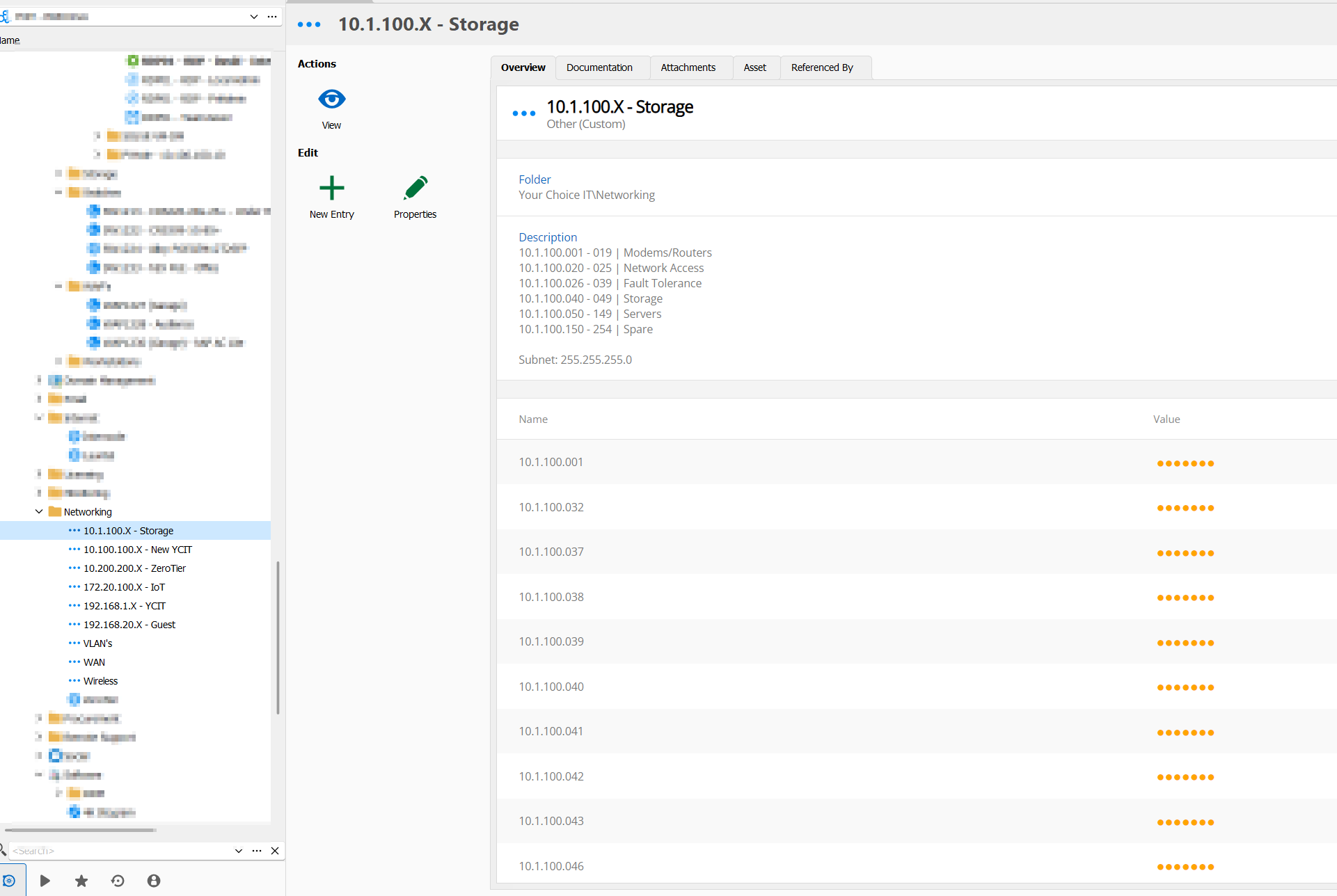
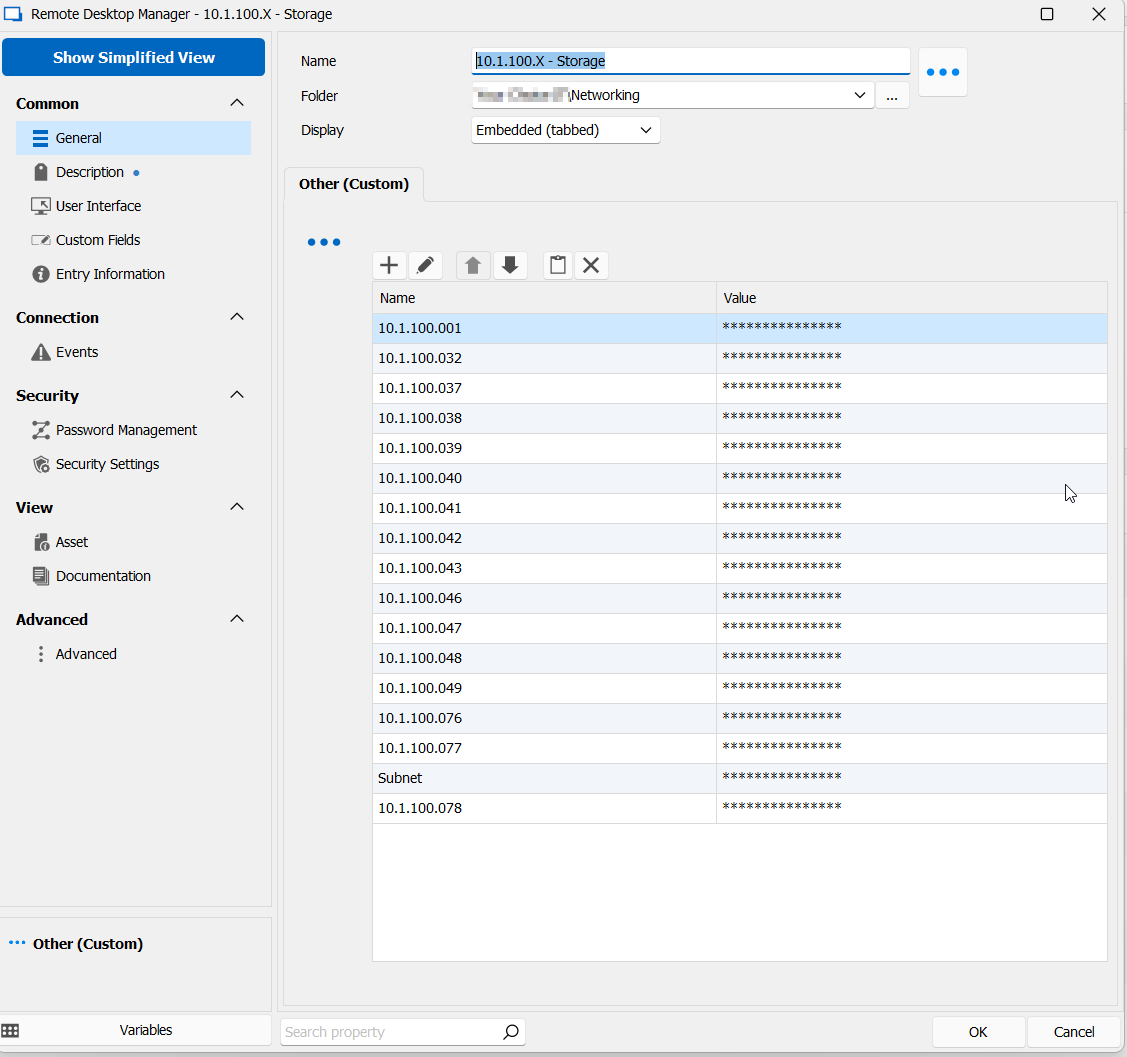
Also, while I have your attention, the list used to be sorted alphanumerically, but now as you see its sorted by first to last line entry. Can we please have the option on sorting the list?
Thanks.
8bfef662-e1fe-49a9-9cf4-b5dd60808c99.png
ca6b6d97-03aa-4d9d-9aeb-4acc3070ee37.png
7c0daede-afa1-4262-a2fe-073491c204f2.png

Maybe this picture works, if not, here is a imgur link: https://imgur.com/a/ehL9KLs
Bildschirmfoto 2023-05-12 um 08.06.23.png
Thanks nrathmer, I appreciate you trying to help,
Though that is the same as what I can see and not what I am referring to. Thats a custom field entry which are available on all entries. Iam specifically talking about the custom entry as per: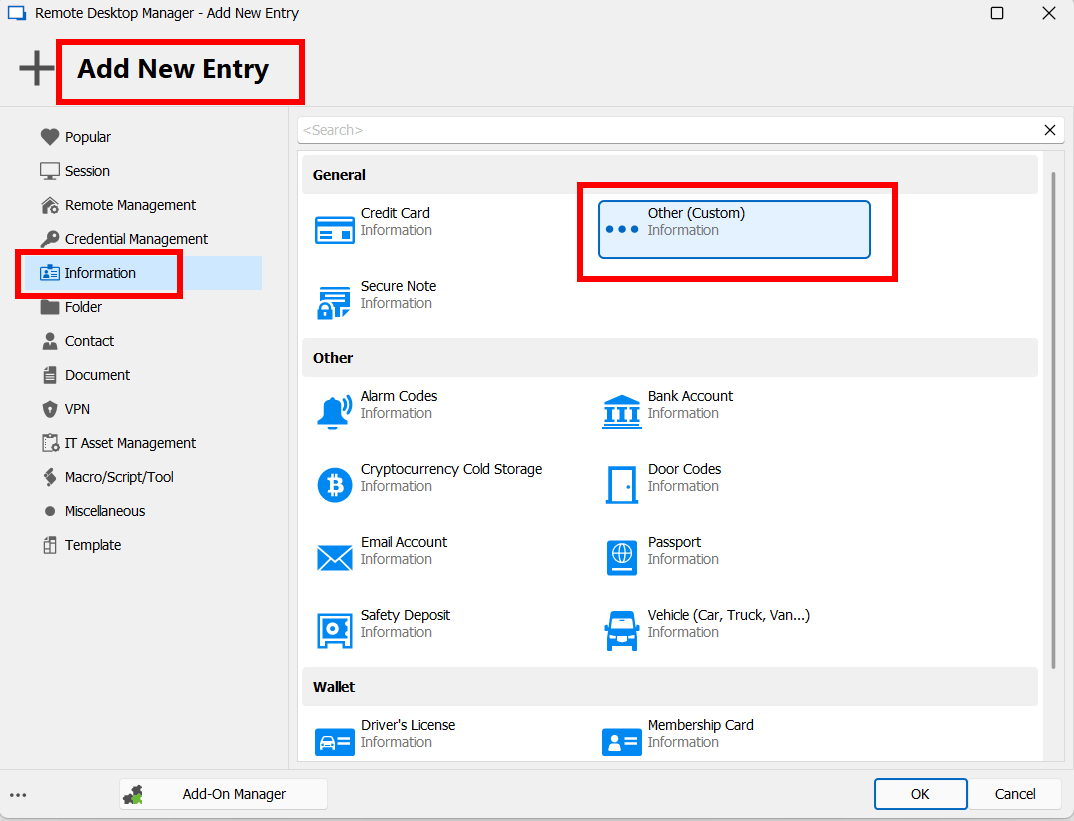
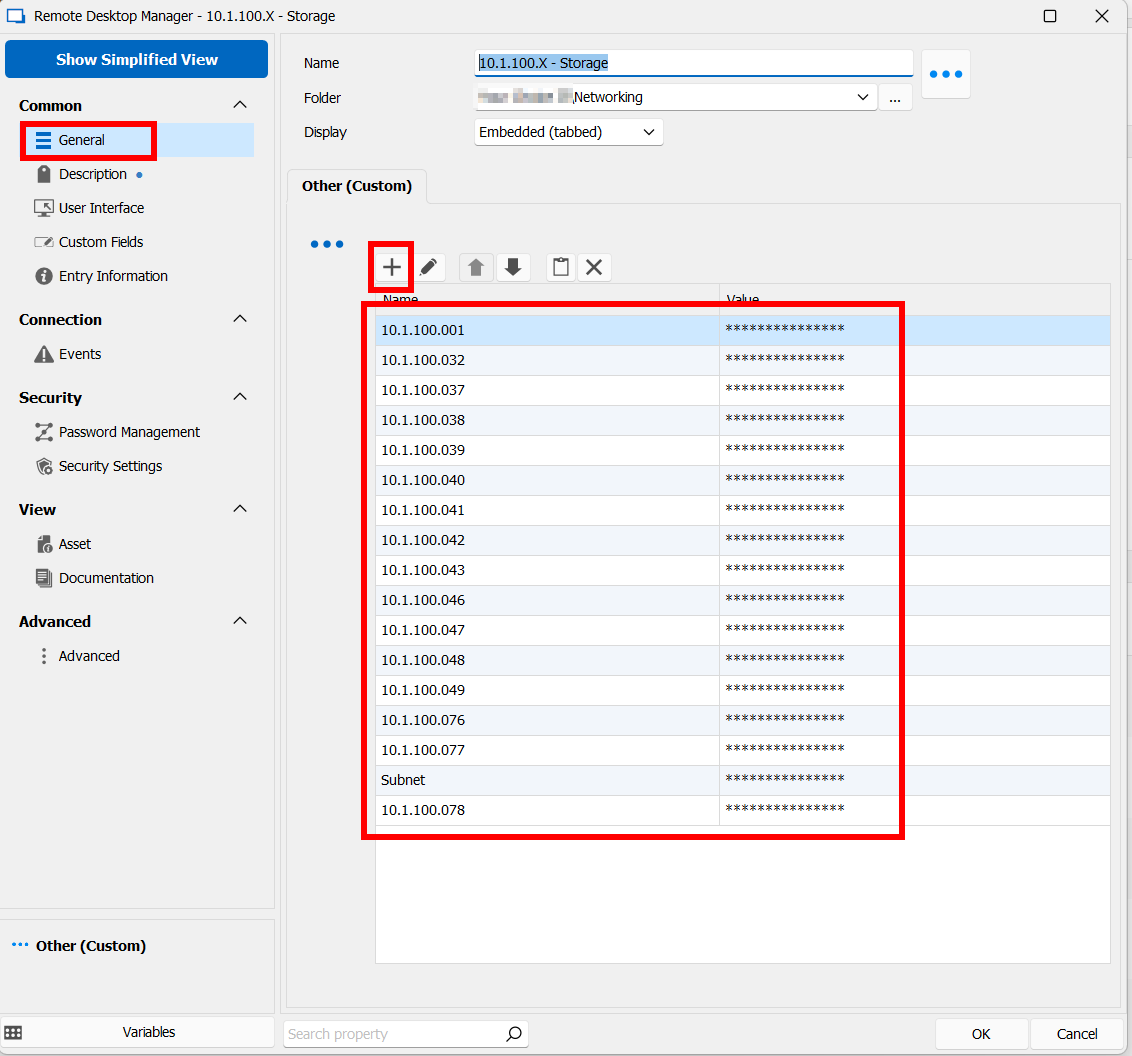
Sure I could move all my records to the manually created custom fields, but that sounds horrible. Especially when these records were created when the value column were not sensitive and masked. This is a recent'ish update and does not improve the product for this use case. Ideally a global setting on each entry to toggle all values being masked or not would be the best of both worlds.
Again also the ability sort the name column would be great to, this was another update that made the custom entry worse rather than better.
7ddca4ae-66f7-4ca3-a930-9befd73dd3fa.png
b787b5f5-6b0e-47ef-aa93-8d63091e92a4.png
Hello,
Thank you for your replies,
I see, indeed I can see how the ability to sort columns by name in this entry type would be helpful, currently, it's possible to perform a search by simply pressing on the column name I'm wondering if this could work for you?
That being said, regarding your issue with the fields being masked, if you simply select the entry in your "Other (Custom)" entry "Properties" and use the "Edit" (Pencil) button you can Add or remove the masking for the values: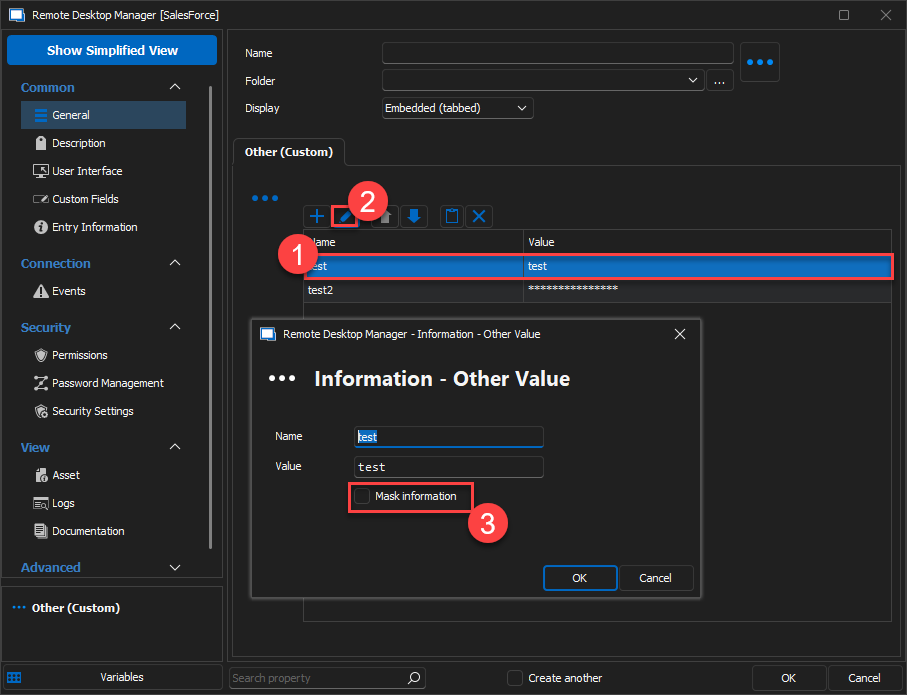
Let me know if this helps,
Best regards,
Samuel Dery
2c03d9c8-179f-4c8a-b909-b92c6f9b2f56.png
Hi Samuel,
Sorry for the delay, I was swamped with work.
I have looked at your suggestion, but I do not have that option. I even just updated to the latest version.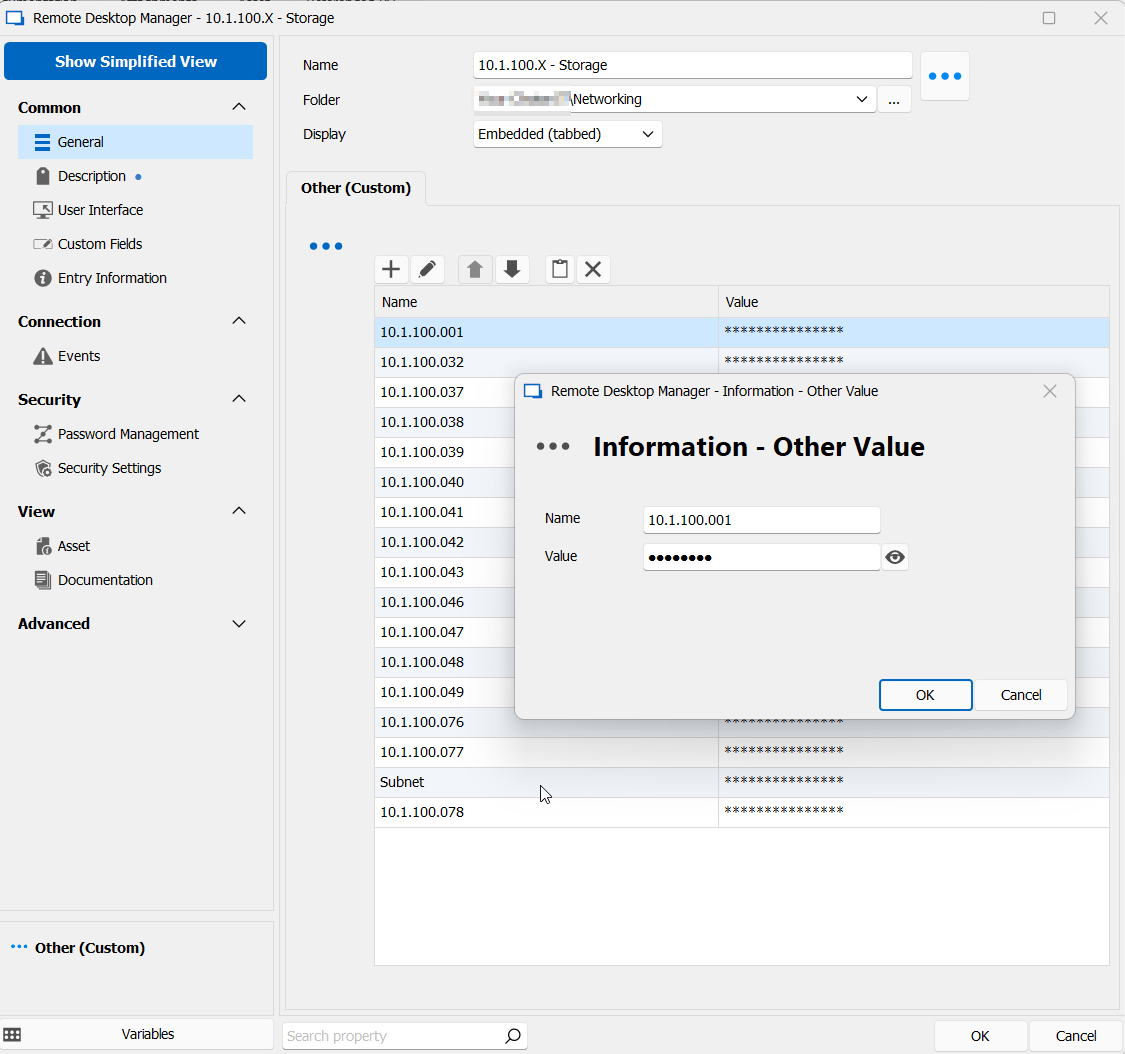
c9e65c01-1c13-4a2a-bac3-04a6d54d229d.png
Hello,
Thank you for your reply,
I see, you mentioned that you've updated to the latest version in your last message, could you confirm the version number?
You can confirm this by going under "Help" -> "About".
I'm also wondering if you're experiencing the same behavior when creating a new "Other (Custom)" entry?
Let me know,
Best regards,
Samuel Dery
2023.1.29.0 64-bit
This was on two computers with the same issue.
Yes same issue with new other entry.
Hello,
Thank you for your swift reply!
The latest version of RDM is currently 2023.2.9.0 and can be downloaded here: https://devolutions.net/remote-desktop-manager/home/thankyou/rdmsetup/
Would it be possible for you to download it and see if the same issue occurs with it?
Best regards,
James Lafleur
Hi James,
Yes, same issue with 2023.2.9.0.
Hello support04,
Do you use a Devolutions Hub data source?
Regards,
Min
Iam using Devolutions HUB database and I am the sole user.
For more context, I upgraded from a Devolutions Drive database (which also suffered this issue) but at some point in the past this was not an issue. I have not kept track of when this occurred, but those Custom entries did not always mask the values.
Hello,
Thank you for your reply,
I've been able to reproduce the behavior while using a Hub Personal and Hub Business data source, I will have to speak with our engineering department regarding this to confirm what the expected behavior would be in this case.
I will keep you updated with any news I receive,
Best regards,
Samuel Dery
Hello,
Thank you for your patience,
As mentioned I've discussed this with our engineering department, I'm afraid this is not currently supported with this type of data source however following our discussion we've opened a feature request case for this which I've linked to this thread.
We will keep you updated with any news we receive regarding this,
Best regards,
Samuel Dery
Thankyou Samuel - I appreciate it.