Updater issues - slow download and high CPU usage

Hi,
I observed that the updater window consumes quite a bit of CPU (one core is saturated) and the download speed is slower than I would expect using my connection. I usually download other files much faster. It doesn't seem to be the issue with your download server.
I attribute it to excessive progress reporting (refreshing the progress bar and the amount of data downloaded so far). The UI updates are very heavy.
Please fix it by doing UI updates less often. Twice per second or once per megabyte would be enough.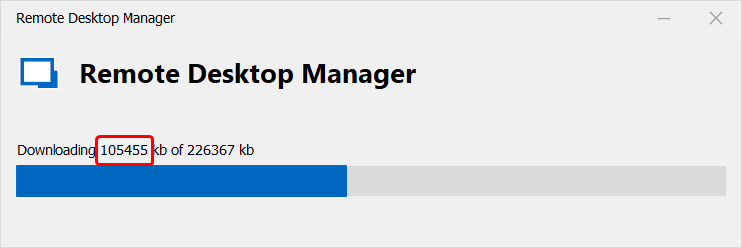
fddd2c4f-e858-4891-a82e-70fb492051eb.png
All Comments (9)
Hello,
Thank you for reporting this, I have opened a ticket to improve this.
Regards,
Hubert Mireault
Hello,
This should be fixed in RDM 2023.1.27.0
Regards
David Hervieux
Thanks a lot for the update, I'll check it at the earliest opportunity.
Hi David,
I waited for the version following 2023.1.27.0 so that I could see the fixed updater in the works. Today I've got 28.0, but the updater still exhibits the old behaviour (slow download, saturating a single CPU core). So as of now I do not see this fixed. The fix was lost in the battle :)
Best regards.
Hello,
I personally implemented the potential fix but our hypothesis must have been wrong. Maybe the problem was not the UI refresh but perhaps it's the download directly. I will investigate. By the way, I've also changed the the message to be in MB instead of KB. This will help you confirm that the fix is included.
Regards
David Hervieux
Hello,
Could you try this updated version? You could delete the already downloaded version in %localappdata%\RDMUpdate
Regards
David Hervieux
Devolutions.Updater.zip
Hi again David!
I ran manually the "Devolutions.Updater.exe" from "C:\Program Files\Devolutions\Remote Desktop Manager" and as of version 1.28 it works correctly! No more CPU hogging and download performance is entirely dependent on the CDN bandwidth.
I think the fix was maybe really included in 1.28, which is totally fine.
Thank you for fixing it. You can close this issue.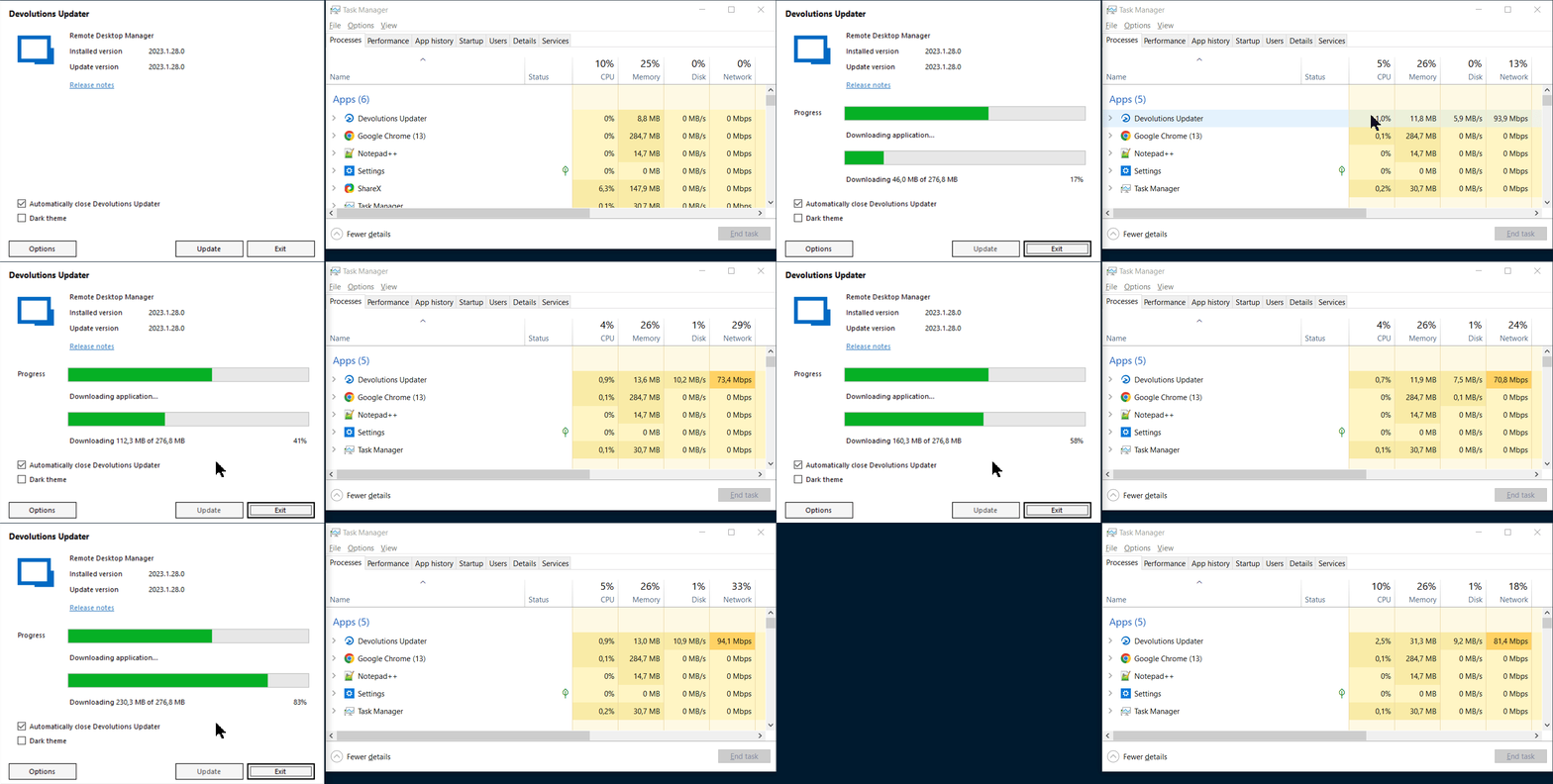
2023-06-07_23-17-11_Devolutions.Updater.gif
Hey folks,
I'm reopening this topic because the issue is not gone completely yet. Yesterday I was upgrading RDM from version 2023.2.11.0 to 2023.2.12.0, right from the "upgrade available" tab. Here's what happened: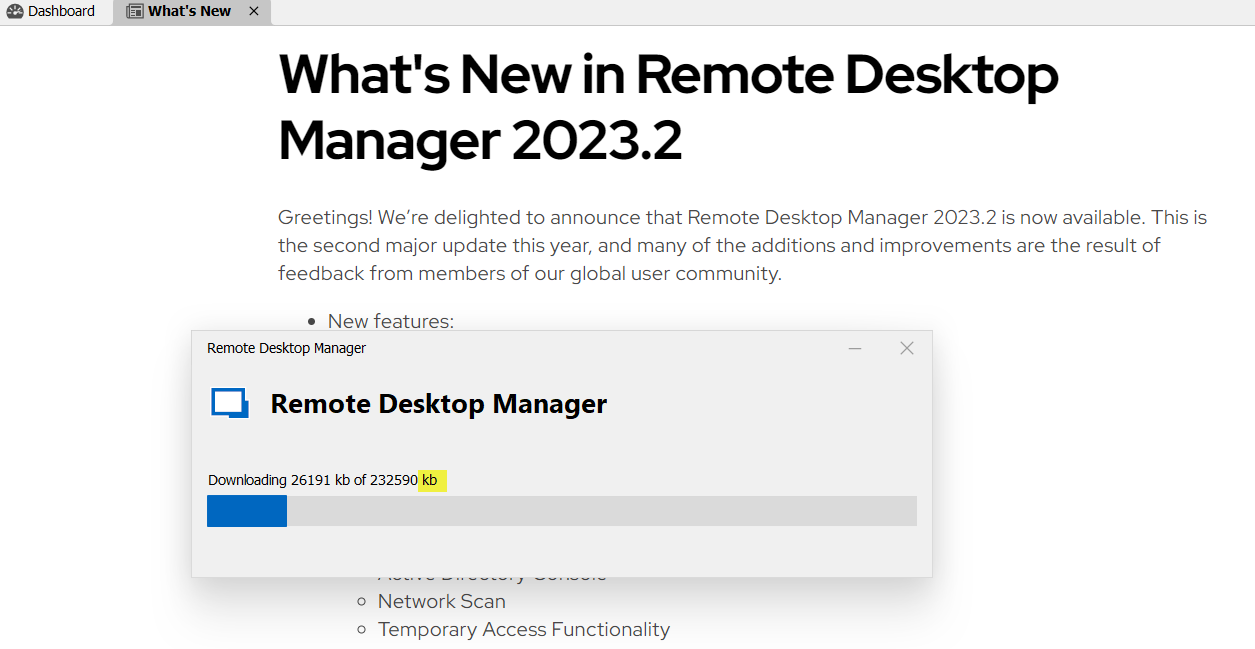
I have canceled this, then closed and re-opened the RDM and restarted the update and this dialog was shown: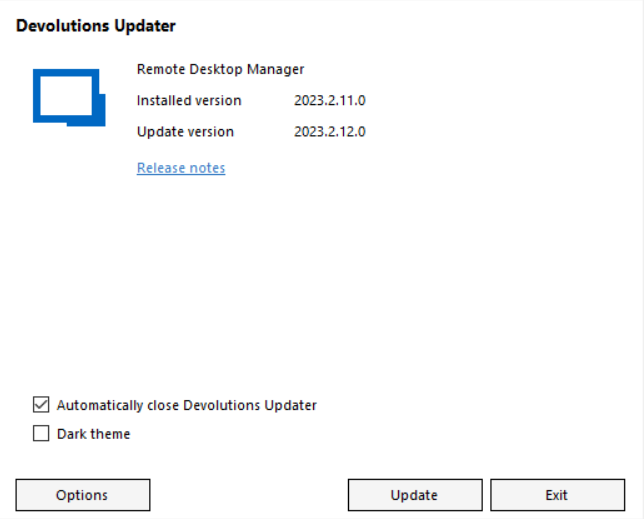
So it seems you have 2 different updaters and the old one still shows sometimes.
Please check it. Thanks in advance.
2c67eb45-0244-49bd-b39f-e1ca8665fd5f.png
9f7010a2-a2b4-4acc-9596-849467ea5af4.png
Hello,
I think I know that the issue is. When RDM is unable to start Devolutions.Updater.exe, the application tries to update itself and this code was not optimized. I'm on it.
Regards
David Hervieux